The Real Problem with Most Conference Room Displays
Most meeting rooms are still running projectors or consumer-grade LCD panels that were never designed for the demands of a modern conference environment. The result: washed-out images under office lighting, visible scan lines on video calls, and a display that looks fine in a demo room but fails in daily use.
The fix isn’t complicated, but it requires knowing which specifications actually matter. Pixel pitch, refresh rate, grayscale depth, and brightness — these four numbers determine whether your conference room LED wall enhances every meeting or becomes the thing everyone apologizes for before the presentation starts.
This guide gives you the exact specs to ask for, a framework for matching screen size to room dimensions, and a clear comparison of LED against the alternatives — so you can make a decision that holds up for the next decade.
LED vs. Projector vs. LCD: Which Technology Belongs in Your Conference Room?
Before specifying an LED wall, it’s worth understanding why the alternatives fall short in professional environments.
| Factor | LED Display | Projector | Large-Format LCD |
|---|---|---|---|
| Brightness | 400–800 nits (indoor) | 3,000–5,000 lumens (needs dim room) | 300–500 nits |
| Ambient light performance | Excellent | Poor (requires blackout) | Good |
| Lifespan | 50,000–100,000 hours | 2,000–5,000 hours (lamp) | 30,000–50,000 hours |
| Maintenance | Minimal | Lamp replacement every 1–2 years | Backlight degradation |
| Seamless display | Yes | Yes | Bezels between panels |
| Native 4K | Yes (fine-pitch) | Expensive | Yes |
| Noise | Near-silent | Audible fan | Near-silent |
| Touch/interactivity | Built-in on most models | Requires add-on hardware | Available |
| 5-year TCO | Lower in high-use rooms | Higher (consumables) | Moderate |
The bottom line: Projectors made sense when LED was expensive. In 2026, the TCO math has shifted. For any conference room used more than four hours per day, LED delivers lower long-term cost and significantly better image quality under normal office lighting.
Pixel Pitch Selection: Match the Screen to the Room
Pixel pitch is the distance between LED chip centers, measured in millimeters. Smaller pitch = higher resolution = higher cost. The goal is to match the pitch to the actual viewing distance in your room — not to buy the finest pitch available.
The formula: Minimum comfortable viewing distance (meters) ≈ pixel pitch (mm) × 1.0 to 1.5
| Room Type | Typical Viewing Distance | Recommended Pixel Pitch |
|---|---|---|
| Huddle room (2–6 people) | 1.5–2.5 m | P0.9–P1.5 |
| Small conference room (6–12 people) | 2.5–4 m | P1.5–P2.0 |
| Standard conference room (12–20 people) | 4–6 m | P2.0–P2.5 |
| Large boardroom / training room | 6–8 m | P2.5–P3.0 |
| Auditorium / lecture hall | 8–15 m | P3.0–P4.0 |
| Large event hall | 15 m+ | P4.0–P6.0 |
Practical note: Going finer than the viewing distance requires adds cost with no visible benefit. A P1.2 panel in a room where the nearest viewer sits 5 meters away is money spent on resolution no one can see.
Brightness: More Is Not Better Indoors
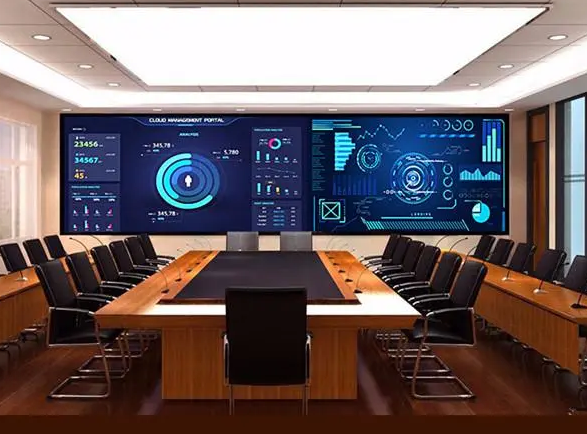
Conference room LED displays are frequently over-specified on brightness. The instinct to buy the brightest panel available is understandable — but wrong for indoor environments.
- 500–800 nits is the correct operating range for standard conference rooms
- Above 1,000 nits indoors causes glare, eye fatigue, and washed-out colors
- Below 400 nits struggles in rooms with strong overhead lighting or windows
What matters more than peak brightness is low-brightness performance — how the display looks at 5–20% brightness in a dimmed room for presentations or video playback. A panel that maintains color accuracy and gray scale stability at low brightness is worth more than one with a high peak spec it will never use.
Ask your supplier for the minimum stable brightness level and gray scale performance at that level, not just the maximum rating.
Refresh Rate and Grayscale: The Specs That Determine Video Call Quality
These two specifications are consistently underspecified in conference room LED purchases — and they’re the ones that matter most for daily use.
Refresh Rate
| Refresh Rate | Performance |
|---|---|
| Below 960 Hz | Visible scan lines in photos and video — unacceptable |
| 960–1,920 Hz | Marginal; scan lines appear in fast-shutter photography |
| 1,920–3,840 Hz | Acceptable for standard conference use |
| 3,840 Hz | 2026 standard for professional conference environments |
| 7,680 Hz | Required for broadcast, live streaming, or high-speed camera work |
If your conference room is used for video calls, recorded presentations, or any content that will be captured on camera, specify 3,840 Hz minimum. “High refresh rate” is not a specification — get the number in writing.
Grayscale Depth
- Minimum: 16-bit grayscale for smooth gradient rendering
- 8-bit grayscale produces visible color banding in gradients, skin tones, and data visualizations
- Low-gray stability (clean image at 1–5 nits) is the real test — ask for a demo in a dimmed room before purchasing
COB vs. SMD: Which Technology for Conference Rooms?
Both SMD (Surface-Mounted Device) and COB (Chip-on-Board) are available in conference room pixel pitches. The choice depends on pitch range and use case.
| Parameter | COB | SMD |
|---|---|---|
| Best pitch range | P0.6–P1.5 | P1.5 and above |
| Contrast ratio | ≥ 10,000:1 | Typically lower |
| Surface protection | Encapsulated resin — impact and dust resistant | Exposed chips — more vulnerable |
| Power consumption | 30–40% lower than equivalent SMD | Baseline |
| Lifespan | ~100,000 hours | Lower |
| Price premium | 20–40% over SMD | Baseline |
| Repairability | Module-level | Pixel-level |
For conference rooms: COB is the recommended choice for P1.2 and below, 24/7 operation environments, and any installation where physical contact with the screen is possible (touch-enabled walls, high-traffic rooms). For P1.5–P2.5 in standard conference rooms, SMD remains cost-effective and performs well.
Watch out for fake COB: Some suppliers sell modified SMD panels with a glue coating marketed as COB. Real COB has a seamless matte surface, contrast ratio ≥ 10,000:1, and module-level repairability. Ask for the driver IC brand and model, and request aging test reports.
Screen Size and Installation: Practical Guidelines
Sizing by Room
| Room Width | Recommended Screen Width | Notes |
|---|---|---|
| 3–4 m | 2.0–2.5 m | Single panel, centered on wall |
| 4–6 m | 2.5–3.5 m | Full or partial wall width |
| 6–8 m | 3.5–5.0 m | Consider dual-screen or ultra-wide |
| 8 m+ | 5.0 m+ | Multi-panel array or split configuration |
A common rule of thumb: screen width should be approximately 60–70% of the room width for a balanced visual proportion.
Installation Modes
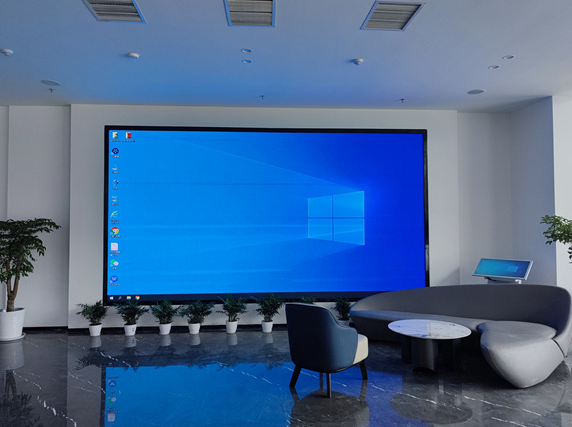
Wall-mounted (fixed): The most common configuration for permanent conference rooms. Requires front-service (front-maintenance) capability if rear access is not possible — confirm this before purchasing. Rear-service panels require a maintenance corridor behind the wall, which most conference rooms cannot accommodate.
Floor-standing / freestanding: Suitable for flexible spaces or rooms where wall mounting is not permitted. Adds a base structure cost but simplifies installation.
Ceiling-suspended: Used in large boardrooms or auditoriums where the screen needs to be visible from multiple angles. Requires structural assessment.
The Complete Conference Room LED Specification Checklist
Before issuing a purchase order, confirm these six parameters with your supplier in writing:
- Pixel pitch — matched to your room’s minimum viewing distance
- Refresh rate — 3,840 Hz minimum for any room with video call or recording use
- Grayscale depth — 16-bit minimum
- Operating brightness range — confirm both maximum and minimum stable brightness
- Service mode — front-service or rear-service, and what that requires from the installation environment
- Warranty terms — panel warranty, driver IC warranty, and on-site service response time
4-Step Implementation Process
Step 1: Define Display Requirements
Identify the primary use cases: presentation display, video conferencing, data visualization, or multi-purpose. This determines whether you need touch capability, wireless screen sharing, multi-input switching, or integration with your existing AV control system.
Step 2: Measure the Environment
Record the room dimensions, minimum and maximum viewing distances, ambient light levels at different times of day, and available wall space. Note whether rear access is possible — this determines your installation mode and service requirements.
Step 3: Specify the Hardware
Use the pixel pitch table and brightness guidelines above to define your minimum acceptable specifications. Get quotes from at least three suppliers with identical spec sheets — “conference room LED display” without specifications is not a comparable quote.
Step 4: Installation and Commissioning
LED video walls require professional installation. The control system, sending card, and receiving cards must be configured and calibrated together. Insist on a calibration session after installation — factory settings rarely match the actual room environment. Confirm the commissioning technician will be on-site, not remote.
FAQ
What pixel pitch is best for a standard 10-person conference room?
For a room where the nearest viewer sits 3–4 meters from the screen, P1.5–P2.0 is the practical sweet spot. It delivers sharp text and video at that distance without the cost premium of sub-P1.2 fine-pitch panels.
Can I use a conference room LED wall for video conferencing?
Yes — and it’s one of the strongest use cases. The key requirement is a refresh rate of 3,840 Hz or higher to eliminate scan lines in camera footage. Pair the LED wall with a quality camera positioned at eye level for the best video call experience.
How long does a conference room LED display last?
SMD panels are rated at 50,000–80,000 hours; COB panels at 100,000 hours. At 8 hours per day, 250 days per year, a 50,000-hour panel lasts approximately 25 years before reaching 50% of original brightness. In practice, technology refresh cycles (5–10 years) will drive replacement before the hardware fails.
What’s the difference between front-service and rear-service LED walls?
Front-service panels allow maintenance from the front face — individual modules can be removed and replaced without accessing the back of the installation. This is essential for wall-mounted conference room displays where there is no space behind the screen. Rear-service panels are cheaper but require a maintenance corridor, which most conference rooms cannot provide.
Do I need a separate content management system?
For basic presentation display and video conferencing, the LED wall’s built-in processor and a standard HDMI/DisplayPort input are sufficient. For scheduled content, multi-zone layouts, or remote management across multiple rooms, a dedicated CMS is worth the additional investment.