Choosing between LCD and OLED depends on how you use the display. OLED is generally better for contrast, black levels, viewing angles, and cinematic image quality. LCD is often the more practical choice for bright environments, static content, and applications where budget and long operating hours matter.
However, neither technology is automatically the best choice for every situation. Mini-LED improves the performance of LCD displays, while commercial applications such as outdoor advertising, stadium screens, and large-format video walls may require direct-view LED technology rather than a conventional LCD or OLED panel.
Before making a decision, it is important to understand how these technologies work and how their differences affect real-world performance.
Quick Comparison: LCD vs OLED
| Comparison | LCD | OLED |
|---|---|---|
| Display structure | Uses a backlight | Each pixel produces its own light |
| Black levels | Depend on backlight control | Individual pixels can turn off |
| Contrast | Varies by panel and backlight design | Generally higher |
| Viewing angles | Depend on IPS, VA, or TN panel type | Generally wide |
| Bright-room performance | Often strong, especially with suitable backlighting | Depends on panel and model |
| Burn-in risk | No typical OLED-style permanent burn-in | Possible with cumulative static content |
| Static content | Generally suitable | Requires more careful management |
| Price | Available across a wide range | Often higher at comparable premium specifications |
| Typical applications | Office monitors, TVs, signage | Premium TVs, gaming monitors, professional displays |
The comparison is based on general technology characteristics. Actual performance varies by product, panel generation, backlight system, brightness settings, and manufacturer.
1. What Is the Difference Between LCD and OLED?
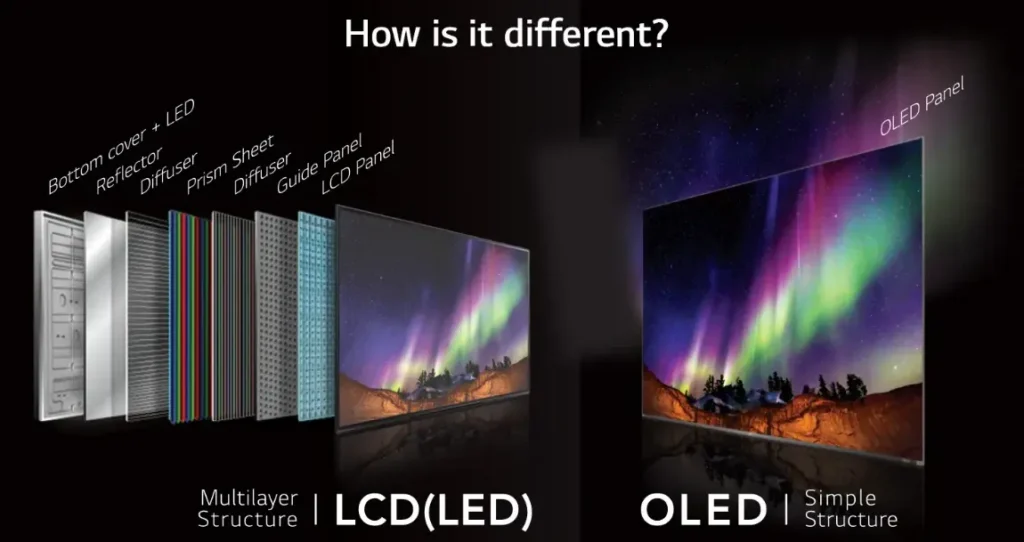
The most important difference between LCD and OLED is how each technology produces an image.
How LCD Displays Work
LCD stands for Liquid Crystal Display. An LCD panel does not generate light independently. Instead, it uses a backlight to illuminate the liquid crystal layer, which controls how much light passes through each pixel.
Most modern LCD displays use LED backlighting. This is why products marketed as LED TVs or LED monitors are usually LED-backlit LCD displays, rather than screens made from individually illuminated LED pixels.
LCD panels commonly use three technologies:
- IPS: Provides relatively wide viewing angles and consistent color performance.
- VA: Typically offers stronger native contrast than IPS, although viewing angles can be more limited.
- TN: Traditionally focuses on fast response times and lower manufacturing costs, but usually has weaker viewing angles and color performance.
The panel type and backlight design both influence the final image.
How OLED Displays Work
OLED stands for Organic Light-Emitting Diode. Unlike LCD, OLED does not require a separate backlight.
Each pixel generates its own light. When a pixel needs to display black, it can switch off completely.
This structure allows OLED displays to achieve very deep blacks and high contrast. It also helps explain why OLED is popular in premium televisions, smartphones, and gaming monitors.
Is LED the Same as LCD or OLED?
No. The term LED is used in different ways across the display industry.
An LED-backlit LCD uses LEDs as a light source behind an LCD panel. A direct-view LED display uses individual LED pixels to create the image directly.
These are different display architectures:
- LED-backlit LCD: Uses an LED backlight and an LCD panel.
- OLED: Uses self-emissive organic pixels.
- Direct-view LED: Uses LED components as the image-forming pixels.
This distinction matters when comparing consumer televisions with large commercial display systems. A large-format LED video wall is not simply a larger LCD screen.
2. Which Has Better Picture Quality: LCD or OLED?
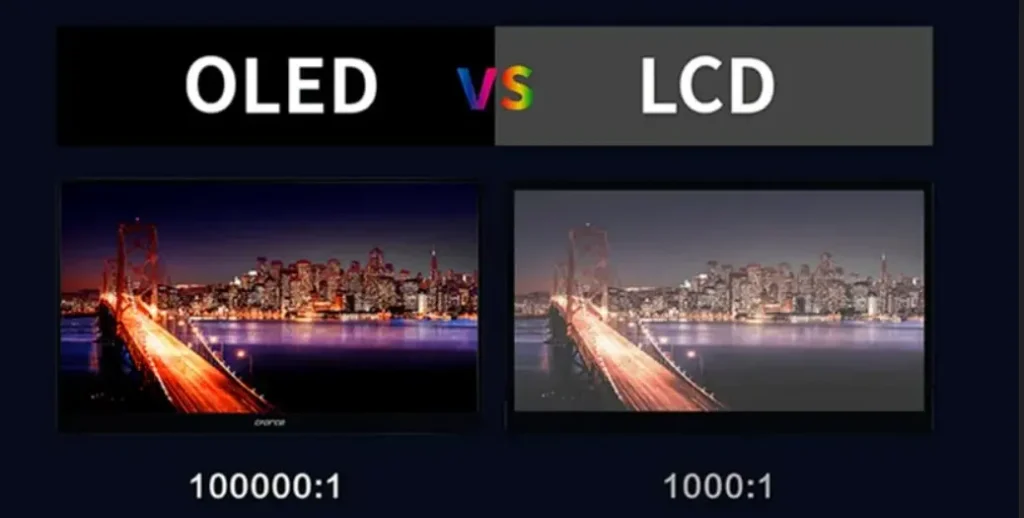
OLED generally has an advantage in contrast and black-level performance. LCD performance depends heavily on the panel type and backlight configuration.
Contrast and Black Levels
OLED pixels can switch off individually, allowing the display to produce very deep blacks.
Traditional LCD displays need a backlight. Even when a pixel is intended to appear black, some light may pass through the panel. This can make dark scenes appear gray rather than completely black.
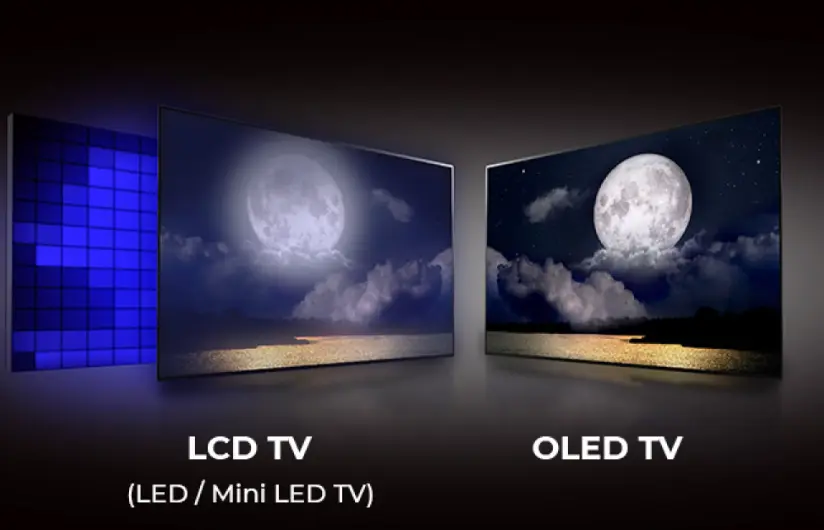
Local dimming can improve LCD contrast by controlling different backlight zones. However, the result depends on the number of zones, algorithms, and panel characteristics.
Color and Viewing Angles
OLED displays generally maintain consistent image quality across wider viewing angles.
LCD performance varies by panel type. IPS panels usually provide wider viewing angles than VA and TN panels, while VA panels often offer stronger native contrast.
Color accuracy is not determined by display technology alone. Calibration, color gamut, processing, and factory settings also matter.
Response Time and Motion
OLED pixels can change states very quickly, which makes OLED attractive for gaming and fast-moving content.
LCD response times vary significantly between models. Some modern gaming LCD monitors also provide high refresh rates and fast response performance.
Expert verdict: Choose OLED when black levels, contrast, and cinematic image quality are your main priorities. Consider a high-quality LCD or Mini-LED display when you need strong brightness, versatile performance, or a more practical solution for everyday use.
3. Is LCD or OLED Better for Your Eyes?
Neither LCD nor OLED is universally better for eye health.
Eye comfort depends on several factors, including screen brightness, flicker behavior, glare, viewing distance, ambient lighting, and how long you use the display.
The American Academy of Ophthalmology explains that prolonged screen use can contribute to temporary digital eye strain, including dry eyes, blurred vision, and discomfort. It recommends adjusting screen brightness, reducing glare, and taking breaks during extended use.
Does OLED Cause More Eye Strain?
Some users report discomfort when viewing certain OLED displays. One possible factor is the display’s brightness-control method.
Some screens use pulse-width modulation (PWM), which adjusts perceived brightness by switching the light source on and off rapidly. Sensitivity to this behavior varies between individuals.
However, PWM is not exclusive to OLED. Some LCD displays also use PWM, while others use different brightness-control methods.
Can LCD Displays Be Better for Long Working Hours?
A suitable LCD monitor can be a practical choice for office work because it avoids the typical OLED differential pixel-aging concern associated with static desktop elements.
However, this does not mean every LCD monitor is comfortable to use. Flicker, glare, poor brightness settings, and unsuitable viewing distance can still cause discomfort.
How to Reduce Digital Eye Strain
Regardless of display type:
- Adjust screen brightness to match surrounding lighting.
- Reduce reflections and glare.
- Keep a comfortable viewing distance.
- Take regular breaks and look away from the screen.
- Use an appropriate text size.
- Avoid using an excessively bright screen in a dark room.
For more guidance, see the American Academy of Ophthalmology’s recommendations for computer and digital device use.
4. Does OLED Have a Shorter Lifespan Than LCD?
OLED and LCD displays age differently. It is not accurate to assign one universal lifespan to either technology without considering the specific product and operating conditions.
OLED Burn-In
OLED burn-in occurs when some pixels age faster than others, leaving persistent image retention.
The risk is associated with cumulative exposure to static content, particularly when the same bright logos, menus, or interface elements remain in fixed positions for extended periods.
For example, a display showing the same news channel logo or desktop interface for many hours every day may experience uneven pixel aging over time.
Modern OLED displays often include protective features such as pixel shifting, screen refresh cycles, and brightness management. These features can reduce risk, but they do not eliminate it.
Long-term testing by RTINGS has documented OLED burn-in under sustained static-content conditions. The results also demonstrate why usage patterns matter when evaluating display longevity.
Source: RTINGS OLED Burn-In and Longevity Testing.
LCD Backlight Aging
LCD displays do not typically suffer from OLED-style pixel burn-in. However, their backlights and other components can degrade or fail.
Potential issues include:
- Reduced backlight brightness.
- Uneven illumination.
- Color shifts.
- Backlight or power-supply failure.
- Panel defects.
Therefore, LCD should not be described as maintenance-free or immune to aging.
Which Is Better for Static Content?
For applications involving fixed information, dashboards, menus, logos, and continuous signage, LCD is often a practical option to evaluate first.
OLED can still be suitable when the content changes regularly and the product is designed for the intended operating schedule. Buyers should review the manufacturer’s usage recommendations and warranty conditions before making a decision.
5. Which Is More Energy Efficient: LCD or OLED?
Power consumption depends on display size, brightness, image content, panel design, and operating settings.
LCD displays use a backlight that illuminates the panel. Their power consumption is influenced by backlight brightness and efficiency.
OLED displays produce light at the pixel level. Their power consumption can vary with the displayed content because bright images require more light output from the pixels.
This means OLED does not always consume less electricity than LCD. A bright full-screen image can produce a different power-consumption result from a dark scene.
For commercial buyers, the most useful comparison is the actual power consumption of the specific products under realistic operating conditions.
Before purchasing, review:
- Typical power consumption.
- Maximum power consumption.
- Brightness settings used in the specification.
- Daily operating hours.
- Standby power consumption.
- Cooling and environmental requirements.
Avoid comparing products using only one headline power figure if their screen sizes and brightness levels are different.
6. How Much Does LCD or OLED Cost?
LCD displays are available across a broad price range, from budget office monitors to premium Mini-LED televisions and professional displays.
OLED products generally occupy the premium segment, although prices vary by size, resolution, panel generation, and manufacturer.
For commercial projects, the purchase price is only one part of the total cost.
A buyer should also consider:
| Cost Factor | What to Evaluate |
|---|---|
| Initial equipment | Display panels, cabinets, control systems, and accessories |
| Installation | Mounting structures, electrical work, and labor |
| Operation | Electricity consumption and operating schedule |
| Maintenance | Spare parts, access requirements, and repair procedures |
| Downtime | Potential business impact when the display is unavailable |
| Service | Warranty coverage and technical support |
For a large display installation, maintenance access and replacement procedures can be as important as the initial equipment price.
The lowest purchase price does not always represent the lowest long-term operating cost.
7. Which Display Technology Is Best for Different Applications?
The right display depends on the viewing environment, screen size, content, operating hours, and installation requirements.
| Application | Suitable Technology | Main Consideration |
|---|---|---|
| Home cinema | OLED | Deep blacks and contrast |
| Budget office monitor | LCD | Cost and everyday productivity |
| Premium gaming | OLED or Mini-LED LCD | Response time, refresh rate, and brightness |
| Bright office | High-brightness LCD | Ambient light and glare |
| Retail information screens | Commercial LCD or direct-view LED | Screen size, viewing distance, and operating hours |
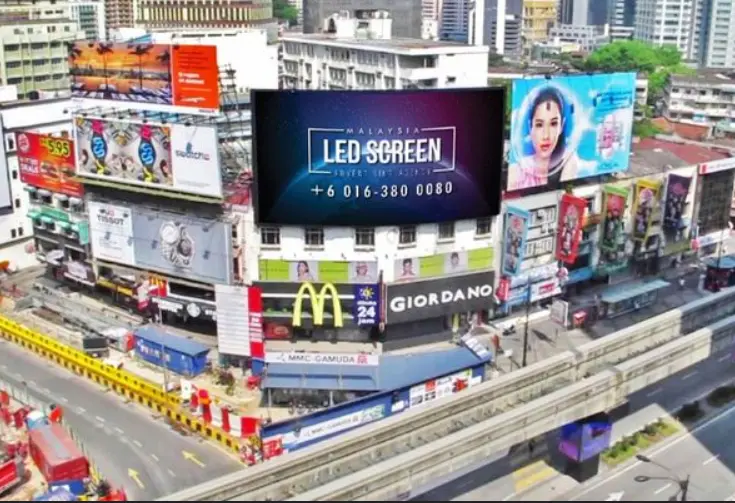
| Outdoor advertising billboard | Direct-view LED | Outdoor visibility, weather protection, and serviceability |
| Stadium display | Direct-view LED | Large viewing area and outdoor performance |
| XR virtual production | Professional LED display | Camera compatibility, refresh behavior, and image performance |
When Should You Choose LCD?
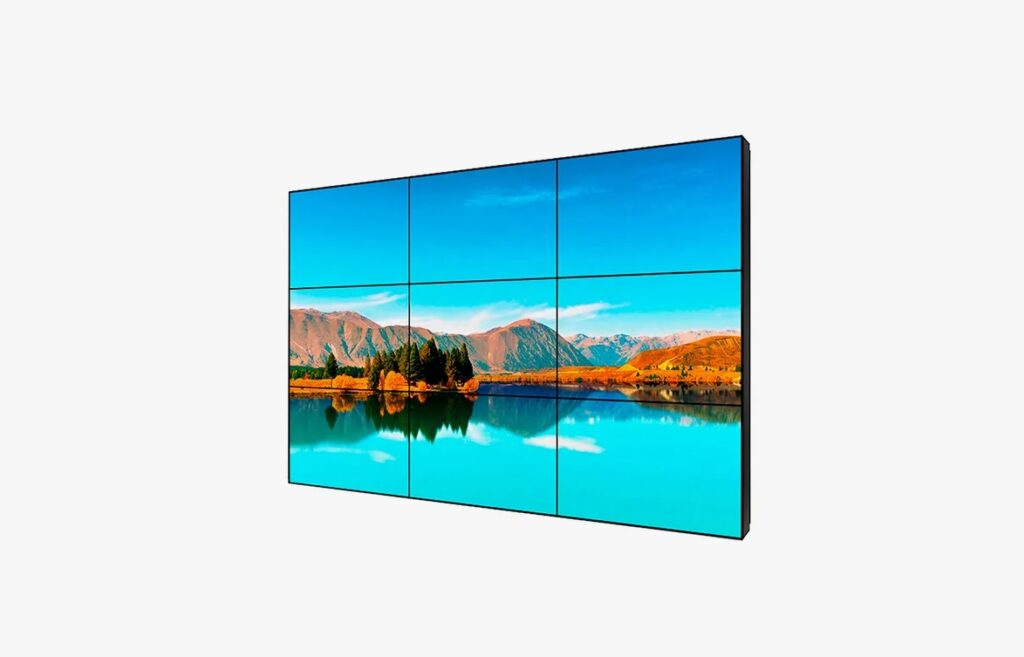
LCD is worth considering when:
- You need a cost-effective display for everyday use.
- The content contains static elements for extended periods.
- You need a wide range of screen sizes and specifications.
- You are installing office monitors or information displays.
- Your operating environment requires a specific brightness or panel configuration.
When Should You Choose OLED?

OLED is worth considering when:
- High contrast and deep blacks are essential.
- You mainly watch movies or other dynamic content.
- Wide viewing angles are important.
- You want strong motion performance for gaming.
- Your usage pattern is compatible with the manufacturer’s burn-in guidance.
When Should You Choose Direct-View LED?
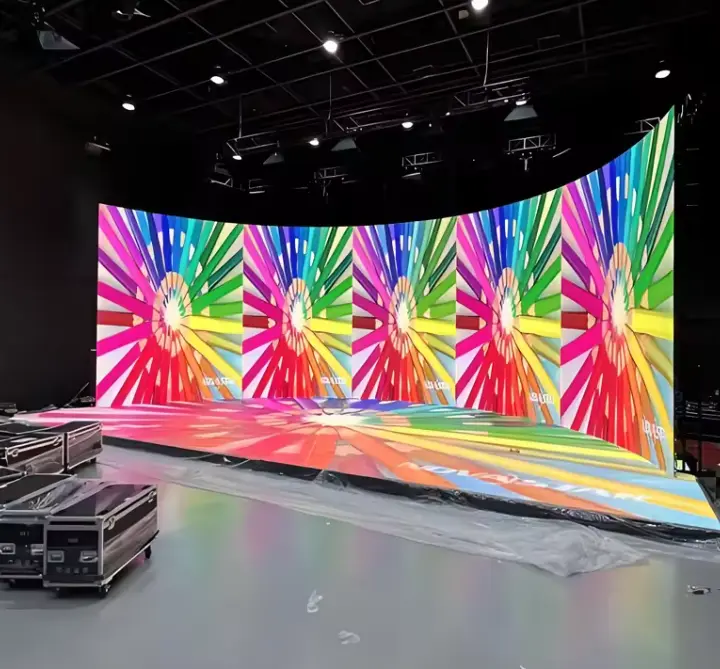
For large outdoor billboards, stadium screens, stage backgrounds, and large-format commercial video walls, direct-view LED may be a more appropriate solution than conventional LCD or OLED.
Direct-view LED systems are built from modular LED panels or cabinets. They can be configured into large display surfaces and customized for different installation environments.
For outdoor applications, buyers should evaluate brightness, weather protection, structural design, heat management, and maintenance access.
For indoor installations, pixel pitch, viewing distance, image detail, and installation conditions are important selection factors.
Explore Sostron’s indoor LED display solutions and outdoor LED display products for commercial display applications.
How to Choose the Right Display: 5 Questions to Ask
Before selecting LCD, OLED, or direct-view LED, answer these five questions:
- Where will the display be installed? Indoor and outdoor environments have different brightness, protection, and installation requirements.
- How far away will viewers stand? Viewing distance helps determine the required resolution or pixel pitch.
- What content will appear on the screen? Static dashboards and changing video content create different operating requirements.
- How many hours will it operate each day? Operating schedules affect energy consumption, maintenance planning, and product suitability.
- What is the maintenance plan? Consider spare parts, access, repair procedures, and technical support before purchasing.
For commercial installations, a display should be evaluated as part of a complete system rather than as an isolated screen.
Frequently Asked Questions
1. Which Is Better, LCD or OLED?
OLED is generally better for contrast, black levels, and viewing angles. LCD is often more practical for budget-conscious buyers, static content, and applications requiring specific brightness or operating characteristics. The best choice depends on usage.
2. Is OLED Better Than LCD for Your Eyes?
Not necessarily. Eye comfort depends on brightness, flicker, glare, viewing distance, and usage time. Neither technology is universally healthier for the eyes.
3. Does OLED Burn-In Still Happen?
Yes. OLED burn-in remains possible when certain pixels display bright static elements for extended periods. Modern protective features can reduce the risk, but buyers should consider their content and operating schedule.
4. Is Mini-LED Better Than OLED?
Mini-LED is a backlighting technology used in LCD displays, not a separate self-emissive panel technology. Mini-LED LCDs can provide high brightness and improved local dimming. OLED generally provides better pixel-level black control. The better option depends on the viewing environment and priorities.
5. Is LCD Better for Commercial Digital Signage?
LCD is a common choice for commercial digital signage, particularly for standard information displays and indoor applications. However, large-format installations, outdoor advertising, and stadium screens may benefit more from direct-view LED. Buyers should compare screen size, viewing distance, brightness, maintenance, and operating requirements.
6. Is LED Better Than OLED for Large Screens?
It depends on what “LED” means. LED-backlit LCD and direct-view LED are different technologies. For large commercial video walls and outdoor billboards, direct-view LED offers a modular approach to building large display surfaces. OLED is generally more common in premium consumer and professional displays.
Expert Verdict: LCD, OLED, or Direct-View LED?
There is no single display technology that is best for every application.
OLED is a strong choice for premium image quality, especially when contrast and black levels matter. LCD remains a versatile option for office use, general-purpose displays, and applications where budget and static-content performance are important. Mini-LED can further improve LCD backlighting and local dimming.
For large commercial installations, direct-view LED should also be part of the comparison. It serves different requirements from conventional LCD and OLED panels, particularly in outdoor advertising, stadiums, rental events, and large-format video walls.
Sostron provides commercial LED display products and customized display solutions for indoor and outdoor applications. Its services include solution design, product supply, engineering support, installation guidance, and after-sales technical assistance.
Explore the Sostron product range or learn more about the Ares 3 energy-saving outdoor LED billboard.
References:
Liquid-crystal display (LCD) and organic LED (OLED) display
Prospects and Challenges of Mini-LED, OLED, and Micro-LED Displays