Giant LED screens have become the “soul” of large-scale events, whether it’s a music festival, sports event, brand launch, or international summit. Every stage — from selecting equipment to on-site installation — can significantly impact the final visual effect, the production budget, and event safety. Based on industry experience and real-world projects, this guide walks procurement teams, event producers, and AV integrators through the entire giant LED screen rental process, from technical specification to signal architecture to final acceptance.
A. Needs Analysis: Defining Core Event Requirements
1. Event Type Determines Screen Functionality
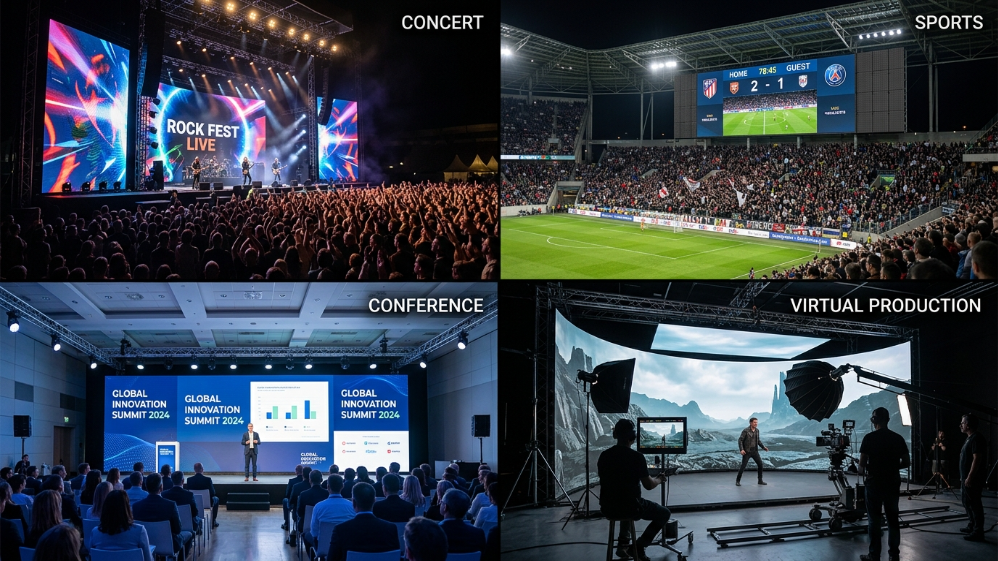
- Concerts / Music Festivals: High refresh rate (≥3,840Hz), wide viewing angle (≥160°), HDR support, camera-friendly performance for broadcast and IMAG feeds.
- Sports Events: Ultra-wide screen splicing (16:9 or 21:9), real-time score synchronization, high brightness for stadium bowls.
- Business Conferences: 4K resolution, low brightness (300–800 nits) with an eye-protection mode for indoor viewing comfort.
- Broadcast & Virtual Production: Camera-facing walls used as in-camera VFX backdrops (the technique popularized by tours like Taylor Swift’s “Eras Tour”) demand genlocked signal timing and accurate HDR reproduction — a requirement most standard rental screens are not built for. See Section C for the control-system implications.
Case Study: The main stage of the 2023 Coachella Festival used a P4.8 curved LED screen with an area of over 2,000㎡, combined with a 360° surround sound system, enhancing audience immersion by an estimated 70%.
2. Environmental Factors Impact Selection
- Outdoor Events: Requires an IP65 protection rating and brightness ≥5,000 nits.
- Indoor Events: Opt for small-pitch screens (P2.5–P3.9) with low-power, silent designs.
- Extreme Weather: Desert events need temperature resistance (-30°C to 70°C), while coastal events require anti-corrosion protection against salt mist.
3. Quick Reference: LED Screen Specs by Event Type
| Event Type | Recommended Pixel Pitch | Brightness | Refresh Rate | Notes |
|---|---|---|---|---|
| Corporate conference (indoor) | P2.5–P2.9 | 800–1,200 nits | ≥1,920Hz | Prioritize color accuracy over brightness |
| Music festival / outdoor concert | P3.9–P4.8 | 5,000–7,000 nits | ≥3,840Hz | Camera-facing walls should target ≥7,680Hz |
| Sports stadium perimeter/scoreboard | P6–P10 | 6,000–8,000 nits | ≥1,920Hz | Long viewing distance tolerates larger pitch |
| Broadcast / virtual production | P1.5–P2.6 | 800–1,500 nits (calibrated) | ≥7,680Hz | Requires Brompton or equivalent genlock-capable processor |
| Trade show / product launch | P2.6–P3.9 | 800–1,500 nits | ≥1,920Hz | Prioritize color gamut and seamless splicing |
B. Equipment Selection: 7 Key Parameters and Pitfalls to Avoid
1. Pixel Pitch and Viewing Distance
| Pixel Pitch | Optimal Viewing Distance | Suitable Scenarios |
|---|---|---|
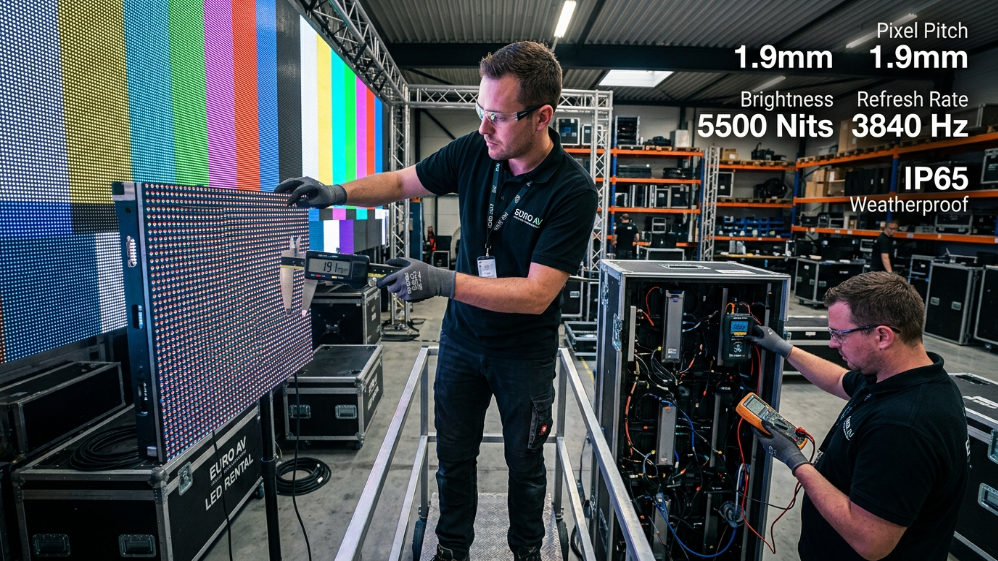
| P2.5 | ≥2.5 meters | Premium conferences, theaters |
| P4.8 | 5–20 meters | Concerts, stadiums |
| P10 | ≥20 meters | Outdoor advertising, large celebrations |
The 10x rule: As a working formula, the minimum optimal viewing distance (in meters) is roughly 10 times the pixel pitch in millimeters. A P5 screen, for example, is best viewed from about 50 meters or more; a P2.5 screen holds up at roughly 2.5–5 meters. Use this formula as a sanity check against your venue’s actual sightlines before finalizing a pitch — it’s the single most common spec mismatch we see in RFPs.
Tip: Avoid blindly pursuing small-pitch screens. P6 or above is sufficient for long-distance scenarios and meaningfully reduces cost per square meter.
2. Brightness, Contrast, and Color Gamut
- Indoor: 800–1,500 nits
- Outdoor: 5,000–10,000 nits
- Contrast Ratio: ≥5,000:1 to ensure clear dark detail
- Color Gamut (DCI-P3 coverage): For broadcast, virtual production, or any content where color fidelity matters to brand teams, ask for the panel’s DCI-P3 coverage percentage, not just its “billions of colors” marketing spec. Premium rental panels now commonly reach 90%+ DCI-P3 coverage with 16-bit (or higher) grayscale processing, which materially reduces color banding on gradients and skin tones — a detail generic AV rental fleets frequently overlook.
3. Refresh Rate and Gray Scale
- Standard Live Events: ≥3,840Hz to prevent visible screen tearing on camera phones and casual recording.
- Broadcast / Camera-Facing Walls: ≥7,680Hz is the current benchmark for flicker-free, artifact-free performance under professional broadcast cameras — this is now a standard spec on high-end rental fleets and should be explicitly requested in the RFP for any project with a live broadcast, IMAG, or virtual production component.
- Gray Scale: 16-bit or higher to reduce color banding.
4. Cabinet Size, Weight, and Serviceability
Rental-grade LED walls are built around standardized cabinet sizes, most commonly 500mm × 500mm and 500mm × 1000mm, so that panels from a single fleet — or even compatible fleets from different suppliers — can be mixed to hit unusual screen dimensions quickly. Typical cabinet weight runs 6–11kg per 500×500mm module for magnesium or die-cast aluminum frames, which directly affects rigging load calculations and crew size. Always confirm:
- Front-and-rear maintenance access (critical for time-constrained load-ins where the back of the wall isn’t accessible)
- Whether cabinets are field-swappable between straight and curved configurations
- Panel weight per square meter, not just per cabinet, when planning truss or ground-support loads
5. Power and Heat Management
- Redundant Power Supply: Dual power backups prevent single-point failures.
- Silent Cooling: Indoor screens should have noise levels ≤30dB.
- Power Draw: Budget roughly 400–800 watts per square meter at full white brightness — outdoor high-nit configurations sit at the top of that range, which has direct implications for generator sizing.
6. Special Requirements for Rental Screens
- Quick Installation: Modular design with front/rear maintenance support.
- Lightweight Design: Panel weight ≤25kg/㎡.
- IP Rating Fit for Purpose: IP65 for outdoor-facing surfaces; note that rear cabinet protection is often a lower IP30/IP20 rating, which matters for staging in wet-ground or covered-but-open venues.
7. Installation Method: Flown vs. Ground-Stacked
Two mounting methods dominate rental deployments, and the choice affects rigging cost, load-in time, and sightlines:
- Ground-Stacked: Panels are supported from the floor upward using a ground-support frame. Faster to build, no rigging points required, but consumes floor footprint and needs a level, load-rated surface.
- Flown (Rigged): The wall is suspended from truss or a venue’s rigging points using purpose-built flying frames. This frees up floor space and allows for curved or angled configurations, but requires certified rigging engineers, a documented load plan, and a venue with adequate rigging infrastructure.
Most rental-grade panel lines are designed to support both methods interchangeably — confirm this compatibility with your supplier before committing to a venue with rigging constraints.
C. Control Systems & Signal Processing: Novastar vs. Brompton
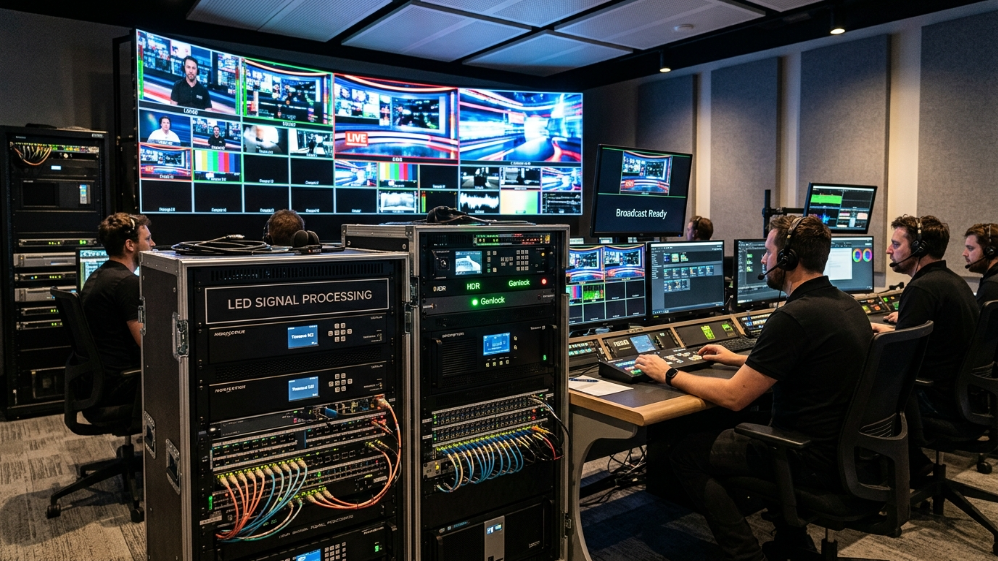
The video processor is the “brain” of any LED rental system, and the choice between processor ecosystems is one of the most consequential — and most frequently overlooked — decisions in the RFP process.
Novastar
Novastar is the most widely deployed processing ecosystem in commercial and rental LED, valued for its practicality, familiarity, and cost-efficiency. Most rental technicians globally are trained on Novastar workflows, spare parts are easy to source, and its calibration tools (including 12-bit color processing) cover the needs of the large majority of corporate, retail, and general live-event applications.
Brompton
Brompton’s Tessera processing platform (SX40/SX80 processors with R2/XD receiving cards) is widely specified by name in touring production technical riders and is considered the standard for:
- Broadcast and virtual production, where Genlock (locking the LED wall’s refresh cycle to a house sync or black-burst reference) is required to prevent rolling bands across multiple camera angles
- HDR-to-LED pipelines, since Brompton natively handles PQ (ST 2084) and HLG EOTF, rendering HDR content in the correct perceptual luminance space rather than tone-mapping it down to SDR
- Color-critical environments, where Tessera’s per-module spectral calibration (ShieldPlus) removes module-to-module color variation in the processor itself
How to Choose
| Consideration | Novastar | Brompton |
|---|---|---|
| Typical use case | Corporate, retail, general live events, rental fleets | Broadcast, virtual production, touring, camera-facing walls |
| Genlock / house sync | Not natively supported | Native support |
| HDR EOTF handling | Requires COEX add-on for advanced HDR | Native PQ/HLG support |
| Crew familiarity | Very high globally | High in broadcast/touring circles |
| Cost | Lower | Higher |
Practical guidance: Ask your supplier to confirm the exact processor model, signal path, refresh behavior, camera-test method, and control handoff before signing — “we use Novastar/Brompton” is not a complete spec. If the project has any broadcast, livestream, or camera-facing component, Genlock capability should be a non-negotiable line item in the technical rider.
D. Budget Planning: Cost Breakdown, Rental vs. Purchase, and Money-Saving Tips
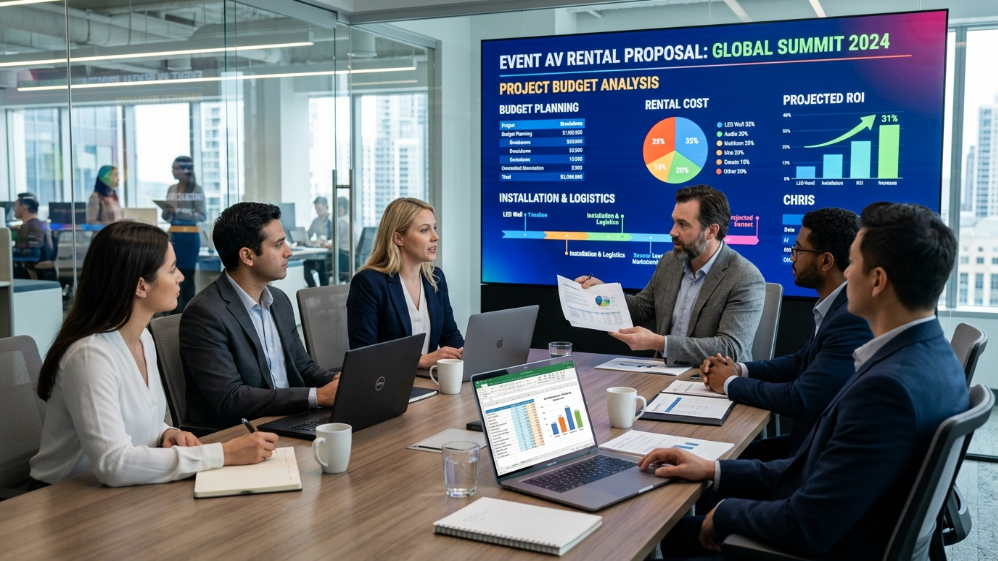
Cost Breakdown
| Item | Proportion | Description |
|---|---|---|
| Equipment Rental Fee | 50%–60% | Priced per ㎡/day; P4.8 averages $30–$50/㎡/day |
| Transportation & Insurance | 15%–20% | International events may incur customs and tax fees |
| Installation & Dismantling Labor | 10%–15% | Requires certified high-altitude work teams |
| Content Creation | 5%–10% | 4K video production costs $5,000–$20,000 per minute |
Case Study: A multinational car launch rented a 500㎡ P3.9 screen at a total cost of approximately $50,000 (7-day rental with installation).
Rental vs. Purchase: Which Makes Sense?
For a single flagship event, rental is almost always the more efficient path — it eliminates warehousing, avoids technology obsolescence risk, and shifts maintenance liability to the supplier. Purchase starts to make financial sense only when an organization runs recurring deployments (e.g., a house of worship, a permanent retail activation, or an in-house broadcast studio) at a frequency where amortized ownership costs undercut cumulative rental spend — typically somewhere in the range of 15–20+ uses per year, depending on panel cost and local rental rates. For anything below that threshold, renting also gives access to the latest brightness, color, and refresh-rate technology each time, without the risk of owning hardware that’s outdated within 2–3 years.
Money-Saving Tips
- Off-Season Rentals: Prices drop 20%–30% during non-peak seasons.
- All-in-One Service: Choose integrated suppliers offering “equipment + installation + content” packages (e.g., SoStron).
- Modular Reuse: Screens can be disassembled and reconfigured for smaller events, reducing per-event equipment cost.
E. Installation Process: From Site Inspection to Safety Acceptance
1. Site Inspection (30 Days Before Event)
- Load-Bearing Test: Ground or roof load capacity ≥500kg/㎡ (additional reinforcement required for steel structures).
- Power Planning: Each 100㎡ screen requires a dedicated 380V, 100kW three-phase power source.
- Rigging Survey (for flown installations): Confirm venue rigging points, certified load ratings, and engineer sign-off before the build.
2. Installation (3–7 Days Before Event)
- Frame Setup: Aluminum trusses or steel structures with ≤2mm error per 10m.
- Screen Assembly: Start from the center and calibrate for uniform color.
- System Debugging: Perform signal transmission tests using fiber optics, with backup processors and a redundant signal path in place — for camera-facing or broadcast walls, this includes verifying Genlock/house-sync alignment before the first content pass.
Case Study: The 2024 Paris Olympics used an 8,000㎡ LED floor screen, completing pressure tests and dynamic calibration within 72 hours.
3. Safety Acceptance Standards
- Structural Safety: Wind resistance ≥ Level 8 (outdoor), earthquake resistance per ANSI standards.
- Electrical Safety: Grounding resistance ≤4Ω, leakage protection response time ≤0.1 seconds.
- Display Quality: No dead pixels (≤3 per ㎡), color deviation ΔE ≤3.
F. Risk Management: Common Issues and Solutions
1. Weather Changes
- Solution: Equip outdoor screens with rain covers and emergency power-off systems.
- Case Study: At the 2023 Chengdu Music Festival, IP65-rated screens functioned reliably through heavy rain.
2. Signal Interruption
- Solution: Implement redundant processors with 5G backup (e.g., NovaStar VX1000), a dual fiber-optic signal path, and — for broadcast-grade deployments — a genlocked backup source so a failover doesn’t introduce visible sync bands mid-broadcast.
3. Copyright Disputes
- Solution: Use licensed content from platforms like Shutterstock or Getty Images, and confirm content clearance in writing before the event.
G. Future Trends: Technological Innovations Boosting Rental Efficiency
- Flexible Screens: Curved and rollable screens like LG’s 65R9 can be installed within 3 hours.
- XR Virtual Production: LED screens combined with virtual engines (e.g., Disguise systems) create immersive mixed-reality stages, as seen on tours like Taylor Swift’s “Eras Tour” — a workflow that depends directly on the Genlock and HDR capabilities discussed in Section C.
- Eco-Friendly Solutions: Solar-powered screens reduce event carbon footprints.
H. Frequently Asked Questions
How much does it cost to rent a giant LED screen?
Rental rates typically run $30–$50/㎡/day for a mid-range P3.9–P4.8 panel, before transportation, labor, and content creation. Total project cost depends heavily on screen size, rental duration, and installation complexity.
What’s the difference between indoor and outdoor LED screen rental?
Outdoor screens need higher brightness (5,000+ nits), IP65 weatherproofing, and typically a larger pixel pitch (P3.9–P10) since viewing distances are greater. Indoor screens prioritize a finer pixel pitch (P2.5–P3.9), lower brightness (800–1,500 nits), and quiet cooling.
Do I need Brompton, or is Novastar sufficient?
If your event includes broadcast, livestream, or in-camera virtual production, Brompton’s Genlock and native HDR support are close to essential. For general corporate, retail, or live-event use without broadcast requirements, a well-specified Novastar system is typically sufficient and more cost-effective.
Can LED screens operate in rain?
Outdoor-rated panels with an IP65 front rating are designed to operate in rain, but suppliers should still provide rain covers and an emergency power-off protocol as a precaution, since cabinet rear ratings are often lower (IP20–IP30).
How far in advance should I book a giant LED screen rental?
For standard events, book 3–4 weeks ahead to secure inventory and schedule installation crews. For large-scale productions (500㎡+) or events requiring custom rigging, 30+ days is recommended to allow for a proper site survey and structural sign-off.
I. Actionable Advice for Procurement Decision-Makers
Before comparing final quotations from LED rental suppliers, run through this checklist to keep the comparison grounded in real project performance rather than headline specs:
- Define the application precisely — corporate, concert, broadcast, sports, or virtual production — since the “right” pixel pitch, brightness, and processor differ meaningfully by use case.
- Request the exact processor model and receiving card, not just the brand name. Ask specifically whether Genlock and HDR EOTF support are needed for your content workflow.
- Verify DCI-P3 coverage and grayscale bit depth if brand color accuracy matters — don’t rely on marketing claims of “billions of colors.”
- Confirm cabinet weight per ㎡ and mounting compatibility (flown vs. ground-stacked) against your venue’s actual rigging or floor-load constraints, not assumptions.
- Ask for the redundancy plan in writing — dual power, backup processor, and signal failover behavior — and how it’s tested before showtime.
- Get a same-format sample or reference deployment so you can evaluate color, brightness uniformity, and refresh-rate performance under your own camera or lighting conditions before committing.
- Compare all-in-one quotes, not just equipment day-rate — transportation, insurance, certified rigging labor, and content production together typically outweigh the base rental fee.
J. Conclusion
Renting and installing giant LED screens is a comprehensive process that combines display technology, signal engineering, and risk management. Selecting the right pixel pitch and brightness is only the starting point — the processor ecosystem you choose, your installation method, and your redundancy planning are equally decisive for the final result. By evaluating equipment against your specific event type, planning the budget with a clear rental-vs-purchase lens, and executing installation with certified rigging and signal redundancy, procurement teams can deliver stunning visual experiences while controlling cost and mitigating risk. Whether it’s a concert for thousands or a globally broadcast business summit, a well-specified giant LED screen setup will amplify your event’s impact exponentially.
References:
IEC 60529: Degrees of protection provided by enclosures (IP Code)
SMPTE ST 2084: High Dynamic Range Electro-Optical Transfer Function (PQ)