Quick Answer
A retail store LED display is a modular digital display system used for storefront windows, feature walls, entrances, promotional areas, shopping malls, and multi-store content networks. The right configuration depends mainly on viewing distance, ambient light, screen location, pixel pitch, brightness, maintenance access, operating hours, and installation conditions.
There is no single reliable price for every retail LED display. As a Sostron-published U.S. planning benchmark, P2.5 indoor LED hardware is listed at approximately $800–$1,500 per m², excluding the video processor, mounting frame and local installation labor. This is a supplier-published benchmark rather than an independent market average, so buyers should use it for preliminary budgeting only and request a project-specific quotation.
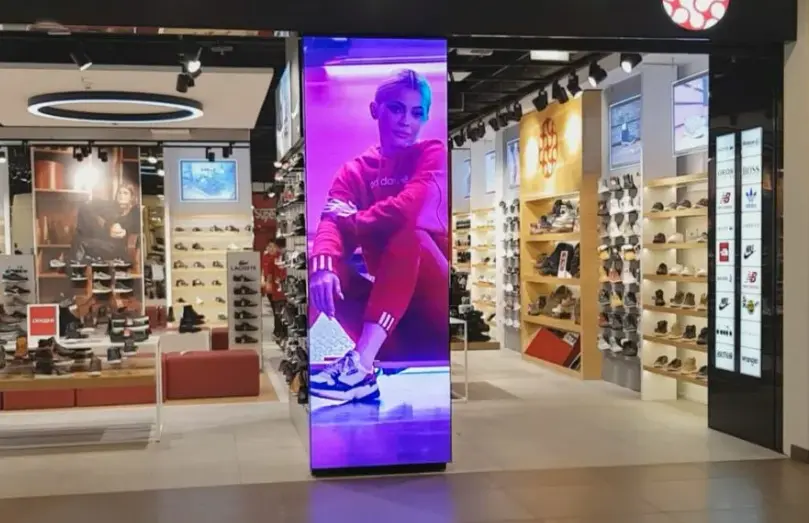
| Item | Practical Buying Guidance |
|---|---|
| Main applications | Store windows, feature walls, entrances, promotions, shopping malls |
| Pixel pitch | Select according to actual viewing distance, not simply the smallest available pitch |
| Brightness | Match ambient light and installation position |
| Cost | Hardware and installed project cost should be evaluated separately |
| Maintenance | Front maintenance is valuable where rear access is restricted |
| Power | Compare maximum and average power, then calculate operating cost |
| Control | CMS matters for scheduled and multi-store content |
| Window displays | Transparent LED can preserve visibility through glass |
| TCO | Include hardware, structure, installation, logistics, electricity, spares and maintenance |
| Procurement | Request a line-item quotation with exact specifications |
The most important point for a buyer is simple: do not choose a retail LED display by price per square meter alone. A cheaper cabinet can become the more expensive project if it requires unsuitable brightness, difficult maintenance access, structural modifications, or an oversized pixel pitch specification.
What Is a Retail Store LED Display?
A retail store LED display is a direct-view LED system designed to show images, video, promotions, brand content, product information, or other digital media in a commercial retail environment.
Unlike a conventional flat commercial display, an LED system is normally built from modular LED cabinets or panels. This allows the display to be configured into larger or non-standard dimensions and, depending on the product, supports applications such as large feature walls, curved or corner installations, and storefront displays.
Sostron currently lists retail stores and shopping malls among its LED display applications and recommends considering installation environment, viewing distance, audience size, operating hours, and environmental conditions before selecting a configuration.
Where Are Retail LED Displays Used?
Common retail applications include:
- Storefront and window displays
- Indoor feature walls
- Brand experience areas
- Store entrances
- Shopping mall advertising
- Product launch areas
- Promotional displays
- Luxury retail environments
- Supermarkets and department stores
- Multi-store digital signage networks
The application determines the engineering requirements.
A window-facing display may prioritize brightness and daylight visibility. A feature wall inside a store may prioritize fine pixel pitch, color performance, and viewing comfort. A multi-store deployment may place greater emphasis on CMS capabilities and centralized content management.
How Much Does a Retail Store LED Display Cost?
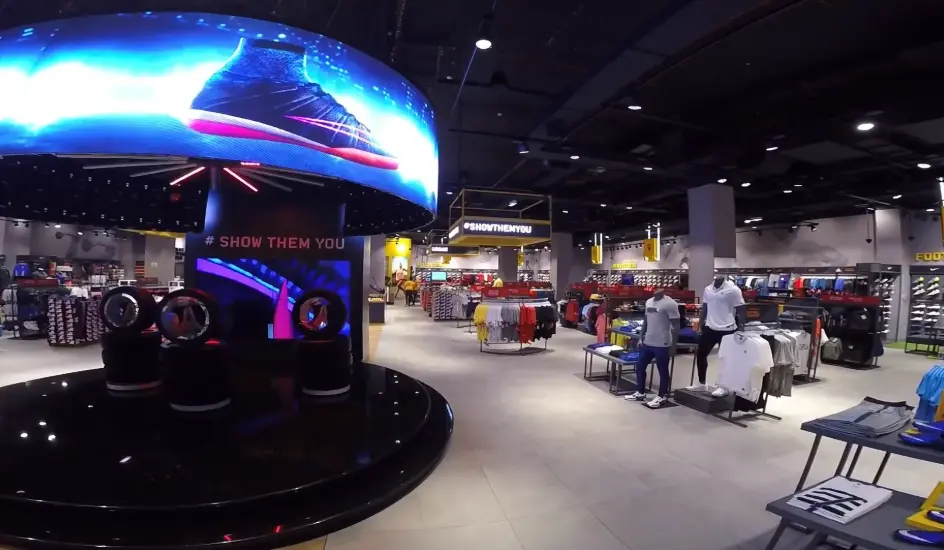
The short answer is: the display itself and the complete installed project should be priced separately.
A retail LED quotation can contain several cost layers:
- LED cabinets or panels
- Receiving cards and control hardware
- Video processor
- Mounting structure
- Electrical work
- Data infrastructure
- Shipping and customs
- Installation labor
- Commissioning and calibration
- CMS or content-management software
- Spare parts
- Ongoing maintenance
What Is a Useful 2026 Price Benchmark?
For U.S. buyers, a current Sostron market guide lists the following hardware-only benchmark:
| Pixel Pitch | Typical Application | Sostron-Published Hardware Benchmark |
|---|---|---|
| P2.5 | Retail stores, hotel lobbies and similar indoor applications | $800–$1,500/m² |
| P1.5–P1.8 | Fine-pitch commercial environments | $1,500–$2,500/m² |
| P0.9–P1.2 | Premium close-view applications | $3,500–$6,000+/m² |
These figures are specifically described as LED cabinets and receiving cards and exclude the video processor, mounting frames and U.S.-based installation labor. They should therefore not be presented as a turnkey retail project price.
Current 2026 installed-cost guides for indoor LED video walls show much broader ranges, including approximately $500–$1,600 per square foot for installed indoor projects, depending on pitch and project scope. Another current commercial installation guide places P2.5–P3 indoor installations around $650–$1,100 per square foot installed. These are third-party market benchmarks rather than Sostron quotations.
For that reason, a buyer should use these figures for budget planning only and request a project-specific quotation before making a purchasing decision.
What Actually Drives Retail LED Display Cost?
The biggest cost drivers are:
- Pixel pitch
- Screen size
- LED package and cabinet construction
- Brightness
- Indoor or outdoor specification
- Fine-pitch requirements
- Maintenance method
- Structural requirements
- Controller and processing
- Installation complexity
- Shipping and duties
- Electrical upgrades
- CMS requirements
A P1.5 display is not automatically a better purchase than a P2.5 display. If customers normally view the screen from several meters away, the additional pixel density may provide little visible benefit while increasing the capital cost.
That is why viewing distance should be established before the final pixel pitch is selected.
Which Type of Retail LED Display Is Right for Your Store?
There is no universal retail LED configuration.
Window LED Display
Window-facing displays need enough brightness to compete with ambient daylight. They also need to be evaluated against reflections, glass, heat, viewing distance, and the visual requirements of the storefront.
For a conventional opaque LED display, the screen can become a visual barrier. This is where transparent LED becomes relevant.
Transparent LED Display
Transparent LED is designed with open spaces between LED elements so that ambient light can pass through the display.
Sostron’s Crystal transparent LED series currently lists P2.8, P3.91 and P5.2 configurations, with up to 75% transparency stated for the product line. The listed specifications include 1,500 cd/m² maximum brightness, front/rear maintenance, aluminum construction and 7,680 Hz refresh rate.
For a store window, the key question is not simply:
“Is transparent LED better?”
Instead ask:
How much of the window needs to remain visually open, and how much image intensity is required?
A transparent system can make sense when preserving the relationship between the store interior and the street is important.
Indoor Fine-Pitch LED Wall
Indoor feature walls are usually evaluated more heavily on:
- Pixel pitch
- Image detail
- Viewing distance
- Contrast
- Color consistency
- Refresh rate
- Maintenance
- Cabinet depth
- Heat and noise
Sostron’s Slim Series is designed for indoor commercial applications including retail and provides P1.5, P1.9 and P2.6 configurations. The published specifications include front maintenance, 600–1,000 nits brightness depending on pitch, 3,840–7,680 Hz refresh frequency, and maximum/average power figures of 550 W/185 W.
These are product-specific specifications, not universal values for all retail LED displays.
Entrance and Promotional Displays
A store entrance display often needs to balance:
- Visibility from outside
- Available wall space
- Viewing distance
- Content readability
- Installation access
- Budget
A large, extremely fine-pitch screen is not necessarily justified if the audience is primarily walking past from a distance.
What Pixel Pitch Should a Retail Store Use?
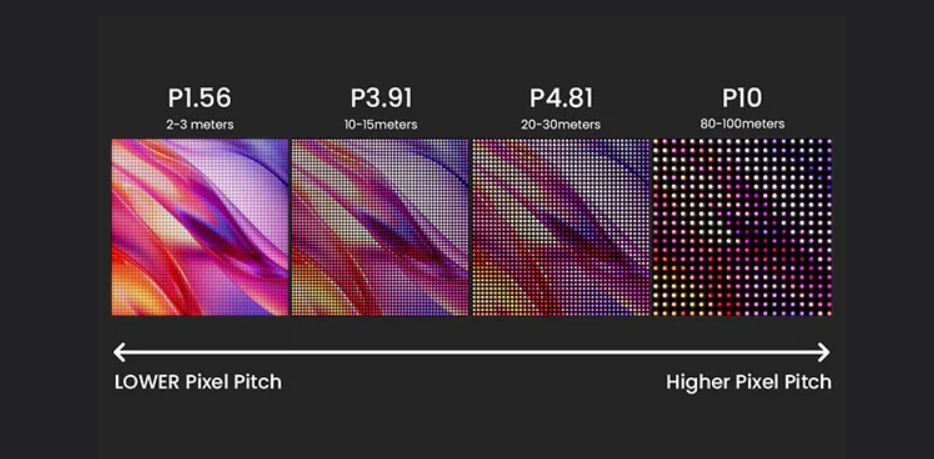
Pixel pitch is the distance between adjacent LED pixel centers, measured in millimeters.
A smaller pitch generally means higher pixel density and the ability to reproduce finer image detail at close distances. It also generally increases system cost.
Sostron’s current product guidance places retail LED displays broadly around P1.8–P4, while individual products cover narrower ranges for particular applications.
How Does Viewing Distance Affect Pixel Pitch?
Viewing distance should be one of the first measurements taken during project planning.
A commonly used engineering planning estimate is to relate viewing distance to pixel pitch. One industry guideline uses approximately 2 × pixel pitch in millimeters as the minimum viewing distance in meters, with approximately 3 × pixel pitch as an indicative optimal viewing distance. These are planning rules rather than universal standards; actual image quality also depends on LED package, content, processing and viewing conditions.
This is a planning guideline, not a physical law. Actual image quality also depends on LED package, processing, content, viewing conditions and the viewer’s expectations.
For example:
| Pixel Pitch | Typical Planning Direction | Buyer Consideration |
|---|---|---|
| P1.2–P1.5 | Very close viewing | Premium image detail, higher cost |
| P1.5–P1.9 | Close retail viewing | Fine detail and strong visual quality |
| P2.5 | General indoor commercial use | Cost/detail balance |
| P3–P4 | Larger spaces or greater distance | Lower cost per area, less close-up detail |
The correct question is not:
“What is the smallest pixel pitch I can afford?”
It is:
“What pixel pitch gives the required image quality at the actual viewing distance?”
Is P1.5 Better Than P2.5?
Not automatically.
P1.5 provides higher pixel density, which can be useful when shoppers stand close to the display or when the content contains detailed product imagery, typography, or premium brand visuals.
P2.5 may be more appropriate when the display is larger and viewers are generally farther away.
The more expensive configuration is justified when the additional detail is actually visible and commercially relevant.
How Bright Should a Retail LED Display Be?
Brightness should be selected according to the installation environment.
The original rule of using a universal “800–2,000 cd/m² for indoor” range is too broad to serve as a procurement specification. Actual brightness requirements depend on:
- Ambient light
- Direct sunlight
- Window orientation
- Glass characteristics
- Viewing distance
- Content
- Automatic brightness control
- Desired image appearance
Sostron’s current Slim indoor product range lists 600 nits for P1.5, 800 nits for P1.9 and 1,000 nits for P2.6. Its Crystal transparent series lists 1,500 cd/m² maximum brightness for the configurations shown on the product page.
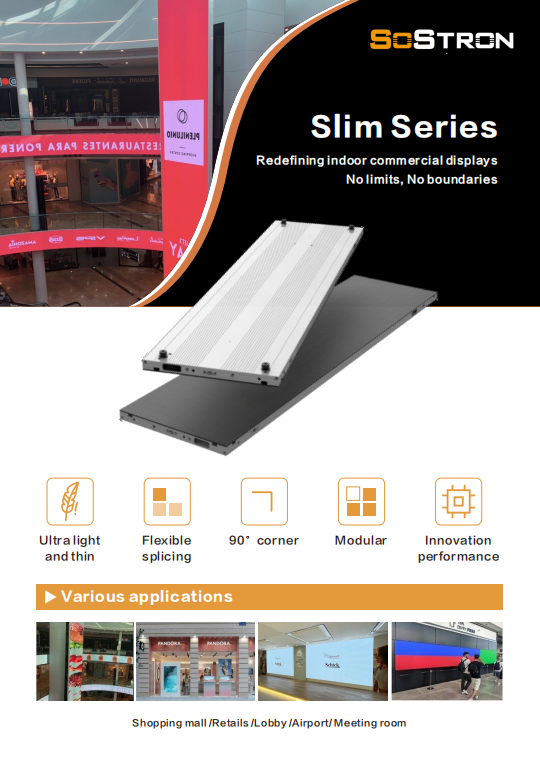
These examples demonstrate why buyers should specify brightness for the actual installation, rather than copying a generic number from another project.
Why Can Excessive Brightness Be a Problem?
More brightness is not automatically better.
An unnecessarily bright indoor display can:
- Increase power consumption
- Produce an uncomfortable viewing experience
- Alter perceived colors
- Create excessive visual contrast with the surrounding space
The objective is sufficient brightness with appropriate control, not maximum brightness at all times.
Which Technical Specifications Matter Most?
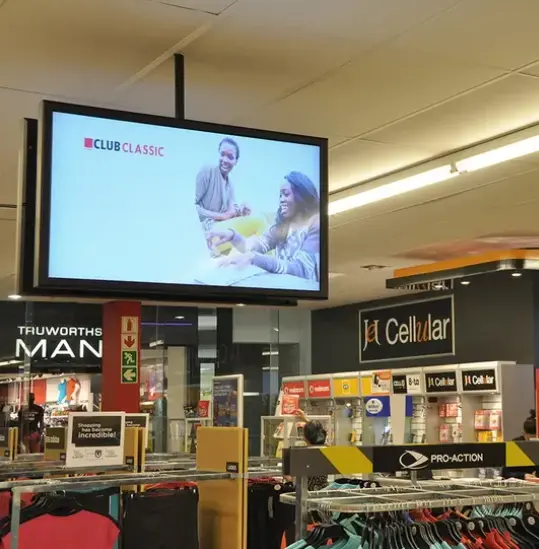
Pixel pitch is important, but it is not the only specification worth comparing.
Refresh Rate
Refresh rate matters particularly when the screen will be photographed or recorded with smartphones and professional cameras.
Sostron’s Slim Series specifies 3,840–7,680 Hz refresh frequency, while the Crystal transparent series lists 7,680 Hz. These figures are product-specific and should not be generalized to every LED display.
For retail environments where social-media content, fashion campaigns, product videos or professional photography are important, buyers should request the actual refresh-rate specification of the proposed configuration. However, camera results also depend on factors such as shutter speed, camera frame rate, scanning method and LED driver/PWM behavior, so refresh rate should not be evaluated in isolation.
Resolution
For modular LED, resolution is determined by:
- Physical screen dimensions
- Pixel pitch
- Cabinet configuration
A higher physical resolution can improve detail, but only when the viewing distance and content justify it.
Contrast
Contrast affects the perceived separation between dark and bright content.
This becomes particularly important for:
- Luxury retail
- Fashion imagery
- Product photography
- Dark-background creative
- High-end brand content
Viewing Angle
Retail displays are rarely viewed by a single person sitting directly in front of the screen.
Shoppers may approach from:
- Left
- Right
- An entrance corridor
- A mall walkway
- Across a storefront
A wide viewing angle can therefore have practical value beyond a specification sheet.
Maintenance Access
Maintenance access is one of the easiest specifications to overlook before installation.
If the screen is mounted tightly against a wall or integrated into a storefront, rear access may be difficult or impossible.
A front-maintenance design can reduce the amount of space required behind the display and simplify module or component servicing.
Sostron’s Slim Series specifies front maintenance, while its Crystal configurations list front/rear maintenance.
Ask the supplier exactly which components can be replaced from the front.
“Front maintenance” should not be treated as a vague marketing phrase.
SMD, GOB or COB: Which Technology Fits Retail?
LED package technology affects durability, appearance, repairability and cost.
SMD
SMD LED is widely used in commercial LED displays and can provide high image quality across a broad range of pixel pitches.
It remains a practical choice for many retail installations where cost, image quality and serviceability need to be balanced.
GOB
GOB, or Glue on Board, adds protective material over LED components.
It can improve protection against physical contact and environmental factors, depending on the implementation.
Sostron’s Slim Series lists GOB among its key functions, while the Crystal Series also uses GOB technology.
COB
COB packages the LED chips more directly into the display structure and is increasingly used in fine-pitch applications.
The decision should consider:
- Pixel pitch
- Surface protection
- Image requirements
- Repair method
- Availability of replacement modules
- Budget
- Application environment
Do not select COB, GOB or SMD solely because one acronym sounds more advanced.
What Does a Retail LED Display Installation Cost?
Installation is not simply the labor required to hang the screen.
The complete installation scope can include:
- Mounting structure
- Wall reinforcement
- Electrical circuits
- Distribution
- Data cabling
- Controller installation
- Calibration
- Commissioning
- Access equipment
- After-hours labor
- Building coordination
Current commercial LED installation guides commonly separate installation and engineering from the LED hardware price, and some report installation adding approximately 15–30% to hardware-related costs. These figures are market benchmarks rather than universal rules; structural work, electrical upgrades and site restrictions can push the percentage substantially higher.
What Should Be Confirmed Before Installation?
A professional site survey should establish:
- Available wall structure
- Screen dimensions
- Viewing distance
- Power availability
- Cable routing
- Maintenance access
- HVAC and heat conditions
- Working hours
- Delivery route
- Building restrictions
For a shopping mall or premium retail store, these questions should be answered before the final cabinet configuration is ordered.
How Much Electricity Does a Retail LED Display Use?
Do not calculate electricity cost from maximum power alone.
A display specification can contain both:
- Maximum power
- Average power
Sostron’s Slim Series, for example, lists maximum/average power of 550 W/185 W for the product configuration shown. Its Crystal series lists 400 W maximum and 150 W average power for the configurations shown.
Actual electricity use depends on operating conditions, brightness, content and configuration.
A simple planning formula is:
Annual electricity cost = Average power (kW) × operating hours × electricity rate
For example, if a display’s verified average operating power were 1.0 kW and it operated 10 hours per day:
1.0 × 10 × 365 = 3,650 kWh/year
If the local electricity rate were $0.20/kWh, the estimated annual energy cost would be:
3,650 × $0.20 = $730/year
This is an EXAMPLE calculation, not a statement about the actual consumption of a specific retail LED display.
ENERGY STAR also emphasizes that display power requirements vary with screen area and measured luminance and recommends considering the intended business use and content-management requirements when selecting signage displays.
What Is the Total Cost of Ownership for a Retail LED Display?
The purchase price is only the first part of the financial calculation.
A useful TCO model is:
TCO = Hardware + Control + Structure + Installation + Logistics + Electrical + Software + Electricity + Maintenance + Spare Parts
1. Hardware
Includes LED cabinets, modules and associated display components.
2. Control System
Includes processors, sending cards, receiving cards and other control equipment where applicable.
3. Structure
May include:
- Steel frame
- Aluminum frame
- Brackets
- Wall reinforcement
- Custom architectural integration
4. Installation
Includes labor, commissioning and calibration where specified.
5. Logistics
Depending on the project, consider:
- Freight
- Insurance
- Customs duties
- Local delivery
- Warehouse handling
6. Electricity
Calculate this using verified average operating power rather than maximum power alone.
7. Maintenance
Consider:
- Replacement modules
- Power supplies
- Receiving cards
- Labor
- Access equipment
- Calibration
8. Content and CMS
A display without a content workflow is only hardware.
For a single store, basic playback may be sufficient. For multiple locations, centralized scheduling and remote management can become much more important.
How Should Multi-Store Retailers Manage LED Content?
A multi-store retailer should evaluate the CMS before purchasing the display hardware.
The system may need to support:
- Centralized content upload
- Scheduling
- Multiple locations
- Different playlists
- User permissions
- Remote updates
- Content synchronization
ENERGY STAR’s signage guidance recommends defining content and content-management requirements before selecting the display platform. Its signage-display criteria also show that power requirements can vary with screen area, measured luminance and features such as automatic brightness control. These ENERGY STAR criteria apply to signage displays within its specification scope and should not be treated as a universal power standard for modular LED video walls.
The key procurement question is therefore not:
“Does the screen support CMS?”
Ask instead:
“What can the CMS actually manage, and what recurring software or service costs apply?”
Can Retail LED Displays Support Retail Media?
Yes, but the LED display itself does not create a retail media business.
A retailer may use digital screens as part of an in-store media network and potentially allocate screen inventory to brand partners. A commercially viable retail media program requires additional elements such as:
- Advertiser demand
- Content scheduling
- Campaign management
- Proof-of-play
- Reporting
- Commercial agreements
- Audience measurement where available
Therefore, retail media should be treated as an operating model, not an automatic ROI feature of buying an LED display.
For a retailer with multiple locations, however, centralized content management can make the screen network more useful as a communication and advertising platform.
What Hidden Costs Should Retailers Budget For?
The most common budgeting mistake is comparing two quotes that contain different scopes.
For example:
Supplier A
LED cabinets: $50,000
Supplier B
Complete installed system: $72,000
The second supplier is not necessarily more expensive. The quotes may simply contain different line items.
Ask Suppliers to Separate:
| Cost Item | Included? |
|---|---|
| LED cabinets | Yes / No |
| Receiving cards | Yes / No |
| Video processor | Yes / No |
| Sending card | Yes / No |
| Mounting structure | Yes / No |
| Power distribution | Yes / No |
| Cables | Yes / No |
| CMS | Yes / No |
| Installation | Yes / No |
| Calibration | Yes / No |
| Shipping | Yes / No |
| Customs/duties | Yes / No |
| Spare parts | Yes / No |
| Warranty | Exact terms |
| After-sales support | Exact scope |
This makes supplier quotations much easier to compare.
Who Should Buy a Retail Store LED Display?
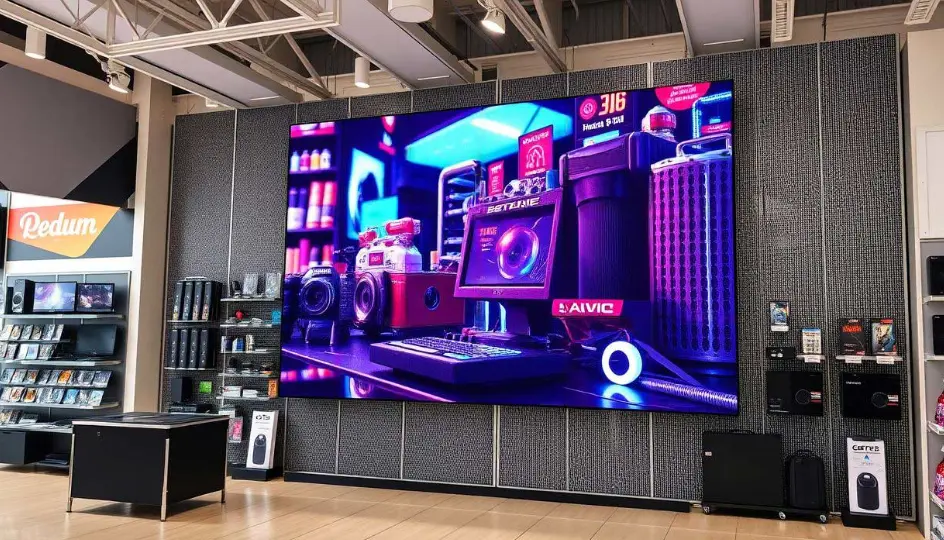
A retail LED display is most appropriate when the business has a clear reason to use large-format dynamic content.
It may make sense when:
- Storefront visibility is commercially important
- The brand relies heavily on visual campaigns
- Content changes frequently
- The store has enough viewing distance
- A feature wall is part of the customer experience
- Multiple stores need coordinated content
- Window space needs digital content
- Long-term operation justifies the capital investment
Who May Not Need One?
A large modular LED wall may not be the right solution when:
- The screen is very small
- Viewing distance is extremely limited
- Content is mostly static
- The expected usage is low
- A commercial flat-panel display meets the requirement
- The installation location cannot support the required structure
- The available budget cannot support proper installation and maintenance
The objective is not to make every retail environment use LED.
The objective is to determine whether the performance and operational benefits justify the complete project cost.
When Is a More Expensive Configuration Justified?
A higher-specification LED display can be justified when the additional capability solves a real business or engineering requirement.
| Higher-Cost Feature | When It May Be Justified |
|---|---|
| Smaller pixel pitch | Close viewing or detailed visual content |
| Higher brightness | Strong ambient light or window exposure |
| Higher refresh rate | Camera-heavy content and professional recording |
| Transparent LED | Window visibility must be preserved |
| Front maintenance | Rear access is restricted |
| Premium cabinet | High-traffic or architectural applications |
| Centralized CMS | Multiple store locations |
| Higher protection | Physical-contact or demanding environments |
The correct buying principle is:
Pay for the specification that solves your problem, not the specification with the biggest number.
What Should Buyers Ask an LED Display Manufacturer?
Before approving a quotation, ask for written answers to these questions.
Technical Questions
- What is the exact pixel pitch?
- What is the actual brightness specification?
- What are maximum and average power figures?
- What is the refresh rate?
- What is the viewing angle?
- Is front maintenance available?
- What LED package is used?
- What is the cabinet size and weight?
- What is the operating temperature range?
- What is the recommended viewing distance?
Installation Questions
- Is the mounting structure included?
- Does the building require reinforcement?
- Who performs installation?
- Is electrical work included?
- Is commissioning included?
- Who performs calibration?
- How much maintenance clearance is required?
Commercial Questions
- Is the quoted price hardware-only or turnkey?
- Are shipping and duties included?
- Is the controller included?
- Is CMS included?
- Are spare parts included?
- What is the warranty period?
- What after-sales support is included?
Compliance Questions
Ask for the specific documentation applicable to the proposed product and destination market, rather than accepting a generic statement that a company or product is “certified.”
Certification and electrical requirements can differ according to the product, jurisdiction, installation type and applicable code. In the United States, UL Solutions identifies UL 48 as a standard for electric signs, but buyers should confirm which standards and approvals apply to the specific LED display and installation rather than assuming UL 48 applies to every LED video wall.
Retail Store LED Display Buying Checklist
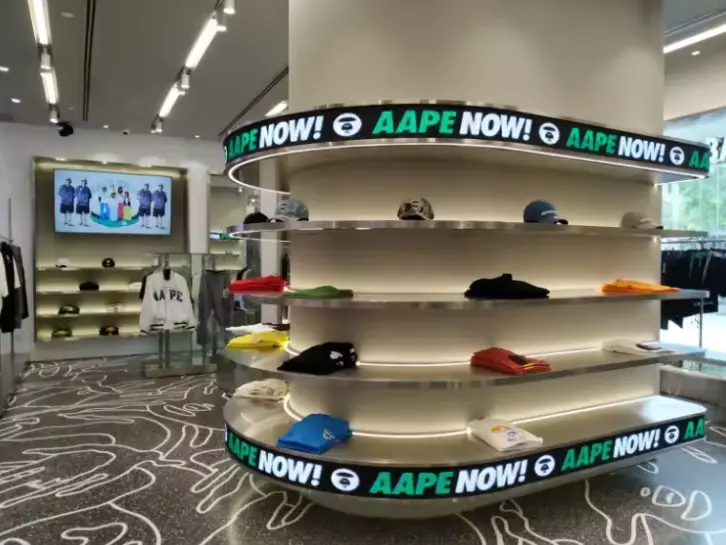
Before placing an order, confirm:
- Installation location
- Indoor / window / outdoor environment
- Minimum viewing distance
- Maximum viewing distance
- Screen dimensions
- Pixel pitch
- Required brightness
- Refresh rate
- Viewing angle
- Maximum power
- Average power
- Maintenance method
- Mounting structure
- Electrical requirements
- Controller
- CMS
- Content workflow
- Shipping terms
- Installation scope
- Calibration
- Spare parts
- Warranty
- After-sales service
- Product-specific compliance documentation
What Retail LED Display Mistakes Should Buyers Avoid?
Choosing Pixel Pitch Before Measuring Viewing Distance
This can lead to unnecessary spending on fine-pitch technology.
Comparing Only the LED Panel Price
A low cabinet price may exclude the processor, structure, installation, shipping or electrical work.
Specifying Maximum Brightness Instead of Appropriate Brightness
Maximum brightness is not the same as the correct operating brightness.
Ignoring Maintenance Access
A screen that cannot be serviced conveniently can become expensive to maintain.
Treating Average Power as a Fixed Electricity Bill
Actual consumption depends on operating conditions and brightness.
Selecting CMS After the Hardware
For multi-store operations, content management should be part of the initial system design.
Assuming a Certification Applies to Every Configuration
Always request documentation for the actual product and destination market.
Retail LED Display FAQ
How much does a retail store LED display cost?
There is no universal retail LED display price. A current Sostron U.S. market guide lists P2.5 indoor LED hardware at about $800–$1,500/m², excluding processing, mounting and U.S. installation. Complete installed projects can cost substantially more depending on structure, electrical work, processing, installation, logistics and site conditions. Use these numbers as planning benchmarks rather than fixed quotations.
What pixel pitch is best for a retail store?
The appropriate pixel pitch depends mainly on viewing distance, screen size, content detail and budget. P1.5–P1.9 can suit close-view premium retail applications, while P2.5 and larger pitches may be appropriate where viewers stand farther away. Measure the actual viewing environment before selecting the final pitch.
How bright should a retail LED display be?
Brightness should match ambient light and installation position. Indoor feature walls generally do not need the same brightness strategy as window displays exposed to strong daylight. The correct specification should be based on the site rather than a generic brightness range.
Is transparent LED good for store windows?
Transparent LED can be useful when a retailer wants dynamic content while preserving visibility through the storefront. Sostron’s Crystal series offers transparent configurations designed for retail and commercial applications, with published configurations including P2.8, P3.91 and P5.2.
How much electricity does an LED display use?
Consumption depends on screen area, brightness, operating hours, content and the display’s average power characteristics. Use verified average power for planning and calculate annual consumption as average kW × operating hours × electricity rate. Do not use maximum power as if it were continuous real-world consumption.
Should a retailer choose COB, GOB or SMD?
There is no universal winner. Compare the technology according to pixel pitch, protection requirements, image quality, maintenance method, replacement process and budget. The best choice is the configuration that meets the actual retail environment without unnecessary specification.
Sostron Retail LED Display Solutions
Sostron manufactures LED display products for commercial applications including retail stores and shopping malls. Its current portfolio includes indoor commercial LED displays such as the Slim Series and transparent LED solutions such as the Crystal Series. Product-specific specifications, installation requirements and available configurations should be confirmed against the quotation for the actual project.
Sostron’s role can extend beyond supplying LED cabinets to product development, engineering support, customized display solutions, installation guidance and after-sales technical support. For international projects, the practical starting point is to provide the supplier with the screen dimensions, viewing distance, installation environment, operating hours, content requirements and destination country so that the proposed configuration can be evaluated against the real project conditions.
For buyers comparing retail LED displays, the most useful next step is therefore not simply requesting a price per square meter. Request an itemized technical and commercial quotation that makes the display, control system, structure, installation, logistics, power requirements, maintenance approach and warranty terms visible.
Price note: Retail LED display prices vary substantially by pixel pitch, screen size, brightness, cabinet design, control system, structure, installation location, shipping terms and project complexity. Any price ranges in this article are identified as market benchmarks or Sostron-published planning figures, not guaranteed quotations. For an accurate project budget, obtain a configuration-specific quotation based on your dimensions, viewing distance and installation environment.
References:
ENERGY STAR — Signage Displays
U.S. Department of Energy — Purchasing Energy-Efficient Commercial and Industrial LED Luminaires