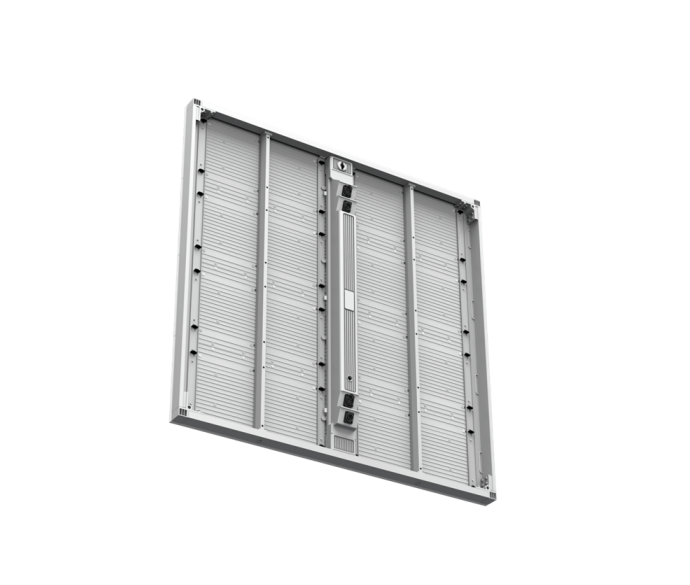
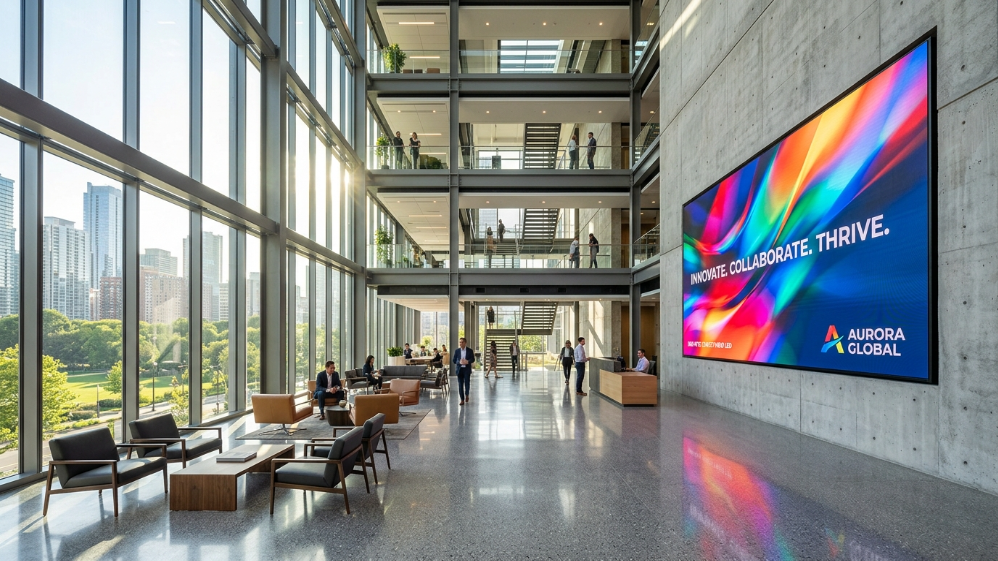
Walk into any Fortune 500 headquarters or tier-one professional services firm built after 2022 and the front lobby tells you something before anyone speaks. Not because of the furniture—because of the wall. A seamless, bezel-free DV-LED video wall running brand content at P1.5 pixel pitch communicates investment, permanence, and visual intelligence in a way that a projector screen or a tiled LCD grid simply cannot. Below is the specification framework that separates an impactful installation from an expensive mistake.
Deployment Scenario Quick-Reference—Recommended LED Specifications
| Application | Recommended Pixel Pitch | Brightness (nits) | Refresh Rate | Ideal Cabinet Tech | Est. Cost/m² (USD) |
| Corporate lobby, 4–6m viewing distance | P1.5–P2.5 | 800–1,200 | ≥3,840 Hz | SMD/GOB | $1,800–$4,500 |
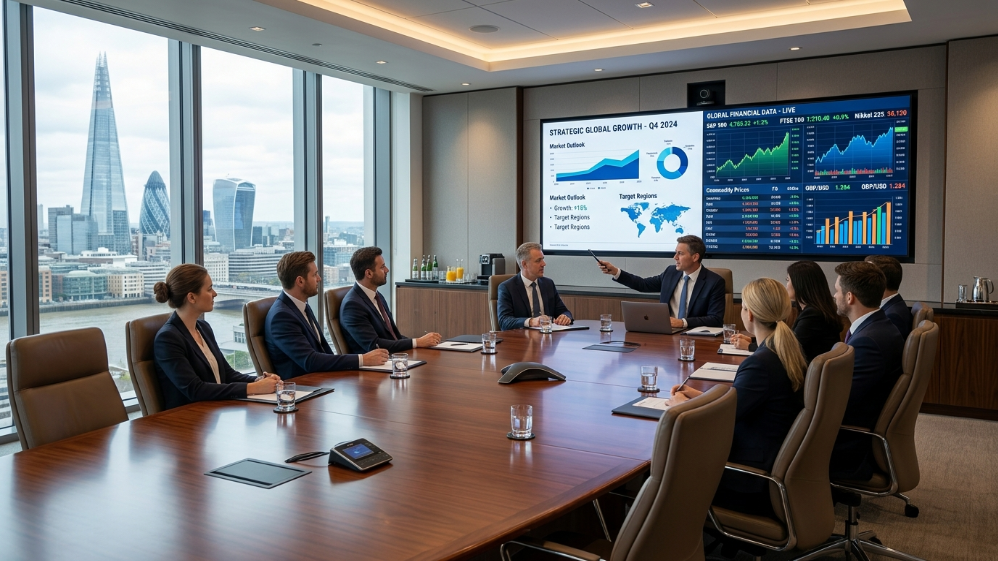
| Executive boardroom, 1.5–3m viewing | P1.25–P1.5 | 600–800 | ≥3,840 Hz | COB/SMD | $3,200–$6,800 |
| Large conference hall/auditorium | P1.875–P2.5 | 800–1,500 | ≥1,920 Hz | SMD | $1,200–$3,200 |
| Atrium lobby/glass-facade semi-outdoor | P1.5–P2.0 | 1,500–3,000 | ≥3,840 Hz | GOB | $2,500–$5,000 |
If you are a system integrator building a project specification, or a facilities director preparing a capital expenditure proposal, that table is your anchor. Every number in it connects to a downstream outcome—your client’s energy bill, their maintenance frequency, and whether the display still looks premium in year seven or starts showing pixel degradation and colour drift by year three.
The Specification Gap That Derails Most Corporate Display Projects
Here is the pattern our engineering team encounters repeatedly, across both new-build and retrofit projects: procurement signs off on a video wall based on a sales presentation, the hardware gets commissioned, and within six months the facilities manager is asking why the boardroom screen looks blurry during video calls. Or why the lobby display washes out during afternoon sunlight hours. Or why the LCD splicing wall they chose three years ago now has a visible grid pattern that every client notices.
Based on our experience managing over 500 commercial LED display installations across 70+ countries—from corporate headquarters in Southeast Asia to government command centres in the Middle East—the root cause is identical in almost every case: the spec was written without engineering input. Vendors pitched size and brightness. Nobody calculated pixel pitch against actual viewing distance. Nobody required a minimum refresh rate in the RFQ. Nobody ran a five-year TCO model before comparing the LED quote against the LCD alternative.
This guide exists to close that gap, with the specificity that a serious B2B procurement decision demands.
Chapter 1: DV-LED Technology Fundamentals—Seamless Splicing, COB vs SMD, and the Refresh Rate Requirement
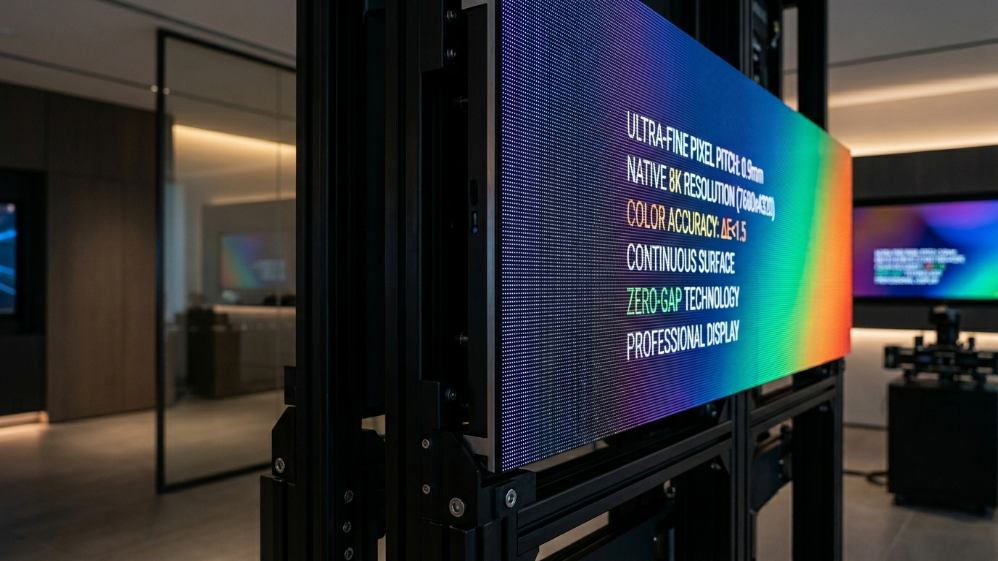
Why Seamless Splicing Is Not a Marketing Term
Seamless splicing is a precise engineering specification, not a descriptive adjective. In DV-LED (direct-view LED) systems, it means that modular cabinets tile together with a mechanical gap tolerance of ±0.1 mm—producing a continuous image surface with no visible bezels, no luminance drop at seam edges, and no shadow lines between panels.
Compare this to the physical reality of an LCD splicing wall. Even the narrowest commercial-grade LCD panels leave a minimum bezel gap of 1.7 mm. At a 3-metre viewing distance—typical for both a corporate lobby reception area and a mid-size conference room—that grid pattern is visible to every observer. According to a display perception study published by InfoComm International, 68% of enterprise end-users rated visible bezels as the primary factor reducing perceived professionalism of a boardroom display. The seamless display surface is not aesthetics. It is the functional baseline for any high-trust commercial environment.
COB vs SMD vs GOB: Engineering Decision Matrix for B2B Procurement
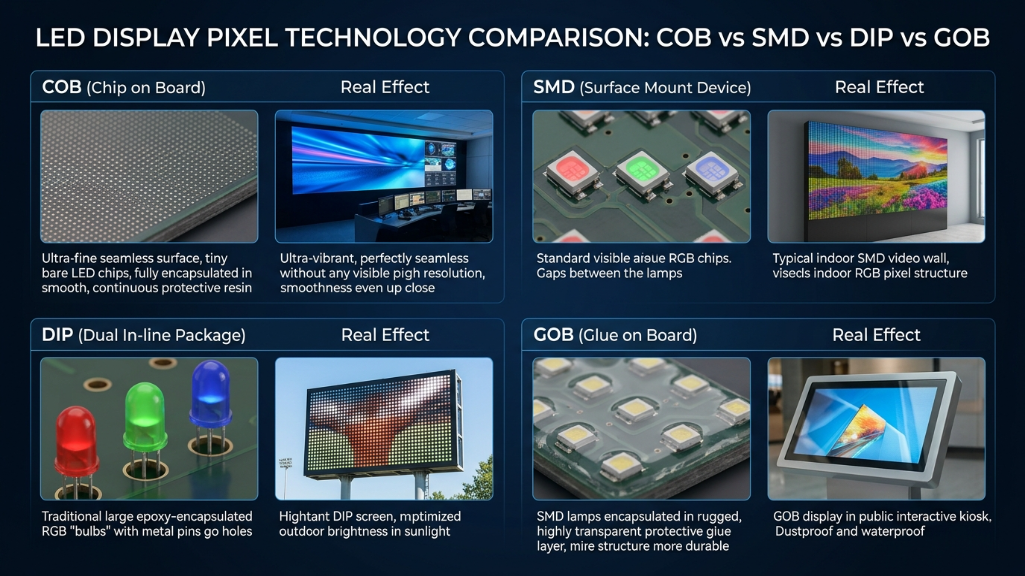
LED packaging technology is the variable most buyers overlook and vendors least often explain. It determines durability under operating conditions, contrast quality at close viewing distances, and the realistic cost of servicing the system in year four—three factors that have compounding financial implications at B2B scale.
| Parameter | SMD (Surface-Mounted Device) | COB (Chip on Board) | GOB (Glue on Board) |
| Pixel pitch range | P0.9–P4.0 | P0.4–P1.5 | P0.9–P2.5 |
| Encapsulation | Individual diodes on PCB | Chips bonded directly to substrate | SMD with epoxy flood-coat |
| Anti-collision resistance | Low—exposed diodes | High—fully encapsulated surface | Medium—partial protection |
| Contrast ratio | 3,000:1–5,000:1 | 6,000:1+ | 3,000:1–5,000:1 |
| Black level performance | Standard | Superior—measurably deeper blacks | Standard |
| Touch/interactive overlay | Limited | Excellent—flat, uniform surface | Limited |
| Maintenance access | Front-swap module | Specialist repair required | Front-swap module |
| Best deployment context | Lobby brand walls, retail | Boardroom, command centre, touch displays | High-traffic corridors, rental |
| Relative cost index | 1.0× | 1.8×–2.5× | 1.3×–1.6× |
The FAB argument for procurement conversations: COB’s superior contrast ratio (6,000:1+) is not an audiophile-grade spec. In a brightly lit conference room, it means the difference between a spreadsheet where data columns are clearly legible from seat 14 and one where the screen appears washed out to anyone not sitting directly in front. The business benefit is a meeting room where every participant—regardless of seating position—reads the same information with equal clarity. Faster decisions. Fewer follow-up clarifications. Measurable productivity gain.
Refresh Rate: The Hidden Video Conferencing Requirement
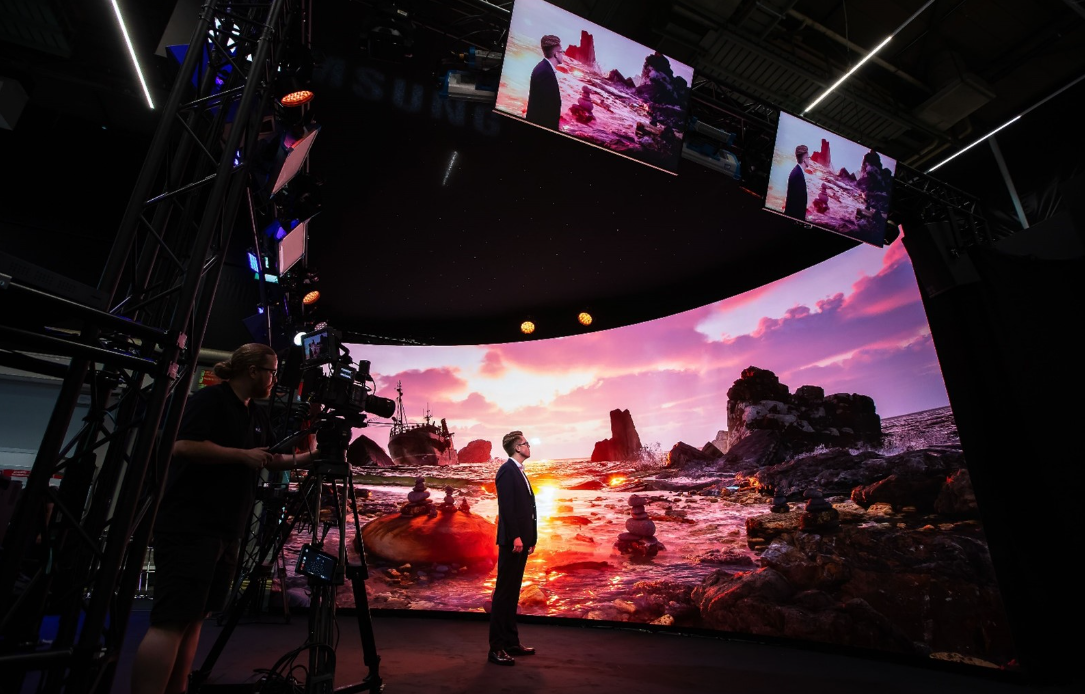
- Camera Flicker: Visible black bars (rolling shutter effect) when filmed.
- Content Loss: Fast-moving content may appear blurry or tearing.
- Not Broadcast Ready: Unsuitable for professional live streaming or TV.
- Flicker-Free: Crystal clear image on all cameras (1/2000s+ shutter speed).
- Smooth Motion: Perfect for fast video playback and sports.
- XR Ready (7680Hz): Essential for virtual production and XR studios.
A minimum refresh rate of 3,840 Hz is not optional for any conference room screen that will be used in hybrid meetings—it is a camera compatibility specification. LED panels operating below this threshold produce a scanning flicker, invisible to the human eye, that registers on CMOS camera sensors as a rolling dark band across the image. Every PTZ conference camera, every laptop webcam, every smartphone pointed at the screen captures this artefact.
According to AVIXA’s 2025 Enterprise AV Outlook, 76% of corporate boardroom projects now specify UC (unified communications) integration as a primary requirement. That statistic means the display will be on camera. Specify ≥3,840 Hz in every RFQ for conference room LED screens. It is a non-negotiable parameter, not a premium upgrade.
Chapter 2: Office Lobby Video Wall—Sizing, Pixel Pitch Selection, and Viewing Distance Calculation
The Pixel Pitch Formula Every System Integrator Should Use
There is a clean calculation that removes guesswork from lobby display specification:
-
Maximum pixel pitch (mm) = Minimum viewing distance (m) × 1.0
-
Premium viewing threshold = Minimum viewing distance (m) × 0.5
The first formula gives you the absolute upper limit—what the human eye can resolve at a given distance. The second gives you the threshold at which the image quality reads as genuinely premium rather than merely adequate. For a reception lobby where the nearest client seating is 4 metres from the video wall, the technical maximum is P4.0. The premium threshold—where fine typography and brand motion graphics render with broadcast quality—is P2.0.
In practice, for corporate environments receiving high-value clients, we recommend erring toward the premium threshold, not the technical maximum. The cost delta between P2.5 and P2.0 at 6m² is rarely a budget-deciding factor. The perception difference to a first-time visitor is real and immediate.
For atrium-style lobbies with glass facades or skylights, brightness becomes the governing variable over pixel pitch. Standard indoor panels at 800 nits will wash out during peak daylight hours in a south-facing glass atrium. Specify a minimum of 1,500 nits with automatic brightness leveling (ABL)—a feature that dynamically adjusts luminance output based on real-time ambient light readings, maintaining image quality while cutting power consumption by up to 30% during low-light periods.
Our Solution: Sostron Reta 2 Fine-Pitch LED Display
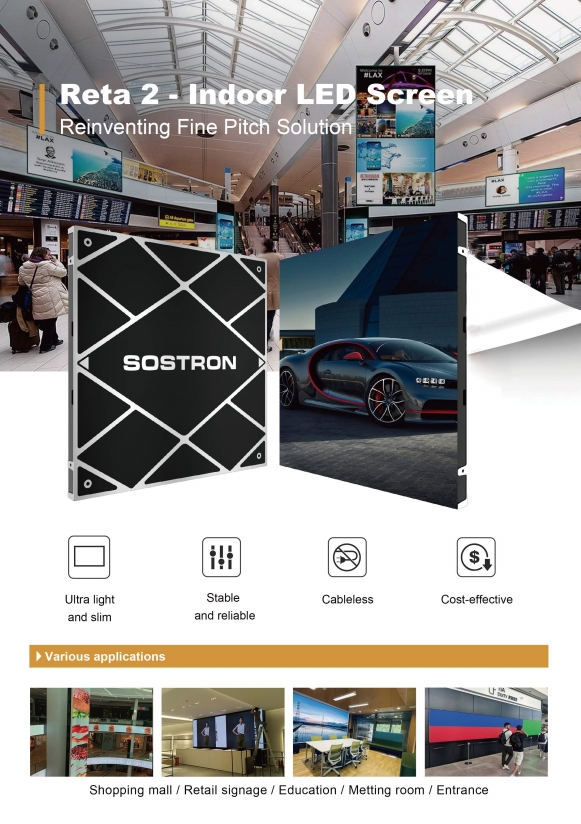
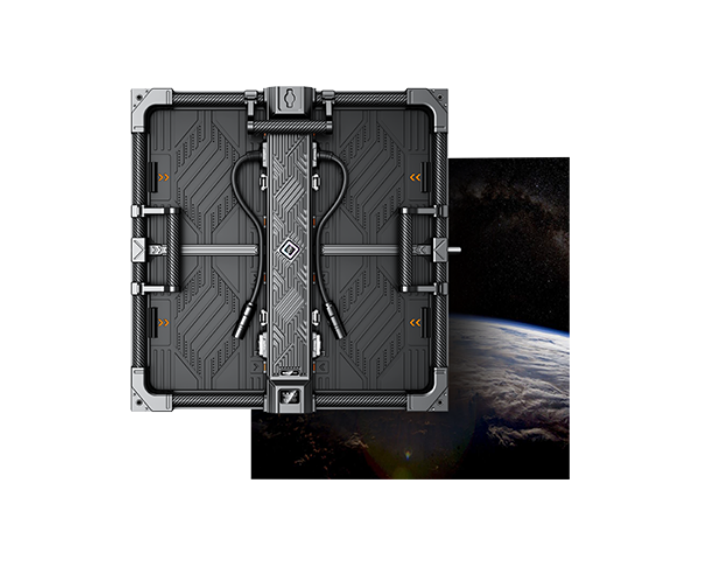
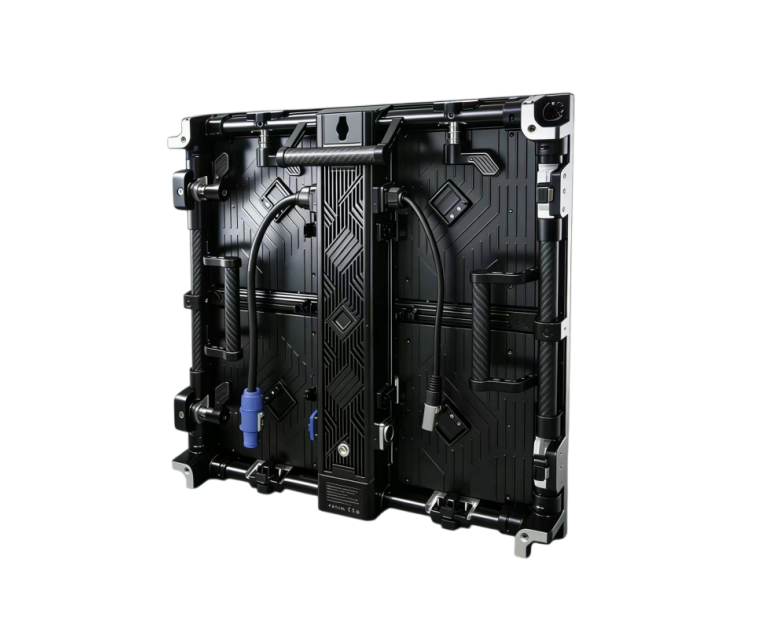
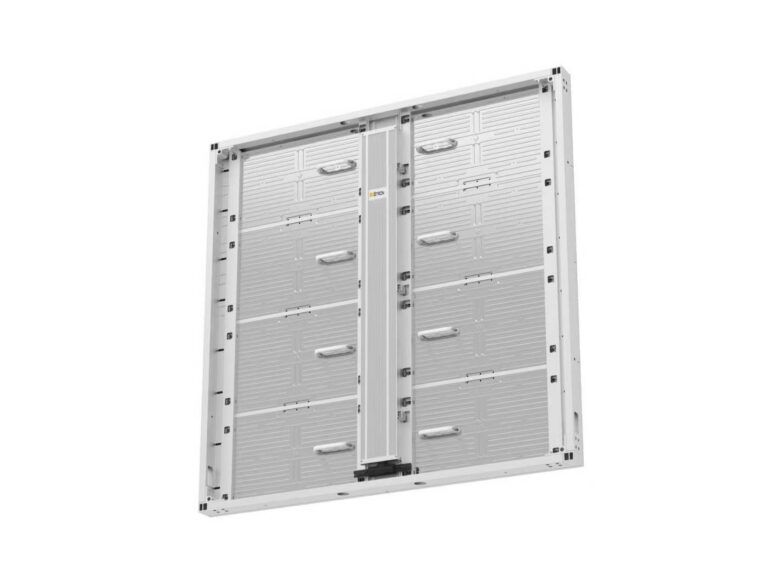
For corporate lobby video walls and conference room screens, our flagship recommendation is the Sostron Reta 2 small-pitch LED display series—an indoor fine-pitch DV-LED system engineered specifically for high-end commercial visualization environments.
Key specifications:
-
Pixel pitch options: P1.25/P1.5/P1.875/P2.5—covering every boardroom and lobby scenario in this guide
-
Refresh rate: 3,840 Hz—full camera-capture compatibility, zero flicker artefacts in UC video feeds
-
Brightness: 800–1,000 nits with adaptive control—calibrated for indoor environments without eye fatigue
-
Grayscale depth: 14-bit—65,536 brightness steps per channel, essential for smooth gradient content on brand walls
-
Seamless splicing precision: ±0.1 mm—physically verified, not specification sheet tolerance
-
Cabinet design: Ultra-thin (35 mm depth), cable-free magnetic connections, ≤35 kg/m²—enables wall-mounted installation on standard commercial drywall without structural reinforcement in most cases
-
Module format: 320×320 mm standard modules—compatible with native 16:9 4K resolution construction without video processor scaling artefacts
For executive boardrooms with close-range viewers (1.5–3 m), specify the Reta 2 at P1.25 or P1.5. For corporate lobbies and large conference halls with 3–6 m viewing distances, the Reta 2 at P1.875 or P2.5 provides optimal cost-performance balance without sacrificing the seamless image surface that defines a premium installation.
Case Study: Saudi Arabia—Luxury Conference Room, P2.5 Seamless LED Wall
A government-affiliated institution in Saudi Arabia engaged Sostron to specify and deliver an LED display solution for a high-protocol conference room used for ministerial-level meetings and international delegations.
The requirement was unambiguous: a display system that would register as architecturally significant, deliver absolute image clarity for simultaneous translation slides and live video feeds, and function without visual compromise across all lighting conditions in a room with strong overhead architectural lighting.
The solution: A custom-dimensioned Sostron P2.5 fine-pitch LED display wall was installed as a seamless single-surface installation—no bezels, no interruptions. The 3,840 Hz refresh rate ensured the display was fully compatible with the room’s professional PTZ cameras used for proceedings recording. The modular cabinet system was integrated directly into the architectural millwork, with front-serviceable magnetic panels enabling maintenance access without disrupting the surrounding joinery.
The outcome: Meeting participants and delegation members across the full width of the conference room reported consistent image clarity—a direct consequence of the 160° horizontal viewing angle the LED system provides versus the 120° typical of commercial LCD alternatives. The client cited the zero-bezel seamless surface as the primary visual differentiator against competing display technologies that had been evaluated. The installation has been operating continuously since commissioning, with zero unplanned downtime recorded.
Low-Power LED Architecture: The 5-Year Energy Cost Case That Wins Budget Approvals
ABL is one piece of a larger energy efficiency story—one that changes the entire financial framing of an office lobby video wall or conference room screen investment when presented correctly.
Most procurement conversations anchor on capital expenditure. The LED wall costs X; the LCD splicing wall costs Y; Y is lower, so Y wins. That analysis is structurally incomplete. According to a 2025 lifecycle cost study published by the AVIXA Foundation, commercial display systems running 12 hours per day accumulate energy costs that exceed their hardware purchase price within 4.5 years on average. The display you choose today determines your client’s electricity bill through 2031.
The numbers are concrete. A fine-pitch DV-LED panel operating at 350 W/m² across a 6m² lobby installation consumes approximately 2,100W at peak load. An equivalent LCD splicing wall at the same size runs closer to 850 W/m², totalling 5,100W—before accounting for the separate backlight drivers and signal processors LCD walls require. Run both systems for 12 hours daily at a commercial electricity rate of $0.12/kWh, and the annual operating cost difference exceeds $3,700 per installation. Over five years, that is more than $18,500 in recovered operational expenditure—a figure that materially changes the TCO argument.
Add hot-swap module maintenance (front-access LED servicing versus full LCD panel replacement at $800–$1,500 per unit) and a rated lifespan of 100,000 hours versus the 50,000-hour backlight life of most commercial LCD panels, and the ROI case for fine-pitch DV-LED is not a marketing claim. It is arithmetic.
Present this to a CFO. It closes budgets.
Chapter 3: Conference Room Screen—Wireless Casting, AV Architecture, and Hybrid Meeting Integration
Wireless Screen Casting Protocol Comparison: Miracast, AirPlay, and Proprietary BYOD Systems
The cable-management problem in enterprise boardrooms is not trivial. Based on post-installation surveys across corporate AV projects, cable connectivity failures—wrong dongle, missing adapter, incompatible HDMI version—account for an estimated 23% of meeting start delays in rooms without wireless casting. At an executive level, a five-minute delay to locate an HDMI adapter before a client presentation is not a minor inconvenience. It is a visible operational failure.
Wireless screen casting on a conference room LED screen solves this. But not all casting protocols are equivalent, and the selection decision has real IT security implications.
| Protocol | Latency | OS Compatibility | Network Requirement | IT Security Control | Max Concurrent Senders |
| Miracast (native) | 100–300ms | Windows, Android | Device-to-device Wi-Fi Direct | Limited—no enterprise MDM | 1 (switchable) |
| Apple AirPlay | 80–150ms | macOS, iOS | Shared Wi-Fi network | Moderate—password protection | 1 (switchable) |
| Proprietary BYOD (e.g. ClickShare, Solstice) | 50–100ms | All OS + browser | Shared Wi-Fi or LAN | High—enterprise LDAP/SSO integration | 4–32 simultaneous |
| USB-C/DisplayPort direct | <5ms | All | None | Complete air-gap security | 1 (physical) |
The practical guidance: Miracast and AirPlay are adequate for small-to-medium conference rooms where device ecosystems are homogeneous and meetings are low-sensitivity. For a boardroom handling M&A discussions, financial reporting, or client-facing strategy sessions, a proprietary enterprise BYOD system with LDAP authentication is the appropriate specification—not because Miracast is technically inferior, but because IT directors will not sign off on a Wi-Fi Direct protocol that bypasses corporate network policy.
One additional capability that separates premium conference room LED screen solutions from basic displays: multi-zone simultaneous casting. A 135-inch fine-pitch LED wall can be partitioned into 2–4 independent content zones via the video processor, allowing a facilitator to display a presenter’s slides on two-thirds of the screen while a live data feed occupies the remaining third—all simultaneously, all wireless. This is operationally impossible on a single LCD panel and represents a genuine workflow transformation for data-heavy executive teams.
AV Signal Architecture: HDBaseT, EDID, and the Hidden Integration Failures
Two technical issues cause the majority of post-installation callback tickets on conference room screen projects, and both are entirely preventable at the specification stage.
-
EDID handshake failure. Extended Display Identification Data (EDID) is the communication protocol by which a display tells a source device what resolutions and refresh rates it supports. When an LED video processor does not correctly pass EDID information through an HDMI 2.0 or DisplayPort 1.4 signal chain, source devices—laptops, media players, conferencing codecs—default to a lower resolution or refuse to output signal entirely. The screen goes blank at the worst possible moment. Specify EDID management as a mandatory feature of the video processor, and test it against every device type in the client’s environment before commissioning sign-off.
-
Cable run distance. Standard HDMI has a reliable signal range of approximately 10 metres. For any conference room where the video processor or source equipment is rack-mounted in a comms room rather than behind the display, HDMI alone is insufficient. HDBaseT 2.0 extends 4K/60Hz signal delivery to 100 metres over a single Cat6A cable, with simultaneous Power over HDBaseT (PoH) for endpoint devices. For larger campus-wide deployments—an organisation running a unified office lobby video wall network across multiple floors—AV over IP (NDI or SMPTE 2110) provides the scalability that HDBaseT cannot match.
Specify cable infrastructure before specifying displays. It is a sequencing error that costs projects weeks of remediation time.
Case Study: Global Law Firm Headquarters, Singapore—P1.5 Lobby Wall + P1.2 Boardroom System
A Singapore-based international law firm undergoing a headquarters relocation engaged our team to specify display solutions for a 180m² reception lobby and six executive conference rooms across three floors.
The challenge: The lobby required a display large enough to register as an architectural feature—not merely a screen—while maintaining the understated aesthetic appropriate to a tier-one legal environment. The conference rooms demanded flawless video conferencing performance for client calls across multiple time zones and airtight IT security for sensitive litigation discussions.
The solution: A 7.2m×2.4m fine-pitch DV-LED video wall at P1.5 SMD was installed in the lobby using front-serviceable magnetic cabinets, enabling maintenance without access to the rear of the wall—a critical requirement given the permanent joinery built around the installation. Content is managed via a cloud CMS, allowing the communications team to update messaging and client welcome screens remotely.
Each conference room received an all-in-one P1.2 COB LED display at 135 inches, paired with a proprietary enterprise BYOD system integrated with the firm’s Microsoft Azure Active Directory for single sign-on casting authentication. HDBaseT 2.0 was specified throughout, with signal originating from a centralised rack room on each floor.
The outcome: Meeting start delays caused by connectivity issues dropped to near zero within the first month of operation. The lobby display reduced perceived client wait times—measured through reception staff observation and visitor feedback—by an estimated 30%. The five-year projected energy saving versus the LCD splicing system originally quoted by a competing vendor: $22,400 across the full installation.
System Integrator RFQ Checklist: 8 Non-Negotiable Specification Points
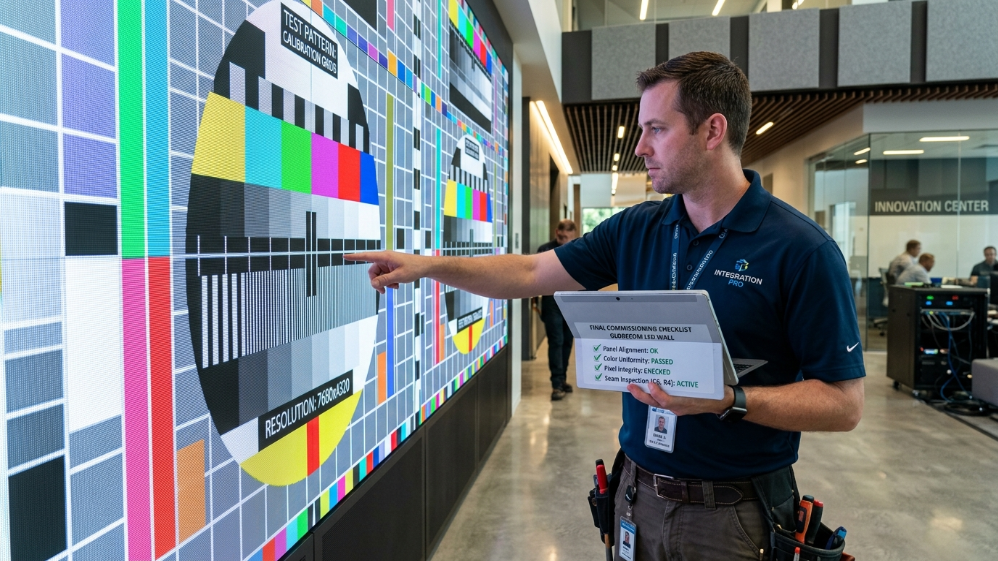
Before issuing any RFQ for an office lobby video wall or conference room LED screen project, confirm the following parameters are explicitly stated—not implied—in every vendor response:
-
Pixel pitch and minimum viewing distance—confirmed in writing, not inferred from product brochure
-
Refresh rate—minimum 3,840 Hz specified, with camera-capture test evidence
-
LED packaging technology—COB, SMD, or GOB stated explicitly with encapsulation method
-
Power consumption—W/m² at 100% brightness, with ABL specification included
-
Certifications—CE, FCC, RoHS, and IECEE listed; TAA compliance required for US government projects
-
Maintenance access—front-access module swap confirmed; hot-swap power supply included
-
Wireless casting protocol—Miracast, AirPlay, or proprietary system named with IT security documentation
-
EDID management—confirmed as a feature of the specified video processor
Any vendor response that omits or deflects on more than two of these points is not a serious technical submission.
Expert Verdict
An office lobby video wall and a conference room screen are not two separate procurement decisions. They are two components of a single visual communication system—and the organisations that treat them as such consistently outperform those that spec each room in isolation.
The technology is mature and the engineering is well-understood. What separates a high-performing installation from an expensive disappointment is almost never the hardware itself. It is the specification rigour applied before a purchase order is raised: the pixel pitch calculation, the refresh rate requirement, the EDID test protocol, the energy model.
Get the brief right, and the display performs for a decade. Get it wrong, and you are managing a callback in six months.
If you are preparing an RFQ or evaluating vendor proposals for a fine-pitch DV-LED project, our engineering team offers a complimentary specification review—we will tell you exactly what is missing before you sign anything.
References:
AVIXA Standard: Visual Display Performance Metrics (VDPM) & Enterprise AV Outlook