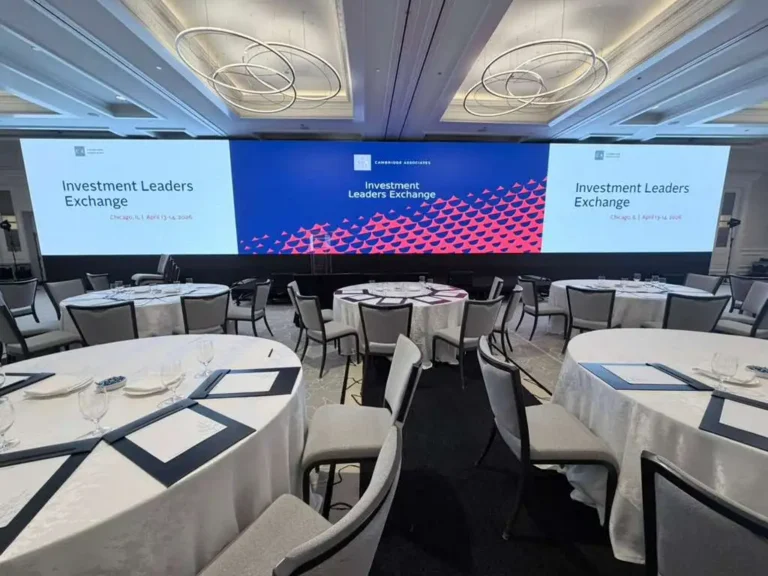
Short answer: A fully functional LED display system requires far more than the screen itself. Based on hands-on deployment experience with indoor fine-pitch and large-format outdoor installations, the nine categories of supporting equipment you cannot skip are: LED modules, control systems (sending + receiving cards), switching power supplies, video processors, playback devices, mounting structures, heat dissipation units, protective enclosures, and control software. Miss any one of them and your display either fails to run or fails to last.
Why Supporting Equipment Determines 80% of LED Display Performance
When I audit underperforming LED display systems on-site, the root cause is almost never a defective LED panel. It is almost always a mismatched power supply, an underpowered video processor, or a control card that cannot handle the refresh rate the display demands.
The LED panel is just the output layer. Every other component in the system feeds it signal, power, cooling, and structural support. Choosing those components incorrectly — even if you pick the right screen — produces flickering, color banding, premature failure, or a display that physically falls off the wall.
Key principle: Budget for supporting equipment at roughly 30–50% of total system cost for indoor installations, and 40–60% for outdoor installations where environmental protection requirements are significantly higher.
Core Component 1: LED Modules
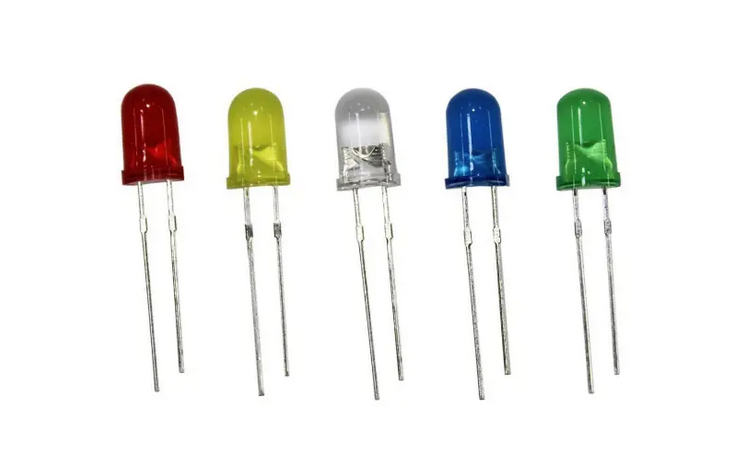
The LED module is the fundamental display unit. It consists of a PCB populated with surface-mount (SMD) or through-hole (DIP) LED lamp beads, a driver IC, and a data-receiving interface.
| Parameter | Indoor Fine-Pitch | Outdoor Standard |
|---|---|---|
| Package type | SMD (e.g., SMD1515, SMD2020) | SMD or DIP |
| Pixel pitch | P0.9 – P2.5 | P4 – P16 |
| Brightness | 800 – 1,500 nit | 5,000 – 10,000 nit |
| Typical module size | 320×160 mm | 320×160 mm or 256×128 mm |
| Waterproof rating | IP20 – IP40 | IP65 – IP68 |
The total number of modules determines the display’s resolution and physical size. For a P4 outdoor display at 4 m × 2 m, you need approximately 500 modules (each 320×160 mm).
Core Component 2: Control System — Sending Cards & Receiving Cards
The control system is where most LED display projects go wrong during procurement. It has two physically separate halves that must be matched correctly.
Sending card (transmitter): Installed inside the control PC. It takes the video signal from the computer’s GPU, converts it into LED-compatible data, and transmits it — usually via fiber optic cable for large-area displays — to the receiving cards.
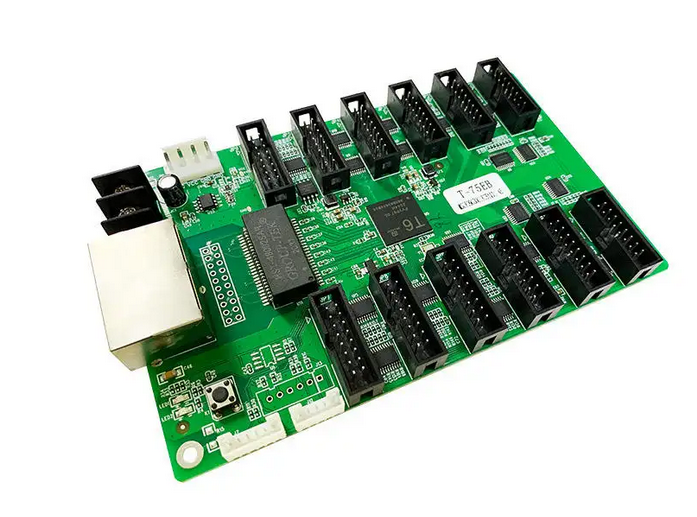
Receiving card (receiver): Installed inside each LED cabinet. It decodes the signal from the sending card and drives the LED module HUB boards directly.
| Architecture | Use Case | Key Brands |
|---|---|---|
| Synchronous (PC + sending card + receiving card) | High-refresh commercial displays, broadcast, live events | NovaStar, Colorlight, Linsn |
| Asynchronous (standalone player, no PC) | Simple signage, retail single-zone content | Colorlight C1, NovaStar TB series |
| Common cathode control | Fine-pitch P1.2–P1.8, energy saving, heat reduction | Specific IC-level compatibility required |
Critical matching rule: The sending card’s maximum driving area (in pixels) must exceed the total pixel count of your entire display. Underspecifying a sending card is the single most common cause of partial display failure at installation.
Core Component 3: Switching Power Supply
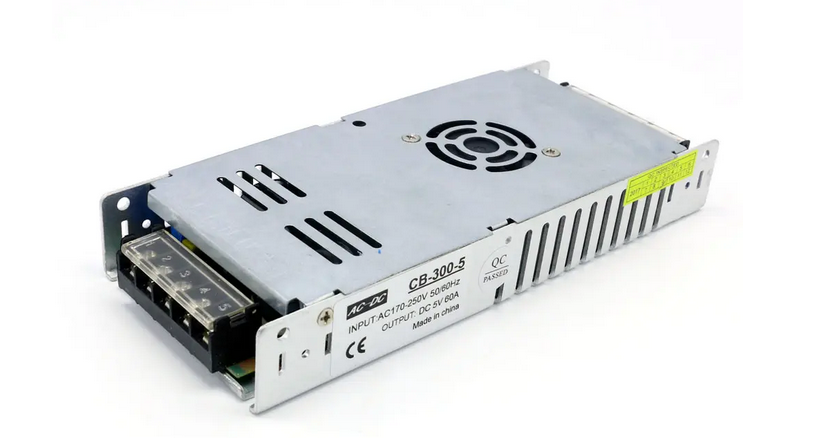
LED displays run on low-voltage DC. The switching power supply converts mains AC (100–240 VAC) to the DC voltage your modules require — typically 4.2 V, 4.5 V, or 5.0 V depending on the LED lamp bead forward voltage.
| Spec | What to Check |
|---|---|
| Output voltage | Must match module forward voltage (check module datasheet) |
| Output current | Size at 70–80% of rated capacity maximum — never run at 100% |
| Efficiency rating | Minimum 88%; common cathode power supplies typically reach 92–95% |
| Protection | Overvoltage (OVP), overcurrent (OCP), short-circuit (SCP) all required |
| Input range | 96–264 VAC wide-range preferred for outdoor/international deployments |
| Certification | UL, CE, or CCC depending on target market |
From field experience: Using generic, non-LED-specific power supplies — even at the correct voltage — causes brightness inconsistency across the display because they cannot maintain stable output under rapid dynamic load changes. Always use PSUs rated specifically for LED displays.
Common brands for professional installations: Mean Well, Rong Electric, APLUS. Mean Well RSP or RST series are the benchmark for large-format outdoor systems.
Core Component 4: Video Processor
A video processor handles signal conversion, scaling, and multi-source switching before content reaches the sending card. It is mandatory for any installation that needs to display content from multiple sources, handle non-standard resolutions, or perform real-time signal mixing.
| Type | Resolution Support | Best For |
|---|---|---|
| Standard video processor | Up to 1080p | Retail, corporate lobbies |
| 4K LED video processor | 4K UHD | High-end indoor, command centers |
| 8K video processor | 8K | Large-format broadcast, flagship retail |
| Video splicer | Multi-screen tiling | Stadium perimeters, multi-cabinet arrays |
Key specifications to verify: number of input ports (HDMI, DP, DVI, SDI), output resolution range, maximum output pixel count, and input-to-output latency (critical for broadcast — below 1 frame is required).
Core Component 5: Playback Device
The playback device stores and outputs the content that the control system ultimately sends to the display.
- Dedicated LED media player — best for fixed-content signage; standalone operation, no PC required; examples: NovaStar VPlayer, Colorlight C series
- Control PC with GPU — required for synchronous high-refresh systems; GPU output feeds the sending card
- Network streaming media server — used for large multi-screen deployments with centralized content management; supports remote scheduling
- Cloud-based content management system (CMS) — 2026 deployments increasingly use cloud CMS for OTA updates, reducing on-site maintenance
| Playback Type | Content Complexity | Remote Management | Power Consumption |
|---|---|---|---|
| Standalone player | Low–medium | Basic (local network) | Very low |
| Control PC | High | Full | Medium–high |
| Network media server | High | Full | Medium |
| Cloud CMS + player | Low–high | Full (internet) | Low |
Core Component 6: Mounting & Supporting Structure
The mounting structure bears the full dead weight of the display plus dynamic loads from wind, vibration, and maintenance access. Structural failure is catastrophic and irreversible. This component cannot be value-engineered out.
Five standard structure types:
- Wall-mount (fixed) — for permanent indoor/outdoor installs on solid walls; steel or aluminum frame; bolted directly into concrete or steel-framed walls
- Ground stand (column mount) — for freestanding displays; requires concrete foundation anchor bolts for outdoor use; must be rated for local wind speed requirements
- Hanging mount (truss or ceiling rigging) — for event and rental LED displays; load-rated rigging hardware, safety cables mandatory
- Tilted / angled bracket — for stadium or auditorium installs where viewing angle optimization is required
- Custom / irregular structure — for curved, cylindrical, or non-rectangular LED configurations; requires engineered drawings
Load calculation checklist:
- Dead load: display weight + structure weight
- Wind load: per local building code (critical for outdoor above 3 m height)
- Safety factor: minimum 3× rated load
- Material: Q235 steel (standard) or 6063 aluminum alloy (lightweight, corrosion-resistant for coastal/humid environments)
Core Component 7: Heat Dissipation Equipment
LED panels and their driver electronics generate significant heat. Without adequate thermal management, LED lifespan drops sharply. Operating an LED display at 10°C above its rated junction temperature cuts LED lifespan by approximately 50%.
| Dissipation Method | Best For | Notes |
|---|---|---|
| Passive heat sink (aluminum fins) | Small indoor cabinets, low-power fine-pitch | No moving parts; silent; maintenance-free |
| Active cooling (axial fans) | Mid-to-large indoor or semi-outdoor cabinets | Must be sized for full cabinet airflow; filter replacement required |
| Air conditioner (precision AC unit) | Large outdoor cabinets, hot climates | Mandatory when ambient exceeds 35°C; adds cost and maintenance overhead |
| Liquid cooling | Ultra-fine-pitch studio or broadcast displays | Low noise; highest efficiency; high initial cost |
Outdoor rule of thumb: If your installation site has average summer temperatures above 32°C, design for active cooling from day one. Retrofitting cooling after installation is expensive and often structurally impractical.
Core Component 8: Protective Equipment
Protective equipment extends operating life and reduces maintenance frequency, especially for outdoor and semi-outdoor installations.
- Waterproof enclosure / weatherproof cover: IP65 minimum for outdoor use; IP68 for submersible or high-pressure wash-down environments. Protects against rain ingress, humidity, and condensation.
- Dust cover: For displays in high-particulate environments (construction sites, industrial zones). Covers the front face when the display is not in use.
- Lightning arrester (surge protector): Mandatory for any outdoor display. A direct or nearby lightning strike without protection will destroy the control system and likely the power supplies instantly.
- Cabinet-level front glass / protective mask: Transparent front covers used on fine-pitch indoor displays; protect the surface-mount LED beads from physical contact damage.
- Temperature and humidity sensors: Monitor internal cabinet conditions; integrate with control software to trigger automated shutdowns if thermal thresholds are exceeded.
Core Component 9: Control Software
Control software bridges the operator and the display. At minimum it handles content upload, scheduling, and brightness control. At the professional level it includes real-time monitoring, fault alerting, and multi-display network management.
| Feature | Entry-Level | Professional |
|---|---|---|
| Content upload and scheduling | Yes | Yes |
| Brightness auto-adjustment | Manual only | Auto (light sensor integration) |
| Fault detection and alerting | No | Yes (per-module granularity) |
| Remote management | Local network | Cloud / internet |
| Multi-display management | No | Yes (100+ displays) |
| API / integration | No | Yes (third-party CMS, IPTV) |
Common platforms in 2026: NovaStar VNNOX (cloud), Colorlight Cloud, Linsn LED Studio, and open-source options such as xibo for content scheduling. For large network deployments, VNNOX supports centralized management of thousands of screens across multiple sites.
Supporting Equipment Selection Matrix
Use this matrix to identify which components are mandatory vs. optional for your specific installation type.
| Component | Small Indoor | Large Indoor | Outdoor Standard | Rental / Events |
|---|---|---|---|---|
| LED modules | Required | Required | Required | Required |
| Sending card + receiving card | Required | Required | Required | Required |
| Switching power supply | Required | Required | Required | Required |
| Video processor | Optional | Required | Required | Required |
| Playback device | Required | Required | Required | Required |
| Mounting structure | Required | Required | Required | Required (rigging) |
| Heat dissipation | Passive OK | Active fans | Active + AC | Active fans |
| Lightning arrester | Optional | Optional | Required | Situational |
| Waterproof enclosure | Not needed | Not needed | Required | Not needed |
| Control software | Basic | Professional | Professional | Professional |
Common Installation Mistakes to Avoid
Based on audits of real-world LED display failures, these are the top recurring errors:
- Oversizing the power supply to 100% load. Always derate to 70–80% of rated capacity. Running at full rated load continuously overheats the PSU and causes premature failure within 6–12 months.
- Mismatching sending card pixel capacity to display resolution. A sending card with a 2-million-pixel capacity cannot drive a 3-million-pixel display. The result is partial or completely blank output.
- Skipping the lightning arrester for outdoor displays. A single lightning event without surge protection destroys the entire control system instantly. The arrester costs under $50; a full control system replacement costs thousands.
- Using a consumer-grade monitor power strip instead of a power distribution cabinet. LED displays draw sustained high current. Consumer strips overheat, trip circuit breakers, or cause fires in high-current scenarios.
- Neglecting IP rating for semi-outdoor installs. A display in a covered but non-climate-controlled environment (parking garage entrance, bus shelter) still needs IP54 or higher. Condensation alone is sufficient to cause short-circuit failures.
FAQ
Q: What is the difference between a sending card and a receiving card?
A: The sending card is installed in the control PC and converts the video output signal into LED data stream format. The receiving card is mounted inside each LED cabinet and drives the LED modules directly. They work as a matched pair — you cannot substitute one brand’s sending card with a different brand’s receiving card without checking compatibility.
Q: Can I run an LED display without a video processor?
A: For simple single-source installations where the control PC outputs directly to the sending card at the correct resolution, yes. But if you need to switch between multiple input sources, scale non-standard resolutions, or run a very large multi-cabinet array with a tiled display, a video processor is necessary.
Q: How do I calculate how many power supplies I need?
A: Multiply the display area (in m²) by the power density spec of your LED module (typically 300–800 W/m² for indoor, 500–1,200 W/m² for outdoor). Divide by the output wattage of your chosen PSU, then add 25–30% overhead for the derating rule.
Q: What is common cathode power supply and why does it matter?
A: In a standard LED driver circuit, the positive voltage bus is shared (common anode). Common cathode design shares the negative (ground) bus instead, which allows the driver IC to apply exactly the voltage each color channel needs rather than one fixed voltage for all. This reduces heat generation by 30–40% and power consumption by 20–30% in fine-pitch indoor displays. It requires specific PSU models and control ICs that support this architecture.
Q: How long does LED display supporting equipment typically last?
A: Under normal operating conditions:
- LED modules: 50,000–100,000 hours (about 10–15 years at 12 h/day)
- Switching power supplies: 5–8 years (fans and capacitors are the limiting factor)
- Control cards: 5–10 years
- Cooling fans: 3–5 years (highest maintenance frequency component)
Q: Do I need separate control software or does the control card come with software?
A: All major control card manufacturers (NovaStar, Colorlight, Linsn) include basic software with their hardware. However, the bundled software is sufficient only for single-display local operation. For network management, cloud updates, or integration with a CMS, you will need their professional software platform, which may carry additional licensing costs.