If you are budgeting for a commercial indoor LED display in 2026, let me give you the bottom line right away: you should expect to spend between $800 and $2,500 per square meter, depending on the pixel pitch and packaging technology (SMD vs. COB).
Having managed AV procurement and overseen over 50 commercial display installations for conference rooms and retail spaces over the last decade, I know exactly where buyers lose money. The biggest mistake you can make is just looking at the “per square meter” screen price. True costs involve video processors, structural mounting frames, and shipping—which can add 30% to your initial hardware quote. This guide breaks down the exact pricing structures for 2026 and reveals the hidden costs manufacturers rarely discuss upfront.
2026 Indoor LED Screen Price Breakdown (Per Sqm)
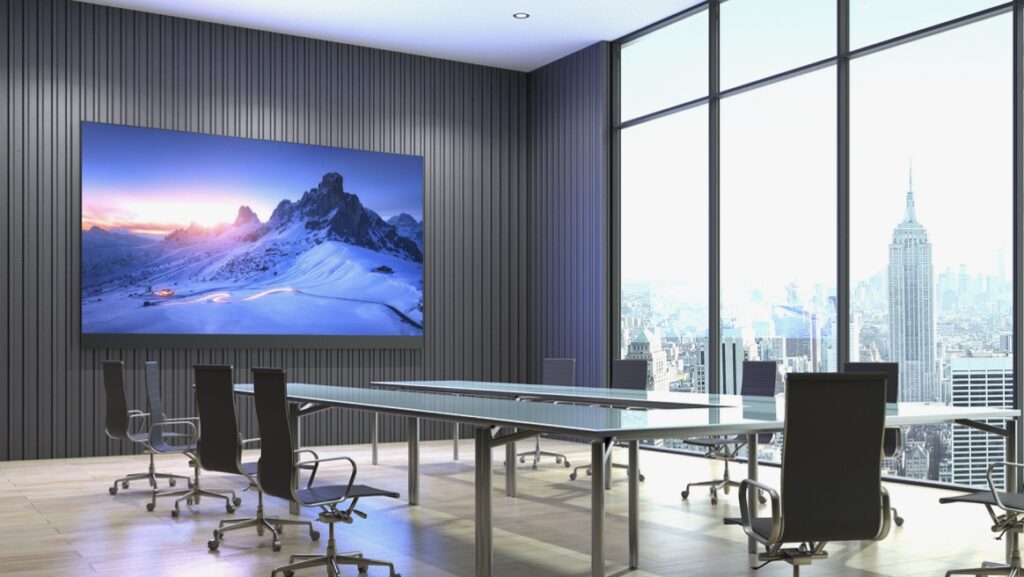
The price of an indoor LED display is directly tied to its pixel pitch (the distance in millimeters between the center of each LED pixel). The smaller the number, the higher the resolution—and the higher the cost. Based on recent factory quotes and project invoices, here is the realistic pricing table for commercial-grade panels in 2026:
| Pixel Pitch (Resolution) | Best Use Case | Estimated Price per Sqm (USD) | Viewing Distance |
| P2.5 | Large retail stores, hotel ballrooms | $600 – $800 | 2.5 meters+ |
| P2.0 | Churches, large conference rooms | $900 – $1,200 | 2.0 meters+ |
| P1.8 | Standard corporate boardrooms | $1,200 – $1,500 | 1.8 meters+ |
| P1.5 (Standard) | TV studios, control rooms | $1,500 – $2,000 | 1.5 meters+ |
| P1.2 (Premium) | Executive boardrooms, VIP spaces | $2,500+ | 1.2 meters+ |
Note: These prices reflect standard SMD technology. If you upgrade to COB (Chip on Board) packaging—which offers better protection against physical impact and moisture—expect to add a 20% premium.
Technology Evolution: SMD vs. GOB vs. COB
If you are reading quotes from different manufacturers, you will likely see acronyms like SMD, GOB, or COB. Understanding the difference between these is crucial for protecting your investment in 2026.
SMD (Surface-Mounted Device)
This is the traditional, reliable technology that currently powers about 80% of the world’s LED screens. Individual LED diodes are soldered onto a printed circuit board (PCB). It is cost-effective and easy to repair. However, the diodes are exposed, making them vulnerable to physical damage if someone bumps into the screen.
GOB (Glue on Board)
GOB is an evolution of SMD. After the SMD diodes are soldered, the manufacturer pours a layer of transparent epoxy resin over the entire module. This seals the LEDs, making the screen highly resistant to dust, moisture, and physical impact. I highly recommend GOB for high-traffic retail environments or primary schools where people might touch the screen.
COB (Chip on Board)
This is the 2026 gold standard. Instead of soldering individual packaged diodes, the LED chips are bonded directly directly to the PCB and encapsulated. The result is a completely smooth surface, infinite contrast ratios (true blacks), and lower power consumption. While COB panels in the P1.2 to P0.9 range are incredibly expensive, they are the absolute best choice for elite corporate boardrooms and high-end broadcast studios.
The Hidden Costs: What Manufacturers Don’t Tell You
When I audit quotes from generic suppliers, buyers are often shocked by the final invoice. The “screen price” only accounts for about 70% of your total project budget. If you are calculating your budget, you must factor in the following essential components:
-
Video Processors & Controllers: You cannot plug an HDMI cable directly into an LED panel. You need a synchronous controller (like a Novastar or Colorlight system). A standard 4K processor will cost between $800 to $2,500 depending on PIP (Picture-in-Picture) and scaling capabilities.
-
Structural Mounting Frames: Whether wall-mounted or freestanding, custom die-cast aluminum or steel frames are required to ensure the panels align perfectly flat. Budget $100 to $200 per square meter for framing.
-
Spare Parts Ratio: LEDs fail. A reputable manufacturer will enforce a 3% to 5% spare parts purchase (extra receiver cards, power supplies, and LED modules calibrated from the exact same color batch).
-
Shipping & Import Taxes: LED cabinets are heavy. Air freight from manufacturing hubs can sometimes cost as much as the screens themselves. Always ask for CIF or DDP pricing to understand landed costs.
What is the Best Pixel Pitch for Indoor Displays in 2026?
A frequent question I get during site surveys is: “Should I just buy the highest resolution possible?” The answer is no. Buying a P1.2 screen for an auditorium where the closest viewer is 5 meters away is a waste of thousands of dollars.
To choose the right pixel pitch, use this simple formula: Pixel Pitch (mm) = Minimum Viewing Distance (meters).
-
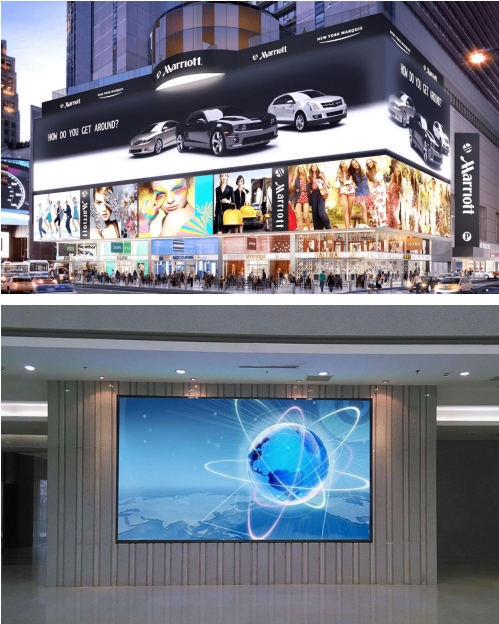
P1.5 to P1.8: This is the current “sweet spot” for 90% of modern office setups. It allows for crisp text presentation on Excel sheets or CAD drawings without the viewer seeing individual pixels from a conference table.
-
P2.5: Ideal for digital signage in shopping malls, airports, and houses of worship. Viewers are usually walking by or sitting far back, making ultra-fine pitches unnecessary.
Indoor LED Display vs. Projector Screen: Which is Better?
While high-end laser projectors still have a place in cinemas, indoor LED walls have entirely taken over the corporate AV space. Here is a direct comparison based on actual performance testing:
-
Brightness and Contrast (Nits): Even a heavy-duty projector struggles in a sunlit conference room, typically peaking at 300-400 nits on the screen. Modern LED displays output 800 to 1,200 nits, maintaining perfect saturation without having to lower the room’s blinds.
-
Color Gamut & True Blacks: Projectors project light onto a white surface, making true black impossible (it’s just a shadow). LEDs turn off individual pixels to achieve absolute black, offering infinite contrast ratios.
-
Space Efficiency: Projectors require throw distance and ceiling mounts. If someone stands up, they block the beam. LED displays are surface-mounted (often only 50mm to 80mm deep), eliminating shadow interference entirely.
Featured Hardware: The Reta Series Indoor LED
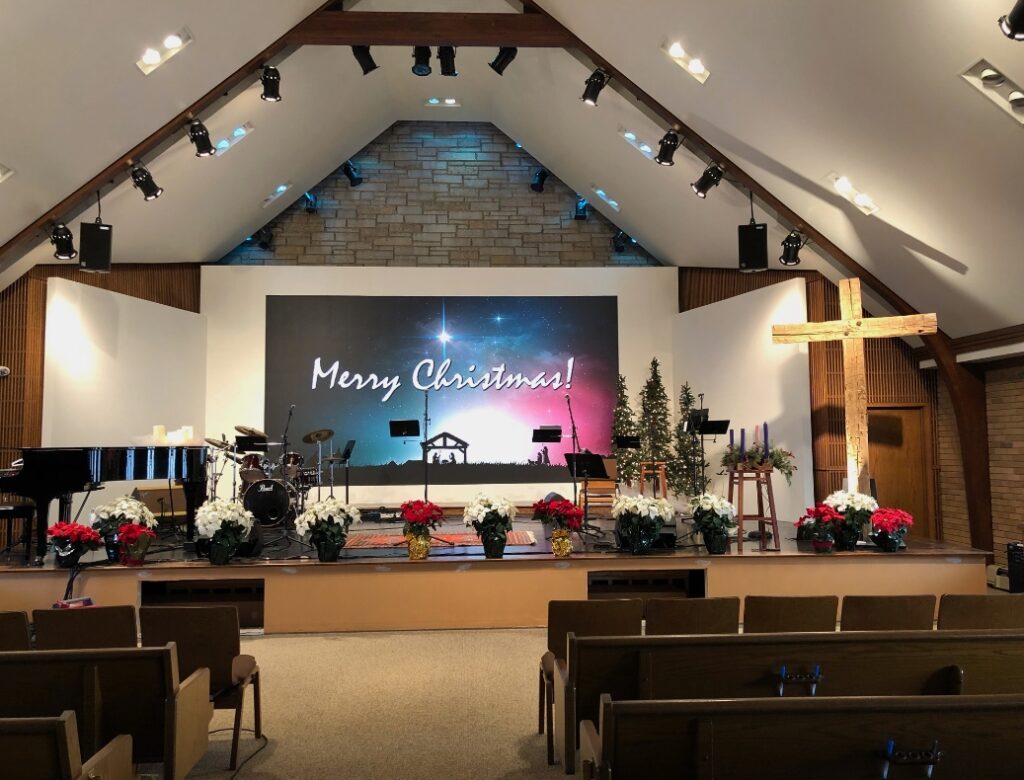
If you are looking for a reliable starting point for your project, our Reta Series is engineered specifically to solve the common pain points of commercial integrations. I personally recommend it for corporate environments because it eliminates the need for complex, messy cabling.
-
Integrated Novastar System: Comes with plug-and-play synchronous/asynchronous control system integration, making multi-screen splicing seamless.
-
Optimized Brightness: Peaks at 1,200 nits with a dual-mode function, allowing you to dim the screen for intimate presentations or crank it up for brightly lit retail showrooms.
-
Precision Die-Cast Aluminum: The cabinets are CNC-machined. This ensures that when the panels are locked together, there are absolutely zero visible black lines or seams between the modules.
-
Smart Cluster Management: Allows IT departments to remotely monitor screen health and push content via cloud networks, severely reducing maintenance downtime.
Frequently Asked Questions (FAQ)
Before pulling the trigger on a purchase, my clients almost always ask these technical operational questions.
What is the actual power consumption of an indoor LED wall?
While LED technology is inherently energy-efficient, a massive 160-inch wall still draws significant power. On average, a modern indoor display consumes about 150W to 200W per square meter during normal video playback. However, you must provision your electrical breakers for the “Max Power Draw,” which occurs when the screen displays pure white at 100% brightness. This can peak at around 500W to 600W per square meter.
Does an indoor LED screen need external air conditioning?
Unlike outdoor billboards, high-quality indoor screens—specifically those using die-cast aluminum cabinets—dissipate heat passively. Unless you are installing the screen in a tiny, unventilated server closet, the ambient HVAC system of your standard office or retail store is more than enough to keep the panels operating safely.
How do I fix a dead pixel or black spot?
One of the greatest advantages of LED walls is that they are highly modular. You do not need to replace the whole TV if a diode dies. Indoor screens are 100% front-serviceable. A technician simply uses a magnetic vacuum tool to pull the specific 15x15cm magnetic module off the front of the frame, unplugs a ribbon cable, and snaps a spare module into place. The entire repair takes less than 60 seconds.
Will the screen look good on camera for Zoom calls and broadcasting?
Yes, but only if you specify the correct refresh rate. Cheaper screens use a 1920Hz refresh rate, which looks fine to the naked eye but will display terrible black scan lines (flickering) when viewed through a smartphone camera or a Zoom webcam. For any indoor corporate use, you must demand a minimum refresh rate of 3840Hz (or 7680Hz for XR virtual studios) to ensure flawless on-camera performance.
Do indoor screens support split-screen playback?
Absolutely. This is a function of the video processor, not the LED hardware. Using advanced Novastar or Colorlight processors, you can configure PIP (Picture-in-Picture) or split the massive LED canvas into four distinct quadrants—showing a PowerPoint in one corner, a live Zoom feed in another, and a corporate dashboard on the side.
Our Recommended Solution: The Reta Series Indoor LED
If you are looking for a reliable, commercial-grade starting point for your AV project without the headache of matching disparate components, our Reta Series is engineered specifically to solve the common pain points of corporate integrations.
-
Integrated Novastar Ecosystem: The Reta series comes out of the box with plug-and-play synchronous/asynchronous control system integration, making multi-screen seamless splicing a breeze for your IT department.
-
Optimized Visuals: Peaking at 1,200 nits with a dynamic dual-mode function, you can effortlessly dim the screen for intimate boardroom presentations or maximize brightness for brightly lit retail environments.
-
Precision Die-Cast Aluminum Cabinets: We use CNC-machined cabinets. This micro-level precision ensures that when the panels are physically locked together, there are absolutely zero visible black lines or seams between the modules.
-
Smart Cluster Management: Through our integrated network modules, your IT staff can execute remote monitoring, health checks, and content management via secure cloud networks, drastically reducing maintenance downtime.
Final Thoughts on Your 2026 Investment
Selecting the right indoor LED display is no longer just about buying the cheapest per-square-meter hardware. It requires a holistic view of the pixel pitch, the video processing ecosystem, structural integration, and long-term maintenance protocols.
By understanding the true TCO (Total Cost of Ownership) and specifying modern 2026 standards like 3840Hz refresh rates and front-serviceable die-cast cabinets, you ensure your organization’s visual communication remains cutting-edge for the next decade. If you need a customized quote, a site survey, or further technical consultation regarding your specific dimensions, feel free to contact our engineering team directly.