The Answer First: Which Should You Choose?
Most “OLED vs LCD” articles bury the answer in a conclusion. Here it is upfront:
Choose OLED if your primary use is home entertainment (films, TV series, gaming, sports), you watch in a controlled-light environment, and your budget accommodates a 2–4× price premium over equivalent LCD. OLED’s image quality advantages — true black, infinite contrast, perfect viewing angles — are real and perceptible in daily use.
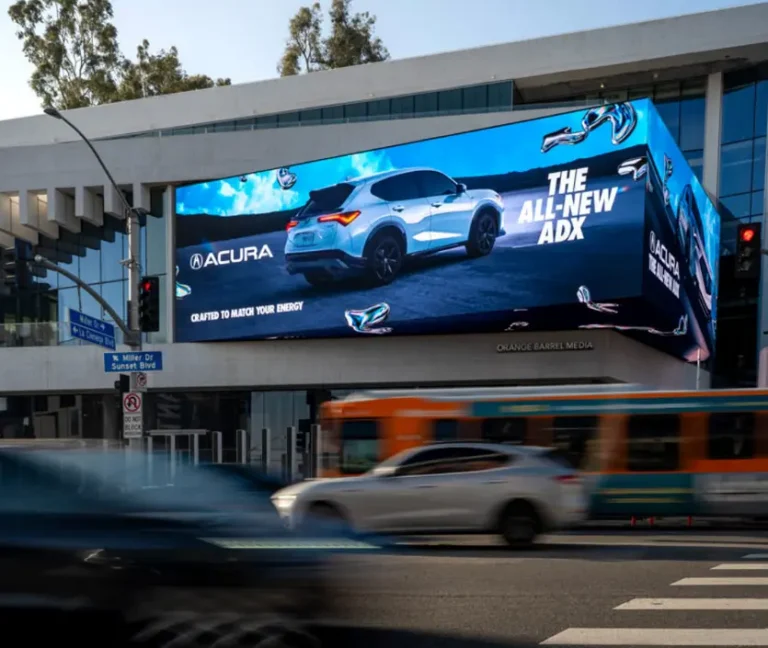
Choose LCD (specifically Mini-LED) if you watch predominantly in bright rooms, play games with sustained bright HDR scenes, display static content for extended periods, use the screen for commercial signage, or want the longest possible panel lifespan without burn-in risk. In 2026, premium Mini-LED LCD delivers near-OLED image quality at competitive price points, making it a genuinely strong alternative rather than a compromise.
Choose neither standard LCD nor standard OLED if you want the absolute best available technology — that distinction now belongs to QD-OLED, which combines OLED’s per-pixel control with quantum dot color enhancement for the widest color gamut and best HDR performance currently available in consumer displays.
Everything that follows provides the evidence base for these conclusions.
Display Technology Principles: How Each Works
Understanding the core mechanism of each technology explains every performance difference downstream.
How OLED Works
OLED (Organic Light-Emitting Diode) panels contain organic compounds that emit light when an electrical current is applied — directly, at the pixel level. Each individual pixel is simultaneously the light source, the color filter, and the shutter. When a pixel needs to display black, it simply turns off entirely, emitting zero light and drawing near-zero power.
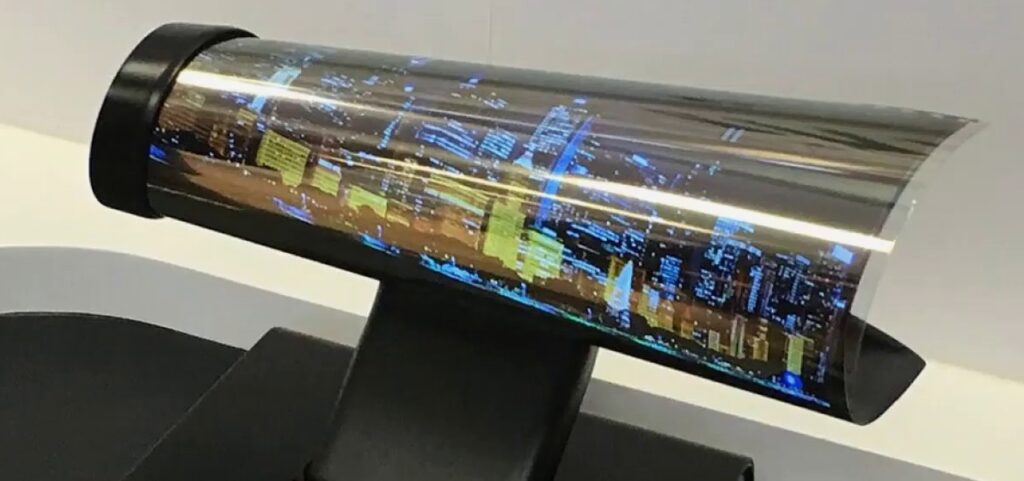
This self-emissive architecture is the source of every OLED advantage: true black (no light leakage from an always-on backlight), infinite contrast (the ratio between the brightest white and the darkest black is mathematically limitless when black = zero emission), and extremely thin form factor (no backlight assembly required).
How LCD Works
LCD (Liquid Crystal Display) panels use a fundamentally different architecture: a backlight source (now universally LED-based in modern panels) illuminates the entire display from behind, and a matrix of liquid crystal shutters controls how much of that backlight passes through color filters to reach the viewer.
The critical constraint: the backlight cannot be turned off at the pixel level. Even when displaying a scene that should be pure black, the backlight is still illuminating the panel — the liquid crystals are simply blocking as much of it as possible. “Blocking” is imperfect, producing the light leakage and limited contrast that characterizes LCD technology.
Modern advances — particularly full-array local dimming (FALD) and Mini-LED backlighting — allow the backlight to dim in zones rather than uniformly, significantly improving contrast. But even the most advanced Mini-LED panels with 5,000+ dimming zones still cannot match per-pixel precision.
The Fundamental Trade-off
| Architecture | OLED | LCD |
|---|---|---|
| Light source | Each pixel self-emits | Backlight illuminates entire panel |
| Black level control | Pixel-level (complete off) | Zone-level (Mini-LED) or panel-level (standard) |
| Contrast mechanism | Infinite (off = black) | Ratio-limited by backlight leakage |
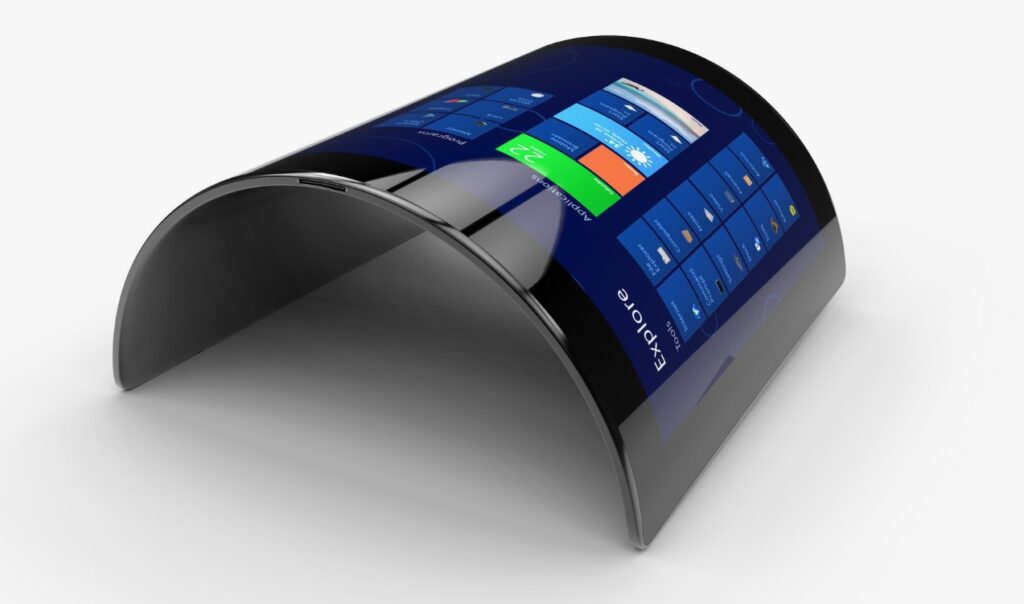
| Form factor potential | Ultra-thin, flexible, rollable | Requires backlight depth |
| Brightness ceiling | Limited by organic material degradation | Higher sustained ceiling |
Color and Contrast: Where OLED Has an Absolute Edge
Contrast Ratio: The Most Significant Measurable Difference
- OLED: Infinite contrast ratio — because black pixels emit zero light, the mathematical ratio between peak white brightness and minimum black level is undefined (not measurable as a finite number)
- Mini-LED LCD: 10,000:1 to 1,000,000:1 (measured contrast with local dimming active)
- Standard LCD: 1,000:1 to 5,000:1
In real viewing conditions, the contrast difference is perceptible. In a dark room watching a film with both dark shadows and bright highlights in the same frame, OLED’s pixel-level control produces a qualitatively different visual experience — the kind that explains why professional colorists and cinematographers prefer OLED reference monitors.
Color Accuracy and Gamut
- OLED (WRGB): Typically covers 98–99% DCI-P3 color space
- QD-OLED: 99%+ DCI-P3 — the widest color gamut in consumer displays
- Mini-LED with quantum dots: 95–99% DCI-P3
- Standard LCD (wide gamut): 90–95% DCI-P3
- Standard LCD (sRGB): 72–90% sRGB
For color-critical professional work — photography editing, video grading, print preparation — OLED and QD-OLED deliver measurably more accurate color reproduction than standard LCD. For general consumer entertainment, the difference is less impactful in practice, as most streaming content is mastered for sRGB-range displays.
The Halo Effect: LCD’s Persistent Limitation
Even advanced Mini-LED LCD panels exhibit a “halo” or “blooming” effect — a subtle glow around bright objects on dark backgrounds — because the dimming zones are finite in size. A bright star in a night sky scene, for example, will produce a slightly bright patch around it rather than perfect darkness. OLED eliminates this entirely through pixel-level control. This is the most frequently cited image quality difference by experienced display evaluators in 2026.
Viewing Angle: A Practical Assessment
OLED: Consistent from Every Angle
OLED panels maintain color accuracy and brightness consistently across virtually the full hemisphere — typically specified at 178° both horizontally and vertically. At 45° off-axis, color shift is negligible. At 60° off-axis, OLED images remain entirely watchable with minimal degradation.
This characteristic makes OLED particularly valuable for:
- Large living room displays where viewers sit at varied positions
- Commercial displays requiring consistent appearance from multiple approach angles
- Retail and exhibition applications where the display must look correct to all viewers simultaneously
LCD: Technology-Dependent Performance
LCD viewing angle performance varies significantly by panel subtype:
| LCD Panel Type | Horizontal Viewing Angle | Color Shift at 45° | Brightness Drop at 45° |
|---|---|---|---|
| TN (Twisted Nematic) | ~90° | Severe | Severe |
| VA (Vertical Alignment) | ~160° | Moderate | Moderate |
| IPS (In-Plane Switching) | ~178° | Minor | Minor |
| Mini-LED (IPS-based) | ~178° | Minor | Minor |
Modern IPS and IPS-equivalent LCD panels have narrowed the viewing angle gap with OLED considerably. For most consumer TV viewing scenarios, a premium IPS LCD performs acceptably from all typical seating positions. The OLED advantage is most apparent in wide-angle commercial or public display contexts where uniformity across extreme angles is required.
Durability, Lifespan, and Burn-In: The Full Truth
This is the section most OLED advocates gloss over and most LCD advocates overstate. Here is a calibrated assessment.
OLED Lifespan
OLED panels use organic compounds that degrade over time through normal operation — particularly the blue OLED subpixels, which have a shorter operational lifespan than red and green. This produces gradual brightness reduction and color shift over time.
- Rated half-life: Approximately 30,000–40,000 hours to half-brightness
- Practical consumer lifespan: 5–8 years at 4–6 hours/day before noticeable brightness reduction
- Comparison: LCD panels are rated at 50,000–100,000 hours to half-brightness
Modern OLED TVs incorporate automatic brightness limiters, pixel-shifting algorithms, and periodic panel refresh cycles specifically to extend operational life. These are effective — but they do not eliminate the fundamental organic degradation mechanism.
Burn-In: The Honest Assessment
Burn-in occurs when persistent static elements — news channel logos, video game HUDs, navigation bars — are displayed at high brightness for thousands of cumulative hours, causing those areas of the panel to degrade faster than surrounding pixels, leaving a ghost image.
The nuanced reality in 2026:
- For typical consumer TV use (varied content, streaming, moderate brightness, 4–6 hours/day): burn-in risk within a 5–7 year product lifespan is low, particularly with modern mitigation features enabled
- For heavy gaming with static UI elements at high brightness (8+ hours/day): burn-in risk is elevated — several well-documented user reports exist
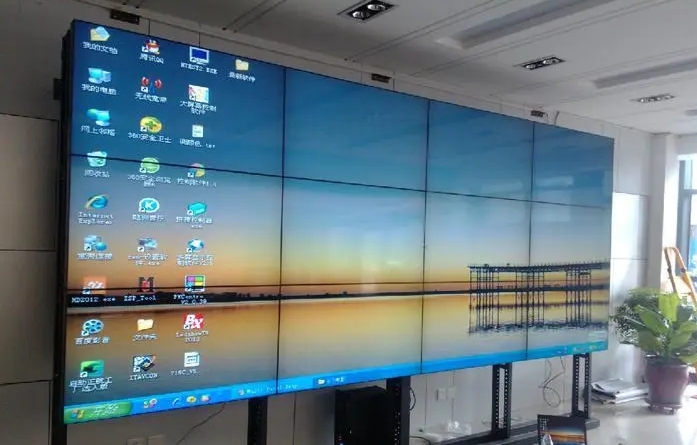
- For commercial signage displaying static menus, price boards, or information displays: burn-in is a near-certainty within 1–3 years — OLED is technically inappropriate for this application
- For mixed commercial/entertainment content in controlled usage: risk is moderate — assess based on specific content mix
LCD: Burn-In Free, But Not Invincible
LCD panels do not burn in — the liquid crystal and backlight mechanisms are not subject to differential pixel degradation from static content. This is a genuine and meaningful advantage for any application with static content elements.
LCD panels can, however, experience backlight degradation (gradual overall brightness reduction), backlight bleed (uneven illumination from the edges or backlight array), and IPS glow (a characteristic luminous quality in dark scenes when viewed off-axis). These are limitations — but they affect the whole panel uniformly rather than creating image retention from specific content.
Brightness and Energy Efficiency
Peak Brightness: Where LCD Wins on Sustained Performance
| Technology | HDR Peak Brightness | Full-Screen Sustained Brightness |
|---|---|---|
| Standard OLED | 700–1,500 nits | 200–350 nits |
| QD-OLED | 1,500–2,000 nits | 300–500 nits |
| Mini-LED LCD | 1,500–4,000 nits | 800–2,000 nits |
| Standard LCD | 400–800 nits | 250–600 nits |
| Outdoor LED | 5,000–10,000 nits | 5,000–10,000 nits |
The brightness gap matters in specific contexts:
- Bright living room or office viewing: LCD’s higher sustained brightness maintains image quality in ambient light that can wash out OLED
- HDR highlight performance: Both OLED and Mini-LED reach competitive HDR peak brightness in small highlight windows — OLED’s advantage is in black level, not peak highlights
- Outdoor applications: Only LED-backlit LCD and direct-view LED are suitable — OLED is not deployed in outdoor display applications
Energy Efficiency: Context-Dependent
- Dark or mixed content (films, dark-themed games): OLED is significantly more efficient — dark pixels draw near-zero power
- Bright full-screen content (sports, daytime scenes, bright UI): LCD is more efficient — the backlight efficiency advantage outweighs OLED’s pixel-level control
- Commercial applications at high brightness: Direct-view LED and Mini-LED LCD consume the most power per square meter
For typical mixed home entertainment usage, OLED and modern Mini-LED LCD consume comparable power — the difference in annual electricity cost for a 65″ TV is approximately $10–$25, making it a negligible factor in the purchase decision.
Manufacturing Costs and Price Trends (2026)
Why OLED Costs More
OLED manufacturing involves depositing organic compounds in precise layers under vacuum conditions — a process with lower production yields than LCD manufacturing, where defects occur on fewer production steps. Large-format OLED panels (65″+ for TVs, 32″+ for monitors) carry particularly high manufacturing cost due to the challenge of maintaining uniform organic layer thickness across a large substrate.
LG Display remains the dominant OLED panel manufacturer for TVs, supplying panels to Sony, Philips, Panasonic, and other brands in addition to LG Electronics. This supplier concentration affects market pricing dynamics.
2026 Price Reality
The price gap between OLED and premium LCD has narrowed significantly:
| Technology | 65″ TV (2023 Entry Price) | 65″ TV (2026 Entry Price) | Change |
|---|---|---|---|
| Standard LCD (VA) | $400 | $350 | -12% |
| QLED/Mini-LED | $1,200 | $800 | -33% |
| OLED (WRGB) | $1,800 | $1,500 | -17% |
| QD-OLED | $2,800 | $2,000 | -29% |
The most significant pricing development: Mini-LED LCD has dropped approximately 30–35% since 2023, bringing its entry price close to standard OLED. This has created a genuine competitive decision at the $800–$1,500 price point where buyers must choose between Mini-LED’s brightness/longevity advantages and OLED’s contrast/black level advantages.
Application Scenarios: Decision by Use Case
OLED: Optimal Applications
- Home theater and entertainment rooms — controlled lighting, varied content, viewers appreciate image quality differences
- Premium gaming monitors — response time and contrast advantages are material for competitive and immersive gaming
- Professional color-critical monitors — photography, video production, graphic design
- High-end smartphones and wearables — OLED’s thin form factor and power efficiency under mixed content are decisive
- Luxury retail and exhibition displays — where the visual quality impression justifies premium cost and static content risk is managed
LCD: Optimal Applications
- Commercial signage with static content — menus, information boards, wayfinding, price displays
- Outdoor advertising and displays — brightness requirements exclude OLED
- High-ambient-light environments — offices, retail spaces, classrooms
- 24/7 operational displays — airports, hospitals, broadcast monitors requiring continuous operation without degradation
- Large-format public displays — cost efficiency at scale makes LCD the standard
- Budget-sensitive consumer purchases — standard LCD remains the best value for general home use without specific image quality requirements
The Mixed-Use Reality
For the largest segment of consumer buyers — a primary living room TV used for a mix of streaming content, sports, gaming, and casual viewing — both OLED and premium Mini-LED LCD are genuinely excellent choices in 2026. The decision comes down to:
- Viewing environment lighting conditions
- Whether static UI elements will be frequently displayed (gaming HUDs, news channels)
- Budget relative to the price differential at your target screen size
- Personal weighting of contrast depth vs. peak brightness
2026 Update: Where Does Mini-LED and QD-OLED Fit?
The binary “OLED vs LCD” framing has been complicated by two technologies that now occupy important positions in the market.
Mini-LED LCD: The Practical Alternative
Mini-LED uses thousands of small LED backlights in a dense array with per-zone dimming, dramatically improving contrast over standard LCD while eliminating burn-in risk. In 2026, Mini-LED has matured to the point where:
- Premium Mini-LED TVs achieve contrast ratios of 10,000:1–1,000,000:1 with local dimming active
- Full-screen sustained brightness reaches 1,500–3,000 nits — significantly exceeding OLED
- Price has dropped to near-parity with entry OLED at the 65″ tier
- Apple’s Pro Display XDR, iPad Pro, and MacBook Pro all use Mini-LED, driving consumer awareness
Mini-LED’s remaining limitation: The halo/blooming effect around bright objects on dark backgrounds persists — diminished compared to standard LCD but not eliminated. For critical dark scene viewing, OLED still shows a perceptible advantage.
QD-OLED: The Current Performance Leader
QD-OLED layers quantum dot color conversion over an OLED blue light source, achieving:
- 99%+ DCI-P3 color gamut — wider than standard OLED
- Higher peak brightness than standard OLED (1,500–2,000 nits HDR peak)
- OLED’s infinite contrast and true black
- Improved color volume in HDR content
QD-OLED is available from Samsung (TVs and monitors) and Sony (TVs). In 2026, the 27″ QD-OLED monitor segment in particular has seen dramatic price accessibility — what cost $1,500+ in 2022 is now available from $800, making it the recommended choice for professional monitor buyers who previously settled for standard IPS LCD.
Full Comparison Table
| Feature | Standard LCD | Mini-LED LCD | OLED | QD-OLED |
|---|---|---|---|---|
| Contrast Ratio | 1,000–5,000:1 | 10,000–1,000,000:1 | Infinite | Infinite |
| True Black | No | Near (zone-level) | Yes | Yes |
| Peak Brightness (HDR) | 400–800 nits | 1,500–4,000 nits | 700–1,500 nits | 1,500–2,000 nits |
| Color Gamut (DCI-P3) | 90–95% | 95–99% | 98–99% | 99%+ |
| Response Time | 4–8ms | 1–4ms | 0.1–0.2ms | 0.1–0.2ms |
| Viewing Angle | 170° (IPS) | 170° (IPS) | 178° | 178° |
| Burn-in Risk | None | None | Yes* | Yes* |
| Panel Lifespan | 50,000–100,000hr | 50,000–80,000hr | 30,000–40,000hr | 30,000–40,000hr |
| Form Factor | Rigid, thicker | Rigid, thicker | Thin, flexible possible | Thin |
| Relative Cost (65″ TV) | $ | $$ | $$$ | $$$$ |
| Best Use Case | Budget/commercial/outdoor | Premium home/gaming | Home theater/gaming/pro | Color-critical pro/premium home |
*With modern mitigation features, burn-in risk under typical consumer usage is low but non-zero.
Frequently Asked Questions
Q: Is OLED better than LCD in 2026?
A: For image quality metrics — contrast, black level, viewing angle, and response time — OLED is objectively superior. For longevity, static content use, high-brightness applications, and commercial signage, LCD holds meaningful advantages. The correct answer depends entirely on the application.
Q: Does OLED still burn in 2026?
A: Yes, the burn-in mechanism is inherent to organic pixel materials and has not been eliminated. Modern OLED TVs include effective mitigation features (pixel shifting, automatic brightness limiting, panel refresh cycles) that significantly reduce risk under typical consumer usage. For static commercial content, the risk remains high and OLED is not recommended.
Q: Is Mini-LED better than OLED?
A: Mini-LED surpasses OLED on sustained peak brightness, full-screen HDR performance, burn-in immunity, and panel longevity. OLED surpasses Mini-LED on black level, contrast ratio, off-axis consistency, response time, and freedom from halo/blooming effects. Neither is universally better — the decision depends on content type, viewing environment, and usage pattern.
Q: Which is better for gaming — OLED or LCD?
A: For competitive gaming prioritizing response time and motion clarity, OLED’s 0.1–0.2ms response time is the fastest available. For HDR gaming with bright sustained scenes (open world, sports), Mini-LED LCD’s higher sustained brightness avoids the automatic brightness limiting that OLED applies under load. Gaming-focused OLED monitors with advanced ABL (Automatic Brightness Limiter) management are the preferred choice for most gaming use cases.
Q: Is OLED suitable for office or commercial display use?
A: Not for applications displaying static content — spreadsheets, dashboards, information boards, menu displays — where burn-in risk is high. For office video conferencing displays used with varied content and moderate brightness, OLED is acceptable with proper settings. For any permanent commercial signage application, Mini-LED or standard LCD is the appropriate choice.
Q: What is QD-OLED and how does it compare to standard OLED?
A: QD-OLED layers quantum dot color enhancement over an OLED panel, producing wider color gamut (99%+ DCI-P3 vs. 98–99% for standard OLED) and higher peak brightness (1,500–2,000 nits vs. 700–1,500 nits). It retains OLED’s infinite contrast and true black. QD-OLED is the current performance leader in consumer display technology, available in Samsung and Sony premium TVs and increasingly accessible Samsung monitor panels from $800.