Table of Contents
ToggleChoosing an LED Video Wall for an exhibition is not simply a matter of selecting the largest screen or the smallest pixel pitch within budget. The right specification depends on your booth size, viewing distance, content resolution, lighting conditions, installation method, and how often the system will be reused.
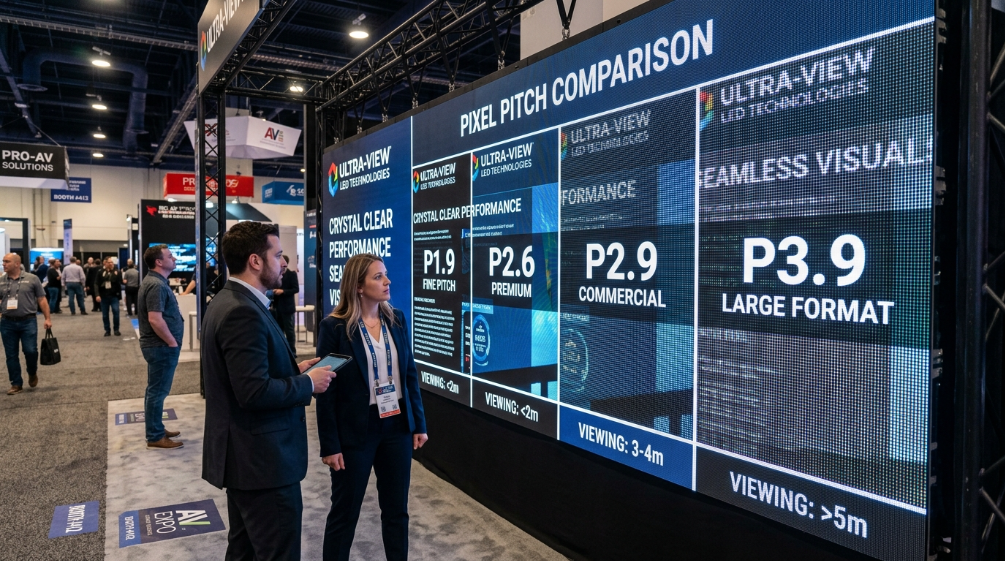
For most indoor trade show booths, P1.9–P2.6 fine-pitch LED is a practical starting point when visitors may stand within a few meters of the screen. P2.6 is often the better value when the audience is farther away, while P1.9 makes more sense for premium product launches, close-up graphics, photography, and camera-facing applications.
The other question buyers need to answer is cost. The real Exhibition LED Video Wall cost is not just the price of the LED cabinets. Rental or purchase cost can also include transportation, installation, rigging, video processing, technicians, content preparation, power distribution, and teardown.
This guide explains how to evaluate those factors before you request a quote.
1. What Makes an LED Video Wall Suitable for an Exhibition?
An exhibition LED video wall has different requirements from a stadium display or permanent outdoor billboard.
Trade show visitors usually walk relatively close to the screen. They may stop at the booth, photograph the display with a smartphone, watch a product demonstration, or appear in front of the screen during a presentation.
That means an exhibition LED wall should prioritize:
- Appropriate pixel pitch for close viewing
- High refresh rate for camera-friendly performance
- Controlled indoor brightness
- High contrast and consistent color
- Lightweight rental-grade cabinets
- Fast assembly and dismantling
- Reliable video processing
- Flexible screen dimensions
- Easy front or rear maintenance
- Safe integration with the exhibition booth
The objective is not simply maximum specifications. It is the right specifications for the actual show environment.
2. Choose the Right Pixel Pitch for Your Viewing Distance
Pixel pitch is the distance between adjacent LED pixels, measured in millimeters. A smaller pixel pitch means higher pixel density and generally better image detail at close viewing distances.
For exhibitions, the relationship between pixel pitch and viewing distance should be one of the first decisions you make.
| Typical Viewing Distance | Recommended Pixel Pitch | Typical Exhibition Use |
|---|---|---|
| 1–2 m | P1.2–P1.9 | Premium booths, product details, press walls |
| 2–4 m | P1.9–P2.6 | Product launches, corporate booths |
| 3–6 m | P2.6–P2.9 | Standard trade show backdrops |
| 5–10 m | P3.9 | Large booths and open exhibition halls |
| 10 m+ | P4.8+ | Large venues and longer-distance viewing |
These are practical ranges rather than rigid rules. Actual selection should consider the content, audience behavior, screen dimensions, and camera requirements.
For example, current trade-show LED rental solutions commonly position P1.9 for close-range booth traffic, P2.5–P2.6 for larger island exhibits, and P2.9–P3.1 for larger exhibition structures.
P1.9 vs. P2.6: Which Is Better for an Exhibition?
P1.9 provides greater pixel density and is useful when visitors can approach the screen closely.
P2.6 is often the more economical choice for a conventional booth where the primary viewing distance is several meters.
The important point is this:
Do not automatically choose the smallest pixel pitch.
If visitors are normally 4–6 meters away, spending substantially more on P1.5 instead of P2.6 may produce little visible benefit while increasing the equipment cost.
3. Match LED Wall Size to Your Booth Footprint
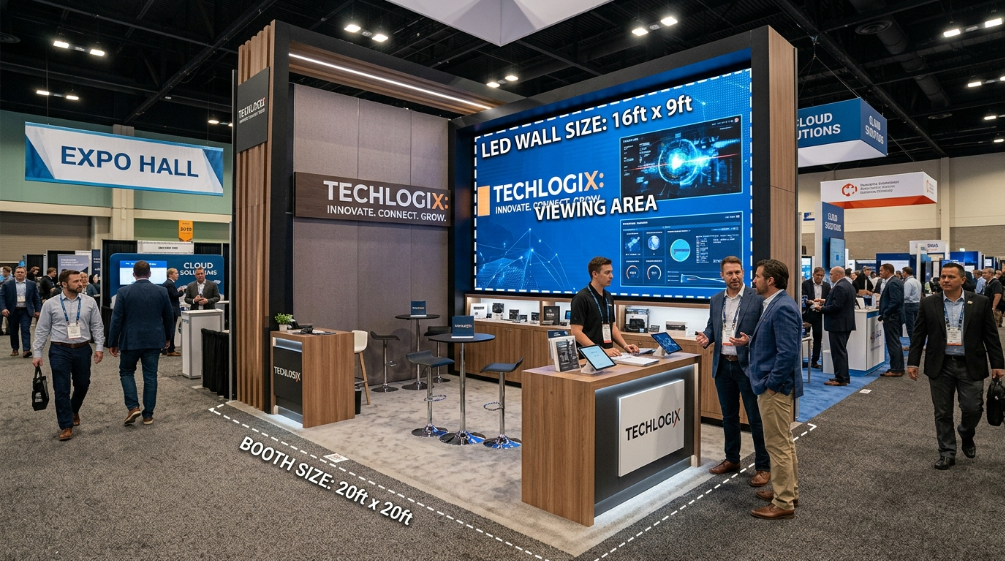
Screen size should be designed together with the booth architecture.
A screen that is too small may disappear among competing exhibitors. A screen that is too large can dominate the booth, create uncomfortable viewing distances, and increase installation and power requirements.
A practical starting point is:
| Booth Size | Typical LED Wall Approach |
| 10×10 ft | 8–10 ft wide backdrop |
| 10×20 ft | 10–16 ft wide wall |
| 20×20 ft | 10–16 ft feature wall or multiple displays |
| 20×30 ft+ | Large feature wall, multiple zones or architectural LED |
| Island booth | Multiple viewing directions, curved or double-sided configurations |
The exact dimensions should be adjusted to the booth layout, aisle traffic, ceiling height, furniture, product displays, and required sightlines.
For larger island booths, several smaller LED zones can sometimes produce better visitor coverage than one oversized wall.
4. Why Aspect Ratio Matters for Exhibition LED Content
A common mistake is to purchase the LED wall first and worry about content later.
The screen’s native pixel resolution and aspect ratio should be confirmed before video production begins.
A conventional 16:9 LED wall works well with:
- Corporate videos
- Product demonstrations
- Promotional videos
- Presentation slides
- Live camera feeds
- Social media content
Custom ultra-wide, portrait, curved, or L-shaped LED configurations require content designed specifically for the final pixel canvas.
If the content and display ratio do not match, you may end up with:
- Cropped content
- Stretched images
- Black bars
- Incorrect text positioning
- Poorly framed product shots
Trade-show display specialists increasingly emphasize designing the content and LED wall together rather than treating content as an afterthought.
5. Brightness: More Is Not Always Better
Exhibition halls are usually indoors, but indoor lighting conditions vary significantly.
A dark convention hall and a glass-roofed exhibition center require different brightness settings.
A practical range is:
| Environment | Typical Brightness Consideration |
| Dark or controlled hall | 600–1,000 nits |
| Standard exhibition hall | 800–1,500 nits |
| Strong spotlights / skylights | 1,500–2,500 nits |
| Semi-outdoor exhibition | 2,500+ nits |
The important distinction is between maximum brightness and normal operating brightness.
A panel advertised at a very high maximum brightness may still be operated at a much lower level indoors.
For a standard indoor exhibition, excessive brightness can actually make close viewing uncomfortable and reduce perceived image quality.
6. Refresh Rate Matters When Cameras Are Present
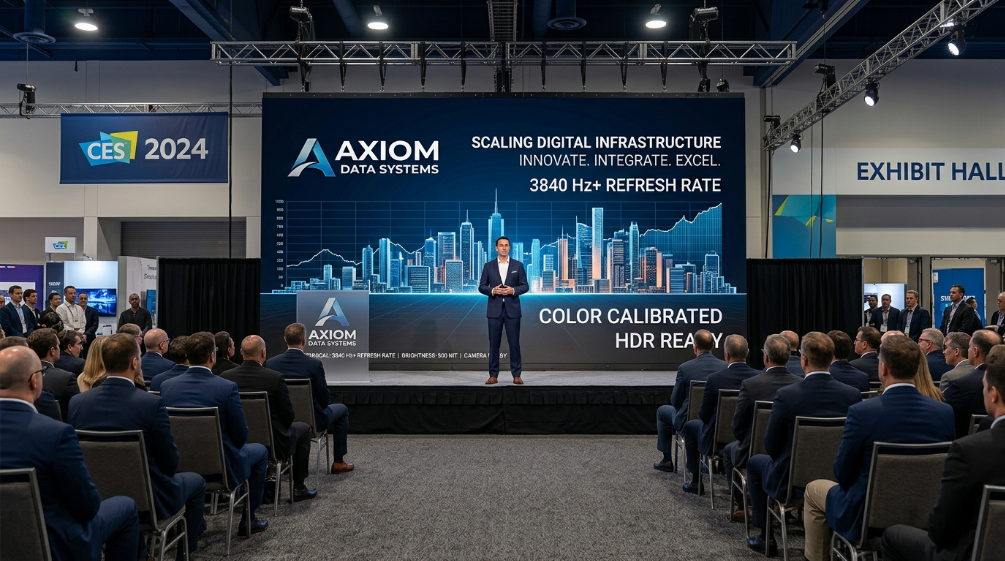
An exhibition LED wall is increasingly part of the marketing content itself.
Visitors photograph the booth. Influencers record videos. Journalists capture product launches. Corporate teams may livestream presentations.
This makes refresh rate important.
For professional exhibition applications, 3,840 Hz or higher is a sensible specification to request when photography, video recording, or live streaming is expected.
For more demanding broadcast or camera applications, higher refresh rates may be appropriate.
Do not accept a quotation that only says “high refresh rate.”
Ask for the actual specification.
Also test the complete system—not only the LED cabinet. The camera-facing result depends on the LED panel, driver IC, processor, shutter speed, exposure, and camera settings.
7. SMD or COB LED for Exhibition Applications?
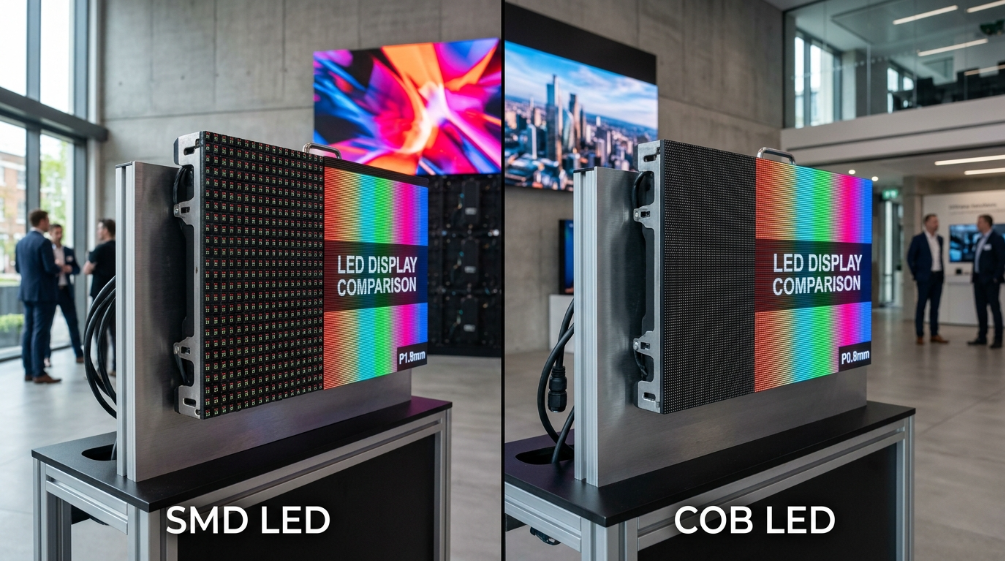
Both SMD and COB technologies can be used in commercial LED video walls.
SMD LED
SMD remains widely used because it offers:
- Broad product availability
- Competitive pricing
- Mature manufacturing
- Multiple pixel-pitch options
- Straightforward maintenance
COB LED
COB encapsulates LED chips more directly into the module structure and can provide greater protection against physical contact.
This can be valuable for:
- High-traffic exhibition booths
- Interactive displays
- Premium close-range installations
- Applications where module protection is important
The correct choice should depend on budget, pixel pitch, traffic level, maintenance requirements, and expected operating life rather than technology labels alone.
8. Lightweight Cabinets Can Reduce More Than Shipping Cost
For exhibition projects, cabinet weight is an important commercial consideration.
A lighter LED cabinet can reduce:
- Transportation weight
- Manual handling
- Installation labor
- Setup time
- Rigging requirements
- Storage requirements
This is particularly important when the display must be assembled and dismantled repeatedly.
Modern rental-grade LED systems are therefore designed around lightweight die-cast aluminum or other lightweight structures, quick-lock mechanisms, and transport-friendly flight cases.
When comparing quotations, ask for:
cabinet weight per unit + cabinet dimensions + total shipment weight.
The cheapest LED price per square meter may not produce the lowest project cost once logistics and labor are included.
9. What Does an Exhibition LED Video Wall Cost?
There is no universal exhibition LED wall price because the final cost depends on screen area, pixel pitch, rental duration, location, installation complexity, and service scope.
Recent market examples show why quotes can vary significantly. Published rental benchmarks range from several hundred dollars to several thousand dollars per day depending on configuration and service level, while full-service trade-show installations can cost substantially more once delivery, labor, rigging, processors, and technical support are included.
For this reason, buyers should avoid comparing quotations based only on:
“Price per square meter.”
Instead, compare the total project cost.
Exhibition LED Video Wall Cost Components
A realistic budget can include:
- LED panels or cabinets
- Video processor
- Sending and receiving equipment
- Mounting structure
- Rigging
- Transportation
- Drayage and venue handling
- Installation labor
- On-site technician
- Content preparation
- Power distribution
- Teardown
- Return transportation
- Spare modules or emergency support
This is why two vendors can quote very different prices for apparently identical screen sizes.
Rental vs. Purchase Cost
Rental usually makes more sense when:
- You exhibit only occasionally
- Booth dimensions change frequently
- You need different pixel pitches for different shows
- You do not want to store LED equipment
- You want the supplier to handle installation
Purchase becomes more attractive when:
- You attend many exhibitions every year
- Your booth configuration is relatively consistent
- You can store and maintain the equipment
- You want control over pixel pitch and configuration
- Rental spending is approaching the effective cost of ownership
A simple ROI calculation is:
Annual rental cost × expected years of use
versus
Purchase price + storage + maintenance + logistics + depreciation
Do not assume that a fixed number of exhibitions automatically makes purchasing better. Run the numbers using your actual show schedule.
10. Installation and Venue Logistics Are Part of the LED Budget
A technically excellent LED wall can still fail if the installation plan is incomplete.
Before ordering, confirm:
- Booth dimensions
- Floor loading
- Maximum permitted structure height
- Hanging/rigging rules
- Electrical capacity
- Move-in time
- Move-out deadline
- Freight delivery window
- Loading dock requirements
- Venue-approved contractors
- Fire and safety requirements
- Technical support requirements
Some exhibition venues have strict deadlines for electrical orders and rigging approvals.
Your LED supplier should be able to provide the required power and structural information early enough for the exhibition contractor and venue team to review it.
11. Plan the Complete LED Signal Chain
The LED wall is only one part of the display system.
A typical signal path looks like:
Laptop / Media Player / Camera → Video Processor → Sending System → Receiving Cards → LED Cabinets
Before the show, test:
- HDMI
- DisplayPort
- SDI where applicable
- Media player output
- Resolution
- Frame rate
- Content playback
- Live camera input
- Audio synchronization
- Processor configuration
For a high-value product launch or major press event, consider backup equipment.
A spare receiving card, spare module, backup media player, or redundant signal path can be inexpensive compared with losing several hours of exhibition exposure.
12. Content Specifications You Should Confirm Before Production
Ask your LED supplier for the exact native pixel resolution.
For example, if the physical wall is 4 × 2.25 meters and uses P3.9 cabinets, the native resolution may be very different from a standard consumer video resolution.
Your content team should receive:
- Exact pixel dimensions
- Aspect ratio
- Refresh rate
- Supported frame rates
- Input formats
- Processor scaling limits
- Color requirements
- Maximum file size
- CMS specifications
For video-heavy content, 30 fps is a practical minimum, while 60 fps can be preferable for fast motion.
The final content should be tested on the actual LED system before the exhibition opens.
13. Pre-Show LED Acceptance Checklist
Before the exhibition doors open, verify:
- No dead or abnormal pixels
- Cabinet alignment is correct
- Brightness is uniform
- Color is consistent across cabinets
- Content fills the screen correctly
- No visible signal interruption
- No camera flicker or scan-line problem
- Processor settings are saved
- Backup content is available
- Spare modules are available
- Power distribution has been tested
- Emergency technical contact is confirmed
Do not wait until the morning of the show to discover that the content resolution is wrong.
14. Six Questions to Ask Your LED Supplier Before Signing
Before approving a quotation, ask:
- What is the exact pixel pitch and native resolution of the proposed configuration?
- What is the actual refresh rate, not simply “high refresh”?
- What brightness range is recommended for our specific venue?
- What is included in the quoted Exhibition LED Video Wall cost?
- Who is responsible for transportation, installation, rigging, and teardown?
- What technical support and spare parts are available during the exhibition?
For rental projects, also ask whether the quoted price includes the video processor, technician, delivery, venue handling, and dismantling.
An apparently low rental rate can become expensive after these additional services are added.
15. Actionable Advice for Exhibition LED Buyers
If you are preparing an RFQ for an LED Video Wall Exhibition project, do not start by asking suppliers:
“How much does a 10-square-meter LED wall cost?”
Send them a complete project brief instead.
Include:
- Booth size
- Required LED wall dimensions
- Primary viewing distance
- Exhibition venue and city
- Indoor or outdoor environment
- Event dates
- Number of exhibition days
- Expected installation window
- Content resolution
- Camera/live-stream requirements
- Rental or purchase preference
- Required technical support
- Target budget
Then ask every supplier to quote the same scope.
This makes vendor comparison much more meaningful because you are comparing complete solutions rather than cabinet prices.
For most conventional indoor trade show booths, P1.9–P2.6 is a strong starting range. If the audience will view the wall from several meters away, P2.6 can often provide a better balance of image quality, weight, and cost. If close-up product detail, photography, or premium brand presentation is central to the booth, P1.9 or finer pitch may justify the additional investment.
The best exhibition LED wall is therefore not necessarily the most expensive one.
It is the one whose pixel pitch, size, brightness, refresh rate, content system, installation method, and total cost are matched to the actual exhibition environment.
FAQ: Exhibition LED Video Wall
What is the best pixel pitch for an exhibition LED wall?
For many indoor trade show applications, P1.9–P2.6 is a practical range. P1.9 is better for closer viewing and premium detail, while P2.6 can offer a better cost-to-performance balance at several meters.
How much does an Exhibition LED Video Wall cost?
The total cost depends on screen size, pixel pitch, rental duration, location, transportation, installation, rigging, processor, technician support, and teardown. Always request an all-in quotation rather than comparing only the LED price per square meter.
Is P3.9 suitable for exhibitions?
P3.9 can work for larger exhibition spaces where the audience is several meters away. For compact booths with visitors standing close to the screen, P1.9 or P2.6 will generally provide better image detail.
Should I rent or buy an LED video wall for exhibitions?
Renting is usually more flexible for occasional exhibitions or changing booth designs. Purchasing can become more attractive for companies running frequent exhibitions with consistent screen requirements.
What refresh rate should an exhibition LED wall have?
For professional exhibition use involving photography, video recording, or live streaming, 3,840 Hz or higher is a reasonable specification to request. Always test the actual display with the cameras that will be used at the event.
What information should I give an LED supplier for an exhibition quote?
Provide booth dimensions, screen size, venue, viewing distance, event dates, content requirements, installation window, power availability, camera requirements, and whether you need rental or purchase. This allows suppliers to calculate a much more realistic total project cost.
Final Expert Verdict
For an exhibition, do not buy an LED wall by square-meter price alone.
Start with viewing distance and booth geometry. Then select pixel pitch, screen size, brightness, refresh rate, cabinet weight, content resolution, and installation method. Finally, compare the complete delivered cost.
That approach gives B2B exhibitors a display that performs on the show floor—not just a specification sheet that looks good in a quotation.
References:
Purchasing Energy-Efficient Displays and Monitors — U.S. Department of Energy (DOE)
Luminous Intensity Calibrations and Colorimetry of LEDs at NIST
About SoStron
Marketing Strategic Director at Sostron