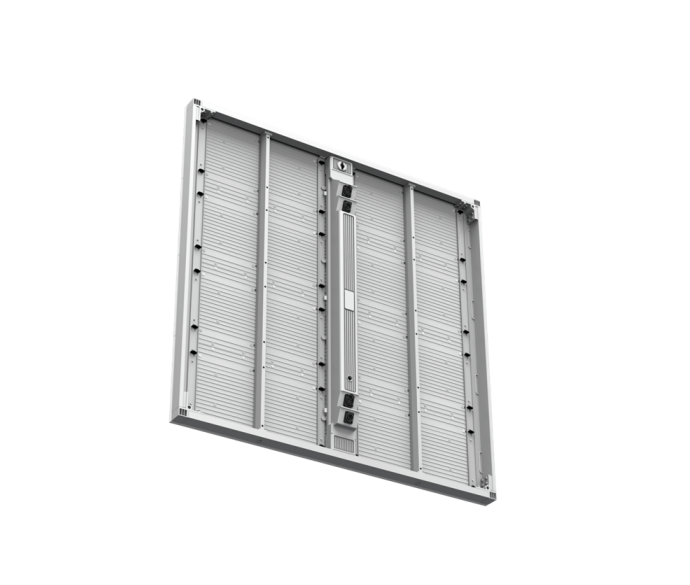
An exhibition LED video wall is a modular,high-brightness display system engineered for trade shows,brand activations,and live events—where fast setup,portability,and visual impact are non-negotiable.Before anything else,here is the decision framework most buyers need upfront:
Pixel Pitch Quick-Reference for Exhibition Environments
| Pixel Pitch | Optimal Viewing Distance | Typical Application | Recommended Panel Weight |
|---|---|---|---|
| P1.9 | 2–4 m | Premium booth,product launch,press wall | ≤5 kg/panel |
| P2.6 | 3–6 m | Conference backdrop,brand activation | ≤6 kg/panel |
| P3.9 | 5–10 m | Large exhibition hall,outdoor activation | ≤8 kg/panel |
| P4.8 | 8 m+ | Outdoor perimeter,stadium concourse | ≤10 kg/panel |
If your booth is under 200 sqm with a primary viewing distance of 3–5 meters,P2.6 or P3.9 rental-grade panels will deliver the visual quality you need without the weight and cost penalty of fine-pitch alternatives.
The real problem most exhibitors face is not resolution.It is time.A 100 sqm LED video wall that takes 12 hours and six technicians to assemble is not a display solution—it is a liability.Based on our experience deploying exhibition LED systems across trade shows in North America,Europe,and Southeast Asia,the single biggest source of cost overrun and on-site stress is slow,tool-dependent installation.Panels that weigh 12 kg each require two-person lifts.Connectors that need torque wrenches add 40 minutes per row.By the time the wall is live,the pre-show window is gone.
This guide cuts through the spec-sheet noise and gives system integrators,event production companies,and DOOH operators the technical framework to source,specify,and deploy exhibition LED video walls that actually perform under real-world conditions.
Why Exhibition LED Video Walls Are Replacing Traditional Display Solutions
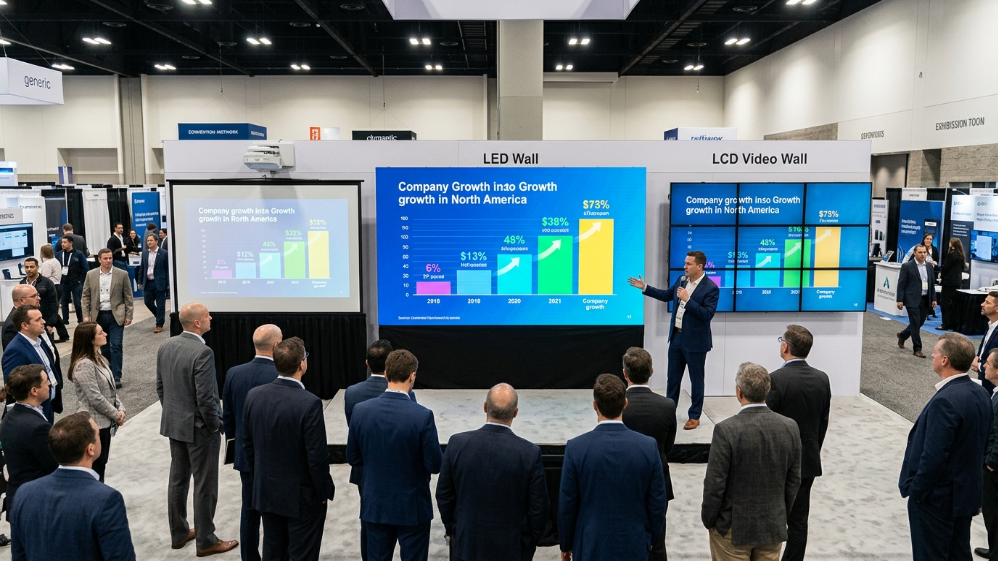
The shift away from fabric backdrops,projection screens,and LCD video walls at exhibitions is not aesthetic—it is economic.According to AVIXA’s 2025 Pro AV Industry Outlook,the live events and exhibitions segment accounts for 23%of global LED display revenue,driven primarily by the total cost of ownership advantage over projection and the brightness limitations of LCD in high-ambient-light environments.
Projection requires controlled darkness.LCD panels have visible bezels and limited brightness above 700 nits.Neither survives a well-lit exhibition hall.A rental-grade LED video wall at 1,000 nits indoor or 5,000 nits outdoor delivers consistent,bezel-free visuals regardless of ambient conditions—and the modular format means the same panels that built a 6×3 m press wall at CES can be reconfigured into a curved backdrop at a product launch three weeks later.
The economics compound over time.A system integrator running 15–20 events per year will recover the capital cost of a quality rental-grade LED inventory within 18–24 months.The break-even point drops further when panel weight is factored in:lighter cabinets mean lower freight costs,smaller crew requirements,and fewer venue-imposed rigging surcharges.
How to Choose the Right Pixel Pitch for Your Exhibition Space
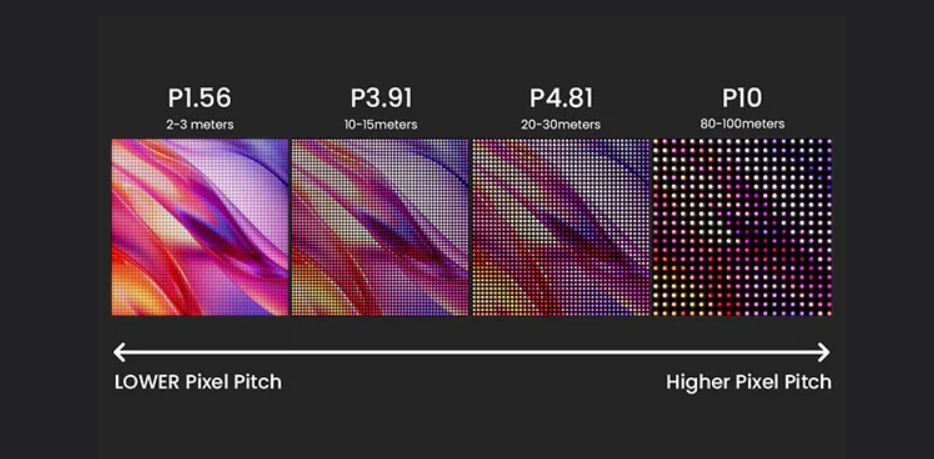
Pixel pitch is the distance in millimeters between the centers of two adjacent LED pixels.Smaller pitch means higher pixel density,shorter optimal viewing distance,and higher cost per square meter.The mistake most first-time buyers make is defaulting to the finest pitch available—a P1.9 panel in a 500 sqm exhibition hall where the nearest viewer stands 8 meters away is a waste of budget that could have been spent on a larger display area.
The industry-standard formula for minimum viewing distance is:
Minimum Distance(m)=Pixel Pitch(mm)×1.5
For P3.9,that gives a 5.85 m minimum—appropriate for most large-format exhibition walls.For close-range product showcase environments,P1.9 or P2.6 is the correct specification.
Exhibition Pixel Pitch Decision Matrix
| Scenario | Booth Size | Audience Distance | Recommended Pitch | Priority Spec |
|---|---|---|---|---|
| Luxury product launch | 50–80 sqm | 2–4 m | P1.9 | Color accuracy,Delta E≤2 |
| Corporate conference backdrop | 80–150 sqm | 4–7 m | P2.6 | Refresh rate≥3840 Hz for camera |
| Trade show main stage | 150–300 sqm | 6–12 m | P3.9 | Brightness≥1000 nits,lightweight |
| Outdoor brand activation | 100–200 sqm | 8–20 m | P3.9/P4.8 | IP65+,brightness≥5000 nits |
| XR/virtual production wall | Custom | 1–3 m | P1.5/P1.9 | 7680 Hz,DCI-P3≥98% |
One detail that rarely appears in supplier brochures: refresh rate matters more than pixel pitch for photography-heavy events.A P3.9 panel running at 7,680 Hz will photograph cleanly with zero scan lines.A P1.9 panel at 1,920 Hz will produce visible banding in every press photo taken with a DSLR shutter speed above 1/500s.Specify refresh rate alongside pixel pitch—they are not interchangeable priorities.
Quick-Lock Technology Explained:How Fast Can You Really Set Up an LED Video Wall?
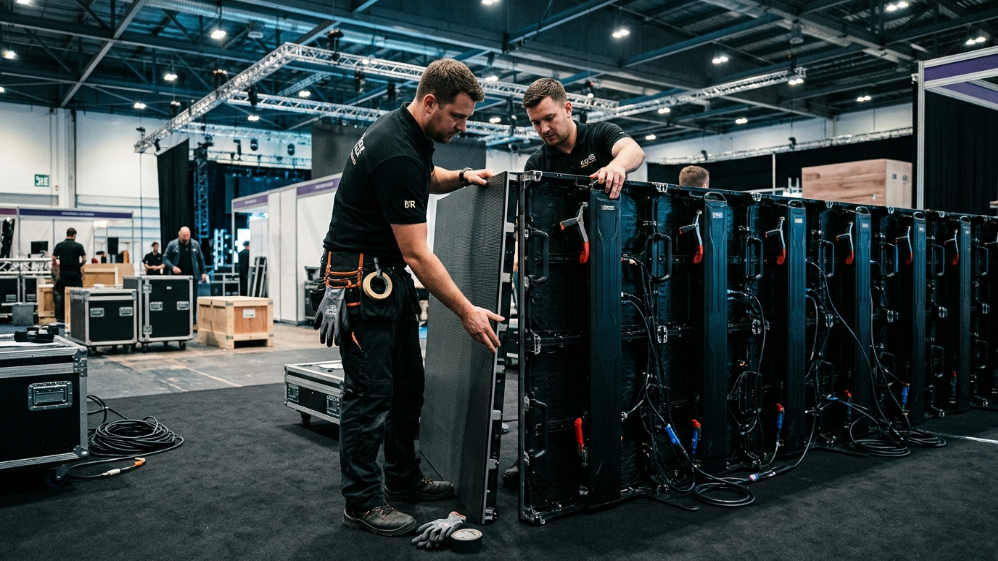
“Quick setup”is the most overused and least quantified claim in the exhibition LED industry.Every supplier says it.Almost none of them define it.
Here is what the benchmark actually looks like:a well-engineered quick-lock system with magnet-assisted cabinet alignment and tool-free power connections allows a trained 3-person crew to assemble,cable,and power a 100 sqm LED video wall in under 4 hours.That is the standard.If a supplier cannot provide a documented setup time for a specific panel count and crew size,treat the claim as unverified.
The mechanical difference between a genuine quick-lock system and a standard bolt-together cabinet comes down to three components:
1.Magnet-Assisted Alignment Pins
Retractable pins with±0.1 mm tolerance guide each cabinet into position before the lock engages.This eliminates the manual shimming that adds 3–5 minutes per panel on conventional systems.
2.Single-Action Latch Mechanism
A lever or cam-lock that secures the cabinet-to-cabinet connection with one hand motion.No tools,no torque specification,no second technician required to hold the panel in position.
3.Tool-Free Power and Signal Connectors
Neutrik-style push-lock connectors for power and signal distribution.A technician can complete the full electrical connection for one cabinet in under 20 seconds.
The commercial implication is direct:a 4-hour setup versus an 8-hour setup on a 100 sqm wall,at a crew rate of 75/hour for three technicians,saves 900 per event.Over 20 events per year,that is $18,000 in recovered labor cost—before accounting for the reduced risk of venue overtime charges.
The Solution:Recommended Product Series for Exhibition Deployments
Based on the technical requirements outlined above—fast installation,lightweight cabinets,crash-resistant design,and broadcast-grade visual performance—two product series from Sostron stand out for exhibition and rental applications.
Sostron Carbon Pro
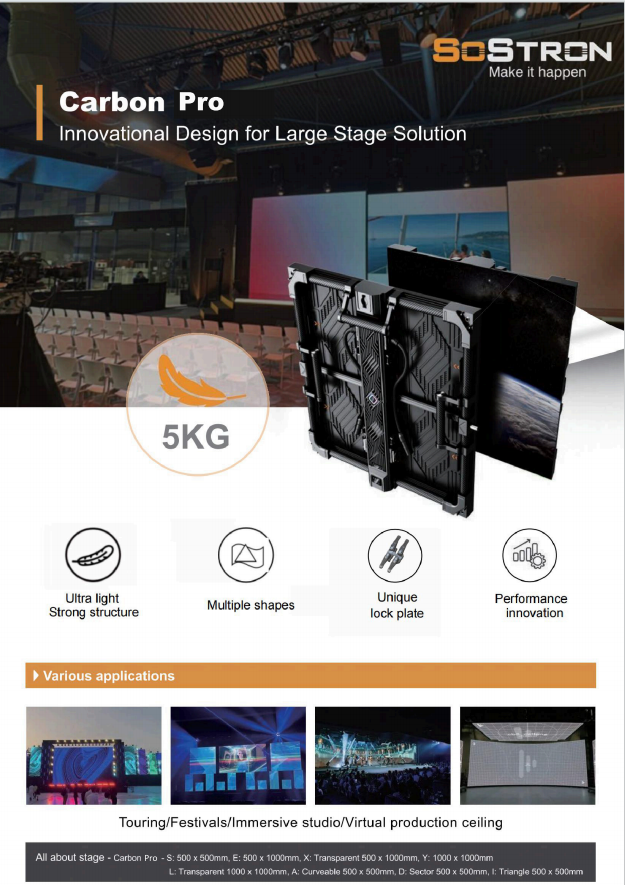
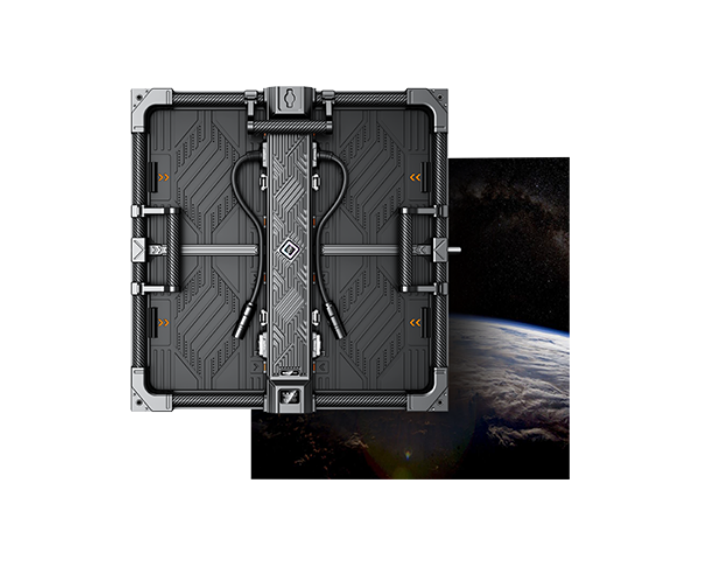
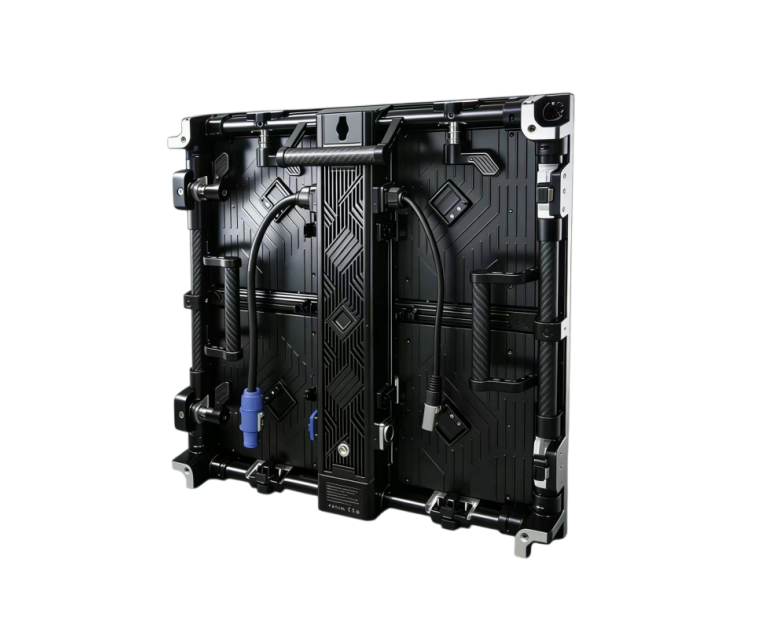
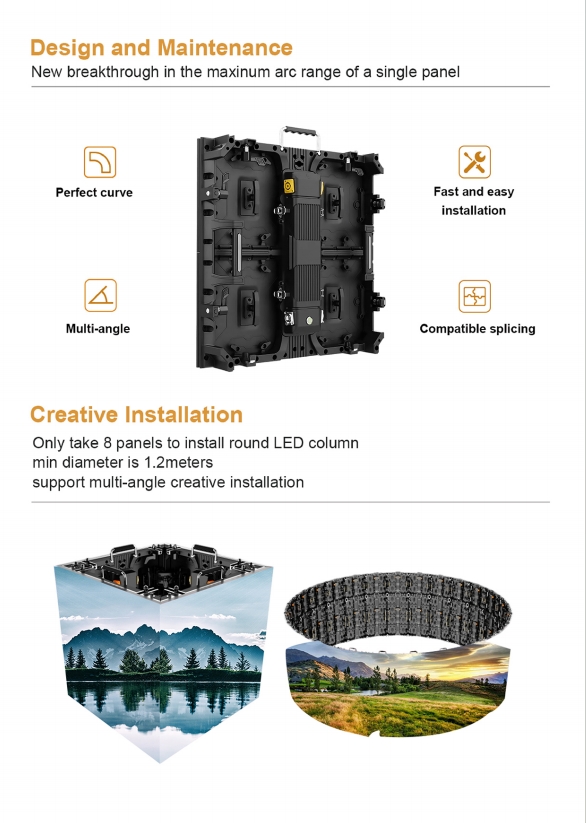
Sostron Carbon Pro is the specification-grade choice for high-profile exhibitions,XR stages,and touring productions.The cabinet is constructed from carbon fiber composite and die-cast aluminum,bringing panel weight down to 4.8 kg for P1.5–P2.6 variants—compared to 8.5 kg for standard aluminum and 9.5 kg for heavy-duty aluminum cabinets at equivalent sizes.The Fly-from-Cart deployment system ships panels in pre-wired touring dollies,cutting on-site setup time by 50%.The magnet-assisted locking system allows a single technician to position and secure each 500×500 mm cabinet without tools.At 7,680 Hz refresh rate and 98–99%DCI-P3 color gamut coverage,it meets broadcast and virtual production standards out of the box.
Sostron sPad Pro 2
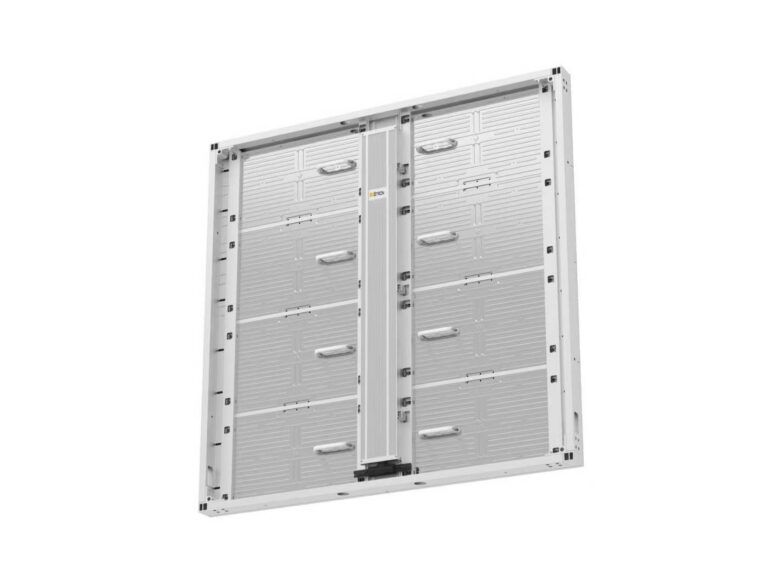
Sostron sPad Pro 2 addresses the mid-range rental market where cost efficiency and flexibility matter as much as peak performance.At 7.5 kg per cabinet with a 75 mm depth profile,it handles the full range of exhibition configurations—flat walls,±15°curved surfaces,hanging and stacking—with a tool-less modular power box that allows hot-swap maintenance in under 20 seconds.The 7,680 Hz refresh rate matches the Carbon Pro on the spec that matters most for event photography,and the IP65-rated outdoor variants extend the same panel inventory to outdoor activations without a separate product line.
Product Comparison Table
| Spec | Carbon Pro | sPad Pro 2 |
|---|---|---|
| Panel weight(P2.6/P2.9) | 4.8 kg | 7.5 kg |
| Pixel pitch range | P1.5–P3.9 | P1.9–P4.8 |
| Refresh rate | 7,680 Hz | 7,680 Hz |
| Setup system | Fly-from-Cart,magnet lock | Fast-lock,alignment pins |
| IP rating(outdoor) | IP67 | IP65 |
| Curve capability | ±10°per panel | ±15°per panel |
| Best for | Premium exhibitions,XR,touring | Rental fleet,multi-format events |
A real-world reference point:a North American integrator deployed a 100 sqm P1.9 GOB LED video wall using Sostron panels for a brand activation in the USA.The GOB(Glue-on-Board)encapsulation on the P1.9 modules provided the crash-resistance needed for a high-traffic exhibition floor,where panel edges are routinely contacted by freight equipment and attendee traffic.The front-access maintenance design meant that any module replacement during the multi-day event required no rear access—critical in a booth configuration where the back of the wall was against a partition.
Weight Per Panel Matters More Than You Think
Panel weight is the specification that separates a rental-grade system from a permanent-install product—and it is the one most frequently glossed over in supplier proposals.The difference between a 4.8 kg cabinet and a 9.5 kg cabinet is not just a number on a datasheet.It determines whether one technician can safely handle a panel at height,whether your freight bill doubles on a cross-country tour,and whether a venue’s rigging grid can support your configuration without a structural engineer sign-off.
Cabinet Weight Impact Analysis
| Cabinet Weight | Single-Person Lift at Height | Freight Cost Index(100 sqm) | Rigging Load(100 sqm wall) | Crew Size Required |
|---|---|---|---|---|
| ≤5 kg(Carbon fiber) | Yes—safe | 1.0×(baseline) | ~960 kg | 2–3 technicians |
| 6–8 kg(Rental aluminum) | Marginal—fatigue risk | 1.4× | ~1,440 kg | 3–4 technicians |
| 9–12 kg(Standard aluminum) | No—two-person required | 1.9× | ~2,160 kg | 4–6 technicians |
| 12 kg+(Heavy-duty) | No | 2.5× | ~2,400 kg+ | 6+technicians |
The rigging load figure matters because most exhibition venues impose a maximum distributed load on their ceiling grid—typically 25–50 kg/m²for temporary structures.A 100 sqm wall built from 12 kg panels generates approximately 2,400 kg of suspended load before factoring in trussing,motors,and cabling.That number frequently triggers a structural review requirement,which adds cost and lead time.The same wall built from 4.8 kg panels comes in under 1,000 kg—a figure most venues approve without additional engineering review.
Crash-Proof Design:What”Durable”Actually Means in Practice
Exhibition floors are hostile environments.Freight carts,fork lifts,and foot traffic contact panel edges constantly during load-in and load-out.The question is not whether your panels will take impacts—they will.The question is whether the design absorbs those impacts without transferring force to the LED modules.
Three structural features define a genuinely crash-resistant rental-grade cabinet:
ABS Corner Guards
Injection-molded acrylonitrile butadiene styrene bumpers at all eight cabinet corners.ABS absorbs impact energy through controlled deformation rather than transmitting it to the aluminum frame.Replaceable corner guards cost 8–15 each;a damaged LED module costs 80–200.The math is straightforward.
Recessed LED Surface
The LED chip surface sits 0.3–0.5 mm below the cabinet face plane.A direct edge impact contacts the aluminum bezel,not the lamp.This single design decision accounts for the majority of the difference in module failure rates between rental-grade and commercial-grade panels in high-turnover environments.
GOB(Glue-on-Board)Encapsulation
An epoxy resin layer applied over the LED surface provides physical protection against abrasion and moisture ingress.GOB panels carry an effective IP43 rating at the module level even on indoor-rated cabinets,and they survive the cleaning protocols used between events without surface degradation.
For outdoor activations,IP65 or IP67 certification at the cabinet level is the minimum acceptable specification.IP65 protects against water jets from any direction—sufficient for most outdoor events.IP67 adds submersion tolerance to 1 meter for 30 minutes,which matters for ground-level installations in environments with standing water risk.
Power Planning:The Setup Failure Nobody Talks About
The most common cause of exhibition LED wall failure on day one is not a defective panel.It is an undersized venue power circuit.Most exhibition halls provide 16A or 32A single-phase circuits per booth.A 100 sqm P3.9 wall at maximum brightness draws approximately 24,000W peak.That requires either a dedicated three-phase supply or a carefully managed power distribution plan that staggers startup sequences to avoid inrush current tripping the venue breaker.
The calculation is straightforward:
Total Peak Draw(W)=Number of Panels×Max Power per Panel
For Carbon Pro P3.9 panels at 720W max,a 100 sqm wall(400 panels at 500×500 mm)peaks at 288,000W—but average draw at 50%brightness is closer to 96,000W.Always specify average draw for venue power planning and peak draw for circuit breaker sizing.Provide both numbers to the venue electrician before load-in day.
Redundant power supply design is non-negotiable for mission-critical events.Dual power inputs per cabinet,with automatic failover,mean a single PSU failure takes one cabinet offline rather than an entire power chain.Specify this feature explicitly in your RFQ—it is not standard on all rental-grade products.
Rent vs.Buy:A Decision Framework That Actually Works
The rental-versus-purchase decision reduces to one variable:annual utilization days.Below 30 event-days per year,renting from a local AV house is almost always cheaper when total cost of ownership is calculated honestly.Above 60 event-days,ownership typically wins within 24 months.
The hidden costs that most TCO calculations miss:
- storage(climate-controlled warehouse space for LED inventory runs 800–2,000/month for a 100 sqm system)
- calibration(color uniformity degrades over time;professional recalibration costs 1,500–3,000 per system annually)
- obsolescence(LED technology cycles are 4–6 years;a panel purchased today will be two generations behind by 2030)
For system integrators building a rental business,the calculus is different.A 100 sqm Carbon Pro inventory at 180,000 capital cost,rented at 8,000–12,000 per event,achieves payback in 15–22 events.At 40 events per year,that is a 6–9 month payback period—before accounting for the premium pricing that carbon fiber panels command over standard aluminum in the rental market.
Top 5 Mistakes B2B Buyers Make When Sourcing Exhibition LED Video Walls
1.Specifying pixel pitch without specifying refresh rate
A P2.6 panel at 1,920 Hz will produce visible scan lines in press photography.Always pair pixel pitch with a minimum 3,840 Hz refresh rate requirement for any event where cameras will be present.
2.Ignoring front-access maintenance requirements
If your wall configuration places the back of the display against a partition or within 300 mm of a wall,rear-access maintenance is physically impossible.Specify front-access module replacement as a mandatory requirement,not a preference.
3.Accepting”quick setup”without a documented benchmark
Ask every supplier for a setup time certification:crew size,panel count,and elapsed time from first panel to signal-on.If they cannot provide it,the claim is marketing copy.
4.Skipping the Factory Acceptance Test(FAT)
A FAT at the supplier’s facility,before shipment,catches pixel uniformity issues,dead modules,and color calibration drift that will not be visible until the wall is fully assembled on-site.For orders above$50,000,a FAT is not optional—it is risk management.
5.Underestimating signal chain complexity
An LED video wall is only as reliable as its video processor and signal distribution.Specify a redundant signal path—dual video processors with automatic failover,and redundant fiber runs between the processor and the wall—for any event where a display failure would be commercially or reputationally damaging.
Exhibition LED Video Wall:5 Questions Buyers Ask Most
Q1:How long does it take to set up a 100 sqm exhibition LED video wall?
With a quick-lock rental-grade system and a trained 3-person crew,100 sqm takes 3.5–4.5 hours from first panel to signal-on.Standard bolt-together systems with the same crew typically require 8–10 hours.The difference is the quick-lock mechanism and pre-wired touring cart deployment.
Q2:What pixel pitch is best for a 10×3 m trade show display?
For a 30 sqm wall at a standard trade show booth with a primary viewing distance of 4–6 meters,P2.6 is the optimal specification.It delivers sufficient resolution for text and brand graphics at that distance,at a lower cost and weight than P1.9,without the visible pixelation of P3.9 at close range.
Q3:Can exhibition LED panels be used outdoors?
Yes,with the correct IP rating.Specify IP65 minimum for covered outdoor environments and IP67 for exposed installations.Brightness must be≥5,000 nits for direct sunlight readability.Not all rental-grade panels offer outdoor-rated variants—confirm IP certification at the cabinet level,not just the module level.
Q4:What is the average weight of a rental-grade LED cabinet?
Standard rental-grade aluminum cabinets at 500×500 mm run 7–9 kg.Carbon fiber composite cabinets at the same size run 4.8–5.3 kg.The weight difference becomes significant at scale:a 100 sqm wall is approximately 400 panels,meaning the carbon fiber option saves roughly 800–1,600 kg of total suspended load.
Q5:How do I calculate how many panels I need for my booth?
Divide your target display area(in sqm)by the panel area.For 500×500 mm panels(0.25 sqm each),a 10×3 m wall(30 sqm)requires 120 panels.Add 5%spare panels to your order for on-site module replacement contingency.
Expert Verdict
Stop optimizing for pixel pitch and start optimizing for deployment speed,panel weight,and signal redundancy—those three variables determine whether your exhibition LED video wall is a competitive asset or an operational liability.For most B2B rental and exhibition applications,P2.6 or P3.9 at≤6 kg per cabinet with a documented quick-lock setup benchmark covers 80%of use cases.If your events involve broadcast cameras,live streaming,or XR production,add 7,680 Hz refresh rate and DCI-P3 color gamut to your non-negotiable spec list.Everything else is negotiable.
The suppliers worth talking to are the ones who can hand you a setup time certificate,a FAT protocol,and a front-access maintenance demonstration before you sign anything.
References:
AVIXA – Pro AV Industry Outlook and Trends
SMPTE – LED Display Standards for Broadcast and Virtual Production