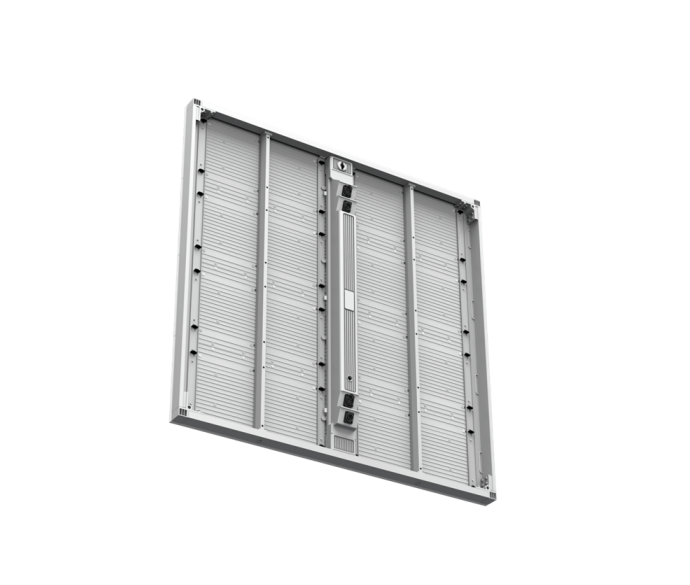
Quick Answer: What Is a Broadcast LED Video Wall?
A Broadcast LED Video Wall is a large-format LED display system designed for television studios, newsrooms, live production, and other camera-facing environments. Unlike a standard indoor LED screen, a broadcast-ready display must deliver stable images, consistent color, suitable brightness, and reliable performance when recorded by professional cameras.
A Broadcast LED Video Wall Solution typically combines fine-pitch LED panels, an LED processing system, camera-compatible timing, color calibration, signal distribution, and a suitable installation structure. The correct configuration depends on the camera, lens, shutter settings, viewing distance, studio lighting, and production workflow.
Pixel pitch is an important selection factor, but it is not the only one. A high refresh rate alone cannot guarantee flicker-free footage or eliminate moiré. Buyers should evaluate the complete LED system through camera testing under their intended production conditions.
| Buyer Requirement | What to Evaluate |
|---|---|
| Camera compatibility | Frame rate, shutter settings, sensor, lens, and camera distance |
| Image quality | Pixel pitch, grayscale, color consistency, and brightness |
| Camera artifacts | Flicker, rolling bars, moiré, and scan-mux behavior |
| Processing | Genlock, phase adjustment, signal handling, and processor compatibility |
| Reliability | Signal and power redundancy, spare parts, and maintenance access |
| Project cost | LED panels, processing, structure, installation, shipping, and lifecycle costs |
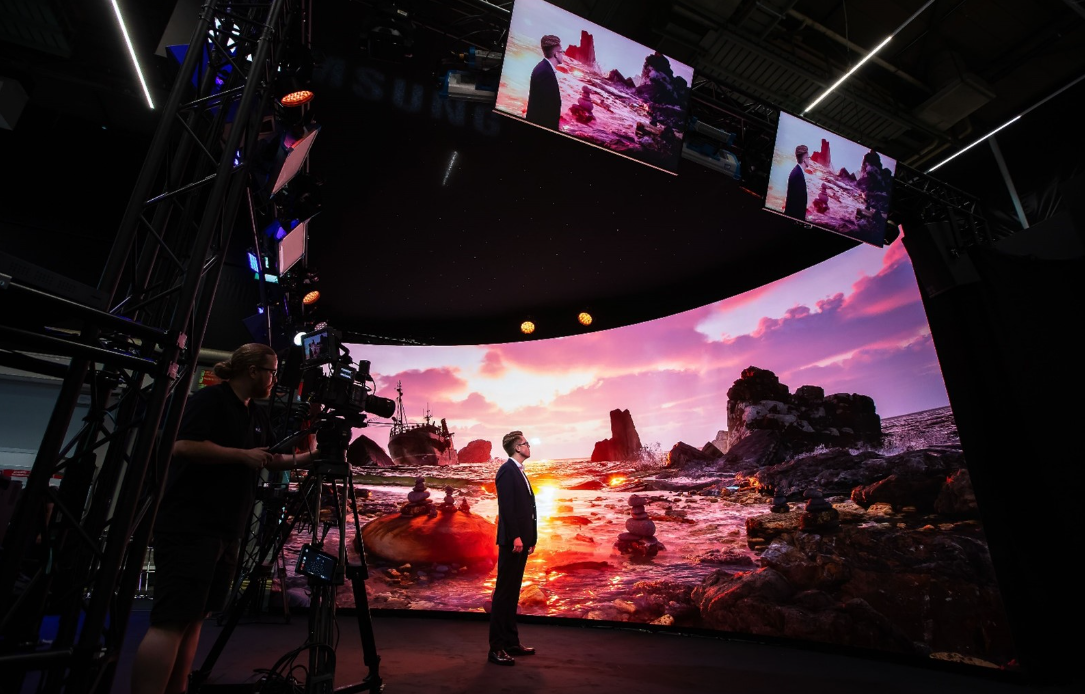
Broadcast LED walls are particularly suitable for studios that need flexible backgrounds, large seamless-looking visual environments, and content that can change between productions.
However, a suitable system should be selected according to actual camera requirements rather than a universal pixel-pitch or refresh-rate specification.
What Makes a Broadcast LED Video Wall Different from a Standard LED Display?
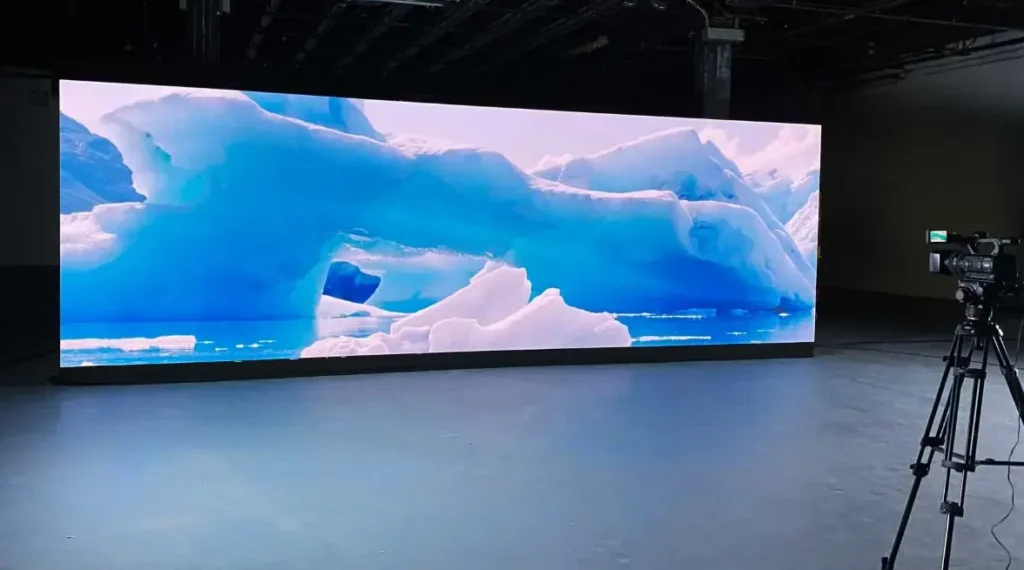
A standard indoor LED display is often evaluated primarily by its viewing distance, brightness, resolution, and visual appearance.
A broadcast LED wall must also be evaluated through a camera.
The difference becomes important when an LED display is recorded at different shutter speeds, frame rates, exposure settings, or camera distances. A display that looks excellent to the human eye may produce visible artifacts in recorded footage.
Camera Compatibility and Image Stability
A broadcast LED wall must work with the camera system used in the production environment.
The relevant components include:
- Camera sensor
- Lens and focal length
- Shutter speed or shutter angle
- Camera frame rate
- LED pixel pitch
- LED scan structure
- LED driver and PWM behavior
- LED processor
- Receiving cards
- Synchronization system
These components influence how the camera captures the LED wall.
For example, a camera may record horizontal bands even when the LED wall appears stable to a person standing in the studio. This can happen when the camera’s exposure timing interacts with the display’s illumination cycle.
A higher refresh rate can improve camera performance in some applications, but it does not guarantee flicker-free footage. Camera shutter settings, frame rate, LED driving method, PWM behavior, scan structure, and signal synchronization can all affect the captured image. Buyers should evaluate the display using the cameras and settings planned for the actual production environment.
Why Broadcast LED Walls Require More Than High Refresh Rates
- Camera Flicker: Visible black bars (rolling shutter effect) when filmed.
- Content Loss: Fast-moving content may appear blurry or tearing.
- Not Broadcast Ready: Unsuitable for professional live streaming or TV.
- Flicker-Free: Crystal clear image on all cameras (1/2000s+ shutter speed).
- Smooth Motion: Perfect for fast video playback and sports.
- XR Ready (7680Hz): Essential for virtual production and XR studios.
Refresh rate describes how frequently the display updates its image. However, the relationship between LED refresh, PWM behavior, scanning, and camera exposure is more complicated than a single specification.
A high refresh rate can improve camera-facing performance, but it does not independently guarantee artifact-free footage.
The actual result depends on:
- LED driver architecture
- Scan-mux behavior
- Camera shutter settings
- Camera frame rate
- Synchronization
- Processor configuration
- Brightness settings
Brompton Technology’s technical documentation discusses Genlock, phase adjustment, and camera-related artifacts as distinct aspects of LED display performance. These distinctions are important when evaluating a broadcast system.
Reference: Brompton Technology — Genlock
How Do You Choose the Right Pixel Pitch for a Broadcast LED Video Wall?
Pixel pitch is the distance between the centers of adjacent LED pixels. It influences image detail, viewing distance, display resolution, and hardware cost.
For broadcast applications, pixel pitch must also be considered in relation to the camera.
A smaller pixel pitch can provide more image detail at a close camera distance. However, it may increase the initial hardware cost and does not automatically eliminate camera artifacts.
Broadcast LED Pixel Pitch Comparison
| Pixel Pitch | Potential Application | Key Consideration |
|---|---|---|
| P0.9–P1.2 | Close-camera studio environments and demanding fine-pitch applications | High pixel density and detailed imagery |
| P1.5 | News studios and camera-facing backgrounds | Balance between detail, viewing distance, and cost |
| P1.8–P1.9 | General studio backgrounds and mid-distance camera setups | Suitable detail for many production environments |
| P2.5 | Wider camera shots and larger viewing distances | Lower pixel density and potentially lower hardware cost |
These are general application references, not mandatory broadcast specifications. The final selection must be validated against the actual camera, lens, framing, and production requirements.
What Determines the Best Pixel Pitch for a TV Studio?
The best pixel pitch depends on several factors.
Camera-to-wall distance: A camera positioned close to the LED wall may reveal individual pixels more clearly.
Lens focal length: A longer focal length and tighter framing can change how much of the LED wall appears in the image.
Camera sensor: Different sensor structures and image-processing systems can produce different sampling behavior.
Screen size: A larger LED wall may require a different resolution strategy than a small studio background.
Production requirements: A news studio, live-event stage, and virtual production environment may have different image-quality priorities.
The best approach is to test the proposed LED wall using the intended camera and lens before finalizing the specification.
P1.5 vs. P1.9: Which Is Better for Broadcast?
P1.5 and P1.9 can both be suitable for broadcast applications, depending on the project.
P1.5 generally provides a higher pixel density, which may be beneficial for closer camera positions or more detailed backgrounds.
P1.9 may be a more economical option when the camera is positioned farther away or the production does not require the additional pixel density.
Neither option is universally better.
The buyer should compare:
- Camera distance
- Lens and framing
- Required image detail
- LED hardware price
- Processor configuration
- Camera test results
- Long-term maintenance requirements
How Do You Prevent Flicker, Rolling Bars, and Moiré on a Broadcast LED Wall?
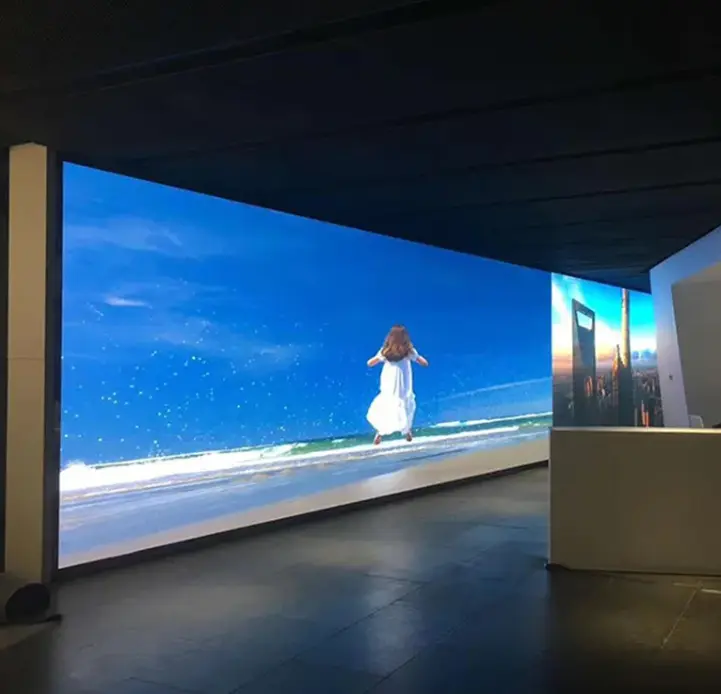
Flicker, rolling bars, and moiré are related to camera-facing display performance, but they are not the same problem.
Understanding their differences helps buyers avoid selecting a system based on an incomplete specification.
Flicker
Flicker can occur when the camera records variations in LED illumination over time.
The relationship between LED refresh behavior, PWM, exposure time, and camera settings can influence the recorded image.
Potential mitigation measures include:
- Selecting an appropriate LED driver architecture
- Verifying refresh performance
- Configuring the LED processor correctly
- Adjusting camera shutter settings where production permits
- Testing at the intended brightness level
- Evaluating the complete system under real camera conditions
A manufacturer’s refresh-rate specification should be treated as one part of the evaluation rather than a guarantee of camera performance.
Rolling Bars
Rolling bars are horizontal or vertical bands that can appear in camera footage.
They may result from timing differences between the camera’s exposure process and the LED display’s illumination or scanning behavior.
Potential mitigation measures include:
- Reviewing camera shutter settings
- Checking LED processing synchronization
- Evaluating phase adjustment
- Testing different frame rates
- Reviewing scan-mux behavior
- Confirming the intended operating configuration
Brompton Technology provides technical information on synchronization and camera-related artifacts.
Reference: Brompton Technology — Genlock and LED Camera Performance
Moiré
Moiré is a spatial interference pattern that can occur when the camera sensor samples the repeating pixel structure of an LED display.
It is different from flicker.
Moiré can be influenced by:
- Pixel pitch
- Camera distance
- Lens focal length
- Camera focus
- Sensor characteristics
- LED wall framing
- Image processing
A smaller pixel pitch may help reduce visible pixel structure in some camera setups, but it does not guarantee the absence of moiré.
Camera testing remains important.
Does COB Technology Eliminate Moiré?
COB technology may help reduce certain visual artifacts, but it does not automatically eliminate moiré. The result depends on pixel pitch, LED layout, camera sensor sampling, lens characteristics, shooting distance, and framing. A camera test under the intended production conditions remains necessary.
However, COB should not be presented as a universal solution to moiré.
Moiré is strongly influenced by the relationship between the LED pixel structure and the camera’s sampling behavior. Changing the LED package does not automatically remove that relationship.
When comparing SMD and COB products, buyers should evaluate:
- Pixel pitch
- Surface structure
- Optical characteristics
- Camera performance
- Maintenance requirements
- Repair procedures
- Product documentation
A camera test is more useful than relying on a technology label alone.
What Refresh Rate Is Suitable for a Broadcast LED Video Wall?
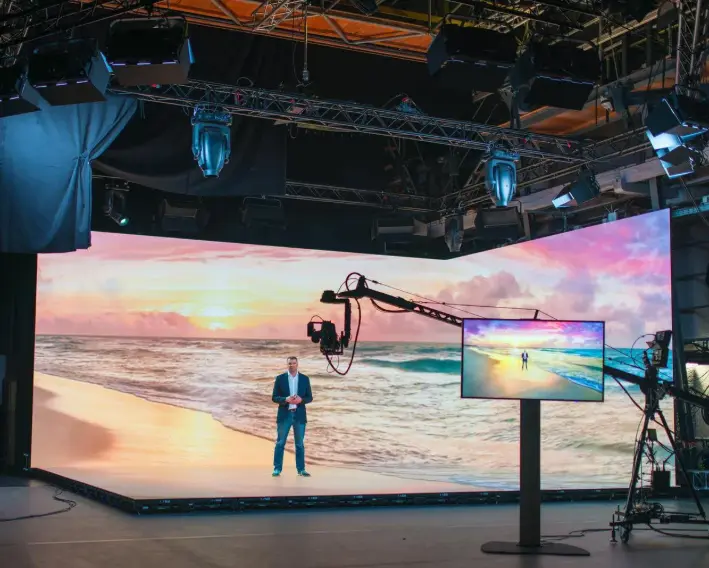
Refresh rate is an important specification for camera-facing LED displays.
However, there is no single refresh-rate value that guarantees suitable performance for every broadcast camera, frame rate, shutter setting, and LED processing configuration.
Some manufacturers offer LED systems with refresh rates of 3,840 Hz or higher. Such figures should be verified against the exact product model and operating conditions.
A buyer should request:
- Official refresh-rate specifications
- LED driver information
- Scan-mux or scan-ratio information
- Processor compatibility
- Camera test results
- Supported frame-rate configurations
- Performance at different brightness levels
Refresh Rate vs. Genlock
Refresh rate and Genlock serve different purposes.
| Feature | Primary Function |
|---|---|
| Refresh Rate | Describes the display’s image-update behavior |
| PWM | Controls LED illumination through pulse-width modulation |
| Genlock | Synchronizes a system to a timing reference |
| Phase Adjustment | Adjusts timing relationships |
| Scan-Mux | Describes aspects of LED scanning and multiplexing |
| Camera Shutter | Controls the camera’s exposure timing |
Genlock can help address timing-related problems, but it does not independently eliminate spatial moiré or every scan-mux artifact.
A complete system test is necessary.
What Should Buyers Ask About Genlock?
Before purchasing a Broadcast LED Video Wall Solution, ask the supplier:
- Does the LED processor support the required synchronization workflow?
- What timing reference inputs are supported?
- Is phase adjustment available?
- Which camera frame rates have been tested?
- Are the test results available?
- Does the proposed configuration support the intended production workflow?
These questions are more useful than simply asking whether a display is advertised as “broadcast-ready.”
How Do You Achieve Accurate Broadcast Color?
Color accuracy is an important consideration for broadcast studios because the LED wall may appear directly in recorded footage.
A suitable system should provide consistent color reproduction, controlled brightness, and predictable grayscale behavior.
Rec.709 and Rec.2020
Rec.709 and Rec.2020 are different color-space standards.
ITU-R BT.709-6 defines relevant parameters for HDTV production and international programme exchange.
Reference: ITU-R BT.709-6
Rec.2020 is associated with a wider color gamut and UHD television applications.
The correct color configuration depends on the production workflow. A buyer should not assume that every broadcast LED wall must simultaneously operate in Rec.709 and Rec.2020.
Rec.709 compatibility alone does not establish color accuracy. The final result depends on display calibration, processing settings, signal-chain configuration, measurement conditions, and the intended production workflow. Buyers should request documented calibration information and verify color performance under the agreed acceptance conditions.
The supplier should clarify:
- Supported color gamut
- White-point configuration
- Gamma behavior
- Calibration method
- Grayscale performance
- Applicable production requirements
D65 White Point and Color Calibration
D65 is a common reference white point in video and television applications.
However, specifying D65 alone does not guarantee accurate color reproduction.
A complete calibration process should consider:
- White-point accuracy
- Color gamut
- Gamma
- Grayscale
- Brightness uniformity
- Color consistency between cabinets
- Low-brightness performance
A supplier should provide relevant calibration documentation when required by the project.
What Is Delta E?
Delta E is a metric used to describe color difference.
A lower Delta E generally indicates a smaller measured color difference under the specified measurement conditions.
However, a statement such as “Delta E ≤1.0 across the full brightness range” should not be accepted without supporting documentation.
The buyer should ask for:
- Measurement conditions
- Calibration settings
- Color-space target
- Measurement equipment
- Test results
- Applicable brightness range
A numerical color-accuracy claim is only useful when the measurement method and conditions are clear.
Surface Reflection and Studio Lighting
An LED wall may be affected by reflections from studio lighting, camera equipment, and other reflective surfaces.
The final image depends on both the display and the studio environment.
For this reason, buyers should evaluate the LED wall under the intended lighting conditions.
Relevant considerations include:
- Surface finish
- Studio lighting direction
- Camera angle
- Wall brightness
- Reflections from surrounding equipment
- Black-level appearance
A manufacturer’s reflectance specification should be verified before it is treated as a guaranteed project requirement.
What Makes a Broadcast LED Video Wall Reliable?
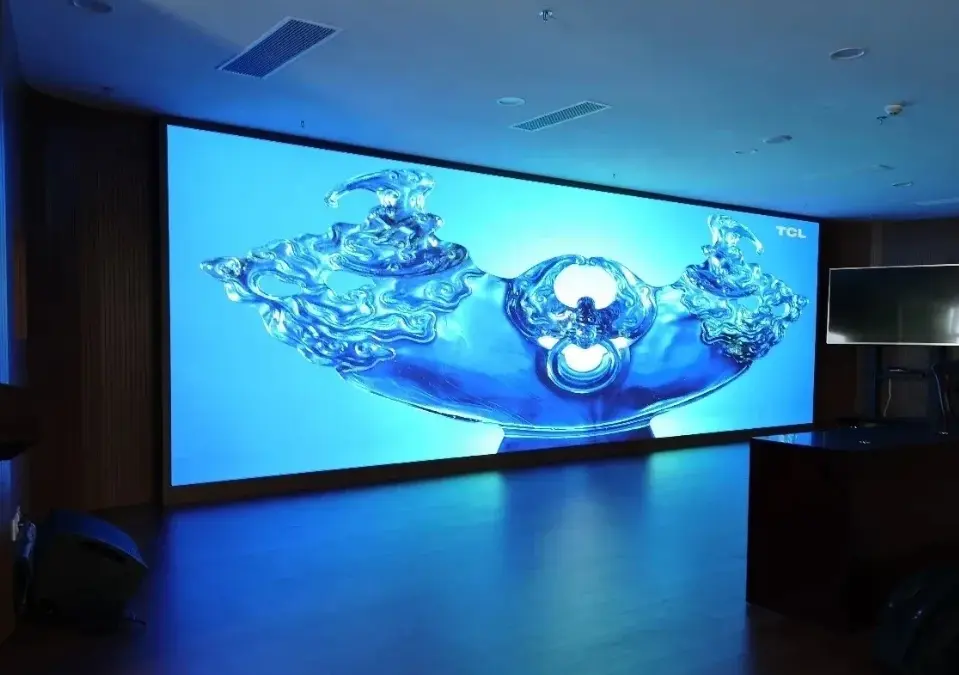
Reliability is especially important in live broadcasting because a display failure can interrupt a production.
However, reliability depends on the complete system rather than a single component.
A Broadcast LED Video Wall Solution may include:
- LED cabinets
- LED modules
- Power supplies
- Receiving cards
- LED processors
- Signal distribution
- Synchronization equipment
- Structural mounting systems
- Control equipment
The buyer should evaluate the failure behavior of each critical component.
What Redundancy Is Required for Live Broadcasting?
Redundancy can help reduce the risk of interruption, but the required architecture depends on the production environment.
| Redundancy Type | What It Protects Against |
|---|---|
| Signal Redundancy | Certain signal-path failures |
| Power Redundancy | Certain power-supply failures |
| Processor Redundancy | Certain processing-system failures |
| Receiving Card Redundancy | Certain receiving-card failures |
| Spare Modules | Faster repair of damaged LED modules |
| Spare Cabinets | Replacement of larger display sections |
Redundancy should be defined in the project specification.
A dual-signal input does not automatically mean that every failure can be handled without visible interruption.
Buyers should ask for the actual failover behavior and test results.
Can a Broadcast LED Wall Guarantee Zero Downtime?
Redundant power, signal paths, and control components can improve system resilience and reduce the risk of interruption. However, redundancy does not guarantee zero downtime in every failure scenario. Buyers should confirm which components are redundant, how failover works, and which failure conditions are covered.
A redundant configuration may reduce interruption risk, but failures can still occur.
Potential risks include:
- Processor failure
- Power failure
- Signal-distribution failure
- Cabinet damage
- Environmental conditions
- Maintenance errors
- Software or configuration issues
A better procurement approach is to define:
- Critical failure scenarios
- Required redundancy
- Expected failover behavior
- Spare-parts availability
- Maintenance access
- Technical support
- Acceptance criteria
This provides a more useful reliability framework than an unsupported “zero downtime” promise.
How Much Does a Broadcast LED Video Wall Cost?
The cost of a Broadcast LED Video Wall depends on the product configuration and project requirements.
There is no single reliable price for every broadcast application.
The total project cost may include:
- LED panels
- LED cabinets
- LED processors
- Receiving cards
- Synchronization equipment
- Mounting structure
- Electrical work
- Installation
- Calibration
- Shipping
- Customs
- Spare parts
- Maintenance
- Control equipment
A small studio background and a large virtual production environment may require substantially different hardware and engineering configurations.
What Determines Broadcast LED Video Wall Pricing?
| Cost Factor | Why It Matters |
|---|---|
| Pixel Pitch | Influences pixel density and hardware selection |
| Display Size | Determines the quantity of LED hardware |
| LED Package | Affects product design and maintenance characteristics |
| Cabinet Design | Influences installation and structural requirements |
| Processor | Determines image processing and synchronization capabilities |
| Redundancy | Adds components and system complexity |
| Installation | Depends on site conditions and structural requirements |
| Calibration | Supports the required image quality |
| Warranty | Affects service coverage |
| Spare Parts | Helps reduce future maintenance risk |
Hardware Cost vs. Complete Solution Cost
A supplier quotation may include only LED hardware.
Another quotation may include the processing system, mounting structure, installation, calibration, and commissioning.
These quotations should not be compared directly without checking their scope.
Before comparing prices, confirm:
- Exact LED model
- Pixel pitch
- Cabinet dimensions
- Processor model
- Receiving-card configuration
- Signal and power redundancy
- Installation scope
- Shipping terms
- Warranty
- Spare-parts allowance
- Technical support
A lower initial quotation may not represent a lower total project cost.
Broadcast LED Video Wall Price: What Should Be Included?
A complete quotation should identify the major components and services.
| Quotation Item | What to Confirm |
|---|---|
| LED Display | Model, pitch, brightness, and dimensions |
| Processing System | Processor model and capabilities |
| Synchronization | Required timing and compatibility |
| Structure | Mounting method and engineering scope |
| Installation | Labor and commissioning |
| Calibration | Included calibration and documentation |
| Shipping | Freight and packaging |
| Customs | Applicable import costs |
| Warranty | Coverage and duration |
| Spare Parts | Quantity and included components |
| Support | Remote or on-site service |
Price Note: Any price estimate should be treated as an estimate until the exact configuration, project location, installation requirements, and commercial terms have been confirmed.
What Is the Total Cost of Ownership of a Broadcast LED Video Wall?
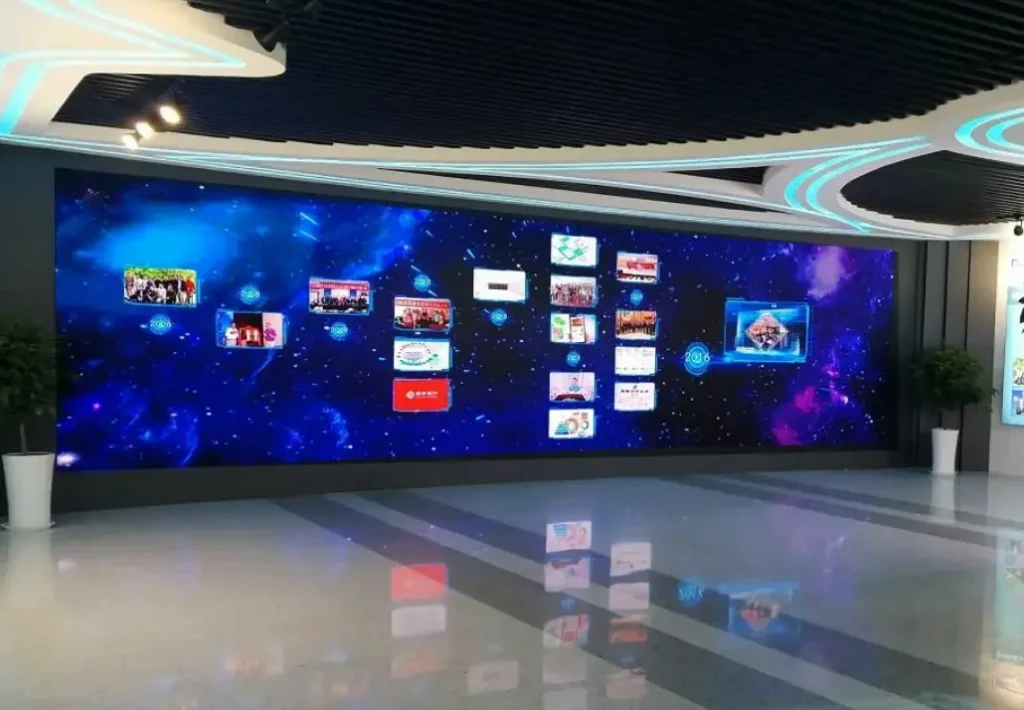
The Total Cost of Ownership (TCO) includes more than the initial hardware purchase.
For a broadcast studio, long-term costs may include maintenance, spare parts, power consumption, calibration, installation changes, and operational interruptions.
Broadcast LED Video Wall TCO Components
| Cost Category | What to Consider |
|---|---|
| Initial Hardware | LED panels, cabinets, processors, and control equipment |
| Installation | Mounting structure, electrical work, and labor |
| Shipping | Freight, packaging, and customs |
| Maintenance | Replacement modules, power supplies, and receiving cards |
| Spare Parts | Inventory required for maintenance |
| Electricity | Actual operating power and runtime |
| Calibration | Initial and periodic calibration |
| Content Equipment | Media servers and production equipment where required |
| Downtime | Potential operational impact |
| Technical Support | Warranty and service coverage |
Is LED Better Than LCD for Broadcast?
LED and LCD video walls can both be appropriate for broadcast environments.
The correct choice depends on the project.
| Consideration | LED Video Wall | LCD Video Wall |
|---|---|---|
| Display Format | Large-format modular display | Modular flat-panel display |
| Pixel Structure | Depends on LED pixel pitch | Depends on panel resolution |
| Visible Seams | Depends on cabinet design | Panel bezels may remain visible |
| Installation | Requires LED structure and processing | Requires panel mounting and control |
| Maintenance | Module or cabinet-level maintenance | Panel-level maintenance |
| Camera Compatibility | Requires camera-facing evaluation | Also requires camera-facing evaluation |
| Project Cost | Depends on pitch and configuration | Depends on panel size and configuration |
LED should not automatically be considered superior in every broadcast application.
A suitable comparison should include image quality, installation, maintenance, camera performance, and the complete project cost.
How Do You Evaluate a Broadcast LED Video Wall Supplier?
A broadcast LED supplier should be evaluated according to its ability to deliver the required technical performance and support the project throughout its lifecycle.
The buyer should not rely only on a product brochure.
Broadcast LED Video Wall RFQ Checklist
| RFQ Item | Information to Request |
|---|---|
| Application | News Studio, Live Broadcast, or Virtual Production |
| Screen Dimensions | Required width and height |
| Pixel Pitch | Proposed specification |
| Camera | Camera model and sensor type |
| Frame Rate | Required production frame rate |
| Shutter | Required shutter settings |
| Processor | Exact model and capabilities |
| Genlock | Supported timing workflow |
| Color | Required color space and calibration |
| Redundancy | Signal, power, and processing architecture |
| Installation | Mounting and site requirements |
| Maintenance | Front or rear access |
| Warranty | Coverage and duration |
| Spare Parts | Recommended inventory |
| Acceptance | Camera test and site acceptance criteria |
What Should Be Included in Camera Acceptance Testing?
A camera acceptance test should evaluate the actual display configuration.
The following test matrix can help buyers organize the process.
| Test | What to Verify |
|---|---|
| Static White | Brightness uniformity |
| Gray Gradient | Grayscale and banding |
| Dark Content | Low-brightness performance |
| Camera Pan | Temporal artifacts and image stability |
| Different Shutter Settings | Flicker and rolling bars |
| Different Camera Distances | Moiré |
| Studio Lighting | Reflection and contrast |
| Long-Duration Operation | Stability under the intended workflow |
The acceptance test should use the intended camera, lens, frame rate, shutter settings, and LED processing configuration.
The final acceptance criteria should be agreed upon before procurement.
Broadcast LED Video Wall Solution from Sostron
Sostron is a commercial LED display manufacturer and solution provider.
Its product portfolio includes LED display solutions for commercial applications, with product development, engineering support, installation guidance, and after-sales technical service.
For broadcast-related projects, the proposed LED configuration should be evaluated according to the actual production requirements.
Relevant considerations include:
- Required pixel pitch
- Camera compatibility
- LED processing system
- Color calibration
- Installation conditions
- Signal and power redundancy
- Maintenance access
- Spare-parts requirements
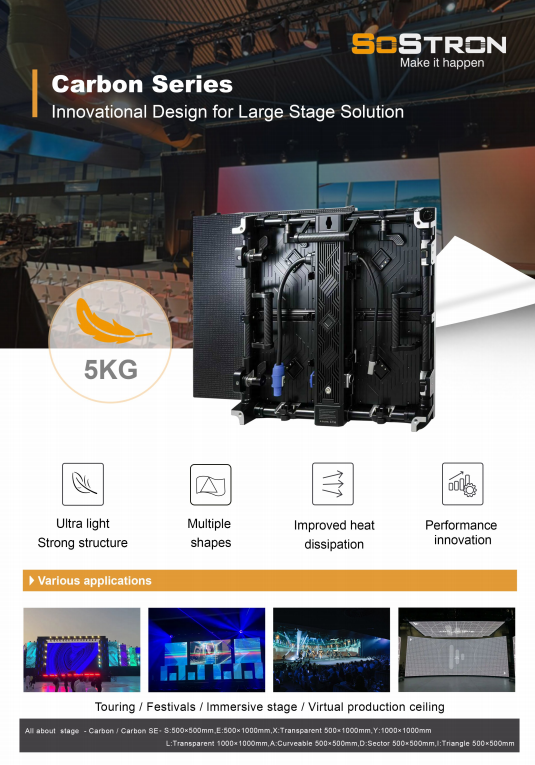
Sostron’s Carbon Pro LED Display may be relevant to projects requiring professional LED display configurations. However, the suitability of a specific product for a broadcast workflow should be confirmed through its technical documentation and camera testing.
For projects involving virtual production, the Hima Series XR LED Display may also be relevant, subject to the actual product specifications and production requirements.
Sostron can support project discussions involving product selection, engineering requirements, installation guidance, and after-sales service.
The final configuration should be based on verified product specifications and the intended camera workflow rather than a generic broadcast specification.
Expert Verdict: How Should Buyers Choose a Broadcast LED Video Wall?
A Broadcast LED Video Wall should be selected according to the complete production workflow.
Pixel pitch, refresh rate, color performance, synchronization, and redundancy are all important, but no single specification guarantees suitable camera performance.
For B2B buyers, the most reliable procurement approach is to:
- Define the camera and production requirements.
- Select an appropriate pixel pitch.
- Verify the LED processing and synchronization system.
- Evaluate color and grayscale performance.
- Test the complete configuration with the intended camera.
- Define reliability and maintenance requirements.
- Compare complete supplier quotations.
- Confirm acceptance criteria before purchasing.
A camera-ready LED wall is not simply a display with a high refresh-rate specification. It is a system whose performance has been evaluated under the actual production conditions.
Frequently Asked Questions
What is a broadcast LED video wall?
A broadcast LED video wall is a large-format LED display designed for television studios, newsrooms, live production, and other camera-facing environments. It must provide suitable image quality and stable performance when recorded by professional cameras.
What refresh rate is suitable for a broadcast LED wall?
The appropriate refresh rate depends on the LED driver, PWM behavior, scan structure, camera frame rate, shutter settings, and processing configuration. A manufacturer’s refresh-rate specification should be verified through camera testing.
Does a broadcast LED video wall need Genlock?
Genlock can help synchronize the LED processing system with a production timing reference and reduce timing-related camera artifacts. However, it does not independently eliminate spatial moiré or every scan-mux artifact.
What pixel pitch is best for a broadcast studio?
The best pixel pitch depends on camera distance, lens focal length, sensor characteristics, framing, and image-quality requirements. P1.5 and P1.9 may both be suitable for certain studio applications, but the final selection should be validated through camera testing.
How much does a broadcast LED video wall cost?
The price depends on pixel pitch, display size, LED technology, processing, installation, synchronization, redundancy, and other project requirements. A complete quotation should identify the hardware, installation scope, warranty, and maintenance provisions.
Can COB LED technology eliminate moiré?
COB can provide different surface and optical characteristics, but it does not universally eliminate moiré. Moiré depends on the interaction between the LED pixel structure and the camera’s sampling behavior.
What is the difference between a broadcast LED wall and a virtual production LED wall?
Broadcast LED walls are commonly used for studio backgrounds and camera-facing displays. Virtual production LED walls may also need to support rendered environments, camera tracking, and additional production workflows. The two applications overlap, but their requirements are not identical.
What should buyers verify before purchasing a broadcast LED video wall?
Buyers should verify the exact LED product specifications, camera compatibility, processing system, color calibration, synchronization, redundancy, installation requirements, warranty, spare parts, and acceptance criteria.
How can Sostron support a broadcast LED project?
Sostron can support product selection, engineering discussions, customized LED display configurations, installation guidance, and after-sales technical service. The suitability of a proposed configuration should be confirmed against the project’s camera requirements and verified product documentation.
References:
ITU — Recommendation ITU-R BT.709-6
EBU — Tech Report 096: Volumetric LED Wall Analysis