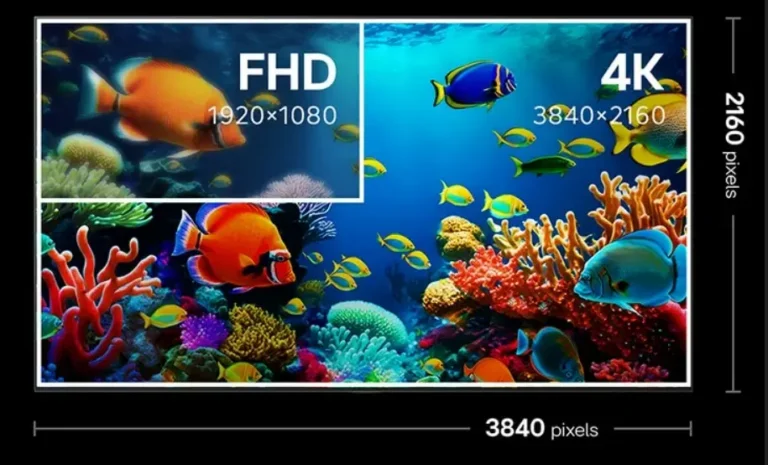
Pixel resolution describes the number of individual pixels arranged horizontally and vertically in a digital image or display. It determines how much visual information a screen can reproduce, with common formats including Full HD (1920 × 1080) and 4K UHD (3840 × 2160). So, how many pixels is 4K? A standard 4K UHD display contains 8,294,400 pixels, approximately 8.3 million. That is four times the total pixel count of Full HD.
For commercial LED displays, however, resolution involves more than choosing a familiar format such as 1080p or 4K. Buyers also need to understand pixel density, native display resolution, physical screen dimensions, and viewing distance. These factors determine whether an LED video wall can reproduce detailed content clearly in a conference room, retail environment, control center, or outdoor advertising installation.
Understanding these relationships helps system integrators and project owners specify the right display configuration, avoid unnecessary hardware costs, and ensure that the finished screen matches the actual content requirements.
1. What Is Pixel Resolution and How Does It Work?
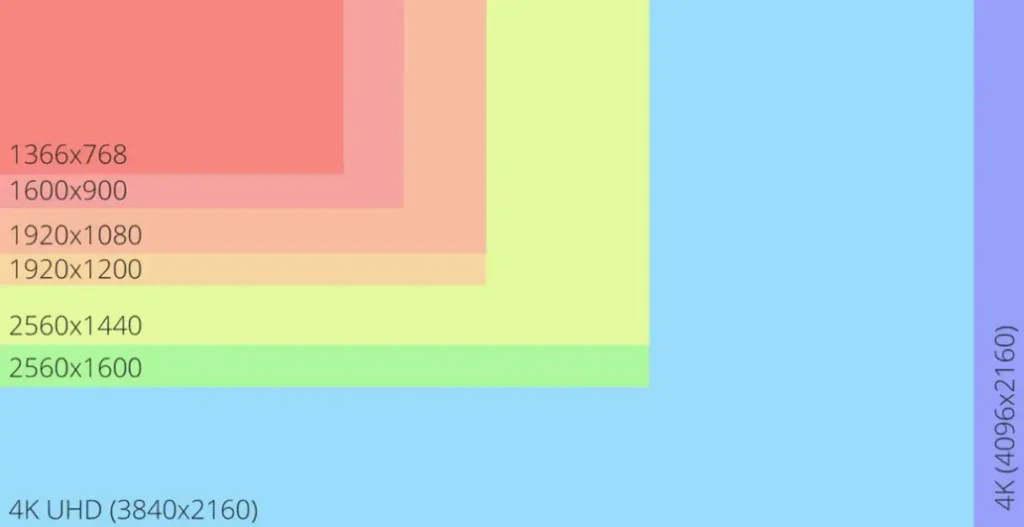
Pixel resolution is the number of pixels that make up a digital image or display, usually expressed as horizontal pixels × vertical pixels. It describes the dimensions of the pixel grid rather than the physical size of the screen.
For example, a display with a resolution of 1920 × 1080 contains 1,920 pixels across each horizontal row and 1,080 pixels along each vertical column. Each pixel contributes to the overall image, allowing the display to reproduce text, photographs, graphics, and video.
A higher resolution generally provides more available image detail, provided that the source content and display system can support it. This is particularly relevant when displaying small text, detailed charts, product images, or multiple information windows on a commercial LED screen.
What Is a Pixel in a Digital Display?
A pixel, short for picture element, is the smallest addressable unit of a digital image in a pixel-based display system. Millions of these individual picture elements work together to form the images that viewers see.
In a conventional RGB display system, each pixel uses red, green, and blue color components to reproduce a wide range of colors. By controlling the intensity of these components, the display can produce different colors and brightness levels.
On an LED display, a pixel is formed by an arrangement of LED light-emitting elements. Depending on the display architecture, the physical arrangement and packaging of these elements may vary, but the purpose remains the same: to reproduce the required image information.
For commercial buyers, the distinction matters because pixel resolution is not simply a measure of how many LED chips are installed. It describes the addressable image pixels that form the display’s visual matrix.
Consider a digital billboard displaying advertising text and product images. If its native pixel matrix is insufficient for the required content, fine text and intricate graphics may lose detail. A properly specified pixel matrix helps the operator deliver readable, consistent advertising content without paying for unnecessary resolution.
How Is Pixel Resolution Measured?
Pixel resolution is normally expressed using two numbers:
- Horizontal resolution: The number of pixels arranged from left to right.
- Vertical resolution: The number of pixels arranged from top to bottom.
These values describe the dimensions of the image’s pixel grid. The total pixel count indicates how many individual pixels are available across the entire image.
For example, Full HD has 1920 horizontal pixels and 1080 vertical pixels, giving it approximately 2.07 million total pixels.
The following table shows several common display resolutions:
| Resolution Standard | Horizontal Pixels | Vertical Pixels | Total Pixel Count |
|---|---|---|---|
| HD | 1,280 | 720 | 921,600 |
| Full HD (1080p) | 1,920 | 1,080 | 2,073,600 |
| QHD (1440p) | 2,560 | 1,440 | 3,686,400 |
| 4K UHD | 3,840 | 2,160 | 8,294,400 |
| 8K UHD | 7,680 | 4,320 | 33,177,600 |
These are commonly used resolution formats rather than a complete list of every possible display configuration.
According to the Consumer Technology Association (CTA), a 4K Ultra High-Definition television must provide at least 8 million active pixels, including at least 3,840 horizontal pixels and 2,160 vertical pixels. This definition also addresses other performance requirements, demonstrating that a 4K label should represent more than a marketing description.
For B2B buyers, checking the actual horizontal and vertical pixel dimensions is more useful than relying exclusively on a product description that says HD, 4K, or Ultra HD.
What Is the Difference Between Image Resolution and Display Resolution?
Image resolution and display resolution are related, but they describe different parts of a digital display system.
Image resolution refers to the pixel dimensions of a source image or video file. Display resolution describes the number of physical or addressable pixels available on the display device.
For example, a video file may have a resolution of 3840 × 2160, while the LED video wall receiving that signal has a native resolution of 1920 × 1080.
The display processor can scale the incoming 4K signal to fit the LED wall, but the screen does not suddenly gain the physical pixel count of a native 4K display.
This distinction is important for commercial installations because a high-resolution media player cannot compensate for an LED screen with an insufficient native pixel matrix.
| Technical Concept | What It Describes | Example | Commercial Importance |
|---|---|---|---|
| Image Resolution | Pixel dimensions of source content | 3840 × 2160 video | Determines the detail available in the original content |
| Display Resolution | Addressable pixel dimensions of a display | 1920 × 1080 | Determines the screen’s native image capacity |
| Native Resolution | The display’s actual supported pixel matrix | 3840 × 2160 | Helps buyers verify whether the screen can reproduce the intended detail |
| Upscaling | Increasing the output dimensions of lower-resolution content | 1080p content displayed on a 4K screen | Allows different content formats to fit the display, but does not recreate all original detail |
For system integrators, matching the source resolution, video processor capabilities, and native display resolution during project planning can prevent unexpected image quality problems after installation.
2. How Many Pixels Is 4K? 1080p vs. 2K vs. 4K vs. 8K
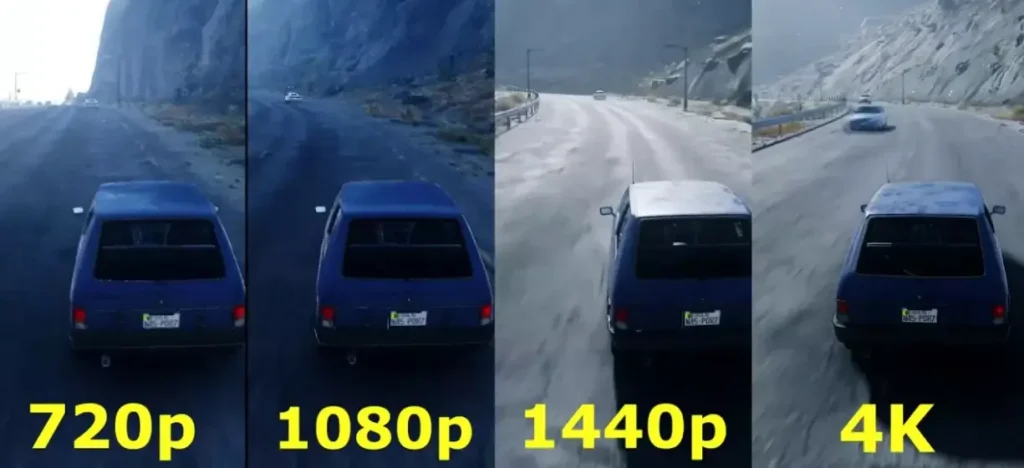
A standard 4K UHD display contains 3840 × 2160 pixels, equivalent to 8,294,400 individual pixels, or approximately 8.3 million.
This is four times the total pixel count of a Full HD display. The difference comes from doubling both the horizontal and vertical pixel dimensions, creating a substantially larger image grid.
However, the term 4K does not always refer to exactly the same resolution. Consumer displays commonly use 3840 × 2160, while digital cinema applications also use 4096 × 2160, known as DCI 4K.
Understanding these distinctions helps buyers compare display specifications accurately and avoid confusion when evaluating professional video equipment.
How Many Pixels Are in 1080p Full HD?
Full HD, commonly called 1080p, has a resolution of 1920 × 1080 pixels, providing 2,073,600 total pixels.
It remains widely used for business presentations, digital signage, video content, and conventional display installations.
For many commercial applications, Full HD can provide sufficient detail, particularly when viewers are positioned farther away from the screen or when the content consists primarily of large images, video, and advertising messages.
However, when a large screen needs to display detailed information, small text, or multiple content windows, buyers should evaluate whether the available native resolution is sufficient.
How Many Pixels Is 2K or QHD?
QHD, commonly marketed as 1440p, has a resolution of 2560 × 1440 pixels and approximately 3.69 million total pixels.
It provides more image detail than Full HD while requiring less processing and content bandwidth than 4K in comparable operating conditions.
There is an important terminology distinction here. QHD and DCI 2K are not identical formats:
- QHD: 2560 × 1440 pixels.
- DCI 2K: 2048 × 1080 pixels.
The term 2K is sometimes used loosely in consumer marketing to describe 2560 × 1440 displays. For professional AV specifications, buyers should always request the exact pixel dimensions rather than assume that every product labeled 2K uses the same resolution.
How Many Pixels Are in 4K UHD?
4K UHD uses 3840 × 2160 pixels, giving it 8,294,400 total pixels.
It has twice the horizontal and vertical pixel dimensions of Full HD, resulting in four times as many pixels overall.
For commercial display applications, this additional pixel capacity can be valuable when presenting:
- Detailed product photography.
- High-resolution video content.
- Complex data dashboards.
- Fine text and technical diagrams.
- Multiple information windows on a large display.
For example, a corporate presentation screen with native 4K resolution can reproduce more detailed visual information than an otherwise comparable Full HD screen, assuming the source content and processing system support the higher resolution.
The commercial benefit is not simply a sharper image. It can also allow more information to be displayed within the same visual area, reducing the need to split content across multiple screens in suitable applications.
What Is the Difference Between 4K UHD and DCI 4K?
Although both formats are called 4K, 4K UHD and DCI 4K use different horizontal pixel dimensions.
4K UHD is primarily associated with consumer displays, television, and many commercial digital signage applications. DCI 4K is associated with digital cinema production and exhibition.
| Specification | 4K UHD | DCI 4K |
|---|---|---|
| Horizontal Resolution | 3,840 pixels | 4,096 pixels |
| Vertical Resolution | 2,160 pixels | 2,160 pixels |
| Total Pixels | 8,294,400 | 8,847,360 |
| Approximate Aspect Ratio | 16:9 | 256:135 |
| Common Applications | TVs, monitors, commercial displays | Digital cinema |
The distinction becomes particularly important when specifying professional display systems that receive content from different video sources.
A video processor, media server, or playback device must support the intended input format. Otherwise, the content may require scaling, cropping, or aspect ratio adjustment before it can be displayed correctly.
For B2B buyers, confirming the exact resolution and supported input formats during procurement helps reduce compatibility issues between the display, processor, and content delivery system.
How Many Pixels Are in 8K UHD?
8K UHD has a resolution of 7680 × 4320 pixels, equivalent to 33,177,600 total pixels, or approximately 33.18 million.
It provides four times as many pixels as 4K UHD and sixteen times as many pixels as Full HD.
The additional resolution can support highly detailed imagery, large-format visualization, and specialist applications where the display system and source content can take advantage of the increased pixel count.
However, 8K is not automatically the most cost-effective choice for every commercial installation.
Higher resolution may require more capable video processing, compatible content sources, and greater signal distribution capacity. For an outdoor billboard viewed from a considerable distance, for example, a carefully selected lower-resolution configuration may deliver better commercial value than paying for pixel density that viewers cannot meaningfully appreciate.
The correct specification should be determined by the actual application, screen dimensions, viewing distance, and content requirements.
3. What Is the Difference Between Pixel Resolution and Pixel Density?
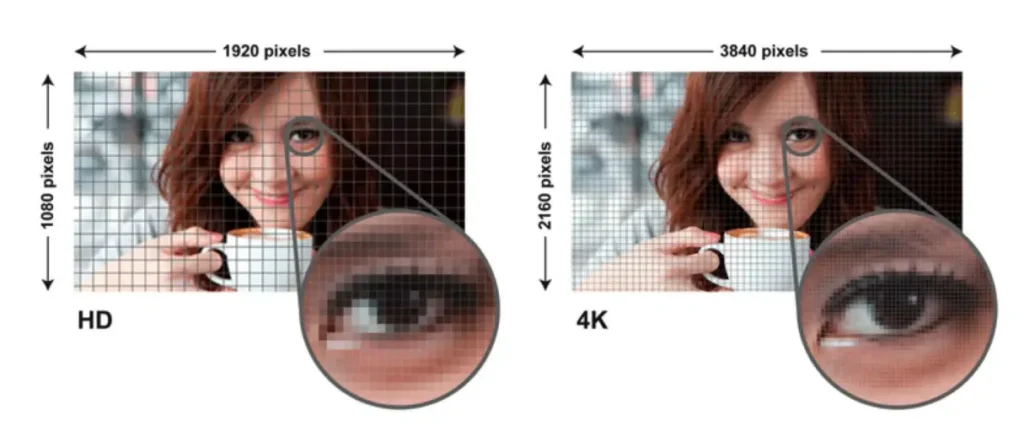
Pixel resolution and pixel density are closely related, but they measure different aspects of a display.
Resolution describes the total number of pixels arranged horizontally and vertically. Pixel density describes how closely those pixels are positioned within a given physical area.
This distinction explains why two displays with identical 4K resolution can produce different visual experiences.
A 4K monitor and a much larger 4K display contain the same number of pixels, but the pixels on the larger screen are distributed across a greater physical area. Consequently, the larger display has lower pixel density.
For commercial LED installations, understanding this relationship helps buyers avoid choosing specifications based on resolution labels alone.
What Is Pixel Density (PPI)?
Pixel density refers to the number of pixels contained within one inch of a display surface. It is commonly expressed as PPI, or pixels per inch.
A higher PPI generally means that individual pixels are less noticeable at a given viewing distance, helping images, text, and graphics appear finer and more continuous.
A lower PPI means that individual pixels are physically more spread out. Depending on screen size and viewing distance, the pixel structure may become more visible.
For example, two monitors with the same resolution can have different PPI values if their physical screen sizes are different.
In business environments, this matters when choosing displays for applications such as:
- Corporate conference rooms.
- Control room monitoring systems.
- Retail product presentation.
- Professional design environments.
- Close-viewing digital signage.
Higher pixel density can improve the presentation of small text and fine details, but it also needs to be balanced against project cost and actual viewing conditions.
Does Screen Size Affect Pixel Density?
Yes. Screen size affects pixel density when the resolution remains unchanged.
Consider two displays that both use 3840 × 2160 pixels. One is a relatively compact monitor, while the other is a much larger commercial display.
Both have the same total number of pixels. However, the larger screen spreads those pixels over a greater physical area, resulting in lower pixel density.
This means that screen resolution alone cannot determine how sharp an image will appear.
For LED video walls, the distinction is especially important because a large physical display does not automatically require the same pixel density as a close-viewing desktop monitor.
A retail LED wall designed for customers standing a short distance away may need a finer pixel structure than an outdoor advertising billboard viewed from across a road.
Based on our experience with LED display engineering, buyers should evaluate screen dimensions and viewing distance together rather than selecting a resolution based on the screen’s physical size alone.
The objective is to achieve the required visual clarity without introducing unnecessary hardware and processing costs.
What Is the Difference Between Resolution and PPI?
Resolution and PPI answer two different technical questions.
Resolution tells you how many pixels a display contains. PPI tells you how densely those pixels are arranged within its physical dimensions.
The following comparison makes the distinction clearer:
| Specification | Pixel Resolution | Pixel Density (PPI) |
|---|---|---|
| Main Measurement | Total horizontal and vertical pixels | Pixels per inch |
| Describes | Pixel grid dimensions | Pixel concentration |
| Common Unit | Pixels | PPI |
| Affected By | Display’s native pixel matrix | Resolution and physical display size |
| Main Visual Impact | Available image detail | Apparent fineness of image details |
| Commercial Relevance | Determines native content capacity | Helps evaluate clarity at a given screen size |
A display can have a high resolution but relatively low pixel density if its physical dimensions are very large.
Likewise, a smaller display with fewer total pixels may still provide high pixel density because its pixels are packed into a smaller area.
For commercial buyers, neither measurement should be evaluated in isolation. The appropriate combination depends on the installation environment, screen dimensions, and intended audience.
Why Does Viewing Distance Affect Perceived Resolution?
Viewing distance changes how clearly the human eye can distinguish individual pixels.
When viewers stand close to a screen, the pixel structure becomes easier to see. As the viewing distance increases, individual pixels become less distinguishable, and the image can appear smoother.
This is why a fine-pitch indoor LED display is often suitable for conference rooms and control centers, while an outdoor billboard can use a larger pixel pitch without necessarily compromising its intended viewing experience.
The same principle applies across different screen formats.
A display designed for close-range viewing must preserve fine details, especially when it contains text, charts, or detailed graphics. A long-distance advertising screen has different requirements because viewers primarily need to recognize the overall message and imagery.
For system integrators, viewing distance should therefore be established early in the project design process. It directly influences the appropriate pixel density and, in LED applications, the pixel pitch specification.
4. How Does Pixel Resolution Affect Display Image Quality?
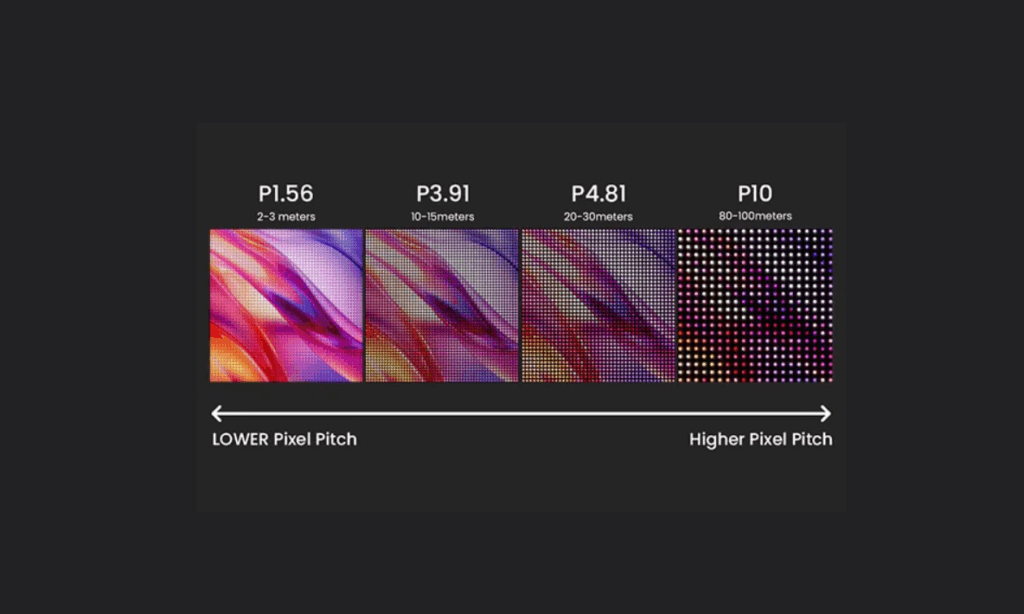
Pixel resolution affects how much visual detail a display can reproduce, but it is only one part of overall image quality.
A higher native resolution can provide more detailed text, sharper graphics, and greater image definition when the source content contains sufficient information. However, resolution alone cannot compensate for poor content quality, inadequate contrast, incorrect scaling, or unsuitable viewing conditions.
For commercial LED display buyers, the practical question is not simply whether a screen supports 4K or 8K. It is whether the complete display system can reproduce the required content clearly in its intended environment.
Does Higher Pixel Resolution Mean a Sharper Image?
Generally, a higher pixel resolution provides the potential to display more image detail.
When screen size and other conditions are comparable, increasing the number of pixels allows the display to reproduce finer edges, more detailed textures, and smaller visual elements.
This can be particularly beneficial in:
- Control rooms displaying detailed monitoring information.
- Corporate environments showing complex presentations.
- Retail spaces displaying high-resolution product images.
- Exhibition installations using detailed visual content.
- Professional video walls presenting multiple information sources.
However, more pixels do not automatically guarantee a better viewing experience.
If the original image has low resolution, displaying it on a 4K or 8K screen does not recreate information that was never captured. The display processor may upscale the content, but the resulting image still depends on the quality of the original source and the scaling process.
For buyers, matching content resolution with the display’s native resolution is an important part of achieving consistent image quality.
How Do Screen Size and Aspect Ratio Affect Resolution?
Physical screen size and pixel resolution are separate specifications.
A screen can become physically larger without increasing its total pixel count. Similarly, a display can have a higher resolution while maintaining the same physical dimensions.
Aspect ratio describes the proportional relationship between the width and height of an image or display.
Common aspect ratios include:
- 16:9: Common for television, monitors, and conventional video content.
- 4:3: Found in older display systems and some legacy content.
- 21:9: Used in ultrawide displays and certain professional applications.
- Custom aspect ratios: Common in large-format commercial LED installations.
For LED video walls, the final aspect ratio often depends on the physical cabinet arrangement and project-specific dimensions.
A screen designed for an exhibition booth, retail storefront, or architectural installation may not follow the conventional 16:9 format.
In these situations, buyers should confirm both the physical dimensions and native pixel matrix before approving the display configuration. This helps ensure that content is mapped correctly without unwanted stretching, cropping, or excessive unused screen space.
What Happens When Low-Resolution Content Is Displayed on a 4K Screen?
When lower-resolution content is displayed on a 4K screen, the display system generally needs to scale the image to fit the available pixel grid.
This process is called upscaling.
For example, a 1920 × 1080 video can be displayed on a 3840 × 2160 screen through scaling. The output fills the 4K display, but the original source still contains only the visual information captured at Full HD resolution.
Depending on the scaling method and source quality, the result may look reasonably smooth, but it will not necessarily contain the same fine detail as native 4K content.
Several factors influence the result:
- Original image or video quality.
- Scaling algorithm.
- Video processor performance.
- Display’s native resolution.
- Signal format and processing configuration.
For commercial installations, this is important when multiple content sources feed into the same LED video wall.
A well-designed signal processing system helps maintain consistent image presentation across different source formats. It also reduces the risk of poor scaling, incorrect image proportions, and unexpected visual degradation.
What Other Factors Affect Display Clarity Besides Resolution?
Resolution is important, but several other display characteristics influence how viewers perceive image quality.
| Display Factor | What It Affects | Benefit to Commercial Buyers |
|---|---|---|
| Pixel Density | Visibility of individual pixels | Helps maintain fine image detail at the intended viewing distance |
| Contrast Ratio | Difference between bright and dark image areas | Improves visual separation and image depth |
| Brightness | Visibility under ambient lighting | Helps content remain readable in different installation environments |
| Color Reproduction | Accuracy and consistency of displayed colors | Supports more consistent branding and visual presentation |
| Refresh Rate | How frequently the displayed image is refreshed | Helps improve motion presentation and compatibility with camera-based applications |
| Source Content Quality | Available detail in the original media | Prevents poor source material from limiting the display’s capabilities |
| Image Scaling | How content is adapted to the display resolution | Helps different input formats fit the screen correctly |
For outdoor LED billboards, sufficient brightness and environmental protection are important because the screen must remain visible and reliable under changing outdoor conditions.
For indoor fine-pitch LED displays, pixel density, color consistency, and viewing distance often receive greater attention because audiences may examine the screen from much closer positions.
For rental and XR applications, refresh performance and camera compatibility can also influence the final result.
The best display specification is therefore the one that balances resolution with the actual technical and commercial requirements of the project.
5. What Is the Difference Between Pixel Pitch and Resolution in LED Displays?
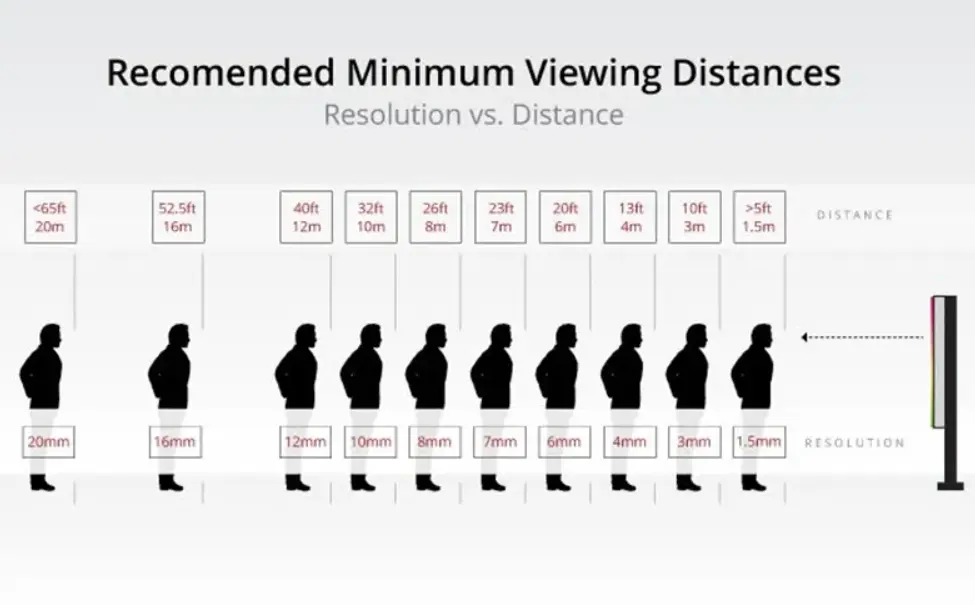
Understanding pixel resolution and pixel density provides the foundation for evaluating commercial displays. However, direct-view LED technology introduces another specification that buyers must understand: pixel pitch.
Unlike conventional monitors, an LED video wall is assembled from individual modules and cabinets. Its final resolution depends not only on pixel pitch but also on the physical screen dimensions and the actual pixel matrix of each cabinet.
This is why two LED walls with identical physical dimensions can have completely different native resolutions. For system integrators, understanding this relationship is essential when preparing technical proposals, comparing manufacturers, and specifying a display that meets the client’s content requirements.
What Is Pixel Pitch in an LED Display?
Pixel pitch is the physical distance, measured in millimeters, between the centers of two adjacent pixels on an LED display.
It is commonly identified using a P-number. For example:
- P0.9: 0.9 mm between adjacent pixel centers.
- P1.2: 1.2 mm between adjacent pixel centers.
- P1.5: 1.5 mm between adjacent pixel centers.
- P1.8: 1.8 mm between adjacent pixel centers.
- P2.5: 2.5 mm between adjacent pixel centers.
- P3.9: 3.9 mm between adjacent pixel centers.
- P6: 6 mm between adjacent pixel centers.
A smaller pixel pitch means more pixels can be arranged within the same physical area. This generally improves the ability to reproduce fine details at close viewing distances.
For example, a P1.2 fine-pitch LED display can provide a denser pixel structure than a P2.5 display of the same physical dimensions. This makes finer text, detailed graphics, and complex data visualization more practical in close-viewing environments.
However, smaller pixel pitch usually requires more LED pixels, more complex manufacturing, and greater processing capacity for a comparable screen area. These factors can increase the initial project investment.
The best choice is therefore not necessarily the smallest available pitch. It is the specification that delivers the required visual quality at an economically justified cost.
How Does Pixel Pitch Affect LED Display Resolution?
Pixel pitch directly influences how many pixels can fit into a given physical area.
When two LED displays have identical dimensions, the display with the smaller pixel pitch generally has a higher native pixel resolution.
Consider the following illustrative comparison of two indoor LED video walls with the same physical dimensions and cabinet arrangement.
| Technical Specification | Configuration A | Configuration B |
|---|---|---|
| Physical Screen Size | 4.8 × 2.7 m | 4.8 × 2.7 m |
| Pixel Pitch | P2.5 | P1.25 |
| Cabinet Dimensions | 960 × 540 mm | 960 × 540 mm |
| Cabinet Arrangement | 5 × 5 | 5 × 5 |
| Cabinet Pixel Matrix | 384 × 216 | 768 × 432 |
| Native Resolution | 1920 × 1080 | 3840 × 2160 |
| Total Pixel Count | 2.07 million | 8.29 million |
| Typical Application Direction | General indoor video content | Fine-detail and close-viewing applications |
Illustrative engineering comparison, not a Sostron product specification or delivered project. Actual cabinet dimensions and pixel matrices must be verified against the selected manufacturer’s product documentation.
Both configurations have the same physical screen size, but their native resolutions are significantly different.
Configuration B has twice the horizontal and vertical pixel count of Configuration A, resulting in four times the total number of pixels.
For a corporate conference room, this additional resolution may improve the presentation of detailed charts, spreadsheets, and small text. For a large exhibition screen viewed from a greater distance, Configuration A may provide sufficient visual performance at a lower initial investment.
The commercial decision should be based on the content and viewing environment, not simply on the highest available resolution.
What Is Native Resolution in an LED Video Wall?
Native resolution is the actual horizontal and vertical pixel matrix of the completed LED display.
Unlike an incoming video signal, which can change depending on the playback device, the physical pixel arrangement of an installed LED wall is determined by its modules, cabinets, and overall configuration.
For example, a video wall assembled from cabinets with a pixel matrix of 384 × 216 pixels will have a different total native resolution depending on how many cabinets are installed horizontally and vertically.
This makes cabinet resolution an important specification during project planning.
Buyers should distinguish between three related concepts:
- Module Resolution: The number of pixels contained in an individual LED module.
- Cabinet Resolution: The total number of pixels contained in one assembled LED cabinet.
- Wall Native Resolution: The combined horizontal and vertical pixel matrix of the completed LED installation.
Why does this matter?
A manufacturer may advertise a 4K-compatible LED display system, but the actual wall configuration may have a lower native resolution. It may accept a 4K input signal and scale it to the available pixel matrix without physically reproducing all the original pixels.
For project owners, requesting a cabinet-level pixel specification and a complete wall configuration drawing helps prevent misunderstandings between advertised compatibility and actual display capability.
Can a Large LED Display Have 4K Resolution?
Yes. However, physical screen dimensions alone do not determine whether an LED display has native 4K resolution.
A large LED billboard can have a relatively low pixel count because its pixels are spaced farther apart. Conversely, a smaller fine-pitch LED wall can contain millions of pixels within a compact installation.
To achieve native 4K UHD, the completed LED wall must have a physical pixel matrix of 3840 × 2160.
Several factors determine whether this is achievable:
- Selected pixel pitch.
- Physical screen width and height.
- Available cabinet pixel matrix.
- Number of cabinets installed horizontally and vertically.
- Compatibility of the LED processor and receiving system.
For example, an indoor LED video wall intended to reproduce detailed 4K presentations may require a finer pixel pitch than a similarly sized screen used for general advertising.
However, buyers should not assume that every P1.25 or P1.5 LED display automatically delivers native 4K. The actual result depends on the complete cabinet arrangement and screen dimensions.
A manufacturer’s technical drawing should confirm the final pixel matrix before a 4K specification is included in the purchase agreement.
How Do LED Cabinet Resolution and Cabinet Layout Affect the Final Pixel Count?
An LED video wall is a modular display system. Its total resolution is determined by the pixel matrix of the selected cabinets and their physical arrangement.
For example, a wall assembled from five cabinets horizontally and five vertically has a different resolution from one assembled using six cabinets horizontally and four vertically, even if both configurations use the same cabinet model.
This is particularly important for projects involving custom screen dimensions, unusual aspect ratios, and architectural installations.
Before approving a cabinet layout, buyers should check the following:
| Configuration Factor | What to Verify | Why It Matters |
|---|---|---|
| Cabinet Pixel Matrix | Horizontal and vertical pixels per cabinet | Establishes the resolution contribution of each cabinet |
| Cabinet Dimensions | Physical width and height | Determines the finished wall dimensions |
| Cabinet Quantity | Number of cabinets in each direction | Determines the completed pixel arrangement |
| Pixel Pitch | Distance between adjacent pixel centers | Influences pixel density and close-viewing performance |
| Aspect Ratio | Proportion of the finished display | Helps match the intended content format |
| Cabinet Compatibility | Whether all cabinets use the same approved configuration | Prevents inconsistencies in the completed display |
| Processor Mapping | Supported pixel arrangement and output capacity | Ensures the signal system can drive the installed wall |
For fixed installations, the cabinet arrangement should be approved before the supporting structure is fabricated.
For rental LED screens, modularity and flexible cabinet arrangements become particularly important because the same inventory may be configured into different screen sizes for different events.
Based on our experience with commercial LED display engineering, the cabinet map should be treated as a core project document, not an optional drawing produced after the screen has been ordered.
6. How to Choose the Right Pixel Resolution for Different LED Display Applications?
Once buyers understand pixel pitch, native resolution, and cabinet configuration, the next question is more practical: which specification is appropriate for a particular installation?
There is no universal resolution that works best for every LED display project.
A billboard beside a highway, a fine-pitch conference room display, and an XR production wall have different operating requirements. Selecting the same resolution standard for all three would ignore the actual viewing conditions and content requirements.
The following sections explain how commercial buyers should approach different LED display applications.
What Pixel Resolution Is Suitable for Outdoor LED Billboards?
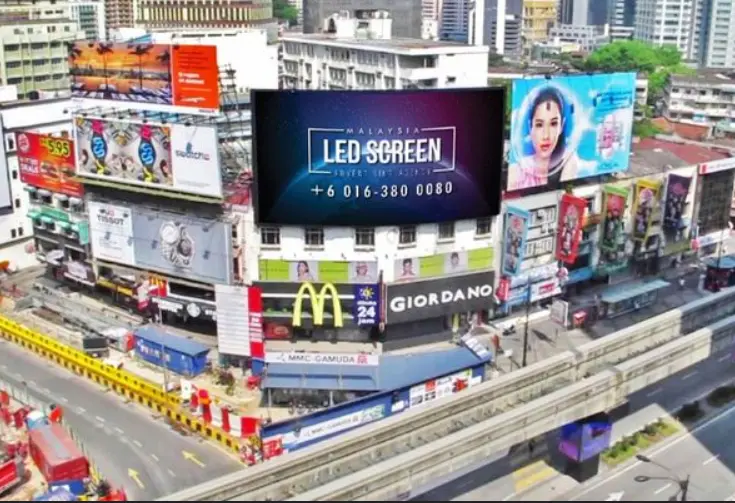
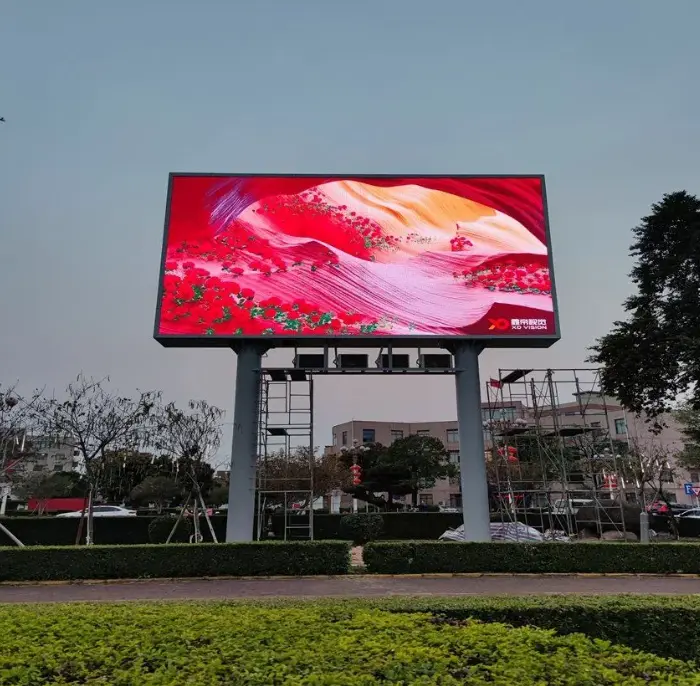
Outdoor LED billboards are commonly used for digital out-of-home advertising, highway displays, building facades, and large commercial advertising networks.
Unlike indoor monitors, these screens are often viewed from relatively long distances. Their primary purpose is to deliver recognizable advertising messages, videos, and graphics under changing ambient lighting conditions.
For this reason, outdoor LED display resolution should be evaluated alongside:
- Typical viewing distance.
- Screen dimensions.
- Pixel pitch.
- Brightness requirements.
- Environmental protection.
- Advertising content format.
For example, an outdoor billboard positioned beside a highway may not benefit commercially from the same fine pixel pitch required by an indoor control room.
A carefully selected larger pixel pitch can reduce the initial hardware investment while still providing suitable image clarity for distant viewers.
Brightness is another major consideration. Outdoor LED displays must remain visible under direct sunlight, so buyers should verify the actual brightness specification and ensure that the selected system can operate reliably in its installation environment.
Sostron’s Ares Series is positioned for outdoor LED billboard applications, including DOOH advertising and large-format commercial displays.
Its energy-saving design direction is relevant to advertising operators managing multiple screens because electricity consumption affects the ongoing cost of operating an advertising network. Actual energy savings, however, should be evaluated using the specified operating conditions and measured power consumption rather than assumed from the product category.
What Resolution Is Best for Indoor LED Video Walls?
Indoor LED video walls are used in corporate offices, conference rooms, retail showrooms, exhibition spaces, and commercial presentation environments.
Compared with outdoor billboards, indoor screens are often viewed from shorter distances. This increases the importance of pixel density, fine image detail, and text readability.
Common considerations include:
- Viewing distance from the nearest audience position.
- Physical screen dimensions.
- Required native resolution.
- Smallest text and graphic details.
- Source content resolution.
- Available project budget.
For example, a corporate meeting room displaying spreadsheets, product specifications, and detailed presentations may benefit from a fine-pitch LED display.
A retail showroom primarily displaying large promotional videos may have different requirements.
Sostron’s Reta Series is positioned for indoor fine-pitch display applications, including conference rooms, corporate environments, and control room installations.
The commercial benefit of a suitable fine-pitch configuration is more detailed visual presentation at shorter viewing distances, helping businesses communicate information more effectively without relying on multiple conventional display panels.
What Resolution Is Best for Control Room LED Displays?
Control rooms often display multiple information sources simultaneously, including monitoring dashboards, maps, operational data, video feeds, and status indicators.
In these environments, resolution is directly connected to information usability.
A screen may have impressive physical dimensions, but if its native pixel matrix is insufficient, small text and detailed interface elements can become difficult to interpret.
For control room projects, buyers should prioritize:
- Native pixel resolution and cabinet configuration.
- Readability of small text and data visualization.
- Viewing distance across different operator positions.
- Video processor input and output capabilities.
- Source compatibility and signal distribution.
- Color consistency and operational reliability.
A high-resolution wall can allow more detailed information to appear within a single visual workspace. However, the actual benefit depends on the source content, interface design, and viewing conditions.
For system integrators, it is advisable to test representative dashboards and monitoring interfaces on a proposed display configuration before final approval.
What Resolution Is Needed for Rental LED Screens?
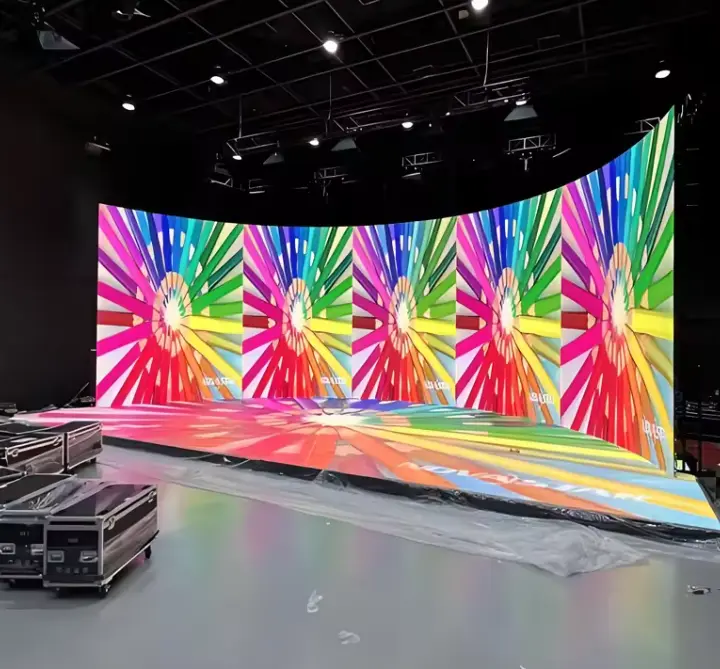
Rental LED displays are widely used for concerts, festivals, conferences, exhibitions, and live events.
Their design priorities differ from permanent installations because event companies need equipment that can be transported, assembled, dismantled, and reconfigured efficiently.
Resolution selection should consider:
- Stage dimensions.
- Audience viewing distance.
- Camera and broadcast requirements.
- Content production resolution.
- Cabinet pixel matrix.
- Installation and dismantling requirements.
For example, a large concert screen primarily displaying dynamic video and stage visuals may use a different pixel pitch from a conference display showing detailed presentation slides.
The cabinet design also affects operational efficiency. Lightweight cabinets and fast-locking mechanisms can reduce handling time and simplify transportation, potentially improving equipment utilization across multiple events.
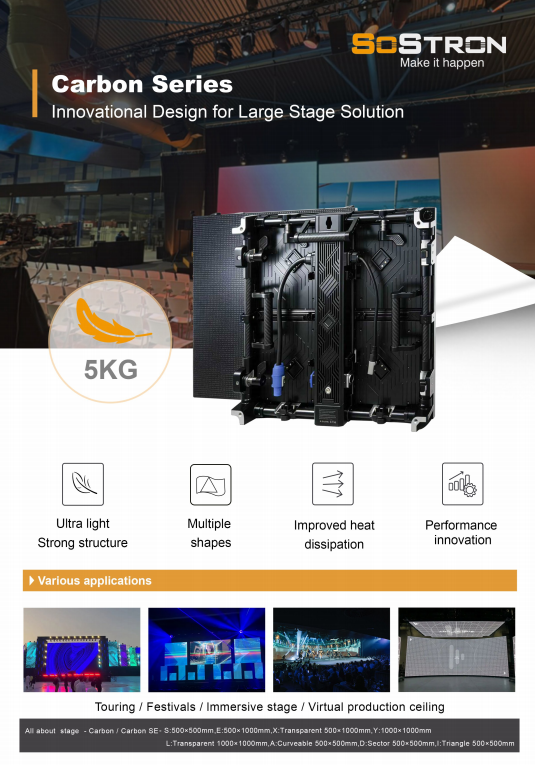
Sostron’s Carbon Series is positioned for rental LED applications. When evaluating a rental configuration, buyers should compare cabinet weight, pixel pitch, cabinet resolution, connection design, maintenance accessibility, and compatibility with the event’s processing system.
The right purchasing decision balances visual performance with transportation, labor, and equipment utilization costs.
What Resolution Is Required for XR Virtual Production LED Walls?
XR virtual production uses LED walls to create immersive environments for film production, broadcasting, and other camera-based applications.
Unlike a conventional digital signage installation, an XR LED wall must be evaluated from the perspective of both the human audience and the production camera.
Pixel pitch is important because the camera may capture the individual pixel structure of the display, particularly when the wall occupies a large part of the camera frame.
Other relevant specifications include:
- Pixel pitch.
- Refresh rate.
- Grayscale performance.
- Camera synchronization.
- Scan behavior.
- Color calibration.
- Native display resolution.
- Video processing and tracking integration.
Higher refresh rates can help reduce visible scan artifacts in camera-based applications when supported by the complete display and camera system. However, a high refresh rate alone does not guarantee flicker-free footage or eliminate moiré.
Camera shutter settings, frame rate, synchronization, scan architecture, and processing configuration must also be tested.
Sostron’s XR-oriented LED display solutions are intended for virtual production and camera-facing environments. Buyers should evaluate the complete camera-to-display workflow rather than selecting equipment based solely on a refresh-rate label.
For production studios, a representative camera test using the intended lens, frame rate, shutter settings, and LED configuration is a much stronger purchasing reference than a standalone specification sheet.
7. How to Match LED Display Resolution with 4K Content and Video Processors?
Selecting the correct native resolution is only one part of an LED video wall project.
The display must also receive, process, and reproduce the intended video signal. Even when the source content is 4K, the final image quality depends on the compatibility of the media player, video processor, sending system, receiving cards, and LED cabinet configuration.
This is particularly important for system integrators handling multi-source installations, large LED walls, and custom content canvases.
What Happens When You Connect a 4K Signal to an LED Video Wall?
When a 4K video signal is connected to an LED wall, the processing system must adapt the incoming image to the wall’s native pixel matrix.
There are several possible situations:
Scenario 1: Native 4K LED Wall
If the LED wall has a native resolution of 3840 × 2160 and the complete signal chain supports the same format, the system can potentially reproduce the content through one-to-one pixel mapping.
This can preserve the original spatial detail without requiring resolution scaling.
Scenario 2: Full HD LED Wall Receiving 4K Content
If the wall has a native resolution of 1920 × 1080, incoming 4K content must be scaled to fit the available pixel matrix.
The wall can display the content, but it cannot reproduce all 8.29 million source pixels as separate physical display pixels.
Scenario 3: Custom-Resolution LED Wall
Some commercial installations use non-standard pixel dimensions because of architectural restrictions, unusual aspect ratios, or custom cabinet arrangements.
In these cases, the processor must map the incoming content to the actual display canvas. Depending on the application, the image may need scaling, cropping, or custom content formatting.
For B2B buyers, confirming the relationship between input resolution and native output resolution before procurement helps avoid unexpected differences between the proposed system and the finished installation.
Does an LED Video Wall Need Native 4K Resolution to Display 4K Content?
No. An LED video wall can accept and display a 4K source without having a native 4K pixel matrix.
The distinction is between signal compatibility and physical display resolution.
For example, a Full HD LED wall can receive a 4K video source through a compatible processor and scale the image to its native 1920 × 1080 resolution.
However, the output remains Full HD at the physical display level.
This distinction is particularly important when a project specification requires native 4K rather than simply 4K input compatibility.
Buyers should request confirmation of:
- Native LED wall resolution.
- Supported input signal formats.
- Processor scaling capabilities.
- Pixel mapping configuration.
- Output capacity.
- Supported refresh and frame-rate combinations.
A quotation that only states “supports 4K input” does not establish that the completed LED wall has native 4K resolution.
How Do Video Processors Affect LED Display Resolution?
An LED video processor manages the incoming video signal and prepares the content for the display system.
Depending on the equipment and configuration, its functions may include input selection, scaling, cropping, image positioning, signal distribution, and display mapping.
The processor’s capabilities influence whether the LED wall can reproduce the intended content correctly.
For commercial installations, buyers should examine the following:
| Processor Specification | What to Check | Commercial Benefit |
|---|---|---|
| Input Resolution | Supported source formats, including 4K UHD where required | Ensures compatibility with media players and content sources |
| Output Pixel Capacity | Maximum supported pixel load | Helps ensure the processor can drive the complete LED wall |
| Scaling Capability | Supported image scaling and aspect ratio handling | Allows different content formats to fit the display |
| Signal Distribution | Output ports and transmission architecture | Supports the required cabinet configuration |
| Frame Rate Support | Compatible input and output frame rates | Helps maintain consistent motion presentation |
| Multi-Source Support | Number and type of simultaneous inputs | Supports complex control room and event workflows |
| Cabinet Mapping | Ability to configure the actual LED pixel canvas | Helps match the output to the installed cabinet arrangement |
| Redundancy | Available backup and failover functions | Can reduce operational disruption in critical applications |
Not every project requires the most advanced processor available.
A simple advertising billboard may have relatively straightforward signal requirements, while a control room or XR studio may need more complex input management, synchronization, and processing capabilities.
The processor should therefore be selected according to the actual native resolution and operational workflow, rather than by its maximum advertised input resolution alone.
What Should B2B Buyers Check Before Purchasing a 4K LED Video Wall?
Before approving a 4K LED display project, buyers should verify the complete technical configuration.
A supplier’s product brochure may show a particular pixel pitch, brightness level, or 4K compatibility. However, these individual specifications do not necessarily establish that the complete system will meet the project’s requirements.
The following checklist provides a more practical procurement framework.
| Inspection Item | Questions to Ask the Supplier | Why It Matters |
|---|---|---|
| Native Resolution | Is the completed wall genuinely 3840 × 2160? | Confirms actual pixel capacity |
| Pixel Pitch | What is the exact pixel pitch? | Establishes pixel density |
| Cabinet Resolution | How many pixels does each cabinet contain? | Allows verification of the complete wall configuration |
| Screen Dimensions | What are the finished active width and height? | Confirms physical installation requirements |
| Viewing Distance | What is the closest regular viewing position? | Helps determine suitable pixel pitch |
| Processor | Can the selected processor support the entire pixel canvas? | Prevents processing limitations |
| Input Compatibility | Which video formats and frame rates are supported? | Ensures source-device compatibility |
| Signal Mapping | Is the output mapped correctly to the cabinet layout? | Helps preserve image proportions and detail |
| Installation | Are structural drawings and connection plans available? | Supports safe and efficient project execution |
| After-Sales Support | Are spare parts and remote technical assistance available? | Helps reduce operational disruption |
For large commercial projects, the supplier should provide a technical proposal that connects the display specifications with the actual installation environment.
At Sostron, the project evaluation process should consider the application, physical dimensions, viewing conditions, content requirements, and installation constraints before recommending a display configuration. This helps buyers evaluate the complete solution rather than compare isolated product specifications.
References:
Consumer Technology Association (CTA) — 4K UHD Resolution Definition
International Telecommunication Union (ITU) — UHDTV Resolution Standards