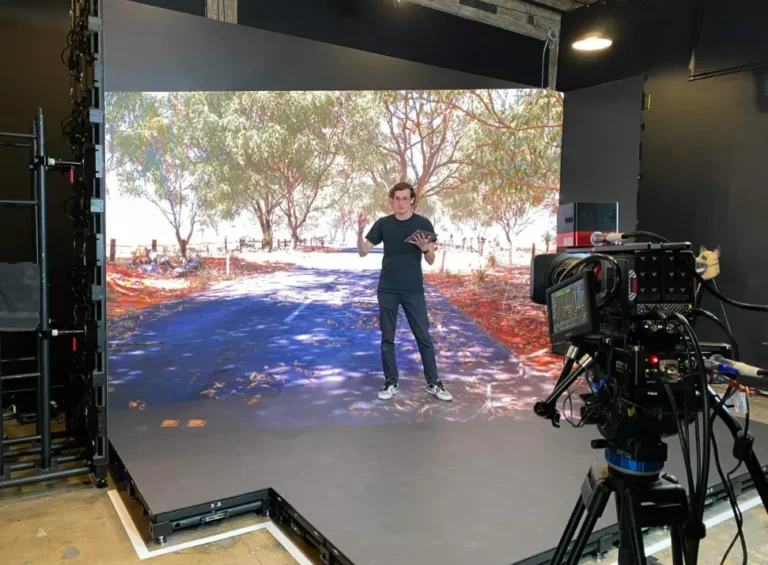
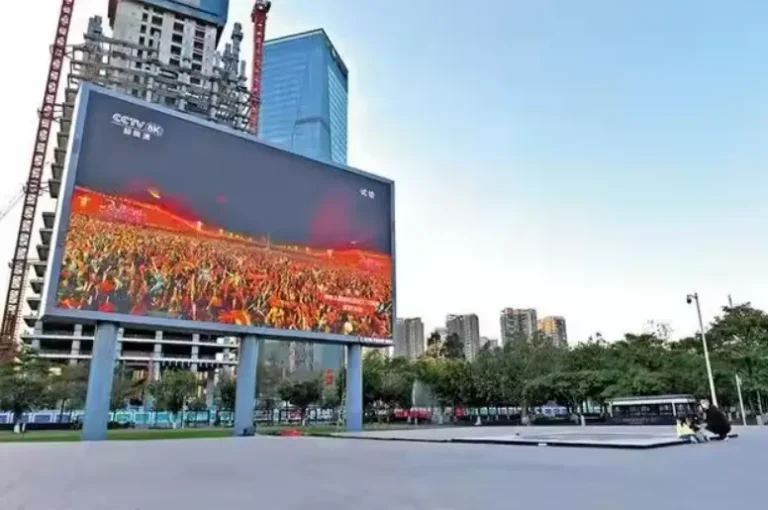
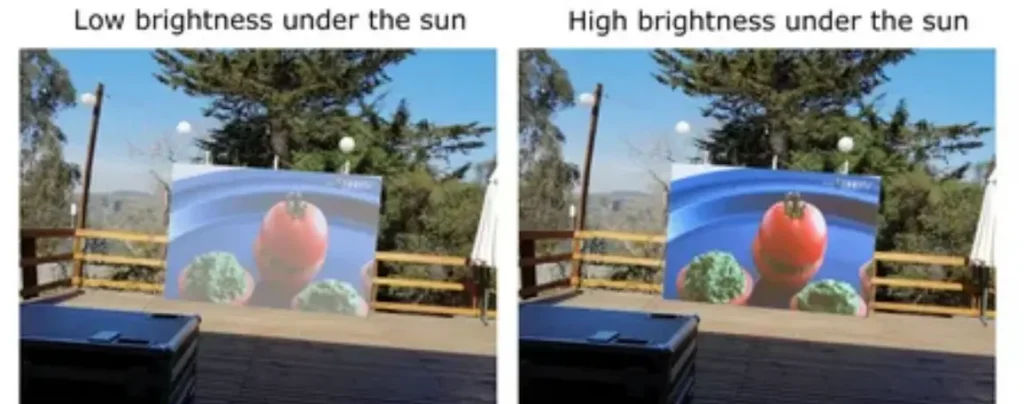
For an LED screen exposed to unshaded direct sunlight, plan for approximately 6,000–10,000 nits during daytime operation. Standard outdoor advertising installations often work within 5,000–8,000 nits, while south-facing billboards, highway screens, reflective building facades, and high-glare locations may require 8,000–10,000 nits or more. The final specification should be based on a site assessment rather than a generic “brightest available” claim.
| Installation Condition | Practical Daytime Brightness Range | Typical B2B Application |
|---|---|---|
| Covered or shaded outdoor area | 2,000–4,000 nits | Transit canopy, covered walkway, semi-outdoor retail |
| Outdoor area with indirect sunlight | 4,000–6,000 nits | North-facing facade, shaded stadium concourse |
| Normal direct daylight | 6,000–8,000 nits | Urban billboard, commercial facade, roadside display |
| Strong direct sunlight or reflective surroundings | 8,000–10,000+ nits | Highway billboard, open plaza, south-facing facade |
The real problem is not simply that a screen looks “too dark.” When the LED display brightness is incorrectly specified, colors become washed out, text loses edge definition, and advertising content becomes difficult to recognize during the hours when audience traffic may be highest. For a DOOH operator, this means lower message recall and wasted media inventory. For a system integrator, it can lead to complaints, emergency recalibration, higher power consumption, and expensive site visits.
Based on our experience with outdoor LED display projects, brightness must be evaluated together with contrast ratio, pixel pitch, viewing distance, cabinet protection, heat dissipation, and control-system performance. A display that produces 10,000 nits on a laboratory datasheet may still perform poorly if its black level is weak, its face reflects sunlight, or its brightness drops after long-term operation.
What LED Screen Brightness for Direct Sunlight Actually Means
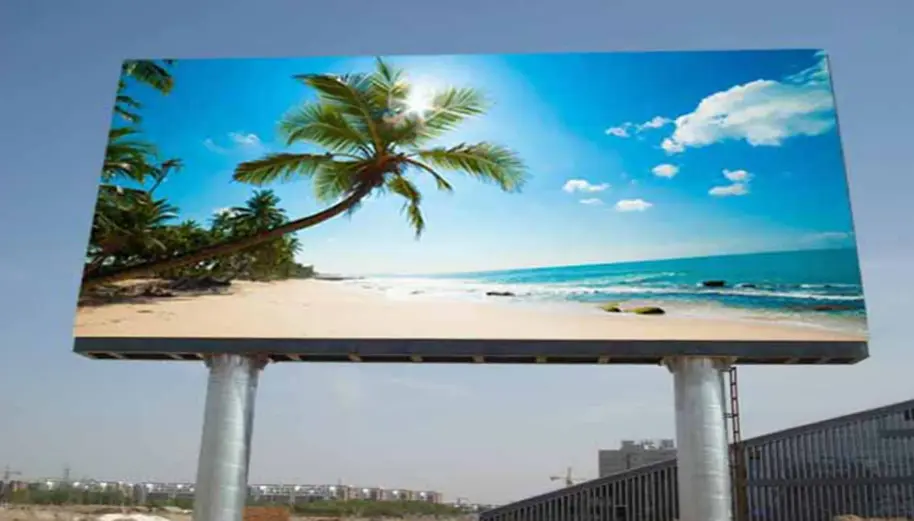
LED display brightness is usually expressed in nits, also written as candela per square meter (cd/m²). One nit equals one candela per square meter. Unlike projector specifications, which commonly use lumens, nits describe the luminance emitted from the display surface itself.
This distinction matters to B2B buyers. A projector can appear brighter or dimmer depending on the projection surface, distance, and surrounding light. An LED display generates light directly from thousands of individual pixels. Its performance is therefore determined by the light output of the LED packages, the optical design of the module, calibration, and the amount of ambient light striking the screen.
A higher nit rating improves daytime legibility, but it also increases electrical load and thermal stress if the display operates at maximum output continuously. The commercial objective is not to purchase the highest number. It is to maintain readable content with sufficient brightness headroom while controlling lifetime operating cost.
According to industry data and field benchmarks used in professional outdoor-display projects, direct-sun installations commonly fall within the 6,000–10,000-nit planning range. This is a starting point, not a universal legal standard. Orientation, latitude, weather, surrounding reflections, content type, and local nighttime brightness regulations can move the required specification higher or lower.
Why Direct Sunlight Washes Out an LED Display
Sunlight affects an outdoor LED display in two ways:
- Ambient luminance raises the visual background. The screen must produce enough light for bright areas to remain distinguishable from the surrounding environment.
- Reflected sunlight reduces perceived contrast. Even when the LED pixels are producing sufficient light, reflections from the module surface, protective mask, glass, metal facade, or nearby buildings can make black areas appear gray.
This is why brightness and contrast ratio should never be evaluated separately. A screen with strong peak luminance but poor optical shading may look less readable than a slightly lower-brightness screen with deeper blacks and better glare control.
Brightness Is Only One Part of Daylight Visibility
The following table shows how the main specification areas influence both performance and commercial value.
| Specification | Engineering Function | Business Benefit | What Buyers Should Verify |
|---|---|---|---|
| Brightness in nits | Provides sufficient luminance against daylight | Keeps advertising, schedules, and branding readable | Maximum and calibrated brightness, not only marketing peak |
| Contrast ratio | Separates bright content from black background | Improves text clarity and visual impact | Native contrast, black mask, shader or louver design |
| Ambient light sensor | Adjusts output as daylight changes | Reduces night-time power use and light pollution risk | Sensor location, calibration range, dimming curve |
| Refresh rate | Reduces camera-visible flicker and scan artifacts | Protects value for sports, events, and social-video content | 3,840Hz or higher for filmed environments |
| IP protection | Resists dust and water ingress | Lowers downtime and weather-related maintenance | IP rating for both front and rear, not front only |
| Heat dissipation | Removes heat generated by high-brightness operation | Extends component life and stabilizes color | Cabinet material, passive cooling, operating temperature |
| Pixel pitch | Determines detail resolution at a given distance | Avoids overpaying for detail viewers cannot resolve | Relationship between pitch, screen height, and viewing distance |
For example, an outdoor LED billboard with 6,500 nits, an effective black mask, an ambient light sensor, and strong thermal management may provide a better total cost of ownership than a poorly engineered 10,000-nit screen running at full power all day.
How Orientation and Surroundings Change the Required Brightness
The same LED display model can perform differently at two installation sites. A north-facing wall in a cloudy climate may receive indirect light for most of the day. A west-facing roadside billboard can experience severe afternoon glare, especially when the sun is low and shining toward the display at an acute angle.
| Site Factor | Lower-Risk Condition | Higher-Risk Condition | Procurement Implication |
|---|---|---|---|
| Orientation | North-facing or naturally shaded | South-, east-, or west-facing with direct glare | Add brightness headroom and perform a site assessment |
| Surroundings | Open matte surfaces | Glass, polished stone, metal, water, or snow | Specify stronger contrast and anti-glare design |
| Audience distance | Long-distance vehicle viewing | Close pedestrian or retail viewing | Balance brightness with pixel pitch and image comfort |
| Operating hours | Daytime only | 24/7 operation | Require automatic dimming and remote monitoring |
| Climate | Moderate temperature and low humidity | Desert heat, tropical rain, coastal salt air | Confirm thermal design, IP rating, and corrosion protection |
| Content | Large text and simple graphics | Video, sports, fine detail, live broadcast | Combine brightness with high refresh rate and grayscale |
For highway advertising, the audience may see the screen for only a few seconds. Content must remain immediately recognizable through windscreen glare and changing sun angles. In this case, brightness, contrast, viewing distance, and content design work as one system.
For a commercial building or retail facade, viewers may stand closer. Excessive brightness can create visual discomfort, especially after sunset, and may violate local light-pollution requirements. This is where automatic brightness adjustment becomes a revenue-protection feature rather than a simple convenience. It allows the screen to use high output during peak daylight and reduce output when ambient light falls.
Why Maximum Brightness Should Not Be Your Only Buying Metric
Manufacturers may report brightness under full-white test conditions, with new LEDs, controlled temperature, and maximum drive settings. That number is useful, but it does not represent every real operating condition.
A professional specification should distinguish between:
- Peak brightness: The maximum output under defined test conditions.
- Calibrated brightness: The usable output after calibration.
- Operating brightness: The level used for typical content and site conditions.
- Maintained brightness: The output the display can sustain as LEDs age.
High-brightness operation generates heat. Heat accelerates component degradation, increases power demand, and can affect color consistency across a large screen. A robust outdoor LED display therefore needs efficient LED packages, appropriate drive settings, stable power distribution, and a cabinet design that moves heat away from the modules.
SoStron’s outdoor DOOH product strategy focuses on matching brightness with energy efficiency, automatic dimming, weather protection, and remote monitoring. The commercial goal is straightforward: maintain visibility during direct sunlight without forcing the operator to pay the electrical and maintenance penalty of continuous full-power operation.
A Practical Specification Method for B2B Buyers
Before choosing an outdoor LED display brightness level, collect these project inputs:
- Exact installation location and GPS coordinates.
- Screen orientation and the hours of direct sunlight.
- Nearby reflective surfaces or artificial lighting.
- Minimum and maximum audience viewing distance.
- Daytime and nighttime operating schedule.
- Content type, including static advertising, video, sports, or broadcast.
- Required IP rating and environmental conditions.
- Available electrical capacity and acceptable operating cost.
- Local regulations for nighttime luminance and light pollution.
- Brightness measurement and aging-test documentation from the supplier.
A reliable supplier should not recommend a model from pixel pitch alone. The engineering team should connect the screen size, viewing distance, required nit level, cabinet structure, power budget, control system, and installation environment into one proposal.
How to Match Brightness With the Right Outdoor LED Display Technology
Once the site conditions are clear, the next decision is choosing a display architecture that can maintain visibility without creating unnecessary operating cost. Brightness should be treated as part of a system—not as an isolated number printed on a product sheet.
For example, SoStron’s outdoor product families address different project priorities:
- Ares focuses on high-brightness DOOH applications, passive heat dissipation, and reduced operating cost.
- Ares 2 uses common-cathode technology to reduce power consumption while maintaining strong daylight performance.
- ARES 3 extends this approach with Common Cathode 2.0, lighter construction, and high environmental protection.
- Storm is designed around a proven steel-cabinet structure, power redundancy, and long-term outdoor operation.
- Storm Pro targets more demanding environments where surge protection, corrosion resistance, and thermal management are major concerns.
The correct choice depends on what creates financial risk for the project. A billboard operator may prioritize energy consumption over the lowest purchase price. A stadium integrator may care more about refresh rate, impact protection, and camera performance. A coastal developer may require corrosion resistance and IP protection before brightness becomes the deciding factor.
| Project Priority | Recommended Technical Focus | Why It Matters Commercially | Suitable Direction |
|---|---|---|---|
| Maximum daytime visibility | 7,000–10,000 nits, high contrast, optical shading | Protects advertising readability during peak traffic hours | High-brightness Ares or ARES 3 configuration |
| Lower electricity cost | Common-cathode LEDs, automatic dimming, efficient power supplies | Reduces recurring OPEX for 24/7 DOOH networks | Ares 2 or ARES 3 |
| Coastal or high-humidity location | IP65 or higher, sealed modules, corrosion-resistant coating | Reduces water, salt, and maintenance-related failures | Ares, ARES 3, or Storm Pro after site review |
| Highway or roadside advertising | 5,500–10,000 nits, wide viewing angle, readable pixel pitch | Gives passing drivers more time to recognize the message | P6–P10 outdoor configuration, depending on distance |
| Sports and live broadcast | 3,840Hz or higher, high grayscale, protective mask | Prevents camera flicker and reduces player-impact risk | Stadium or high-refresh rental configuration |
| High-rise facade installation | Lightweight cabinet, wind-load engineering, service access | Reduces steel-structure and installation costs | Lightweight aluminum outdoor architecture |
| Nighttime operation | Ambient light sensor, programmable dimming, remote monitoring | Controls glare, light pollution, and power use | Any model with intelligent brightness management |
Why Contrast Ratio and Shaders Matter Under Direct Sunlight
A high nit rating cannot compensate for poor black-level performance. When sunlight reflects from the front surface of an LED module, dark content can appear gray. This reduces the effective contrast between the advertisement and its background.
Outdoor LED displays often use black masks, louvers, or shaders above the LED rows. These components limit the amount of sunlight reaching the pixel surface and help absorb stray reflections. The result is not simply a better-looking image. It is more legible typography, stronger brand colors, and improved content recognition from a distance.
This is particularly important for DOOH advertising. A driver does not study the display. The message must be understood quickly. Large text, strong color separation, short copy, and effective contrast usually create more advertising value than an unnecessarily fine pixel pitch.
The same principle applies to public information screens. A transit schedule or emergency message must remain readable under changing daylight conditions. A screen that is technically bright enough but visually washed out still fails its operational purpose.
Pixel Pitch, Viewing Distance, and Brightness Must Be Specified Together
Brightness cannot be selected correctly without understanding viewing distance. A P2.9 outdoor LED display may deliver excellent detail for close-range commercial viewing, but it may be an unnecessary investment for a highway billboard viewed from 30 meters or more. Conversely, a P10 screen may be economical at long range but unsuitable for a pedestrian-facing retail facade.
A practical starting point is:
- P2.9–P4.8: Closer commercial spaces, premium facades, and applications requiring finer detail.
- P6.2–P7.8: General outdoor advertising, urban roadside displays, and medium-distance viewing.
- P10.4 and larger pitches: Highway billboards, large-format advertising, and long-distance viewing.
These ranges are not rigid rules. Screen height, content design, road speed, camera distance, and viewing angle also influence the result. A supplier should calculate the expected viewing distance rather than recommending the smallest available pitch.
Choosing the correct pitch can create a larger commercial benefit than simply increasing brightness. It prevents the buyer from spending on pixel density that the audience cannot resolve, leaving more budget available for structural engineering, power efficiency, content management, or maintenance access.
The Role of Automatic Brightness Adjustment
A direct-sunlight LED billboard may require high output at noon but far less output after sunset. Running at maximum brightness around the clock creates three avoidable problems:
- Higher electricity consumption.
- Additional thermal stress on LED modules and power components.
- Excessive nighttime luminance, which may create driver discomfort or conflict with local regulations.
An ambient light sensor solves this by measuring surrounding conditions and adjusting the display output. A properly configured dimming curve should respond smoothly rather than switching abruptly between brightness levels.
For a DOOH operator, this is a direct operating-cost issue. If the display network contains several large screens, even modest nighttime reductions can significantly affect annual energy use. For a municipality or property developer, automatic dimming also supports responsible urban lighting management.
Remote monitoring adds another layer of value. A CMS or network control platform can help operators monitor brightness, temperature, receiving-card status, and display availability without sending technicians to every site. Early warnings can reduce downtime and improve service response.
How to Verify Brightness Before Purchasing
A professional buyer should request evidence, not only a headline specification. Ask the supplier for:
- Brightness measured in nits or cd/m².
- Test conditions and measurement method.
- Calibrated brightness after aging.
- Brightness uniformity across the display.
- LED lifetime and lumen-maintenance information.
- Automatic-dimming range and sensor specifications.
- Power consumption at typical content levels.
- IP rating for both front and rear surfaces.
- Refresh rate under the intended control system.
- Thermal and environmental test reports.
- Installation guidance for wind, rain, salt, and high temperatures.
The phrase “up to 10,000 nits” should not be treated as a complete performance claim. Ask whether that figure represents maximum full-white brightness, calibrated brightness, or a recommended operating level. Also confirm whether the brightness remains consistent across different modules and after extended operation.
For large projects, a sample cabinet or on-site demonstration is worthwhile. A short daytime test can reveal glare, viewing-angle limitations, color shifts, and content visibility problems that a PDF cannot show.
Five Frequently Asked Questions
How many nits does an LED screen need for direct sunlight?
For unshaded direct sunlight, a practical planning range is approximately 6,000–10,000 nits. Around 7,000–8,000 nits may suit many commercial installations, while highly reflective, south-facing, or highway locations may benefit from 8,000–10,000 nits or more. The final value should follow a site assessment.
Is 5,000 nits enough for an outdoor LED billboard?
It can be sufficient in moderate daylight, shaded locations, or installations that do not face direct sunlight for long periods. However, a 5,000-nit screen may appear washed out during strong midday sun, especially near glass, water, polished stone, or reflective vehicles. For full-sun advertising, additional brightness headroom is usually safer.
Can an LED screen be too bright at night?
Yes. Excessive nighttime luminance can cause glare, reduce viewing comfort, increase energy consumption, and create compliance concerns. An ambient light sensor and programmable automatic brightness adjustment should be specified for any screen operating after dark.
Does higher brightness increase power consumption?
Generally, yes. Higher LED drive levels require more electrical power and generate more heat. Common-cathode technology, efficient power supplies, passive cooling, and automatic dimming can help maintain visibility while lowering operating costs.
What is more important: brightness or pixel pitch?
Neither specification should be selected alone. Brightness determines daylight visibility, while pixel pitch determines image detail at a given distance. A well-designed project matches both to the installation environment, audience distance, content type, and budget.
Expert Verdict
For an LED screen exposed to direct sunlight, specify usable brightness—not just peak brightness. Start with the site: orientation, glare, viewing distance, operating hours, and local regulations. Then pair the required nit level with contrast control, IP protection, thermal design, high refresh rate, and automatic dimming.
For most commercial DOOH projects, a properly engineered 6,000–10,000-nit outdoor LED display with intelligent brightness management is a stronger long-term investment than an oversized screen running at full power. The right specification keeps content visible, protects the operator’s margins, and gives the installation a better chance of performing reliably for years.
References: