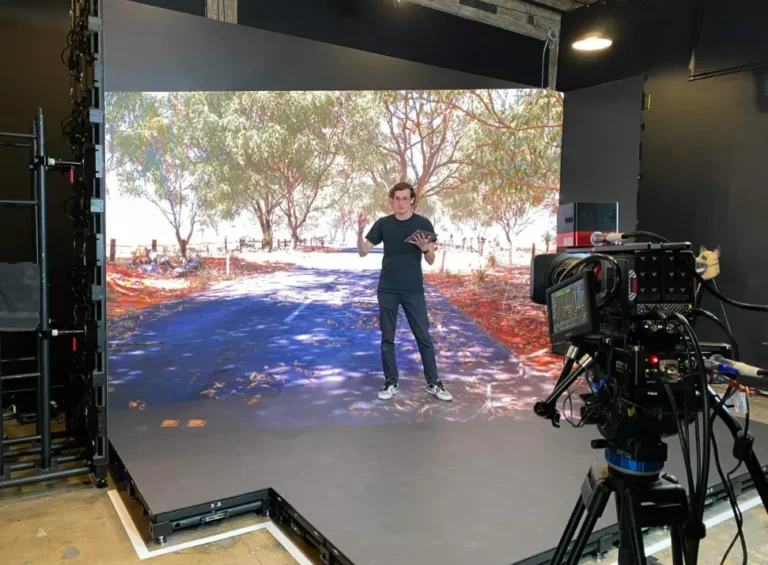
If a camera is pointed at your LED wall, 3,840Hz is the floor, not the ceiling. For standard news desks and studio backdrops covered by broadcast cameras, 3,840Hz eliminates the flicker and rolling bands that plague lower-spec panels. For XR volumes, virtual production stages, or any shoot involving slow-motion or high-speed cameras, that number climbs to 7,680Hz. Anything marketed as “60Hz” or “120Hz” belongs to the television remote in your living room—it has no place on a spec sheet for professional LED displays.
| Application | Minimum Refresh Rate | Why |
|---|---|---|
| Static digital signage, retail | 960–1,920Hz | No camera exposure; human eye tolerance only |
| Standard broadcast studio, news desk | ≥3,840Hz | Matches typical shutter speeds without banding |
| XR stage/virtual production | ≥7,680Hz | Camera shutter angles vary constantly; needs headroom |
| Slow-motion/high-speed capture | 7,680Hz+ (verified) | High frame-rate cameras expose shorter windows |
We’ve watched integrators lose entire shoot days because a supplier’s “3840Hz” panel flickered under a 1/2000s shutter. That single line item—refresh rate—decides whether your footage is broadcast-ready or unusable, and no amount of pixel pitch or brightness can compensate for it.
Here’s what most buying guides skip: refresh rate isn’t a standalone number you can shop for like brightness or resolution. It’s the output of a hardware chain—driver IC, scan ratio, greyscale processing—and if any link in that chain is undersized, the number on the datasheet becomes fiction the moment a camera rolls. Based on our experience specifying LED walls for newsroom retrofits and touring XR volumes, the buyers who get burned are almost always the ones who stopped their due diligence at the spec sheet.
Refresh Rate vs. Frame Rate—Why Buyers Confuse Them (and Why It Costs You)
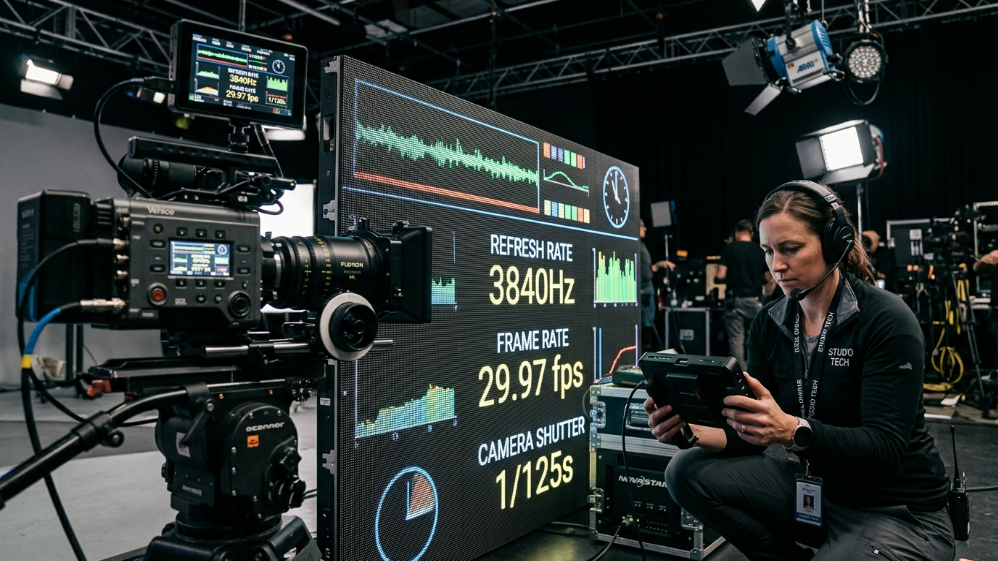
These two terms get used interchangeably in sales conversations, and that’s precisely where budgets go sideways. Frame rate is a property of the video source—24fps, 30fps, 60fps—describing how many complete images the camera or media player delivers per second.
Refresh rate is a property of the LED screen itself, describing how many times per second the panel redraws its pixels, measured in Hz.
A 3,840Hz display isn’t showing 3,840 different images; it’s cycling the same frame through its driver 3,840 times to keep the light output stable enough for a camera sensor to capture cleanly.
The relationship that actually matters is between refresh rate and shutter speed—not frame rate.
Broadcast cameras don’t expose continuously; they open and close a shutter for a fraction of each frame, and if the LED panel happens to be mid-cycle (or worse, in its “off” state) when that shutter fires, you get a dark band or a rolling artifact across the image.
A rough working formula our engineering team uses when qualifying panels:
Required refresh rate ≥ (1/shutter speed) × safety multiplier (typically 2–3x)
So a camera shooting at a 1/1000s shutter—common for crisp motion capture—theoretically needs a refresh rate well above 1,000Hz just to avoid catching a dark frame, and in practice you want 3–4x headroom because shutter angle, exposure compensation, and rolling shutter sensors on modern cinema cameras all add variability.
This is why “it worked fine when we tested it at 60fps” on a demo floor means almost nothing once that same panel meets a 1/2000s shutter during a live sports segment.
How Much Refresh Rate Do You Really Need? (By Studio Scenario)
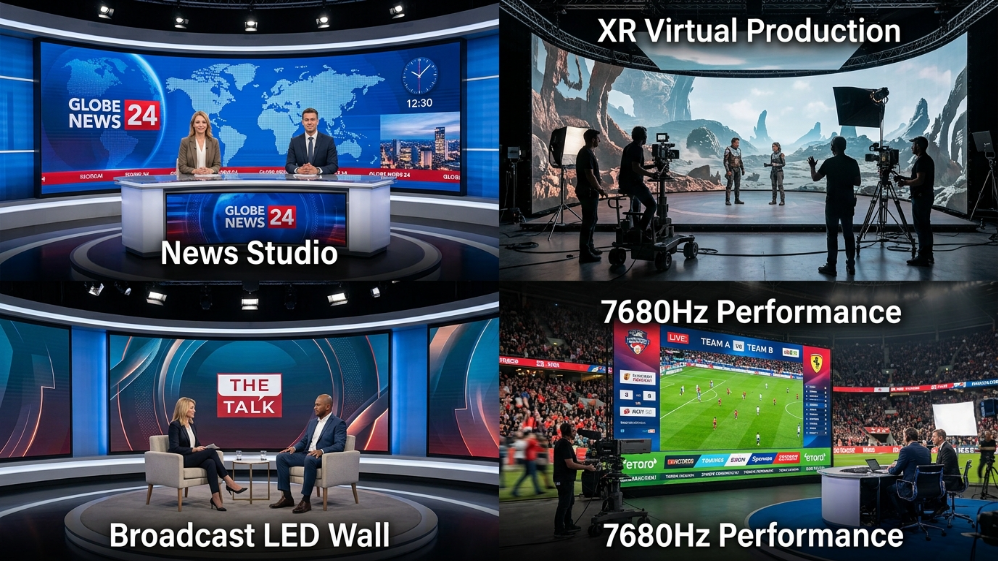
Not every square meter of a studio needs the same spec, and treating refresh rate as a single blanket number across an entire volume is how procurement budgets get inflated unnecessarily.
According to production data shared by system integrators working on ICVFX (in-camera visual effects) stages, the requirement scales sharply with how close the camera gets and how dynamic the shutter settings are during a shoot.
| Studio Zone | Camera Behavior | Recommended Hz |
|---|---|---|
| Fixed news desk background | Static shutter, predictable framing | 3,840Hz |
| Interview/talk-show set | Occasional close-ups, varied lighting | 3,840Hz (verified with 14-bit greyscale) |
| XR background wall | Real-time tracking, shifting shutter angle | 7,680Hz |
| Interactive floor/ceiling in a volume | Wide shots, less critical focus | 3,840Hz often acceptable |
| Slow-motion replay screens | High-speed sensors, short exposure | 7,680Hz, camera-tested |
The takeaway for procurement teams: an XR volume doesn’t necessarily need 7,680Hz across every panel.
The primary background wall—the one sitting directly in the camera’s focal path—is where that spec earns its cost.
Ceiling and side panels captured only in wide establishing shots can often run at 3,840Hz without any visible compromise, which meaningfully changes the total project budget on a large-format install.
The Hidden Trade-off Nobody Tells You: Refresh Rate vs. Greyscale Depth
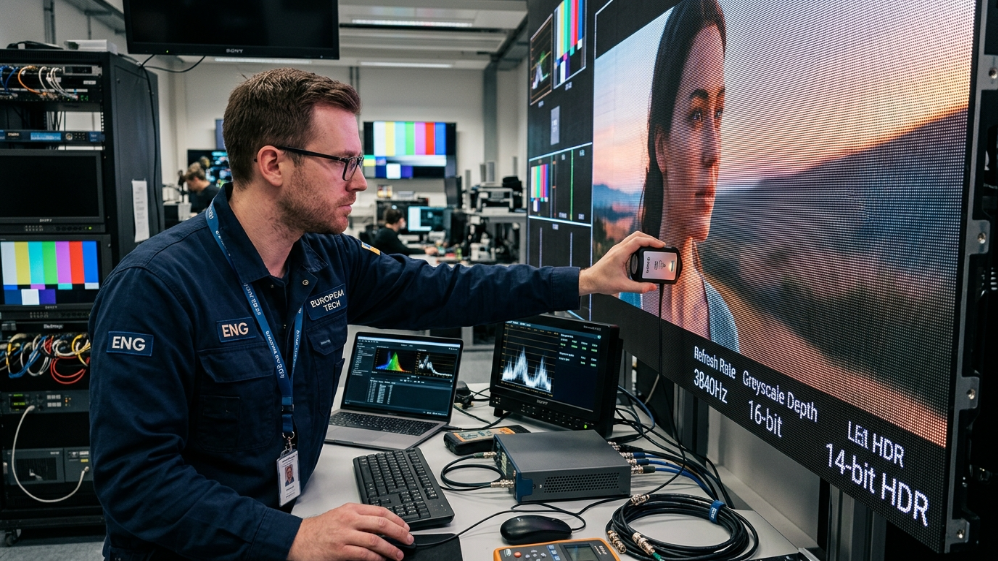
This is the part of the spec sheet most sales reps hope you never ask about.
Refresh rate and greyscale bit depth are mechanically linked—pushing a driver IC to scan faster often forces a trade-off in how many brightness levels it can render at each pixel.
A panel quoted at 7,680Hz with only 10-bit greyscale (1,024 brightness steps) will frequently show visible banding in shadow detail and gradient skies—the exact footage where broadcast and film clients are least forgiving.
Feature → Benefit, Translated for a Buyer
14-bit greyscale delivers 16,384 discrete brightness levels at the rated refresh rate, which means smoother skin tones under key lighting and gradients that hold up in post-production color grading—not just a bigger number on a comparison chart.
A 3,840Hz display holding true 14-bit greyscale will frequently outperform a 7,680Hz panel that drops to 10-bit under load, particularly in low-light or HDR content.
Before signing off on any refresh rate spec, ask your supplier what greyscale depth is maintained at that rated Hz—not the greyscale figure at the panel’s lowest scan setting, which is how some datasheets quietly inflate both numbers independently.
What Actually Determines an LED Screen’s Refresh Rate (Hardware Behind the Spec)
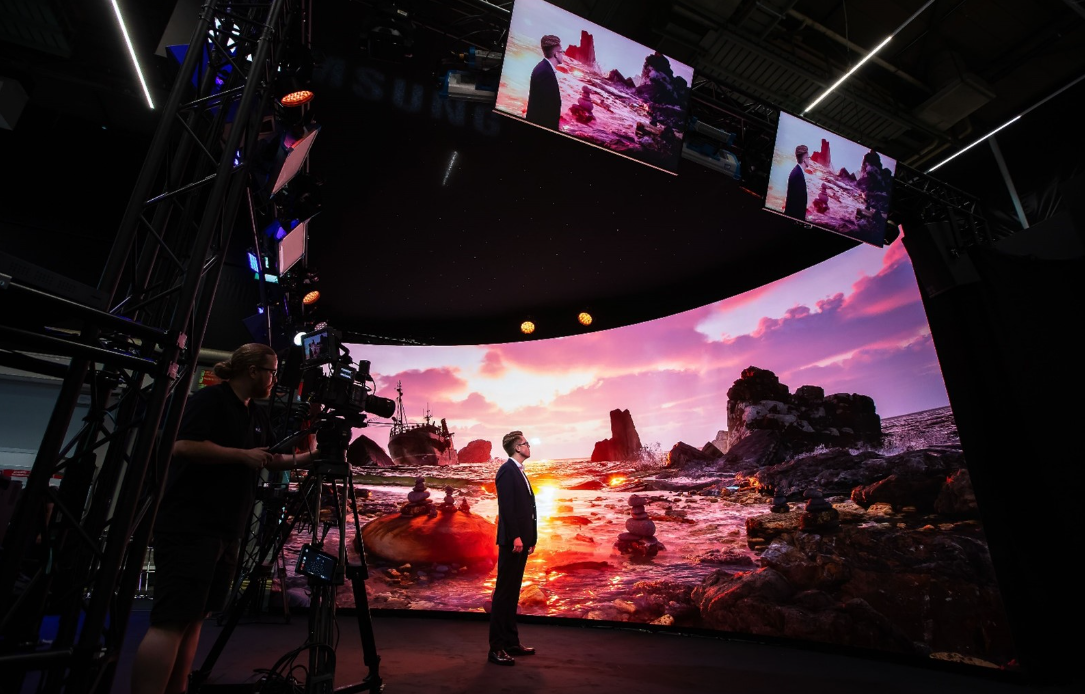
- Camera Flicker: Visible black bars (rolling shutter effect) when filmed.
- Content Loss: Fast-moving content may appear blurry or tearing.
- Not Broadcast Ready: Unsuitable for professional live streaming or TV.
- Flicker-Free: Crystal clear image on all cameras (1/2000s+ shutter speed).
- Smooth Motion: Perfect for fast video playback and sports.
- XR Ready (7680Hz): Essential for virtual production and XR studios.
Here’s the uncomfortable truth most sales brochures leave out: refresh rate isn’t a fixed property of an LED panel—it’s the ceiling imposed by three interlocking hardware decisions, and any one of them can quietly cap performance regardless of what the datasheet claims.
Driver IC Performance
The driver IC does the heavy lifting.
Standard PWM driver chips top out well below broadcast requirements; reaching 3,840Hz or 7,680Hz reliably requires dual-latch or constant-current driver architecture specifically engineered for high-speed switching.
Ask for the IC model number, not just the marketing spec—a Macroblock or Chipone dual-latch chip behaves very differently under load than a generic PWM driver rebadged at a higher claimed frequency.
Scan Ratio Impact
The scan ratio compounds this.
A panel running static scan (1/1)—where every row is illuminated simultaneously rather than cycling row by row—has a structural advantage in hitting high refresh rates cleanly, but it also draws significantly more current and generates more heat than a 1/4 or 1/8 scan configuration.
This is precisely why two panels both labeled “3,840Hz” can perform completely differently on camera:
- One might be static-scan with full current headroom.
- The other might be a 1/8-scan panel pushed to its theoretical maximum with no thermal margin.
Feature → Benefit Translated
A properly engineered driver + scan ratio combination doesn’t just produce a bigger number on paper—it means the panel holds its rated performance for hour six of a live broadcast, not just during a five-minute demo on the trade show floor.
How to Verify a Supplier’s Refresh Rate Claims Before You Sign the PO
This is where procurement teams either protect their budget or inherit someone else’s mistake.
Based on our experience qualifying panels for newsroom and touring XR clients, refresh rate is the single most inflated spec in this industry—because it’s cheap to print on a datasheet and expensive to actually engineer.
Before any purchase order goes out, put these five questions to your supplier directly:
-
“What is the exact driver IC model, and can you send the datasheet?”
A supplier who hesitates or can’t name the chip is likely reselling a white-label panel with an unverified claim.
-
“What greyscale bit depth is maintained at this rated refresh rate?”
As covered above, a 7,680Hz claim paired with 10-bit greyscale is a red flag, not a premium spec.
-
“Can you provide a real camera test video, shot at our intended shutter speed, before we commit?”
Any manufacturer confident in their numbers will support this without pushback.
-
“What’s the scan ratio, and is it static (1/1) or divided?”
This tells you whether the Hz figure has thermal and power headroom or is running at its ceiling.
-
“Can we test on-site with our actual production camera before final acceptance?”
This single step catches more supplier overstatement than any spec sheet review.
| Verification Step | What It Confirms | Red Flag If Refused |
|---|---|---|
| Driver IC datasheet request | Real hardware capability, not marketing rounding | Vague answers, “proprietary technology” only |
| Greyscale-at-rated-Hz disclosure | Whether high Hz sacrifices color depth | Only quoting greyscale at lowest scan setting |
| Pre-installation camera test | Real-world flicker/banding performance | “It will be fine, trust the spec” |
| Scan ratio disclosure | Thermal and power headroom | No answer or deflected to brightness specs |
| On-site acceptance testing | Final go/no-go before payment release | Reluctance to allow client-supplied camera |
Treat this table as a contractual checklist, not a courtesy.
On a six- or seven-figure LED wall installation, five minutes of supplier questioning is cheaper than one ruined broadcast segment.
Refresh Rate + Pixel Pitch: Choosing the Right Combination for Your Camera Distance
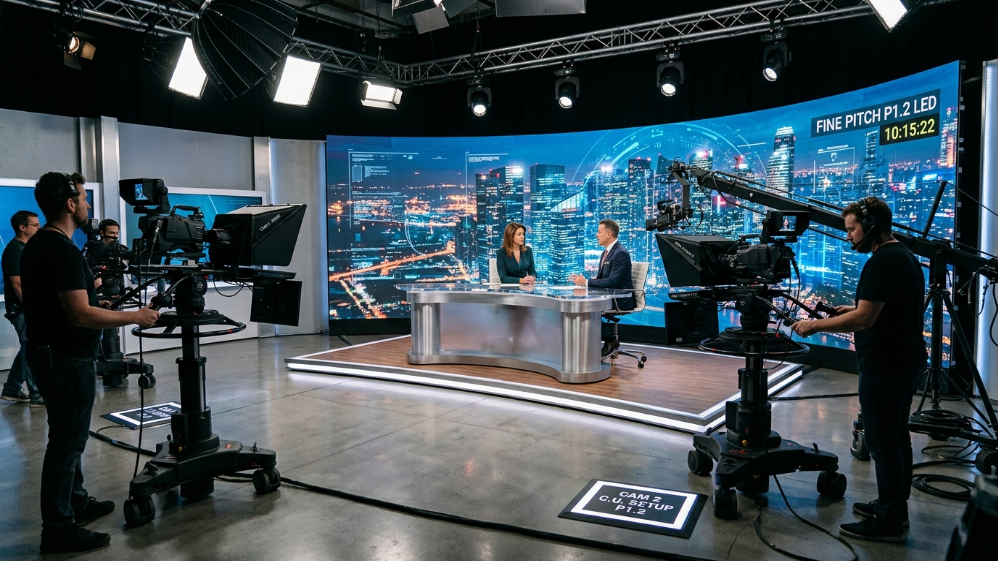
Refresh rate solves the flicker problem.
Pixel pitch—the distance between LED centers—solves a different problem entirely: whether the camera resolves individual pixels as a visible grid or as a smooth, continuous surface.
The two specs need to be matched to your actual shooting distance, not maximized independently.
For intimate setups—anchor desks, close-up dialogue, newsroom interviews where the camera sits just a few feet from the wall—a fine pitch in the P1.2 to P1.9 range is close to mandatory, paired with 3,840Hz minimum.
Push the camera back to 15–30 feet, typical of larger cinematic volumes or wide studio backgrounds, and P2.3 to P2.8 becomes the sweet spot, since finer pitch beyond that distance adds cost without a visible quality gain the camera can actually register.
Cost vs. Performance—Is a Higher Refresh Rate Worth the Investment?
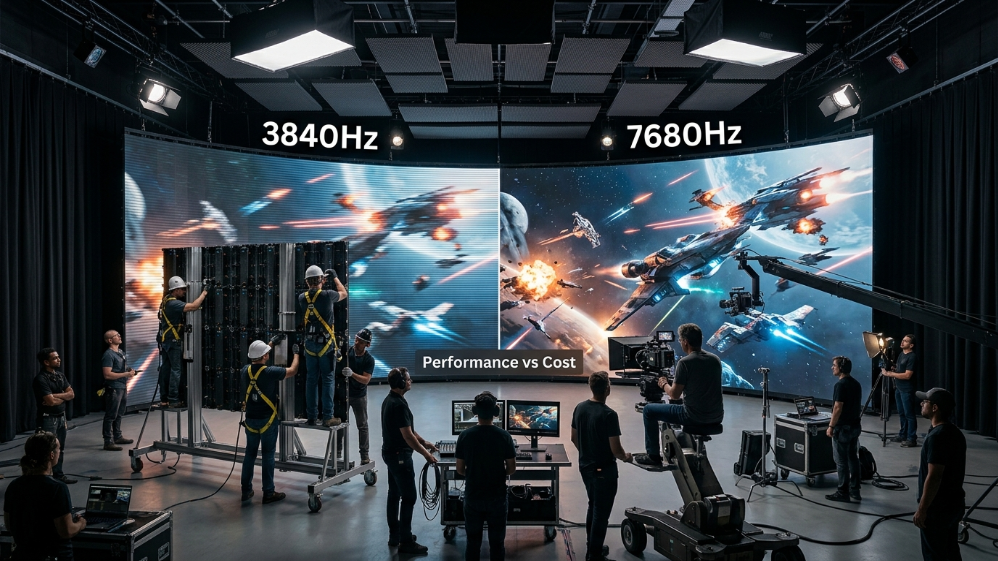
Jumping from 3,840Hz to 7,680Hz isn’t a line-item rounding error.
It typically demands a more robust driver IC, tighter thermal management, and—critically—more power draw, since static-scan and dual-latch architectures pull more current to sustain that switching speed.
For a large-format volume, that translates into higher HVAC load and a real line item in your power infrastructure budget.
The ROI framework we recommend to integrators:
Reserve 7,680Hz for the surfaces that are actually in the camera’s primary focal path—the main XR background, the anchor’s immediate backdrop.
Side walls, ceiling panels, and wide-shot-only surfaces frequently perform indistinguishably at 3,840Hz on camera, and spending the premium there rarely shows up in the final footage.
This zone-based spending approach has saved clients meaningful budget on large installs without sacrificing the shots that matter to their broadcast output.
FAQ
What is a good refresh rate for video production?
3,840Hz or higher is the accepted threshold for any LED screen that will appear on camera, whether for broadcast, live streaming, or corporate video production.
Can I use a 1,920Hz LED screen for broadcast?
Not reliably.
1,920Hz may look acceptable to the naked eye but frequently produces visible scan lines or rolling bands once a broadcast camera’s shutter speed is factored in.
Does a higher refresh rate reduce brightness?
Indirectly, yes—pushing scan frequency higher can force trade-offs in driver current allocation, sometimes at the cost of peak brightness or greyscale depth unless the hardware is specifically engineered to sustain both.
How do I test my LED screen’s refresh rate myself before final acceptance?
Record the panel with your actual production camera at your intended shutter speed and frame rate—not a smartphone at default settings.
Visible dark bands or flicker indicate the effective refresh rate falls short of the claimed spec.
What refresh rate does an XR virtual production stage actually need?
7,680Hz for the primary background wall in the camera’s focal path is the safer standard; secondary surfaces like ceiling or side panels can often run at 3,840Hz without visible compromise.
Expert Verdict
If your LED wall will ever face a broadcast camera, 3,840Hz isn’t a negotiable upgrade—it’s the entry ticket.
Push to 7,680Hz only where the camera actually lives: your primary background, not every panel in the room.
And treat the driver IC datasheet and a real camera test as non-negotiable line items in your PO, not optional extras—because on this spec, the number on paper and the number that survives a live shoot are too often two very different things.
References:
VESA Display Monitor Timing Standard (DMT) & Display Interface Standards