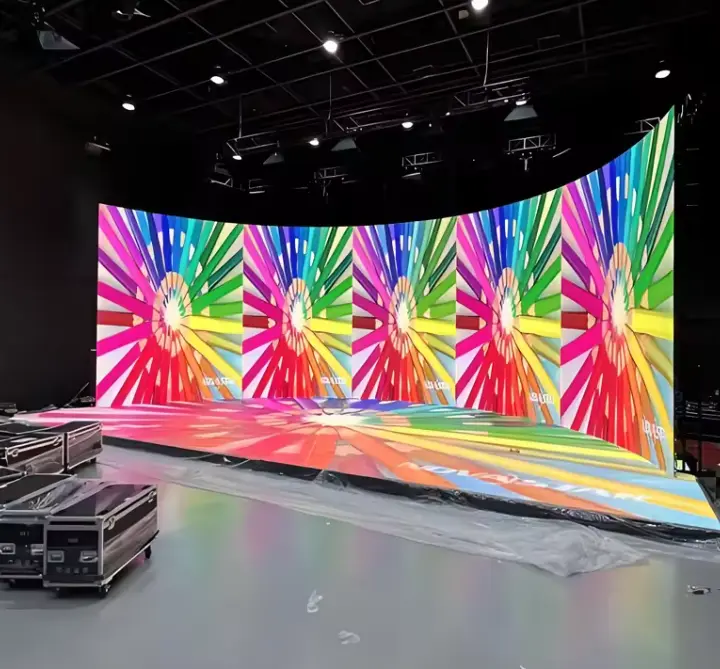
A rental LED screen for events should be chosen around the event itself, not around a catalog specification. Start with five questions: What type of event is it? How far away is the audience? Is the screen indoors or outdoors? How large can it be given the venue and rigging limits? What does the production team need for signal, cameras, and schedule? Those answers narrow the pixel pitch, cabinet type, brightness class, and installation method far more reliably than a price list does.
The three most common scenarios place very different demands on the display. A concert stage usually needs large-scale impact, long viewing distances, and fast setup. An exhibition booth puts the audience close to the screen and makes detail and booth integration the priority. A corporate conference depends on legible slides, stable playback, and clean camera capture. This guide walks through each scenario, then closes with seven practical buying tips you can use before requesting a quotation. For a broader overview of the category, see our rental LED display solutions.
How to Choose an LED Screen for Events
The most important step is defining the event environment before choosing a specific LED video wall for events. Once you know where the screen will sit, who will watch it, and how it will be operated, the technical choices follow more logically.
| Selection Factor | Why It Matters | What Buyers Should Confirm |
|---|---|---|
| Event type | Different events have different visual and production requirements | Concert, exhibition, conference, or hybrid event |
| Viewing distance | Affects perceived image detail | Audience distance and viewing positions |
| Pixel pitch | Influences image clarity and display cost | Required resolution and viewing conditions |
| Indoor or outdoor use | Affects brightness and environmental protection | Ambient light, weather exposure, and installation location |
| Screen size | Influences visibility and stage or booth design | Venue dimensions and audience layout |
| Cabinet design | Affects setup, transport, and configuration flexibility | Cabinet dimensions, weight, and connection method |
| Installation method | Affects structural planning and setup time | Ground support, hanging, rigging, and venue restrictions |
| Production workflow | Affects content playback and signal management | Video processor, signal inputs, redundancy, and control workflow |
For event production teams, the first step is to document these eight factors in a single brief. A supplier can then recommend a configuration against real conditions rather than guessing. Note that the factors interact: a finer pixel pitch increases resolution but may also affect cost, cabinet count, and signal load, so no single factor should be decided in isolation.
| Information to Provide | Example of What to Include |
|---|---|
| Event type | Concert, exhibition, conference, product launch |
| Venue | Indoor hall, outdoor stage, exhibition booth |
| Screen location | Main stage, side screen, booth wall, conference backdrop |
| Audience layout | Seated, standing, mixed, or multi-zone |
| Viewing distance | Nearest and farthest audience positions |
| Screen dimensions | Proposed width and height, if already defined |
| Content | Slides, live video, graphics, promotional videos |
| Camera use | Live streaming, recording, broadcast, or no camera |
| Installation | Ground-supported, hanging, or custom structure |
| Schedule | Setup date, event dates, dismantling deadline |
Rental LED Screen for Concerts
Concert production is the most demanding scenario for scale, speed, and reliability. A rental LED screen for concerts typically serves several different roles in the same show, and each role has different requirements.
Screen roles at a concert
- Main stage LED screens: The central visual element behind or around the performers. Size and content resolution are planned together with the stage design.
- Side-stage screens (IMAG): Image magnification displays that help audiences farther from the stage see performers clearly. Viewing angle and image clarity matter most here.
- Delay screens: Placed farther into the venue to improve visibility for distant audience areas. Their locations should be coordinated with audience sightlines, stage visibility, and the event’s video distribution and synchronization plan.
- Decorative LED display elements: Creative shapes, floors, ribs, or stage set pieces. These depend more on cabinet flexibility and mechanical design than on standard rectangular wall layouts.
Concert requirements are not uniform. A club tour, an arena show, and an open-air festival will call for different screen sizes, pixel pitches, and brightness levels, so no fixed specification should be assumed.
| Concert Application | Main Requirement | Key Selection Consideration |
|---|---|---|
| Main stage background | Large-scale visual impact | Audience distance, screen dimensions, and content resolution |
| Side screens | Improve visibility for distant audiences | Viewing angle and image clarity |
| Outdoor concert | Visibility under ambient light | Brightness, weather exposure, and structural planning |
| Camera-facing stage display | Reliable image capture | Refresh rate, camera testing, and processing configuration |
Production factors to plan early
Camera capture and refresh rate. If the show is filmed or broadcast, the screen will be seen through lenses as well as by the audience. Refresh rate, scan settings, and processing all influence how the display appears on camera. Because results depend on the specific camera, shutter settings, and processor, confirm performance through a test with your actual camera and production setup rather than relying on a specification sheet alone.
Outdoor visibility. Daylight and stage lighting both compete with the screen. Brightness requirements depend on the time of day, orientation of the stage, and shading. Ask the supplier how brightness will be verified for your conditions.
Rigging and structural safety. Whether screens are ground-supported or hung, the structure, load path, and venue rules must be reviewed by qualified rigging and structural professionals. Cabinet weight and the locking system should be confirmed before the design is finalized. See our notes on rental LED screen installation for related planning points.
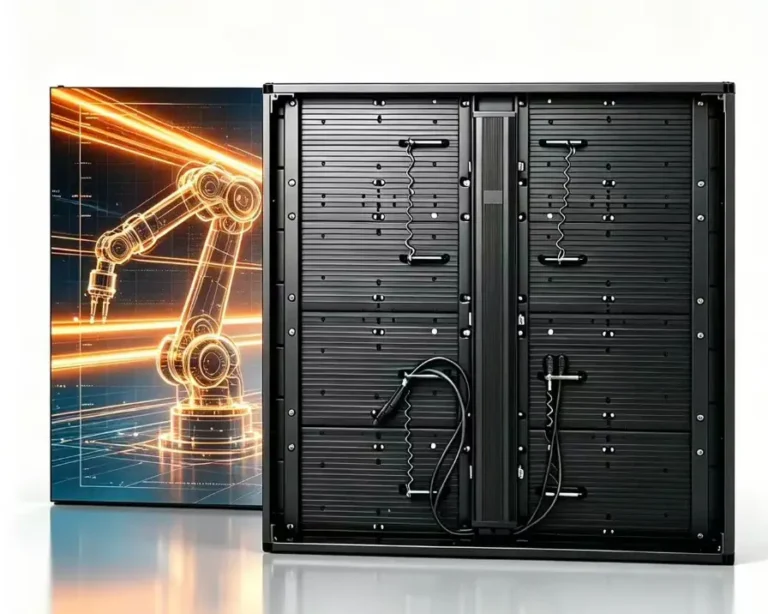
Fast setup and dismantling. Touring productions often have tight load-in and load-out windows. Quick-lock cabinets, clear cable labeling, and pre-planned layouts help, and the rental LED display cabinet design should be reviewed with this in mind.
Signal distribution and redundancy. For a live show, plan signal paths so a single cable or device failure does not blank the screen. Discuss backup processors, redundant signal routes, and spare modules with your supplier.
Rental LED Screen for Exhibitions
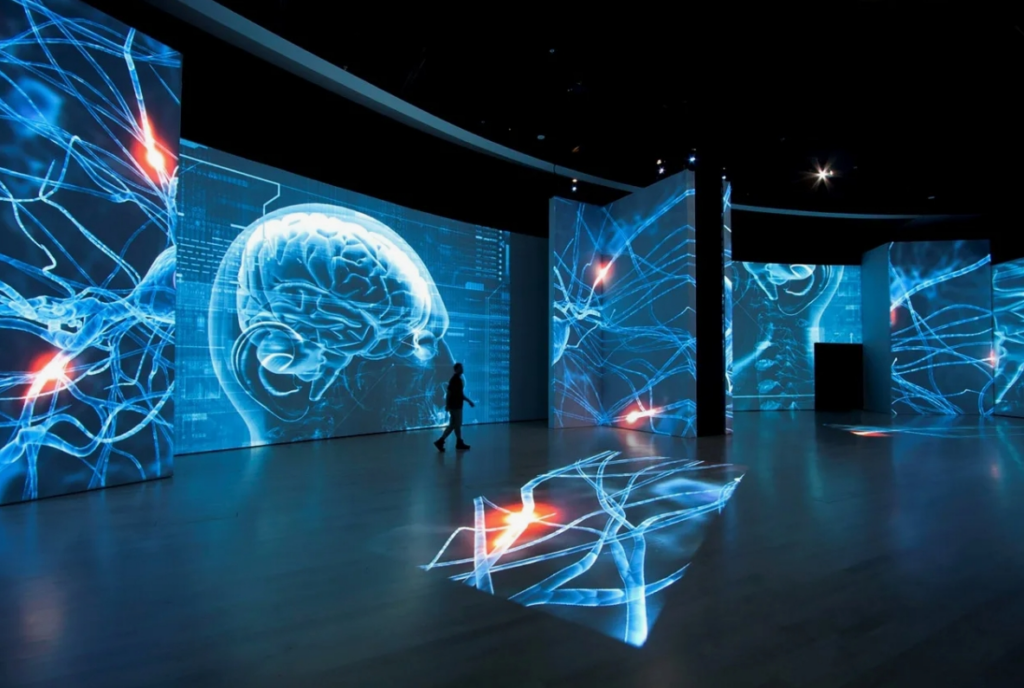
An LED screen for exhibitions is judged very differently from a concert wall. Visitors are often only a few feet from the display, the space is compact, and the screen competes with neighboring booths. The goal is to attract attention without blocking movement or overwhelming the booth design.
Key considerations for exhibition contractors and brands include:
- Booth size and visitor flow: Where do people walk, pause, and gather? The screen should be visible along these paths.
- Viewing distance in compact spaces: Close viewing makes pixel structure more noticeable, which often favors finer pixel pitch options for LED display for trade show booths. The right choice still depends on the actual distance and content.
- Screen placement and sightlines: Consider aisles, neighboring structures, and height limits set by show organizers.
- Content and product presentation: Product demos, logos, and text need to remain readable at the planned viewing distance.
- Modular configurations: Modular cabinets let contractors adapt a display to different booth sizes across a show calendar.
- Setup, dismantling, transport, and storage: Exhibition schedules are tight, and many shows have strict freight and access rules. Review rental LED screen transportation requirements early.
- Integration with booth design: The screen should be coordinated with the booth builder, including structure, power, cable routing, and finishing.
Exhibition selection criteria differ from those of a concert stage in several ways: viewing distance is shorter, screen sizes are usually smaller, brightness needs are lower indoors, and visual integration with the booth structure matters more than raw scale.
| Exhibition Environment | Typical Challenge | Planning Consideration |
|---|---|---|
| Small booth | Limited space and close viewing | Pixel pitch and screen placement |
| Large island booth | Visibility from multiple directions | Screen orientation and visitor flow |
| Product launch booth | High-impact visual presentation | Content resolution and display configuration |
| Multi-day trade show | Repeated operation and maintenance access | Reliability, service access, and spare modules |
No single pixel pitch fits every booth. Confirm the nearest and typical viewing distances, then evaluate options against your content. For multi-day shows, ask how service access is handled and whether spare modules will be on site; our guide to rental LED screen maintenance covers related points.
Rental LED Screen for Conferences
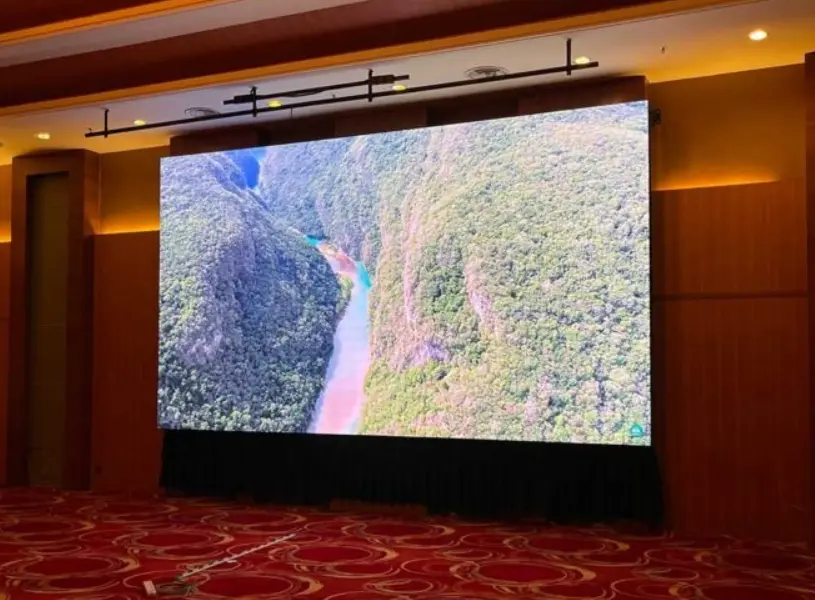
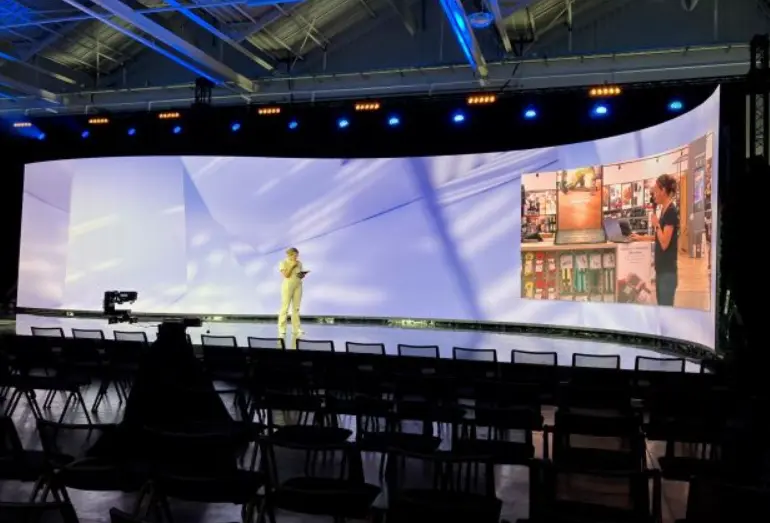
Corporate conferences, keynotes, panel discussions, and hybrid events share one priority: the audience must be able to read and follow the content. A conference LED screen often prioritizes legibility, stable presentation playback, and camera compatibility over decorative visual effects.
Important points for an LED screen for corporate conferences:
- Presenter visibility: Screens should support the speaker, not hide them. Placement relative to the stage and lectern matters.
- Text and presentation content: Slides with small text, tables, and charts need sufficient resolution and a suitable aspect ratio for the content.
- Audience sightlines: Check readability from the farthest and the widest-angle seats, and account for columns, lighting trusses, or low ceilings.
- Camera capture: If the event is recorded or streamed, confirm how the screen behaves on camera in advance.
- Screen aspect ratio: Choose a format that matches your presentation and video sources, and confirm how mixed formats will be displayed.
- Signal switching and content management: Plan how presenter laptops, video playback, and remote guests will be switched, and who operates them.
| Conference Use | Content Requirement | Selection Consideration |
|---|---|---|
| Keynote presentation | Text, charts, and slides | Pixel pitch, resolution, and screen dimensions |
| Panel discussion | Speaker visibility and supporting visuals | Screen placement and sightlines |
| Hybrid conference | In-room and remote audience experience | Camera workflow and signal management |
| Corporate stage | Professional visual presentation | Color consistency and content layout |
There is no single screen format that suits every conference venue. A ballroom with a low ceiling, a theater with a fixed proscenium, and a hotel meeting room each constrain screen height, width, and rigging differently.
Indoor vs Outdoor Event LED Screens
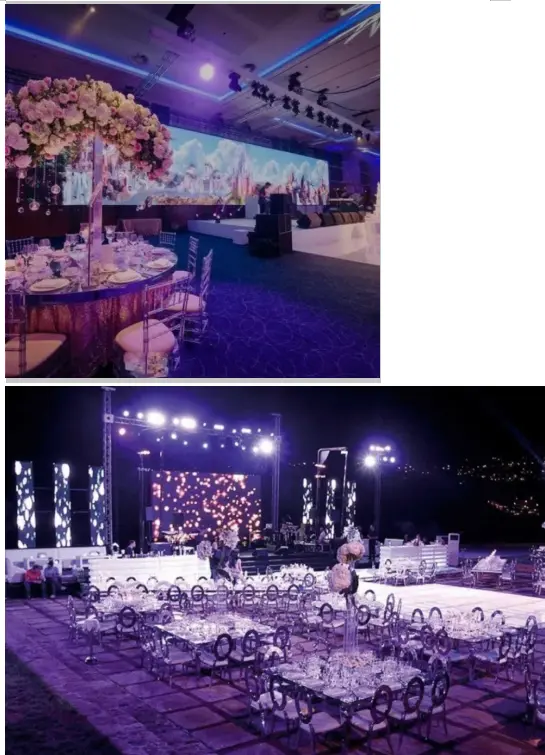
The choice between indoor vs outdoor rental LED screen configurations affects brightness, protection, structure, and logistics. The table below compares general practical differences. Actual values vary by product and installation, so they should be confirmed with the manufacturer.
| Factor | Indoor Event Use | Outdoor Event Use |
|---|---|---|
| Brightness |
Indoor displays often operate at lower brightness levels than outdoor displays, but the required output depends on ambient light, viewing distance, stage lighting, and camera use. Buyers should confirm both the display’s available brightness and its ability to be adjusted for the event environment. |
Higher brightness is generally needed to compete with daylight |
| Ambient light | Controlled or moderate lighting | Direct sun, glare, and changing conditions |
| Weather exposure | Minimal | Rain, humidity, dust, temperature changes, and wind |
| Cabinet protection | Protection requirements depend on the venue, handling conditions, and the specific product configuration. | Protection suited to the environment, confirmed per product |
| Installation environment | Ballrooms, halls, theaters, arenas | Open fields, plazas, streets, outdoor stages |
| Viewing distance | Often shorter to moderate | Often moderate to long |
| Structural requirements | Ceiling limits, floor loading, venue rules | Ground conditions, wind exposure, and additional bracing |
| Maintenance access | Usually easier to reach | May require weather planning and protected access |
| Transportation and setup | Often shorter and less weather-dependent | May require more equipment, labor, and contingency time |
An outdoor-rated cabinet does not by itself make the whole installation safe in every weather condition. Suitability depends on the complete system: cabinets, power and signal equipment, support structure, installation method, and the actual environmental conditions. Brightness, ingress protection, and wind-load questions should be answered in writing by the supplier and the structural engineer for your specific project, not assumed from a general rule.
Pixel Pitch and Viewing Distance
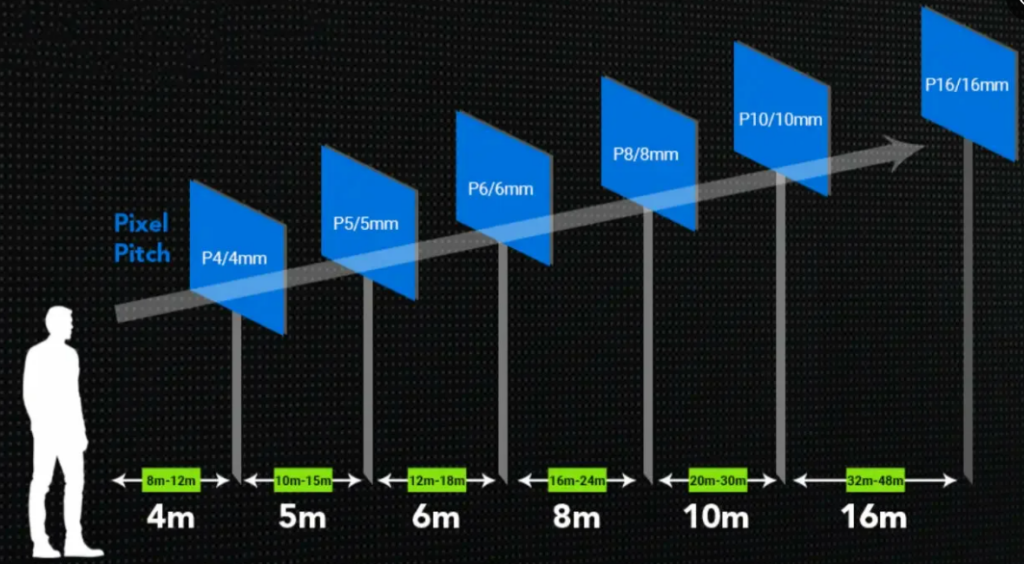
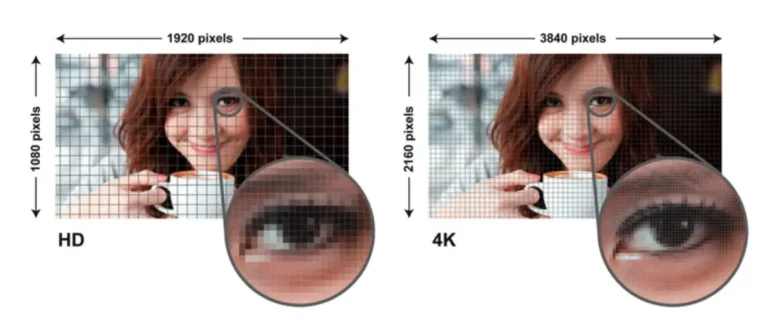
Pixel pitch is the distance from the center of one LED pixel to the center of the next, usually measured in millimeters. A smaller pitch means pixels are packed more closely, which generally supports finer detail at close range. Because of this, rental LED screen pixel pitch is one of the most discussed specifications, but it does not determine image quality on its own. Brightness, contrast, color consistency, refresh rate, video processing, and the quality of your content also matter.
Close-viewing events, such as small exhibition booths and indoor conferences, often benefit from finer pixel pitch because the audience can see more detail and read text more easily. Large outdoor stages are viewed from farther away, so overall visibility, brightness, size, and structural practicality may carry more weight alongside pixel pitch.
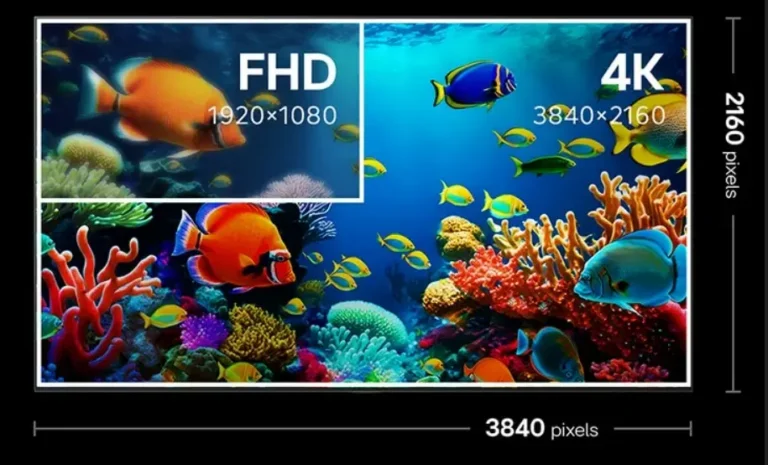
Content resolution matters too. A screen’s native resolution is determined by its size and pitch, and your content should be prepared with that in mind. Mismatched content can look soft or be cropped.
| Event Scenario | Viewing Condition | Pixel Pitch Selection Consideration |
|---|---|---|
| Small exhibition booth | Close viewing | Fine detail and text legibility |
| Conference stage | Moderate viewing distance | Presentation content and audience sightlines |
| Concert main stage | Long viewing distance | Overall image visibility and stage dimensions |
| Camera-facing event | Camera-dependent | Pixel pitch, refresh rate, processing, and camera testing |
Rules of thumb that link pitch to a minimum viewing distance circulate widely, but they are rough guides rather than universal standards and vary by content type and viewer expectations. For that reason, this article does not give a fixed formula. Ask your supplier to explain the reasoning behind any recommendation, and for camera-facing events, test the actual combination of screen, processor, and camera before the event.
What Buyers Should Confirm Before Selecting Pixel Pitch
Before choosing a pixel pitch, event organizers should provide the supplier with the nearest and farthest audience viewing distances, the main content formats, the required native resolution, and whether the display will be filmed or streamed.
For exhibition booths, buyers should pay particular attention to close-up text, product details, and visitor viewing positions. For concerts, the display’s overall dimensions, content resolution, and visibility across the audience area may be as important as pixel pitch. For conferences, presentation slides and camera capture should be reviewed together.
A supplier recommendation should explain how the proposed pixel pitch fits the actual viewing conditions rather than relying on a single universal viewing-distance rule.
Screen Size and Event Layout
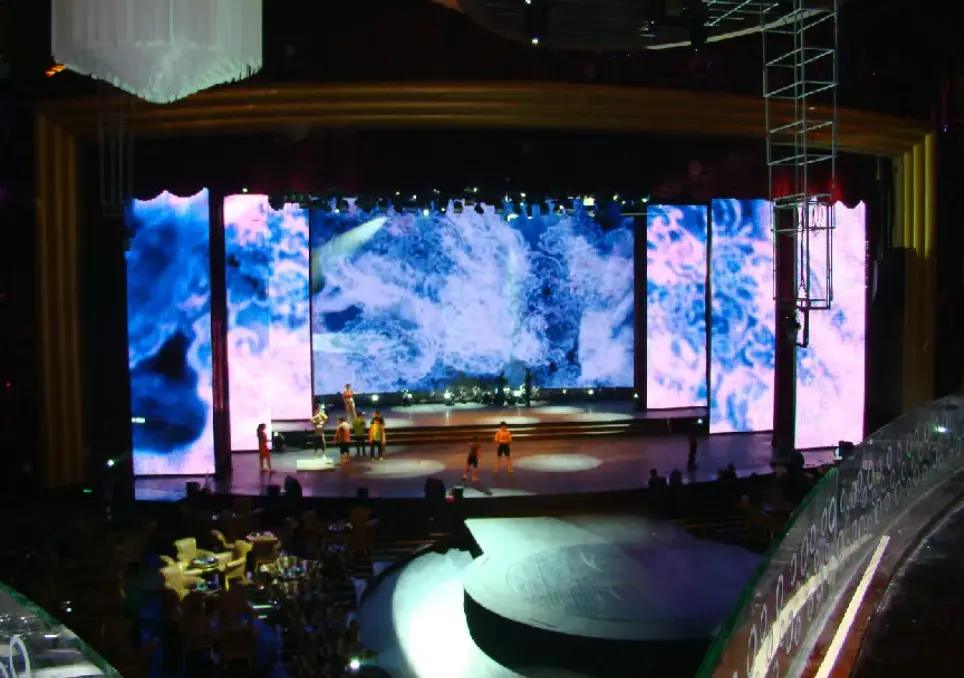
Screen size should come from the venue and the audience, not from a headcount alone. Consider these inputs together:
- Venue dimensions, ceiling height, and floor plan
- Audience capacity and seating or standing layout
- Distance from the nearest and farthest viewers
- Stage or booth layout
- Screen aspect ratio and content format
- Camera framing, if the event is recorded or streamed
- Installation and rigging restrictions
- Sightlines and obstructions such as columns, trusses, or lighting
| Event Type | Layout Priority | Screen Planning Question |
|---|---|---|
| Concert | Visibility across a large audience area | Can audiences at the back and sides see the content clearly? |
| Exhibition | Visitor flow and booth visibility | Does the screen attract attention without obstructing movement? |
| Conference | Presentation legibility | Can attendees read slides from their seats? |
| Product launch | Visual impact and camera framing | Does the display fit the stage and production layout? |
Two events with the same attendance can need very different screens. A 2,000-person conference in a wide ballroom has different sightline needs than a 2,000-person standing concert. For this reason, a fixed screen size should not be prescribed from capacity alone. Confirm final dimensions against venue drawings, content requirements, and installation constraints, and ask the supplier to review the layout before the configuration is locked.
7 Buying Tips for Rental LED Screens
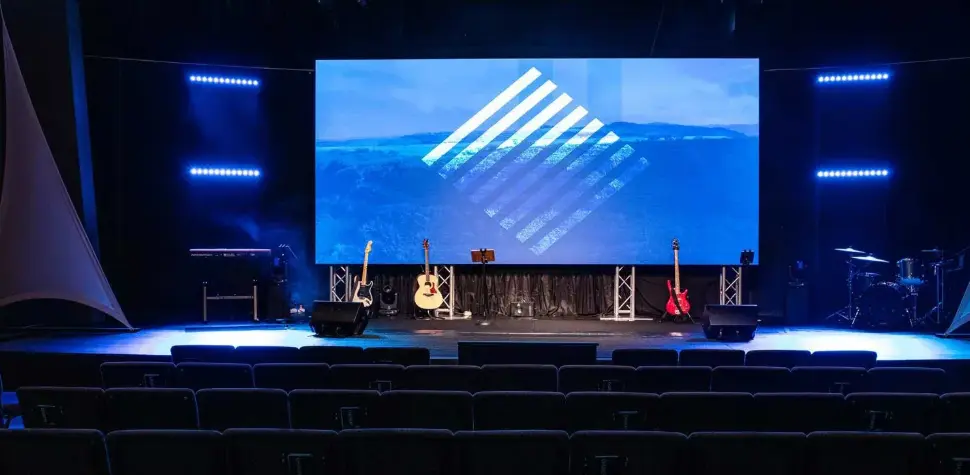
Use these tips as a final decision checklist. Each one summarizes what to check and what to avoid.
1. Define the event type and operating environment. Why it matters: Everything else depends on it. What to check: Event type, indoor or outdoor location, schedule, and operating hours. Mistake to avoid: Requesting a quote for “an LED screen” without describing the event.
2. Confirm viewing distance and pixel pitch requirements. Why it matters: Pitch affects detail and cost. What to check: Nearest and farthest viewers, content type (text, video, graphics), and whether cameras are involved. Mistake to avoid: Choosing the finest pitch by default, or the coarsest to save budget, without checking the viewing conditions.
3. Plan screen dimensions around the venue and audience. Why it matters: Size drives visibility and structural load. What to check: Venue drawings, sightlines, aspect ratio, and rigging limits. Mistake to avoid: Sizing the screen from capacity alone.
4. Evaluate cabinet design and configuration flexibility. Why it matters: Cabinets affect setup speed, transport, and shape options. What to check: Cabinet dimensions, weight, locking and connection method, and support for curved or custom layouts if needed. Mistake to avoid: Ignoring handling and weight until load-in day.
5. Confirm brightness and environmental suitability. Why it matters: Visibility and safety depend on the environment. What to check: Brightness for your light conditions, protection for weather exposure, and the support structure. Mistake to avoid: Assuming a product is suitable for every outdoor condition without written confirmation.
6. Check signal processing, refresh rate, and production compatibility. Why it matters: The screen must work with your sources, operators, and cameras. What to check: Video processor, input types, redundancy, control workflow, and camera testing. Mistake to avoid: Skipping a camera test on shows that will be filmed or streamed.
7. Evaluate transportation, setup, maintenance, spare parts, and supplier support. Why it matters: Recurring rental projects depend on reliable logistics and service. What to check: Packing and freight arrangements, on-site technical support, spare modules, and after-sales response. Review rental LED screen transportation, rental LED screen maintenance, and rental LED screen pricing so total cost reflects more than the display itself. Mistake to avoid: Comparing suppliers on unit price while ignoring support and spares.
For a wider checklist, see our rental LED screen buying guide.
FAQs
What type of LED screen is best for events? There is no single best type. The right choice depends on the event type, viewing distance, indoor or outdoor conditions, screen size, installation method, and production workflow. Modular rental cabinets are commonly used because they can be configured for different layouts, but the specific model should be matched to the event.
What pixel pitch is suitable for a rental LED screen? It depends on how close viewers are and what content is shown. Close-viewing settings such as small booths and indoor conferences generally call for finer pixel pitch, while large venues viewed from a distance may prioritize other factors alongside it. Confirm viewing distances and content with your supplier, and test camera-facing setups.
What is the difference between indoor and outdoor event LED screens? Outdoor screens generally need higher brightness and protection against weather exposure, plus stronger structural planning. Indoor screens usually operate under controlled lighting and can focus more on close-up detail. Outdoor suitability depends on the complete system and conditions, not the cabinet alone.
How do I choose the right LED screen size for a concert or exhibition? Start from the venue layout, audience positions, sightlines, and rigging limits rather than capacity alone. For concerts, check that audiences at the back and sides can see the content. For exhibitions, check that the screen is visible without blocking visitor flow. Confirm final dimensions against venue drawings.
What should I check before renting or purchasing an LED video wall for events? Confirm pixel pitch, brightness, cabinet weight and connections, installation method, signal processing, camera compatibility, transport, spare parts, and on-site support. Ask for written specifications for the exact model, and request testing for camera-facing shows.
Expert Verdict
Event type and venue conditions should determine the LED screen configuration, not the other way around. Concerts reward scale, brightness planning, structural safety, and fast, redundant setups. Exhibitions reward close-viewing detail, compact modular layouts, and integration with the booth. Conferences reward legibility, stable playback, and camera-friendly presentation. In every case, pixel pitch, screen size, environmental suitability, installation, and production compatibility need to be confirmed together rather than one at a time.
Before requesting a quotation, gather your venue drawings, audience layout, content formats, and production requirements. Sostron is a global LED display screen manufacturer and commercial display solution provider, offering display design, manufacturing, engineering support, installation guidance, after-sales technical service, and CMS smart control solutions for concerts, exhibitions, conferences, XR production, and other commercial environments.
Before requesting a quotation, prepare your event type, venue layout, audience viewing distances, screen dimensions, content format, and installation requirements.
Sostron provides LED display design, manufacturing, engineering support, installation guidance, after-sales technical service, and CMS smart control solutions for commercial display applications.
If you are planning a concert, exhibition, conference, or other live event, share your project requirements with the Sostron team. This allows the team to evaluate suitable rental LED display options and confirm the relevant technical specifications for your event.
References:
UK Health and Safety Executive(HSE)— Crowd Controls Inside the Venue
Government of Ontario — Temporary Performance/Event Structures