To start with the SoStron CMS platform,you need following Hardware:
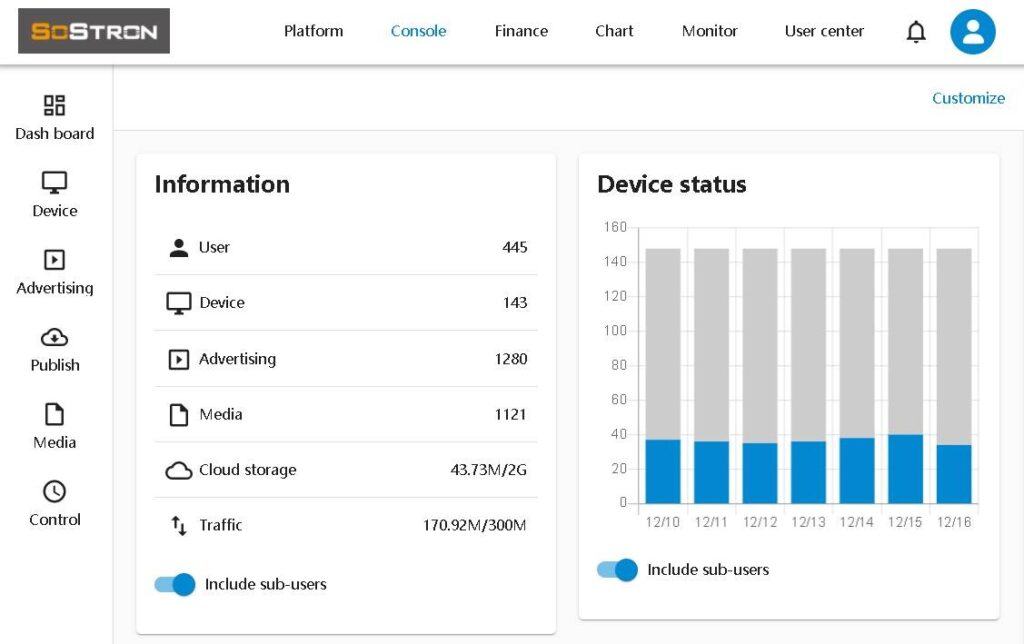
1.One android device based Media Player (Can be other android based player)
2.One Display that you need to be controlled, it can be LED screen,digital signage,video wall,projector or LCD Monitor.
3.One PC and one Android based Mobile phone.
Step 1.Hardware connection
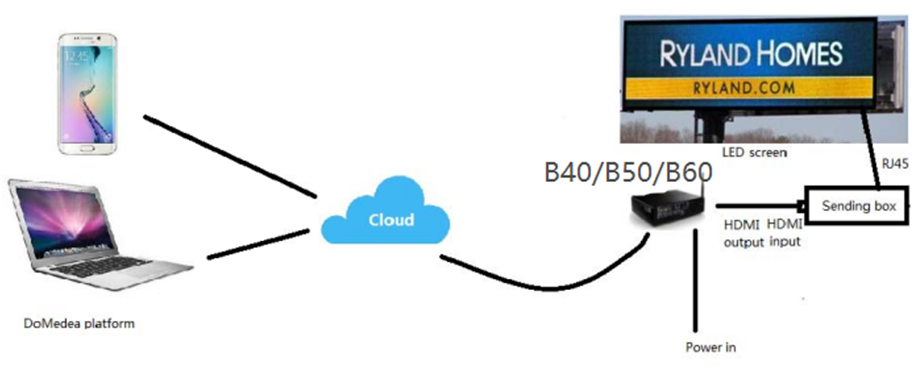
If you have a small screen with resolution below 480P,connect your LED screen/LED Sign/Video wall/Bill board through cloud like this.
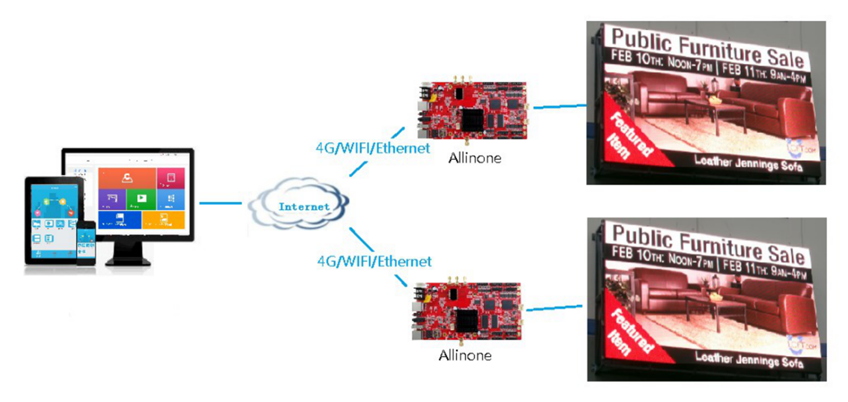
If you have a small screen with resolution above 480P,connect your LED screen/LED Sign/Video wall/Bill board through cloud like this.
Step 2.Register
Go to sostron.com
If you already have account,just login;If you do not have any,sign up first.
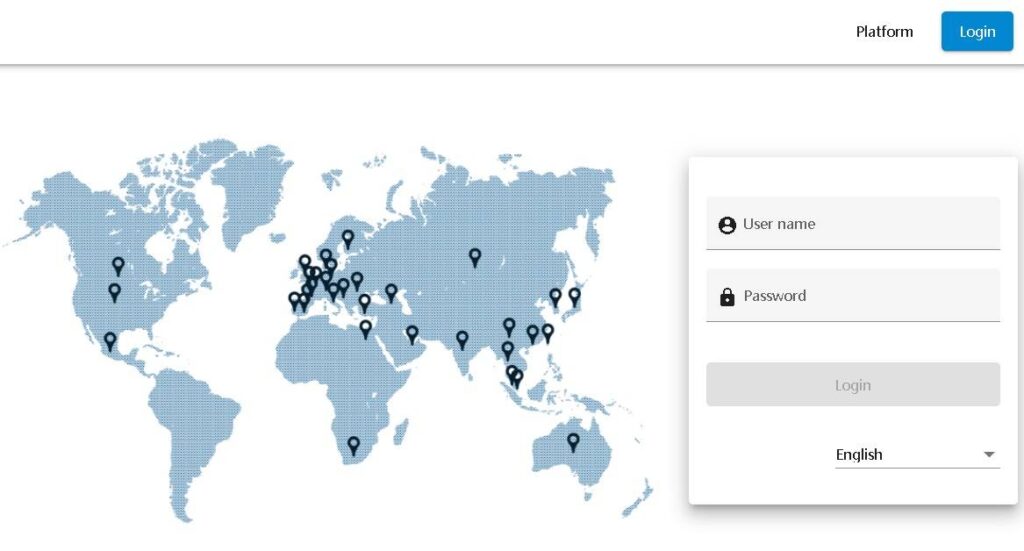
Step 3. Install DoPlayer on Media player
Let’s go to Media Player (consider it’s a small computer with Android system).
Turn on player(B40/B50/B60/3in1 for LED screen and Video wall, or other android based player),use browser to go to sostron.com, you’ll find App from right corner on the bottom,click.
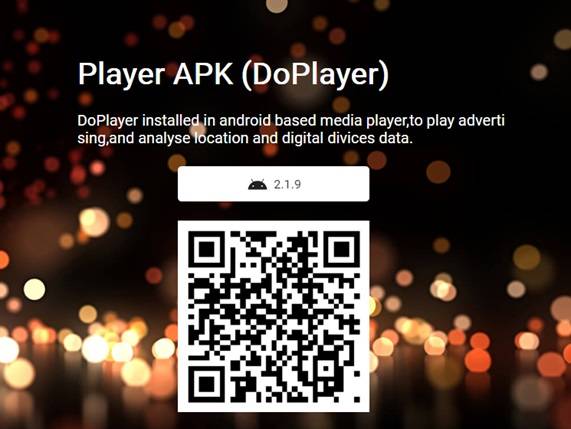
Download DoPlayer to the Media Player,follow installtion process to install it,then there’s QR code and DEVICE ID will show up.
Connect Ethernet cable to Media Player,or go to setting on the left,connect WIFI or 4G/5G instead.
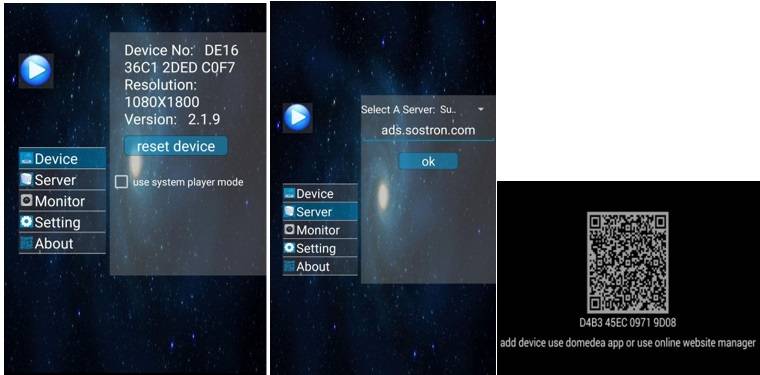
Step 4.Add Device
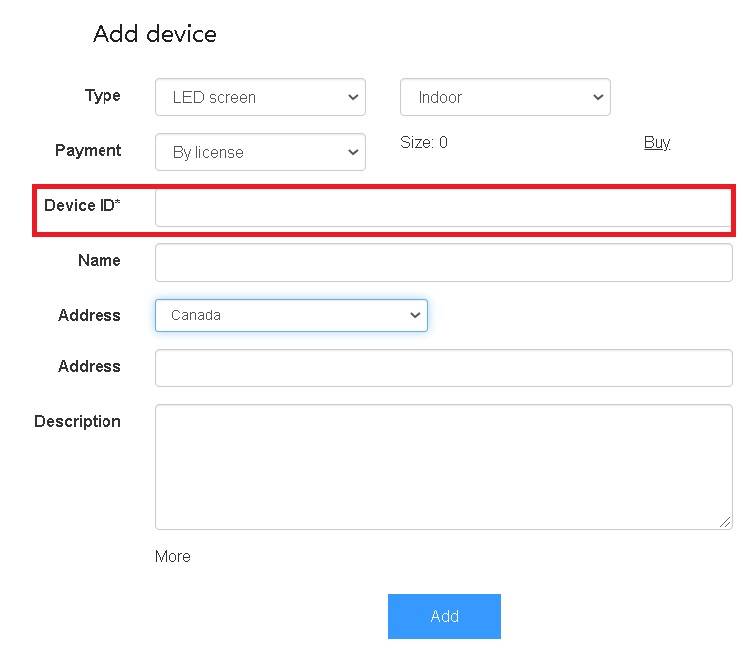
Go to CMS,find [Add device] from Device list,then click.
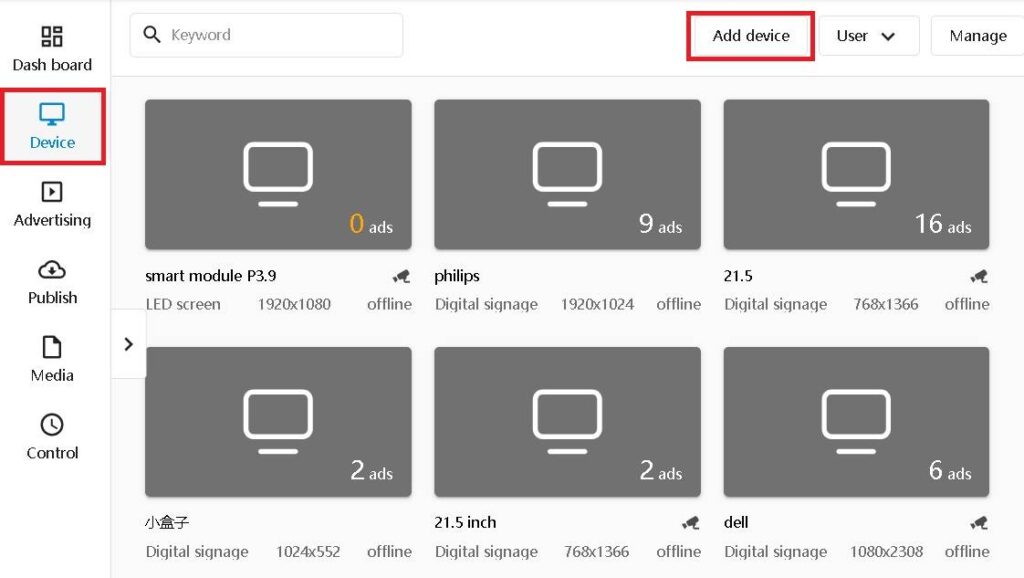
Input the 16 digital number that you see from Media Player and other information,then click [Add].
After that you will see device online(with blue color instead of grey),if it’s not,check following
Did the media player connect to internet?
Did you use the right server on DoPlayer?
Did you input the right Device ID from cms?
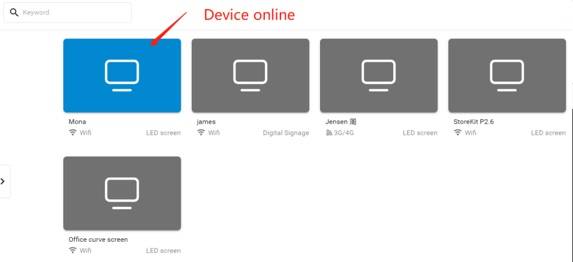
Then your LED screen is connected to CMS,and you are ready to remote control and publish media content.