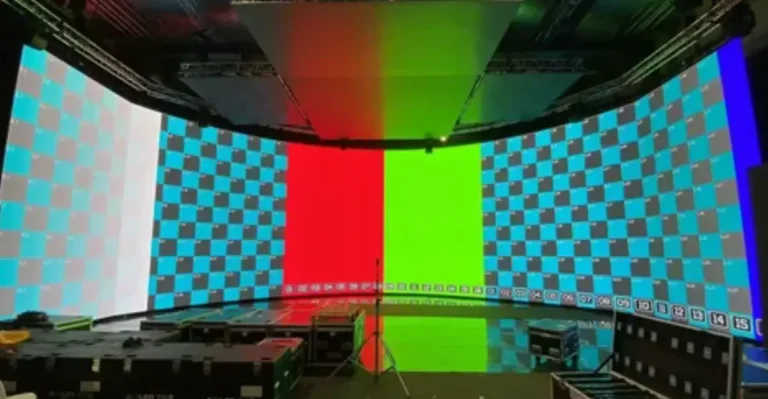
When a buyer starts comparing P1.2 indoor LED display prices, the first surprise is often not the price itself, but the gap between seemingly similar quotations. Two suppliers may both offer a 1.25mm LED wall, yet their prices can differ substantially because the LED package, driver IC, cabinet structure, refresh rate, calibration, maintenance design and control system are not necessarily the same.
That is where a specification sheet alone stops being useful. A commercial LED wall has to work as a complete system. At SoStron, we approach P1.2 projects by first analyzing viewing distance, screen dimensions, ambient light, content requirements and maintenance conditions, then matching those requirements with the appropriate fine-pitch LED technology, cabinet design and control architecture. This helps B2B buyers avoid paying for specifications that will never create measurable value.
For 2026, P1.2/P1.25 remains one of the most practical fine-pitch choices for close-viewing commercial environments, particularly conference rooms, control centers, premium retail spaces and professional studios. Current market specifications commonly place P1.25 at approximately 640,000 pixels per square meter, with many professional products offering 3840Hz refresh rates and brightness in the 500–800 nits range, although actual specifications vary by manufacturer and configuration.
What Makes a P1.2 LED Wall an Engineering Product?
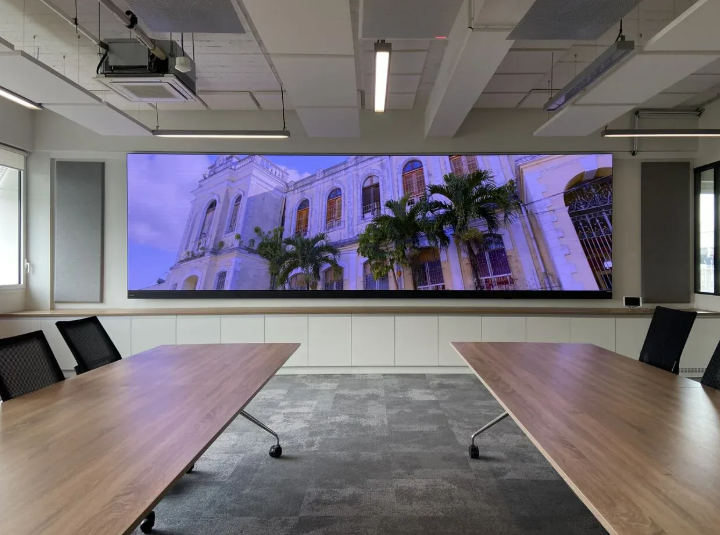
It is easy to look at a fine-pitch LED display and see only the front surface. Behind that surface, however, is a dense combination of LEDs, driver ICs, PCBs, power supplies, receiving cards, cabinet structures and thermal-management components.
At 1.25mm pitch, approximately 640,000 pixels are packed into every square meter. That density leaves less room for manufacturing inconsistencies. Small differences in LED brightness, color output, PCB quality or cabinet alignment become more noticeable when viewers stand only a few meters away. Commercial P1.25 specifications from multiple manufacturers confirm this pixel density and typically combine it with die-cast aluminum cabinets, high refresh rates and calibrated brightness.
For this reason, SoStron treats the cabinet as an engineered optical and mechanical assembly rather than simply a box holding LED modules. Material selection, cabinet flatness, connection design, heat dissipation and module alignment all influence the final appearance of the wall.
A well-designed die-cast aluminum cabinet, for example, can provide the rigidity and dimensional consistency needed for a clean fine-pitch installation while also helping manage heat. The goal is simple: when several cabinets are assembled into one large canvas, the joints should disappear from the viewer’s attention.
Why Experienced LED Engineering Matters
A low quotation can look attractive at the beginning of a project. The trouble usually appears later—during installation, calibration, content playback or maintenance.
This is why choosing a manufacturer should involve more than comparing a price per square meter. SoStron’s engineering approach covers the project from the first site discussion through product selection, CAD planning, manufacturing, testing, shipping and installation guidance.
The process typically considers:
- Viewing distance and audience position
- Pixel pitch selection
- Screen dimensions and aspect ratio
- Brightness requirements
- Power distribution
- Data routing
- Cabinet maintenance access
- Structural installation
- Video processor configuration
- Calibration requirements
- Spare parts planning
As a global LED display manufacturer and commercial display solution provider, SoStron combines product manufacturing with project engineering support. Our product portfolio spans outdoor LED displays, rental LED screens, fine-pitch indoor displays, COB solutions, flexible LED systems, transparent LED displays and XR virtual-production products.
That breadth matters because not every project needs the same LED technology. A control room, a shopping mall and an XR studio may all need an LED wall, but the engineering priorities are very different.
Understanding the Real P1.2 Indoor LED Display Price
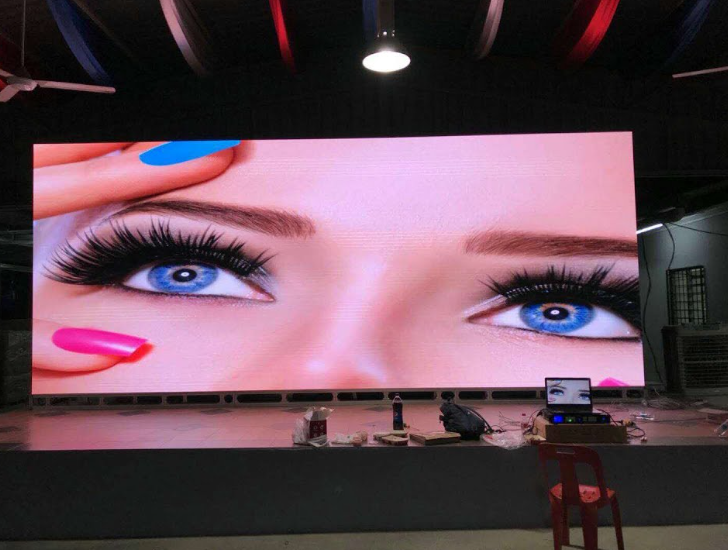
The question “How much does a P1.2 indoor LED display cost?” has no single answer because the word P1.2 describes the pixel pitch, not the complete configuration.
SoStron’s 2026 P1.25 pricing research places market reference pricing roughly between $2,500 and $5,500+ per square meter, depending on packaging technology, component selection and configuration. Its reference model separates economy SMD systems from standard commercial configurations and higher-end COB systems.
For budgeting purposes, the following structure is more useful than a single headline price:
| Configuration | Approx. Hardware Reference | Typical Positioning |
|---|---|---|
| Economy P1.25 SMD | $2,500–$3,000/m² | Budget-sensitive commercial projects |
| Standard P1.25 SMD | $3,200–$4,200/m² | Corporate, retail and professional installations |
| Premium P1.25 COB | $4,500–$5,500+/m² | Command centers, premium spaces, demanding applications |
These figures are budgetary reference ranges, not fixed quotations. Order quantity, LED chip selection, driver IC, cabinet design, control system, redundancy, shipping destination and installation requirements can move the final number considerably.
A professional quotation should therefore distinguish between the LED hardware price and the complete project price.
What You Are Actually Paying For
The LED cabinet is only one part of a commercial display system.
A complete P1.2 project may include:
LED hardware
Modules, cabinets, LED packages, driver ICs, power supplies and receiving cards.
Control system
Sending cards, video processors, signal distribution and control software.
Mechanical installation
Steel structures, wall frames, mounting hardware and precision adjustment.
Electrical work
Power distribution, breakers, cables and system grounding.
Calibration and commissioning
Brightness, color and module uniformity adjustment after installation.
Logistics
Export packaging, international transportation, customs and local delivery.
Service and spares
Replacement modules, power supplies, receiving cards, technical support and warranty service.
This distinction becomes particularly important when comparing factory quotations. A $3,000/m² quotation and a $4,000/m² quotation may not actually represent two different products if one supplier has excluded processing, structure, calibration or spare parts.
Why P1.2 Costs More Than P1.8 or P2.5
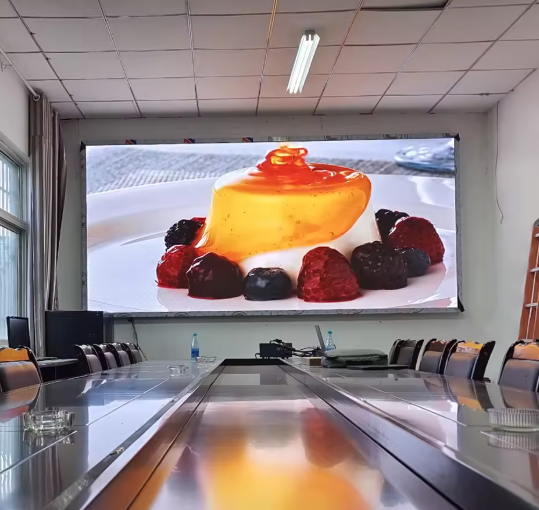
The simplest explanation is pixel density.
A 1.25mm display contains around 640,000 pixels per square meter, while P1.53 is around 422,500 pixels/m², P1.86 around 288,888 pixels/m² and P2.5 around 160,000 pixels/m².
That additional density means more components, tighter manufacturing tolerances and greater demands on signal processing and calibration.
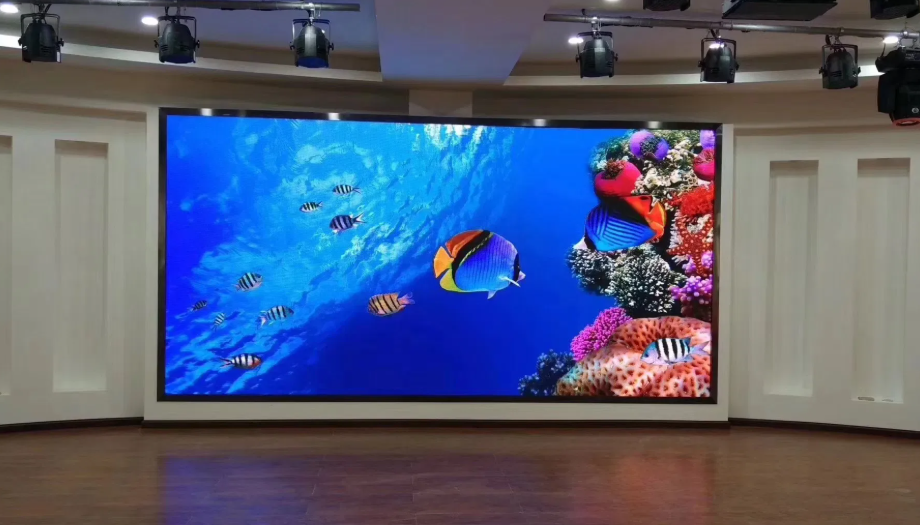
The difference becomes obvious when the screen is used to display:
- Fine text
- Financial dashboards
- Maps
- Data visualization
- Presentation slides
- Close-up video
- High-resolution product imagery
However, more pixels do not automatically mean a better investment.
If the audience is 6 or 8 meters away, a P1.2 wall may deliver little visible benefit over a well-selected P1.8 or P2.5 system. This is why pixel pitch should always be selected after analyzing the viewing environment.
P1.2 or P1.25? The Naming Can Be Misleading
One of the easiest mistakes during procurement is assuming that P1.2 and P1.25 necessarily describe two different product classes.
In commercial LED terminology, P1.2 is often used as a rounded marketing name for a 1.25mm display. Technical datasheets commonly specify the actual physical pitch as 1.25mm. Current commercial P1.25 products also consistently report approximately 640,000 pixels/m².
For procurement, therefore, do not compare products by the model name alone.
Ask for:
- Physical pixel pitch
- Pixel density
- LED package
- Cabinet resolution
- Module size
- Brightness
- Refresh rate
- Grayscale
- Contrast
- Maintenance method
The datasheet tells you what the product actually is.
SMD or COB: Which P1.2 Technology Fits the Project?
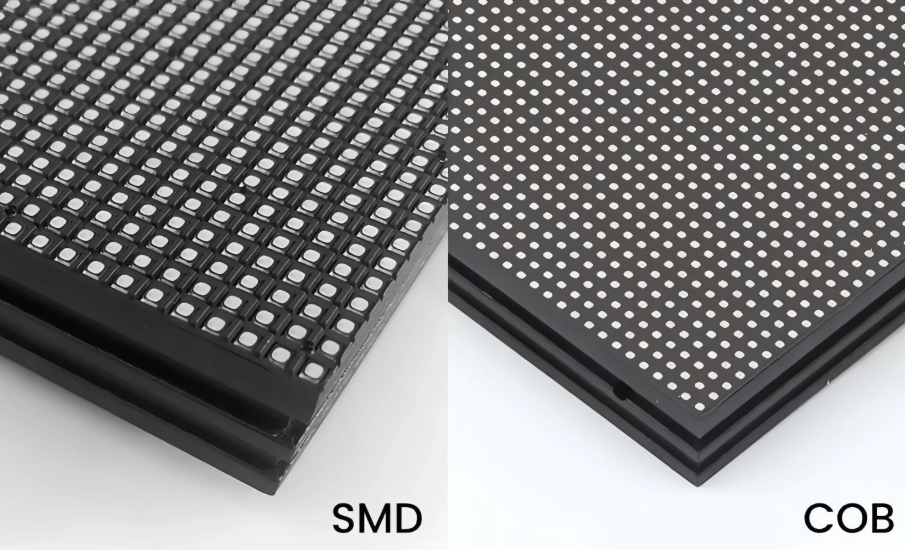
This is where the price difference becomes more meaningful.
P1.2 SMD
SMD remains a mature and widely used technology for fine-pitch indoor LED displays. Individual LED packages are mounted on the PCB, making the manufacturing process relatively established and component-level servicing more familiar.
SMD can be a strong option when:
- Initial cost matters
- The installation is protected
- Standard commercial operation is expected
- Easy component-level repair is important
P1.2 COB
COB places the LED chips directly on the PCB and uses encapsulation to protect the display surface.
This creates a different physical surface and can provide advantages in environments where durability, surface protection and close-range appearance matter.
Current 2026 market guides show P1.2 COB products commonly positioned around 600–800 nits, with high contrast ratios and 3840Hz refresh rates.
COB can be particularly attractive for:
- Executive boardrooms
- Command centers
- Premium retail
- Museums
- High-end corporate environments
The decision should not be framed as “COB is always better.” A better question is:
Does the project justify the additional investment in surface protection, visual performance and long-term durability?
That is a much more useful engineering question.
Brightness Is About the Room, Not the Datasheet
Indoor LED does not automatically mean low brightness.
A conference room with controlled lighting has very different optical conditions from a retail atrium with large windows. A display that looks excellent in a dark showroom may feel unnecessarily intense in a bright commercial environment—or the opposite.
Many P1.25 indoor products are specified around 500–800 nits, with adjustable brightness. Current commercial datasheets show examples around 450, 500, 600 and 800 nits depending on configuration.
SoStron’s engineering recommendation is to consider:
- Ambient illumination
- Screen size
- Viewer distance
- Content type
- Camera usage
- Operating hours
Brightness should also be judged after calibration. Maximum brightness printed on a datasheet is not the same as the brightness you should run every day.
3840Hz Refresh Rate: When Does It Really Matter?
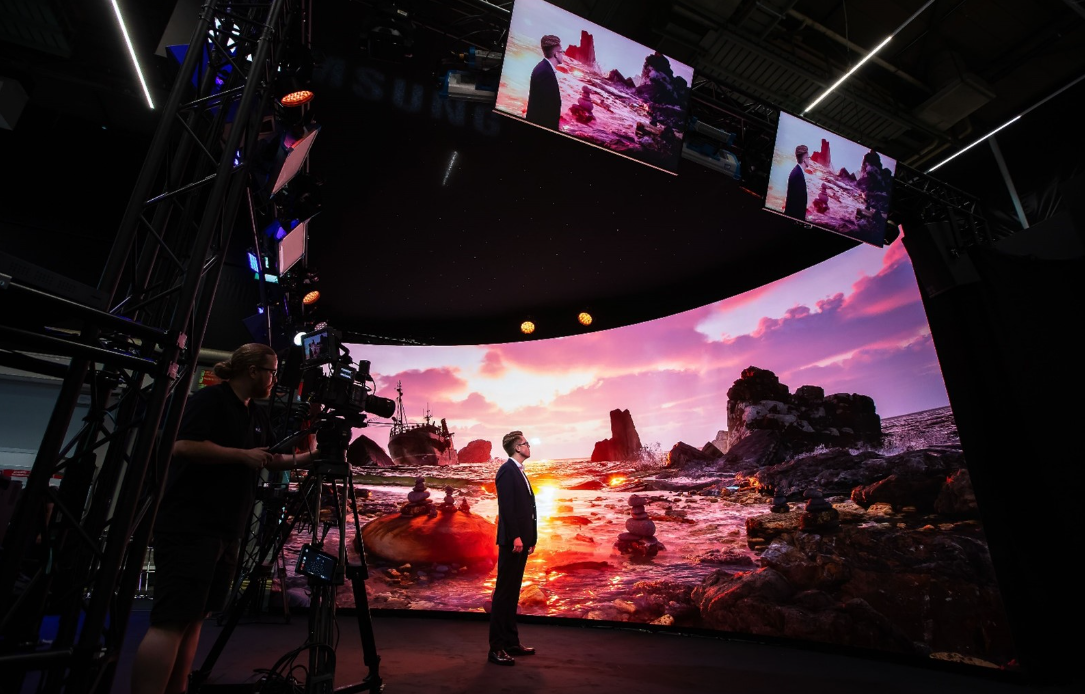
- Camera Flicker: Visible black bars (rolling shutter effect) when filmed.
- Content Loss: Fast-moving content may appear blurry or tearing.
- Not Broadcast Ready: Unsuitable for professional live streaming or TV.
- Flicker-Free: Crystal clear image on all cameras (1/2000s+ shutter speed).
- Smooth Motion: Perfect for fast video playback and sports.
- XR Ready (7680Hz): Essential for virtual production and XR studios.
Refresh rate becomes particularly important once cameras enter the picture.
For ordinary presentations and digital signage, 3840Hz provides smooth visual performance. For broadcast, live production and XR applications, the interaction between LED scanning, camera shutter speed and frame rate becomes much more important.
Professional P1.25 products commonly specify 3840Hz, while some premium COB configurations extend to 7680Hz.
A camera-friendly LED wall should therefore be evaluated with the actual camera system rather than simply checking a number on the specification sheet.
For XR and virtual production, the requirements become even stricter. High refresh rate, grayscale performance, color consistency and camera synchronization all contribute to the final result.
Viewing Distance Should Come Before Pixel Pitch
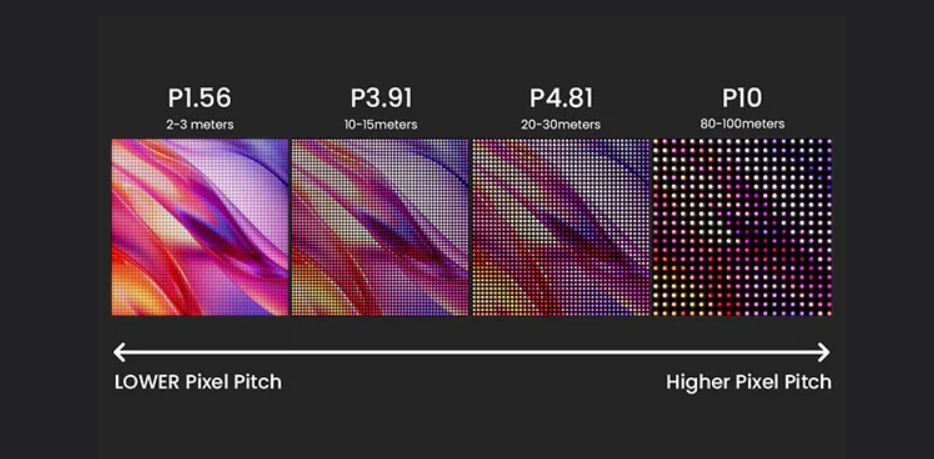
This is perhaps the most important purchasing decision.
Buyers sometimes start with:
“We want the highest resolution possible.”
That sounds reasonable. It can also become expensive very quickly.
A better starting point is:
“How close will people actually stand to the screen?”
P1.2 is particularly valuable when viewers are close enough to notice the difference in pixel density.
Typical applications include:
| Environment | Why P1.2 Makes Sense |
|---|---|
| Executive boardroom | Close viewing and detailed presentations |
| Control center | Small text, maps and dashboards |
| Broadcast studio | Camera-friendly high-resolution imagery |
| Premium retail | High visual density at short distances |
| Corporate lobby | Large seamless visual surfaces |
| XR studio | Fine detail and camera capture |
If most viewers remain several meters away, a slightly larger pixel pitch may deliver almost the same perceived quality at a lower capital cost.
That is where an experienced LED supplier earns its value—not by selling the smallest pixel pitch, but by knowing when not to recommend it.
How P1.2 Works With 4K Content
P1.2 becomes particularly interesting when the project requires large-format 4K presentation.
A 4K UHD image contains:
3,840 × 2,160 pixels
At a physical pitch of 1.25mm, reproducing those pixels one-to-one would require approximately:
4.8m × 2.7m
of display area.
That calculation comes directly from:
3,840 × 1.25mm = 4.8m
2,160 × 1.25mm = 2.7m
In practice, cabinet dimensions and cabinet resolution determine the exact configuration. Some P1.25 cabinets use 480 × 270 or 512 × 384 pixel layouts, so a project engineer should calculate the final pixel map before ordering the hardware.
This is one reason SoStron provides project-level CAD and configuration support rather than treating every screen as a simple collection of square meters.
Calibration Is Where a Good LED Wall Becomes a Convincing One
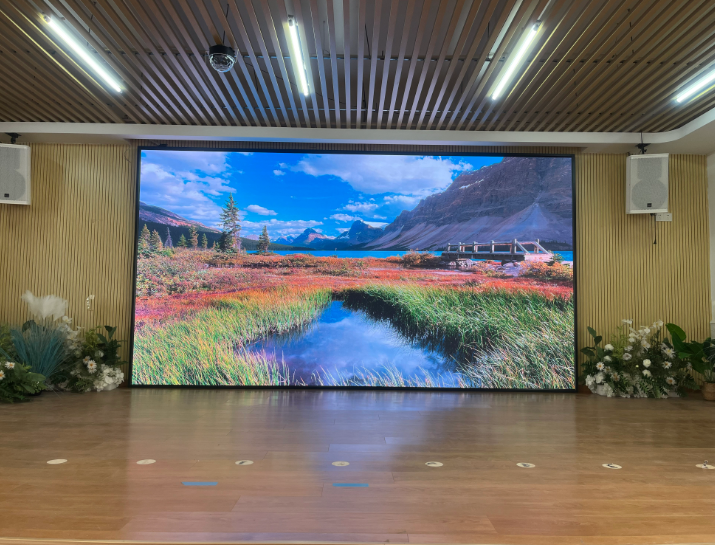
A newly assembled LED wall can be technically functional and still look wrong.
The human eye is surprisingly good at detecting slight differences in brightness and color across a large uniform surface. On a fine-pitch display, those differences can become distracting.
Professional systems therefore use calibration to control:
- Brightness uniformity
- Color uniformity
- White balance
- Low-gray performance
- Module-to-module consistency
Modern fine-pitch specifications increasingly include single-pixel brightness and color correction, with some systems specifying brightness uniformity above 97%.
SoStron’s manufacturing and project workflow includes factory testing and calibration considerations before the display reaches the customer. For larger installations, final on-site calibration is also important because the surrounding environment and actual cabinet arrangement affect the final image.
Front Maintenance Can Change the Installation Plan
A beautiful LED wall becomes much less attractive if a technician has to dismantle the room to replace a module.
This is why maintenance access should be discussed before the wall is manufactured.
Front-service P1.25 products are widely available and can allow technicians to access modules without requiring a large rear maintenance corridor. Current professional specifications list front maintenance as a standard design feature for fine-pitch indoor systems.
For installations mounted directly against architectural walls, front maintenance can be especially valuable.
Before purchasing, confirm:
- How modules are removed
- Whether power supplies are front accessible
- Whether receiving cards can be replaced easily
- How spare modules are stored
- What tools are required
- Whether the supplier provides maintenance training
These details rarely appear in the headline price. They matter after installation.
Materials, Cabinet Design and Thermal Behavior
Fine-pitch LED cabinets need to be rigid enough to maintain alignment while remaining light enough for efficient installation.
Die-cast aluminum is widely used in professional indoor LED cabinets because it combines structural rigidity, dimensional consistency and relatively low weight. Current P1.25 products from multiple manufacturers use die-cast aluminum cabinets with weights commonly in the single-digit kilogram range.
SoStron’s fine-pitch approach also considers cabinet precision, thermal behavior and serviceability during product design.
This may sound like a small detail until hundreds of cabinets are joined into one wall.
Then a fraction of a millimeter becomes visible.
That is the difference between a screen that looks like individual panels and a video wall that reads as one continuous image.
Power Consumption and the Cost After Installation
The purchase order is only the beginning of the financial calculation.
P1.2 displays contain a high density of LED components, so power planning deserves attention, especially for large walls operating many hours per day.
Commercial P1.25 specifications show considerable variation in average and maximum power consumption. Examples in current technical sheets range from roughly 157–270W/m² average consumption and approximately 470–800W/m² maximum consumption depending on the product and test conditions.
The important point is that maximum power is not the same as normal operating power.
For a large project, SoStron engineers can evaluate:
- Screen area
- Brightness setting
- Operating hours
- Power distribution
- Thermal environment
- Average operating consumption
This creates a more realistic operating-cost estimate.
A Real SoStron Project: What the Selection Process Looks Like
A useful way to understand LED engineering is to look at a project where the display had to fit the room rather than the other way around.
SoStron’s published case library includes the Tianjin Autohome indoor LED display project, where the client wanted to strengthen its corporate image and improve the visual experience for employees and visitors. After researching different options, the project selected SoStron’s Storm Plus indoor LED solution at P1.53 rather than simply choosing the smallest available pixel pitch.
That decision illustrates an important procurement principle: the right LED display is not necessarily the display with the smallest pixel pitch.
The same engineering logic applies when specifying P1.2. If the viewing distance, content and room conditions justify it, P1.2 can be an excellent choice. If they do not, moving to P1.5 or P1.8 may free budget for better control equipment, redundancy, structural work or installation quality.
SoStron’s more recent P1.25 guidance also documents Reta 2 as a recommended fine-pitch solution for control centers and other applications where flatness, thermal consistency and long-term stability matter.
Where P1.2 Delivers the Most Practical Value
Corporate Boardrooms
A boardroom places viewers relatively close to the display, often with presentation slides, spreadsheets and video conferencing content on screen.
Here, pixel density and text clarity matter more than simply maximizing brightness.
Control and Command Centers
Control rooms need to display dense information without forcing operators to move closer to the wall.
P1.2 is therefore well suited to applications involving maps, dashboards, surveillance feeds and real-time data.
Broadcast and Studio Environments
Studios introduce another challenge: the LED wall itself becomes part of the camera image.
High refresh rate, stable grayscale, consistent color and careful calibration become critical.
Premium Retail and Hospitality
Luxury retail stores, hotel lobbies and corporate reception spaces often use LED as part of the architecture.
In these environments, cabinet flatness, seamless appearance, viewing angle and maintenance access can be just as important as raw resolution.
P1.2 vs P1.5 vs P1.8 vs P2.5
The most sensible comparison is not “Which one has the highest resolution?”
It is “Which one produces the required image quality at the actual viewing distance?”
| Pixel Pitch | Pixel Density | Typical Use |
|---|---|---|
| P1.2 / P1.25 | ~640,000/m² | Close-viewing, premium indoor |
| P1.5 | ~422,000/m² | Corporate and professional indoor |
| P1.8 | ~289,000/m² | Conference, retail, hospitality |
| P2.5 | ~160,000/m² | Larger indoor spaces and longer viewing |
If viewers sit within a few meters of the display and the content contains detailed graphics, P1.2 can justify its premium.
If the audience is farther away, P1.8 or P2.5 may provide a more balanced return.
The best specification is the one that solves the visual problem without creating unnecessary capital cost.
What Should Be Included in a P1.2 LED Quotation?
A request such as “Please quote 20m² P1.2 LED” is not detailed enough for a serious B2B comparison.
Ask suppliers to specify:
Display Hardware
- Actual pixel pitch
- LED package
- Pixel density
- Cabinet dimensions
- Cabinet resolution
- Brightness
- Refresh rate
- Grayscale
- Contrast ratio
Control System
- Sending card
- Receiving card
- Video processor
- Signal inputs
- Control software
- CMS capability
Engineering
- Mounting structure
- Power distribution
- Data cabling
- Installation method
- Front/rear maintenance
- Calibration
Commercial Terms
- Hardware price
- Installation
- Shipping
- Duties
- Spare parts
- Warranty
- Technical support
- Commissioning
A detailed BOM makes supplier comparison much more honest.
SoStron Quality Control: What Happens Before Shipment?
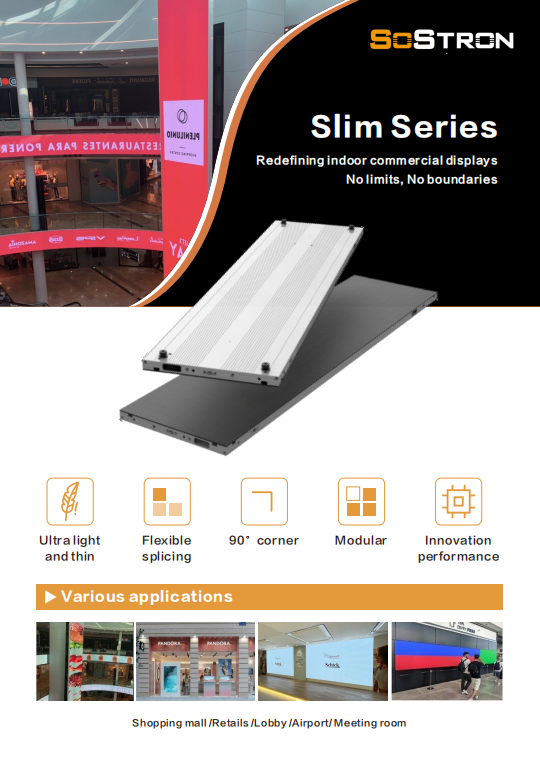
The most expensive time to discover an LED defect is after the screen has been installed on site.
That is why SoStron’s manufacturing process places emphasis on component inspection, module testing, cabinet assembly and aging tests before delivery.
Testing focuses on issues such as:
- Dead pixels
- Brightness consistency
- Color uniformity
- Driver stability
- Power stability
- Signal reliability
- Long-duration operation
For demanding commercial projects, extended aging is particularly valuable because intermittent problems can be difficult and expensive to diagnose after international shipment.
The principle is straightforward:
Test the screen before the customer has to test it.
Smart CMS Control for Multi-Screen Operations
Hardware is only half of a commercial display network.
For businesses operating multiple screens, the ability to monitor and control those screens remotely can have a direct operational impact.
SoStron’s CMS approach supports functions such as:
- Remote content management
- Scheduled playback
- Multi-screen management
- Brightness monitoring
- Device status monitoring
- Remote operation
This becomes particularly useful for:
- Retail chains
- DOOH operators
- Transportation networks
- Corporate campuses
- Hospitality groups
Instead of sending a technician to every screen for routine content changes, centralized management can reduce unnecessary site visits and simplify network operations.
How SoStron Supports a Project From Factory to Installation
A commercial LED project usually passes through several hands. The fewer gaps between those stages, the easier it is to control quality.
SoStron’s service workflow follows a project sequence:
Project Consultation
The customer provides screen dimensions, installation environment, viewing distance, application and budget.
↓
Solution Design
The engineering team recommends pixel pitch, product series, cabinet configuration and control architecture.
↓
Engineering Preparation
CAD drawings, structural recommendations, power planning and data routing are prepared where required.
↓
Manufacturing
LED modules and cabinets are assembled, tested and aged before shipment.
↓
Delivery
Export packaging and international logistics are arranged according to the destination.
↓
Installation Support
Customers receive installation guidance, technical documentation and remote engineering support.
This structure is particularly valuable for international B2B customers that need a manufacturer capable of supporting a project beyond the factory gate.
P1.2 Indoor LED Display Buying Checklist
Before approving a purchase order, check:
-
Actual pitch is confirmed as 1.25mm
-
Viewing distance has been evaluated
-
Pixel density is stated
-
SMD or COB is clearly specified
-
Brightness is defined
-
Refresh rate is confirmed
-
Grayscale specification is provided
-
Cabinet resolution is documented
-
Front/rear maintenance is identified
-
Video processor is included
-
Calibration is included
-
Power consumption is documented
-
Installation structure is quoted
-
Spare parts are defined
-
Warranty terms are clear
-
Technical support is available
A professional supplier should be comfortable answering these questions.
If the quotation avoids them, the low price may not be telling the whole story.
Frequently Asked Questions About P1.2 Indoor LED Displays
Is P1.2 the same as P1.25?
In most commercial LED discussions, P1.2 is commonly used to describe the 1.25mm class. Always verify the physical pixel pitch in the technical datasheet.
How much does P1.2 indoor LED cost?
For 2026 budgeting, SoStron’s market reference places P1.25 systems around $2,500–$5,500+/m², depending on SMD/COB configuration and component selection. A complete installed project will cost more after processing, structure, logistics, installation and commissioning are included.
Is P1.2 better than P1.5?
Not automatically. P1.2 provides higher pixel density and is more suitable for close viewing, while P1.5 can deliver a better balance between image quality and project cost when the audience is slightly farther away.
Is COB better than SMD?
COB provides advantages in surface protection and can be attractive for premium close-viewing applications. SMD remains a mature and cost-effective technology. The right choice depends on project conditions rather than marketing claims.
Is 3840Hz enough for professional LED walls?
For many commercial applications, 3840Hz is a strong specification. Broadcast, XR and camera-intensive projects may require additional testing and potentially higher refresh rates.
Can P1.2 display 4K content?
Yes. A P1.25 LED wall can display 4K content, but the physical dimensions and cabinet resolution should be calculated during system design.
Does P1.2 consume a lot of power?
Power consumption depends on brightness, LED package, driver IC, cabinet design and operating conditions. Average and maximum power should always be listed separately in a quotation.
Choosing the Right P1.2 LED Display Is an Engineering Decision
The attraction of P1.2 is easy to understand. With roughly 640,000 pixels per square meter, it can produce an exceptionally dense and clean image for close-viewing commercial environments. But the pixel pitch itself is only the beginning.
A successful LED project also depends on the cabinet, LED package, driver IC, refresh rate, calibration, brightness, maintenance design, control system and installation.
More importantly, the best LED wall is not necessarily the most expensive one.
It is the one that fits the room, the content, the audience and the operating requirements.
Why Work With SoStron?
SoStron is a global LED display manufacturer and commercial display solution provider, supporting customers from product selection and engineering design through manufacturing, delivery, installation guidance and after-sales technical service.
Our capabilities cover:
- Indoor fine-pitch LED displays
- Outdoor LED billboards
- Rental LED screens
- COB LED displays
- Transparent LED displays
- Flexible LED displays
- XR virtual-production LED walls
- CMS-based commercial display systems
Our engineering team works with international customers on pixel-pitch selection, viewing-distance analysis, CAD planning, structural requirements, control systems, manufacturing and technical support.
For a P1.2 project, that means you are not simply buying square meters of LED.
You are buying a display system designed around the way the screen will actually be used.
Explore SoStron’s Fine-Pitch Indoor LED Solutions
If your project requires close-range viewing, high pixel density and a seamless commercial video wall, explore SoStron’s Fine-Pitch LED Display portfolio, including the Reta series for professional indoor applications.
If your project requires a broader indoor display solution for corporate, retail, hospitality or commercial environments, see SoStron’s Indoor LED Display range to compare available configurations.
For a project-specific P1.2/P1.25 quotation, provide the screen dimensions, viewing distance, installation environment and intended application. These four details allow the engineering team to recommend a configuration based on actual project requirements rather than a generic price-per-square-meter estimate.
References:
Monitor Selection — Pixel Pitch and Resolution
Automated Color Calibration of Display Devices